
Urine Log: Voiding Diary
Bladder Diary & Bowel Tracker
Dirancang untuk iPhone, iPad
Gratis · Pembelian dalam aplikasi
- Batasan usia4+
- KategoriMedis
- PengembangTAKASHI KOJIMA
- BahasaInggris+ 12 lainnya
- Ukuran6,8 MB
Tertaut ke halaman resmi App Store
Download.org tidak menyimpan file Urine Log: Voiding Diary apa pun. Tombol ini membuka halaman aplikasi di App Store, tempat TAKASHI KOJIMA menerbitkannya. Halaman terakhir diperiksa pada 26/11/2026.
Tangkapan layar

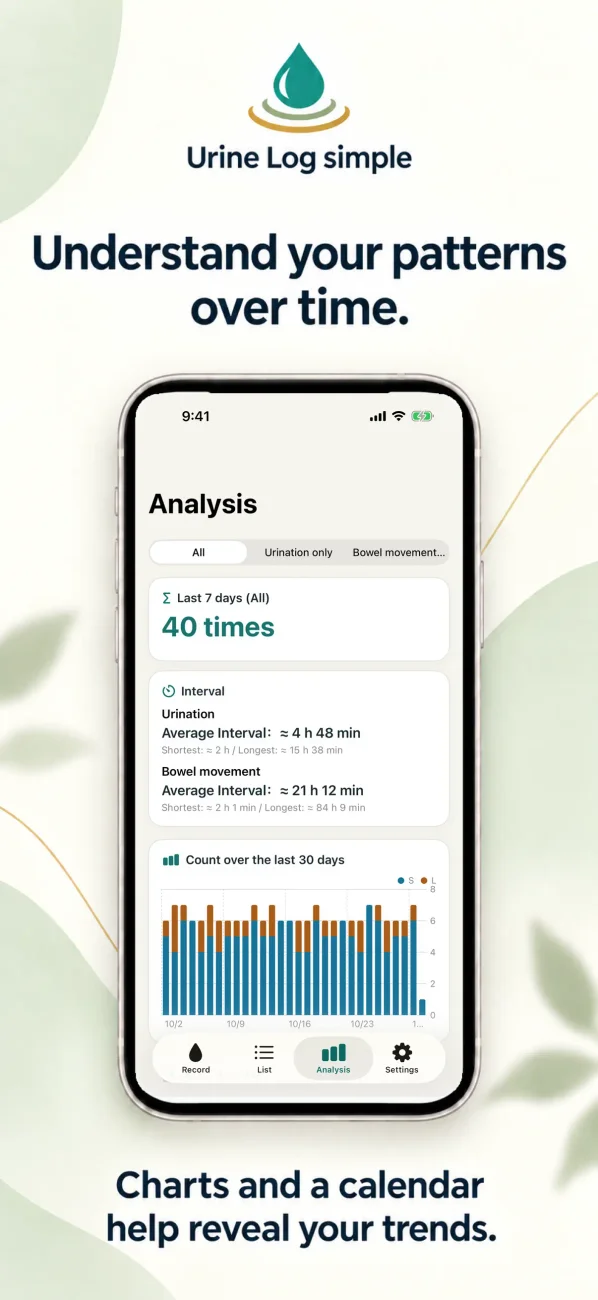
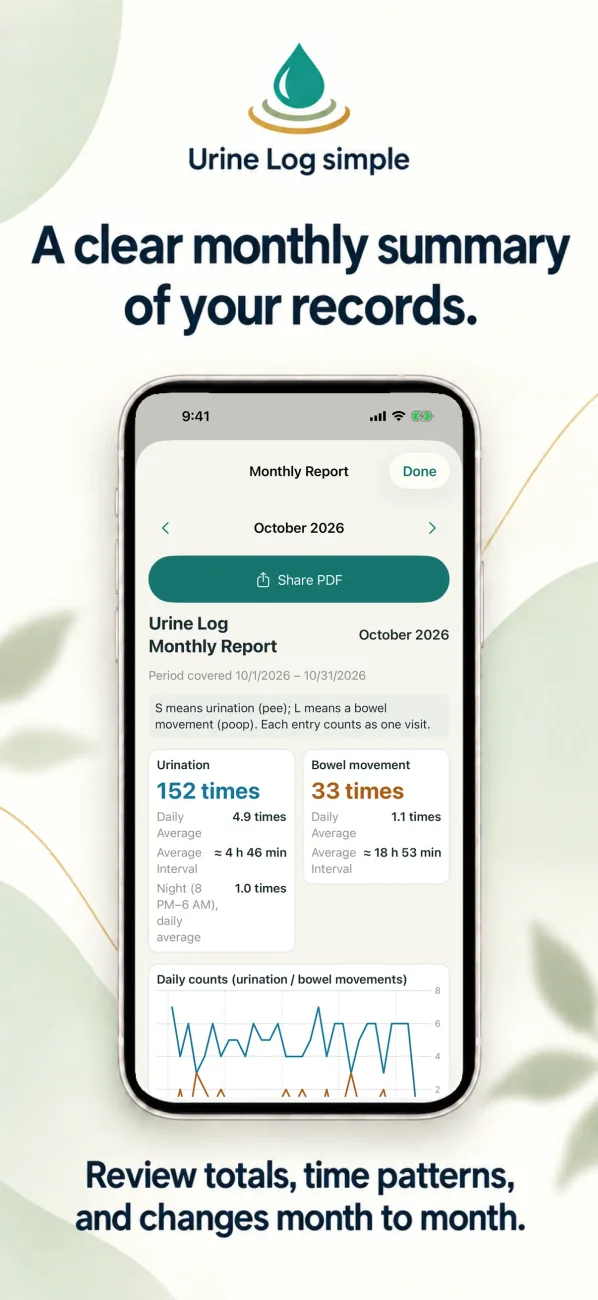
Tentang
Pengembang belum menyediakan teks ini dalam bahasa Anda.
Urine Log is a simple voiding diary (bladder diary) that makes it easy to log urination and bowel movements and review them in graphs, calendars and PDFs. The app uses S for urination (pee) and L for a bowel movement (poop). These short labels come from “small” and “large” bathroom visits; they identify the type of visit, not the amount.
Keep a daily voiding diary to review changes, or show it at a medical appointment.
■ Easy logging
• Tap S or L once to record the current time; add an optional note.
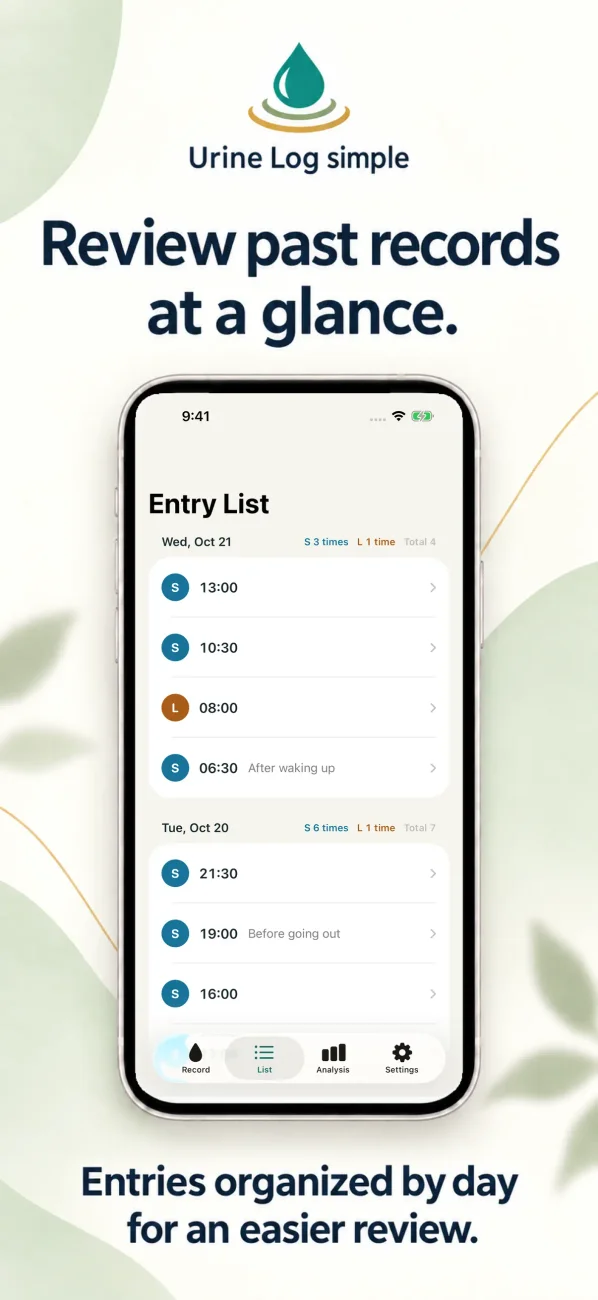
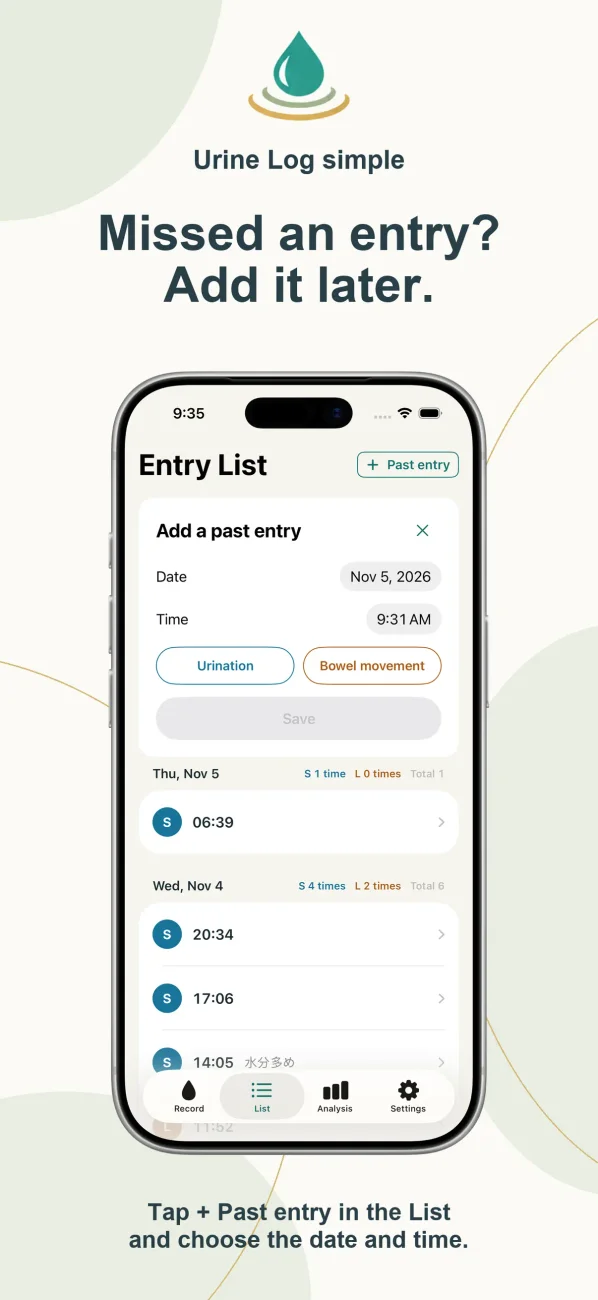
• Review past entries and edit their times or notes in the log list.
• Log without opening the app using a Home Screen widget. The small widget has your chosen button; the medium widget has both.
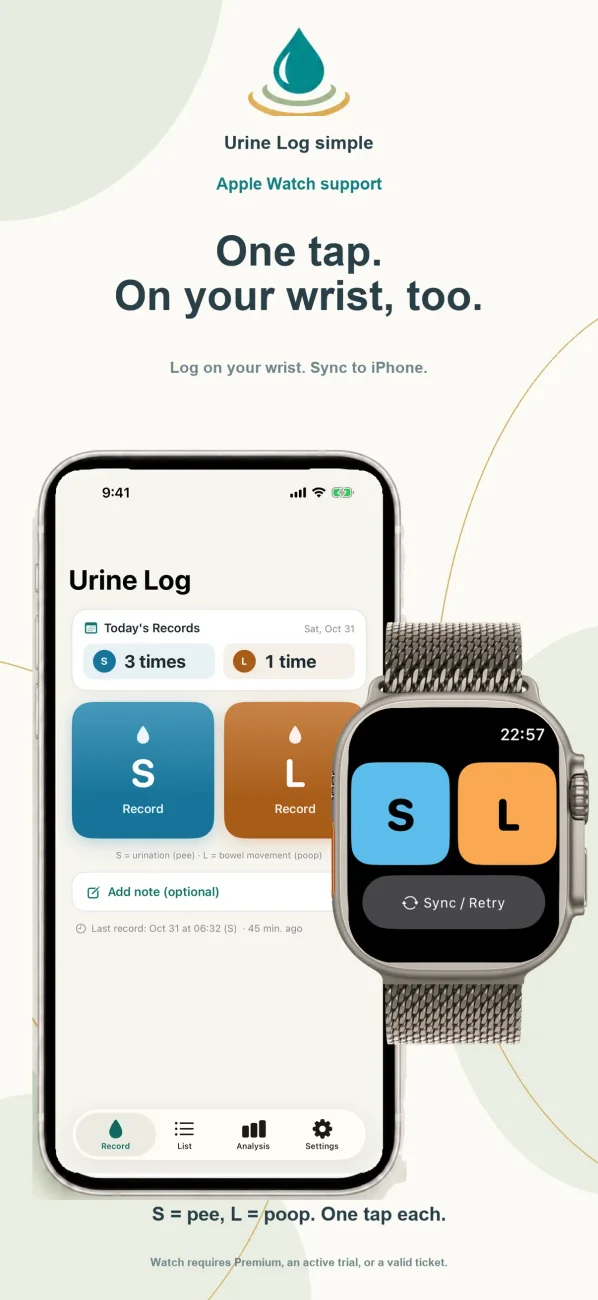
• Log on Apple Watch and sync entries to iPhone.
■ Review each type separately
• See daily counts in graphs and the calendar.
• Check average, shortest and longest intervals for each type in hours and minutes (Based on the last 7 days. Intervals under 5 min are excluded).
• Switch between “All”, “Urination only” and “Bowel movement only”.
• See the total for the last seven days, including today.
■ Monthly reports and export
• Separate counts, daily averages and average intervals for urination and bowel movements.
• Daily graphs, hourly counts and comparison with the previous month.
• Average daily nighttime urination count, from 8 p.m. to 6 a.m.
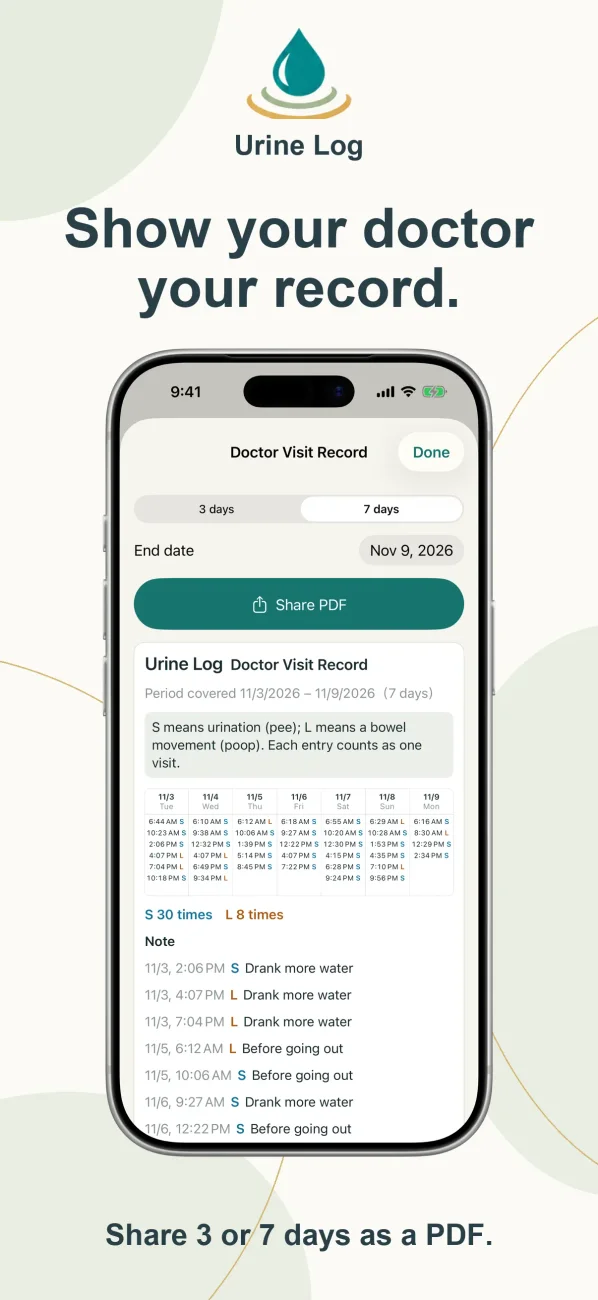
• Doctor Visit Record (3 or 7 days): a voiding-diary-style PDF listing the time of each entry by day. The last 3 or 7 days, including today, are available to everyone.
• Share a one-page A4 PDF, or export a date range as CSV for use on a computer.
• Choose the new or previous format under Settings > Monthly Report > Format. The previous format retains combined counts and intervals and the clock-face time-of-day chart.
■ Free features and access
Regular iPhone logging and the log list are free and unlimited. Home Screen widget logging requires no purchase.
After the seven-day trial, analysis, monthly reports and CSV export are limited to the last seven days. A one-time Premium purchase or an active 30-Day Pass provides access to the full period.
Apple Watch logging requires an active trial, Premium or an active 30-Day Pass.
■ Please note
This app organizes records you enter for personal use. It does not diagnose, treat conditions or medically assess your records. Consult a healthcare professional about your health.
“Nighttime” is a fixed period from 8 p.m. to 6 a.m.; the app does not automatically measure urination during sleep or awakenings to urinate.
Records are stored on your device.
Make daily logging an easy habit.
Yang baru
Versi 3.1 · 25/11/2026
Added the "Today's Summary" widget and a summary screen on Apple Watch.
- Widget "Today's Summary": place it on the Home Screen (small or medium) or the Lock Screen to see today's S and L counts and the time since your last entry at a glance. It is view-only, with no record buttons.
- Apple Watch: from the record buttons, turn the Digital Crown or swipe up to open "Today's Summary" with today's counts and the time since the last entry (calculated and sent by your iPhone). Apple Watch features are available with a lifetime Premium purchase, during your free trial, or while your 30-Day Pass is active.
- Lock Screen: "Today's Records" is now also a Lock Screen widget (rectangular and circular). Record S and L straight from the Lock Screen and see today's counts at the same time.
- In Settings, "How to Use & Useful Features" explains widgets, Lock Screen widgets, controls, Apple Watch and Siri in one place.
How records are stored and purchase options are unchanged.
Privasi aplikasi
Yang dinyatakan TAKASHI KOJIMA di App Store tentang cara aplikasi ini menangani data.
-
Data tidak dikumpulkan
Pengembang tidak mengumpulkan data apa pun dari aplikasi ini.
Praktik privasi dapat bervariasi, misalnya berdasarkan fitur yang Anda gunakan atau usia Anda.
Informasi
- Penjual
- TAKASHI KOJIMA
- Kategori
- Medis
- Versi
- 3.1
- Diperbarui
- 25/11/2026
- Dirilis
- 1/8/2026
- Ukuran
- 6,8 MB
- Memerlukan
- iOS 26.0 atau yang lebih baru
- Batasan usia
- 4+
- Harga
- Gratis
- Pembelian dalam aplikasi
- Ya
- Bahasa
- Inggris, Arab, Bengali, Prancis, Jerman, Hindi, Italia, Jepang, Korea, Portugis, Tionghoa Sederhana, Spanyol + 1 lainnya
- Hak cipta
- © 2026 Takashi Kojima
Mungkin Anda juga suka
-
 PeeLog: Bladder Diary TrackerMedis
-
 排尿日誌 - 泌尿器科で見せやすい記録-Kesehatan & Kebugaran
-
 ToiLogue - AI Health LogKesehatan & Kebugaran
-
 排尿日誌プラス|夜間頻尿・水分記録とPDFMedis
-
 うんこログ - 排便・排尿記録Kesehatan & Kebugaran
-
 Urination Record Ver.2Medis
-
 Fluen AI: Bladder Health DiaryMedis
-
 Bladder Diary: Fluid BalanceMedis
-
 Urine LogKesehatan & Kebugaran
-
 Bladder Diary TrackerKesehatan & Kebugaran