UrKeyboard輸入法
The BEST Chinese Input Method
Entwickelt für iPhone, iPad
3,99 € · In-App-Käufe
- Altersfreigabe17+
- KategorieDienstprogramme
- Entwicklerzhihmeng
- SprachenTradit. Chinesisch
- Größe124,9 MB
Verlinkt auf die offizielle App Store-Seite
Download.org hostet keine Datei von UrKeyboard輸入法. Die Schaltfläche öffnet die App-Seite bei App Store, wo zhihmeng die App veröffentlicht. Eintrag zuletzt geprüft am 13.11.2026.
Screenshots


Info
Der Entwickler hat diesen Text nicht in Ihrer Sprache bereitgestellt.
UrKeyboard — Your Personalized Chinese Input Keyboard
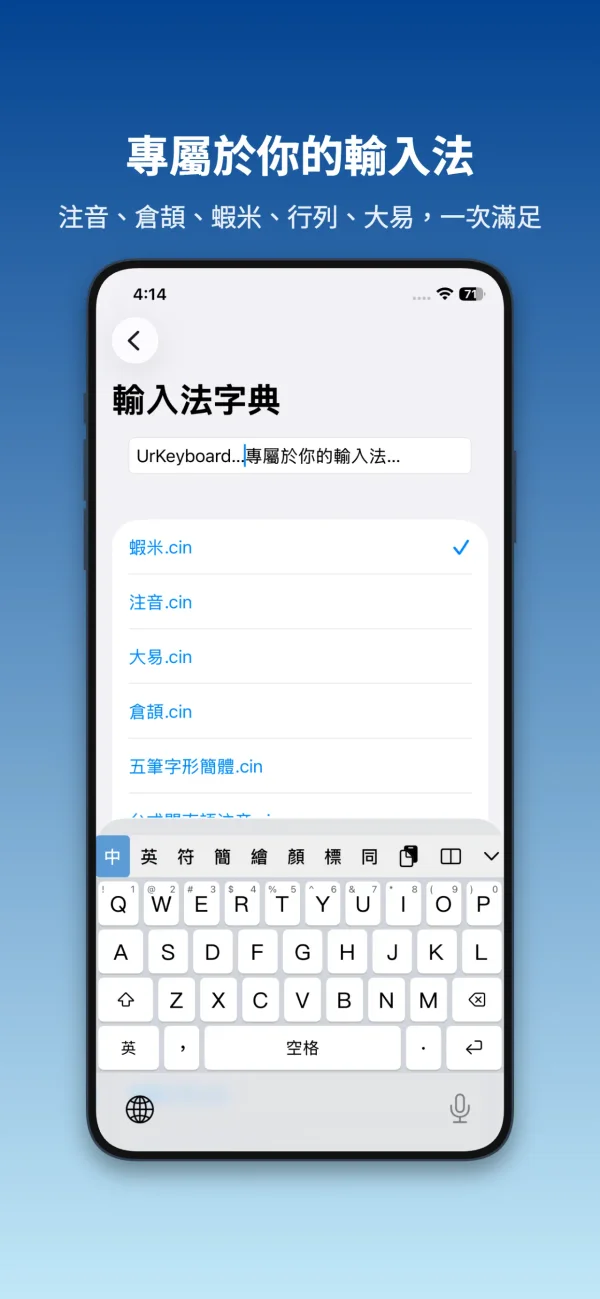
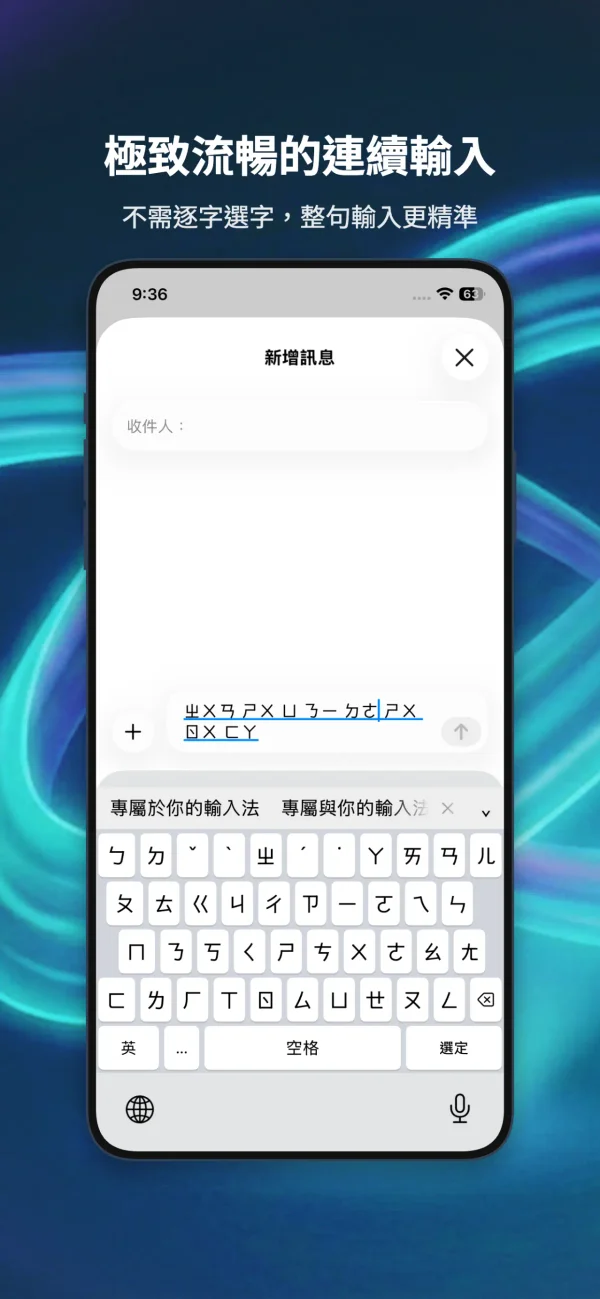
Supports multiple Chinese input methods including Boshiamy, Zhuyin (Bopomofo), Cangjie, Dayi, Array, and Pinyin — all in one app.
【Continuous Input, Type Fast】 Continuous input mode for Zhuyin and Pinyin lets you type an entire sentence at once. Our smart language model handles word segmentation automatically. The more you type, the smarter it gets.
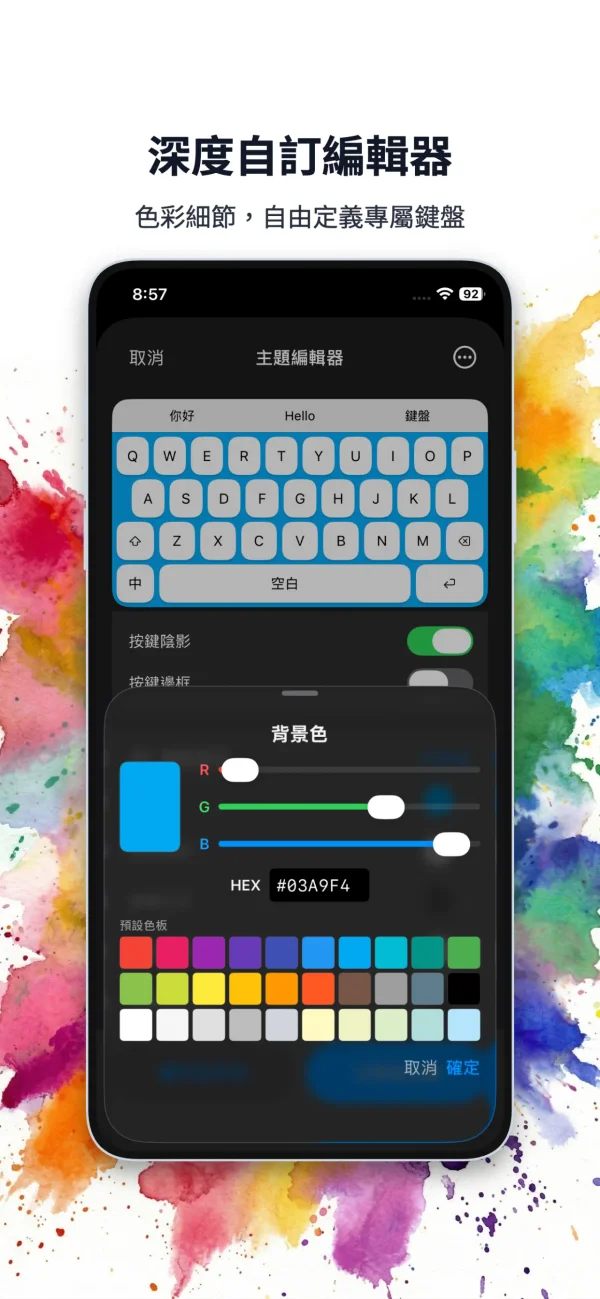
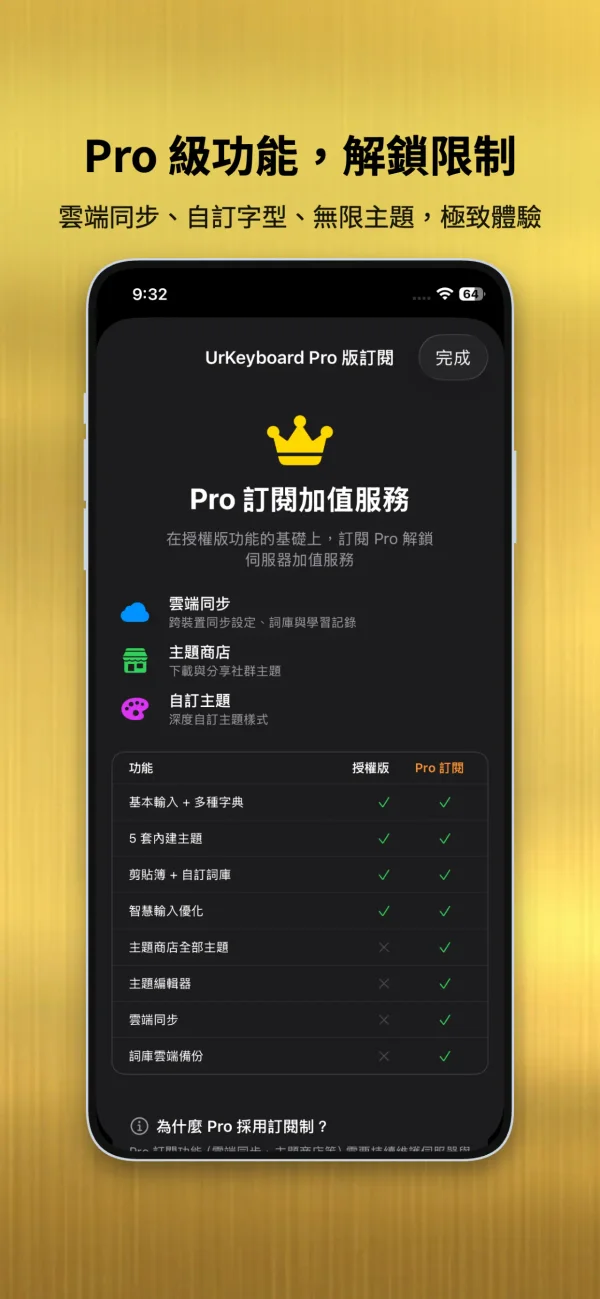
【Themes, Your Way】 Choose from built-in themes with automatic light/dark mode switching. Pro users can customize 40+ appearance properties including background images, key colors, fonts, and more.
【Community Theme Store】 Browse, download, and share creative themes with the community. Search by tags and discover trending designs.
【Rich Keyboard Layouts】 5 keyboard layouts (Standard, Zhuyin, 5-Row, Full-Size, 31-Key), 15 sound themes, and 5 haptic presets for your preferred typing feel.
【Packed with Features】
Emoji (Unicode 16.0), Kaomoji, and Symbol panels
Clipboard panel for quick pasting
Traditional-to-Simplified output
Cursor control via spacebar swipe
Long-press for alternate characters
English autocomplete
Custom dictionary with shortcodes
【Cloud Sync (Pro)】 Sign in to sync your preferences, learned word frequencies, and custom dictionary across devices. Supports Sign in with Apple and Google Sign-In.
【Privacy First】 UrKeyboard does not record, collect, or transmit your keyboard input. Word frequency data is stored locally. Cloud sync is opt-in only.
Privacy Policy: https://urkeyboard.molioapp.com/privacy-policy.html
Terms of Use (EULA): https://www.apple.com/legal/internet-services/itunes/dev/stdeula/
Neue Funktionen
Version 2.4.19 · 19.08.2026
What's new in v2.4.19:
[New]
1. Hold-to-switch timing: adjust how long to hold the space bar before it switches keyboards — make it longer to avoid accidental triggers, or shorter for quicker access
2. Slide-to-move-cursor distance: choose how far to slide on the space bar before the cursor starts moving
Both settings sync across your devices (Pro)
App-Datenschutz
Was zhihmeng im App Store zum Umgang dieser App mit Daten angibt.
-
Keine Daten erfasst
Der Entwickler erfasst keine Daten von dieser App.
Die Datenschutzpraktiken können variieren, zum Beispiel je nach den von Ihnen verwendeten Funktionen oder Ihrem Alter.
Informationen
- Anbieter
- LIN ZHIHMENG
- Kategorie
- Dienstprogramme
- Version
- 2.4.19
- Aktualisiert
- 19.08.2026
- Veröffentlicht
- 05.10.2014
- Größe
- 124,9 MB
- Erfordert
- iOS 16.0 oder neuer
- Altersfreigabe
- 17+
- Preis
- 3,99 €
- In-App-Käufe
- Ja
- Sprachen
- Tradit. Chinesisch
- Copyright
- Copyright © 2014 MolioApp All rights reserved