
Video Audio Extraction
Extract Audio from Videos
Entwickelt für iPhone
Kostenlos · In-App-Käufe
- Altersfreigabe4+
- KategorieMusik
- EntwicklerEGG STUDIO LIMITED LIABILITY CO
- SprachenEnglisch+ 4 weitere
- Größe21,7 MB
Verlinkt auf die offizielle App Store-Seite
Download.org hostet keine Datei von Video Audio Extraction. Die Schaltfläche öffnet die App-Seite bei App Store, wo EGG STUDIO LIMITED LIABILITY CO die App veröffentlicht. Eintrag zuletzt geprüft am 23.11.2026.
Screenshots


Info
Der Entwickler hat diesen Text nicht in Ihrer Sprache bereitgestellt.
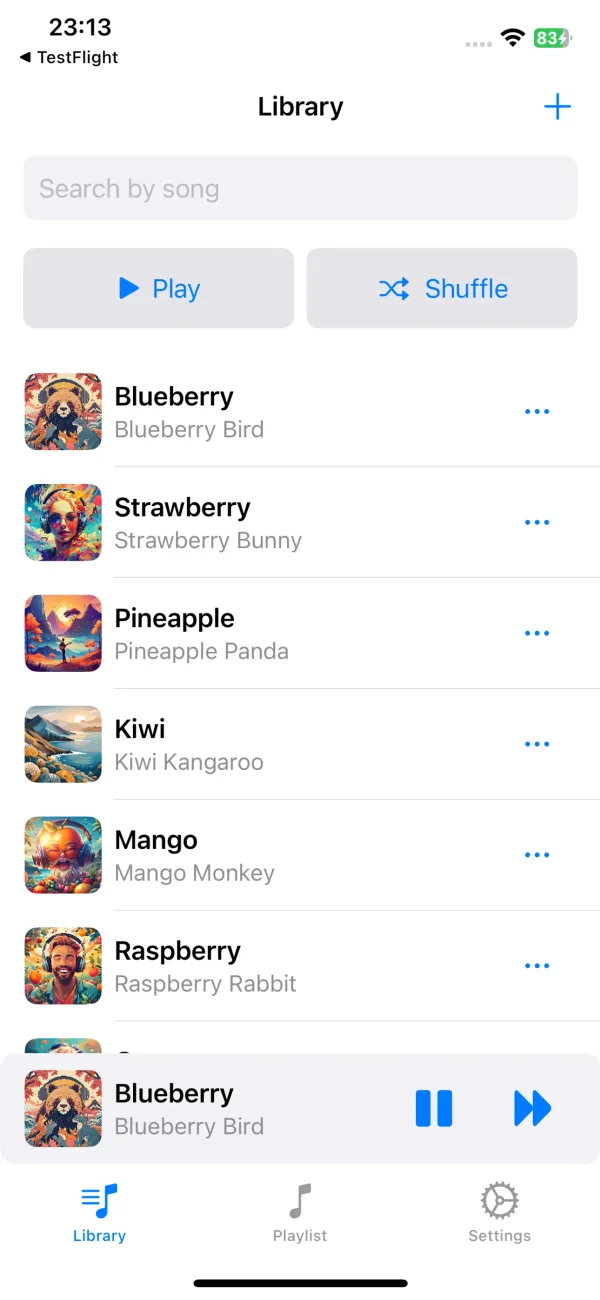
"Video Audio Extraction" is an app that allows you to quickly and easily extract audio from video files. It supports common video formats like QuickTime (mov) and mp4, saving high-quality audio as m4a files. This app not only extracts audio but also offers powerful playback and playlist features to enrich your music experience.
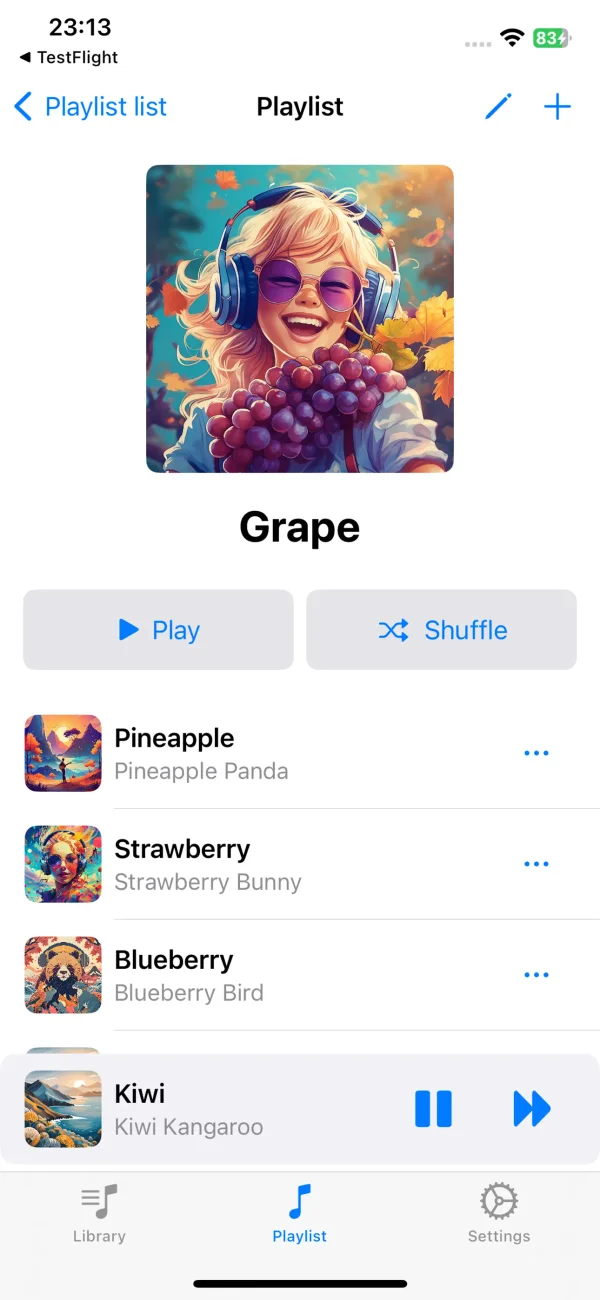
You can play extracted audio directly within the app, and with background playback, you can enjoy music while multitasking. The playlist feature allows you to freely combine and manage extracted audio files, making it easy to create and enjoy your custom music library anytime, anywhere.
Setting metadata like title, artist name, and artwork helps organize your music library more efficiently. With its simple interface, the app is easy to use for everyone from beginners to advanced users.
This app is perfect for those who want to extract audio from videos and enjoy it as music. It creates high-quality audio files with simple operations and offers smooth playback and management within the app. It especially supports m4a format, providing professional-grade audio quality.
Key Features:
- Supported format: High-quality audio extraction in m4a format
- Easy operation: Simple process of selecting a video and pressing a button
- Playback function: In-app audio playback with background play support
- Playlist creation: Freely combine extracted audio to create playlists
- Metadata setting: Add title, artist name, and artwork
- High sound quality: Generate high-quality audio files in m4a format
How to use:
1. Launch the app and select a video file.
2. Set title, artist name, and artwork if needed.
3. Press the extract button to create an m4a audio file.
4. Play the extracted audio in-app and add it to playlists for management.
Billing and Subscription:
- Premium ad-free version available for a more comfortable user experience
- Subscriptions auto-renew and can be canceled anytime
- Subscription details can be checked in the app settings
This app follows Apple's standard End User License Agreement (EULA). For more details, please visit:
https://www.apple.com/legal/internet-services/itunes/dev/stdeula/
Neue Funktionen
Version 1.2.5 · 03.08.2024
Improved processing speed
App-Datenschutz
Was EGG STUDIO LIMITED LIABILITY CO im App Store zum Umgang dieser App mit Daten angibt.
-
Daten, die zum Tracking Ihrer Person verwendet werden
Können verwendet werden, um Sie über Apps und Websites anderer Unternehmen hinweg zu verfolgen.
- Nutzungsdaten
-
Nicht mit Ihnen verknüpfte Daten
Können erfasst werden, sind aber nicht mit Ihrer Identität verknüpft.
- Nutzungsdaten
- Diagnose
Die Datenschutzpraktiken können variieren, zum Beispiel je nach den von Ihnen verwendeten Funktionen oder Ihrem Alter.
Informationen
- Anbieter
- EGG STUDIO LIMITED LIABILITY CO
- Kategorie
- Musik
- Version
- 1.2.5
- Aktualisiert
- 03.08.2024
- Veröffentlicht
- 06.07.2024
- Größe
- 21,7 MB
- Erfordert
- iOS 17.0 oder neuer
- Altersfreigabe
- 4+
- Preis
- Kostenlos
- In-App-Käufe
- Ja
- Sprachen
- Englisch, Japanisch, Koreanisch, Vereinf. Chinesisch, Tradit. Chinesisch
- Copyright
- © EggStudio LLC
Das könnte Ihnen auch gefallen
-
 Playlist Omega - powered by AISofortige Songliste für Anlass
-
 Hyper PlaylistMusik
-
 Video zu MP3 Files KonverterAudio schnell extrahieren
-
 Easy Video Audio ExtractorMusik
-
 MDrip - Convert Video To AudioMusik
-
 音取りバード - 動画から音声を抽出Musik
-
 Video 2 Musik Audio KonverterKonvertieren Videos in Musik
-
 MusicタグエディターMusik
-
 Shengxi Vocal SeparatorMusik
-
 MP3 Converter, Video ExtractorMusik