
Video Audio Extraction
Extract Audio from Videos
Diseñada para iPhone
Gratis · Compras en la aplicación
- Clasificación por edad4+
- CategoríaMúsica
- DesarrolladorEGG STUDIO LIMITED LIABILITY CO
- IdiomasInglés+ 4 más
- Tamaño21,7 MB
Enlaza a la página oficial de App Store
Download.org no aloja ningún archivo de Video Audio Extraction. El botón abre la página de la aplicación en App Store, donde la publica EGG STUDIO LIMITED LIABILITY CO. Ficha comprobada por última vez el 23/11/2026.
Capturas de pantalla


Acerca de
El desarrollador no ha proporcionado este texto en tu idioma.
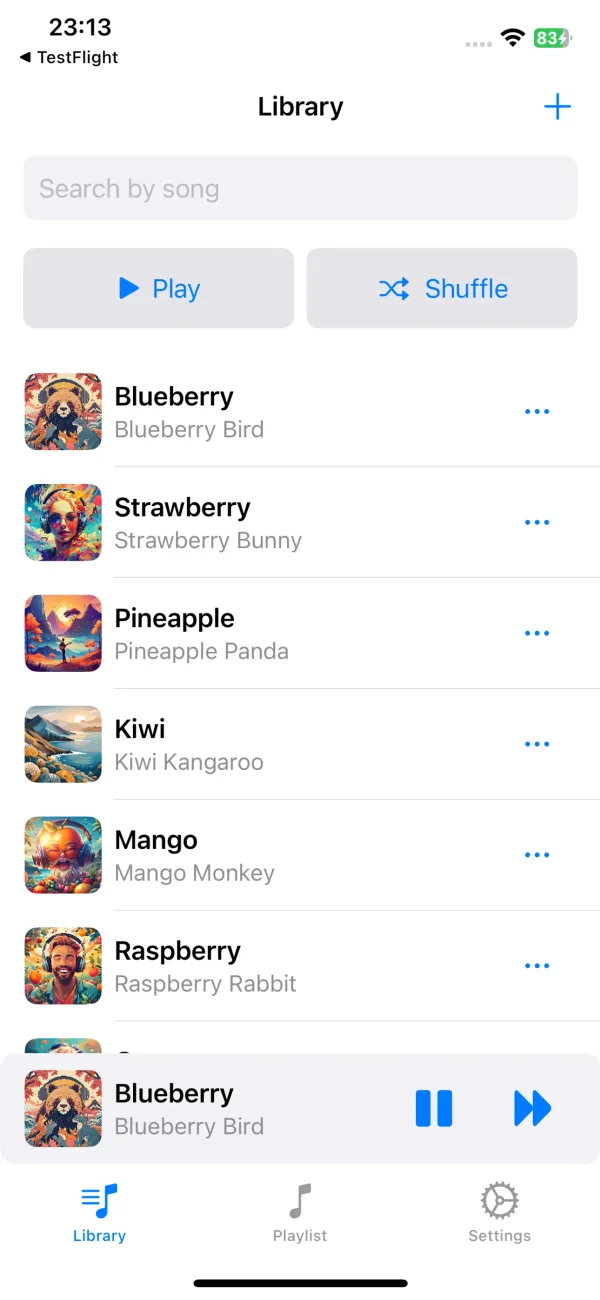
"Video Audio Extraction" is an app that allows you to quickly and easily extract audio from video files. It supports common video formats like QuickTime (mov) and mp4, saving high-quality audio as m4a files. This app not only extracts audio but also offers powerful playback and playlist features to enrich your music experience.
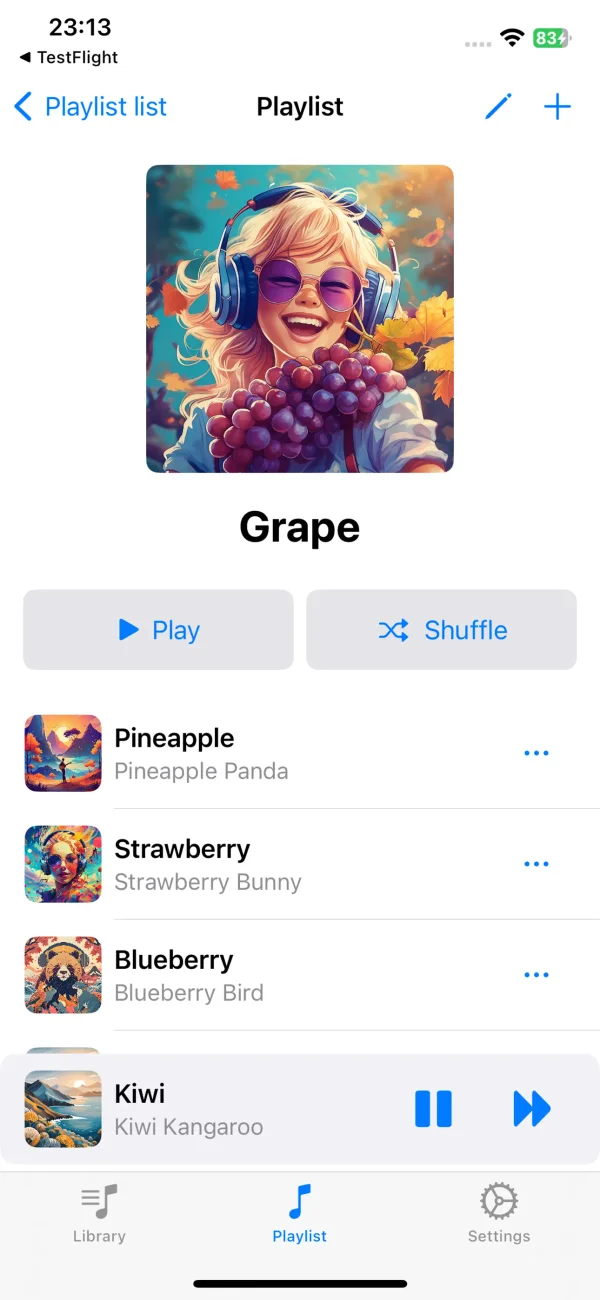
You can play extracted audio directly within the app, and with background playback, you can enjoy music while multitasking. The playlist feature allows you to freely combine and manage extracted audio files, making it easy to create and enjoy your custom music library anytime, anywhere.
Setting metadata like title, artist name, and artwork helps organize your music library more efficiently. With its simple interface, the app is easy to use for everyone from beginners to advanced users.
This app is perfect for those who want to extract audio from videos and enjoy it as music. It creates high-quality audio files with simple operations and offers smooth playback and management within the app. It especially supports m4a format, providing professional-grade audio quality.
Key Features:
- Supported format: High-quality audio extraction in m4a format
- Easy operation: Simple process of selecting a video and pressing a button
- Playback function: In-app audio playback with background play support
- Playlist creation: Freely combine extracted audio to create playlists
- Metadata setting: Add title, artist name, and artwork
- High sound quality: Generate high-quality audio files in m4a format
How to use:
1. Launch the app and select a video file.
2. Set title, artist name, and artwork if needed.
3. Press the extract button to create an m4a audio file.
4. Play the extracted audio in-app and add it to playlists for management.
Billing and Subscription:
- Premium ad-free version available for a more comfortable user experience
- Subscriptions auto-renew and can be canceled anytime
- Subscription details can be checked in the app settings
This app follows Apple's standard End User License Agreement (EULA). For more details, please visit:
https://www.apple.com/legal/internet-services/itunes/dev/stdeula/
Novedades
Versión 1.2.5 · 3/8/2024
Improved processing speed
Privacidad de la aplicación
Lo que EGG STUDIO LIMITED LIABILITY CO declara en App Store sobre cómo esta aplicación gestiona los datos.
-
Datos usados para rastrearte
Pueden usarse para rastrearte en aplicaciones y sitios web propiedad de otras empresas.
- Datos de uso
-
Datos no vinculados a ti
Pueden recopilarse, pero no se vinculan a tu identidad.
- Datos de uso
- Diagnóstico
Las prácticas de privacidad pueden variar, por ejemplo, según las funciones que uses o tu edad.
Información
- Vendedor
- EGG STUDIO LIMITED LIABILITY CO
- Categoría
- Música
- Versión
- 1.2.5
- Actualizado
- 3/8/2024
- Publicado
- 6/7/2024
- Tamaño
- 21,7 MB
- Requiere
- iOS 17.0 o posterior
- Clasificación por edad
- 4+
- Precio
- Gratis
- Compras en la aplicación
- Sí
- Idiomas
- Inglés, Japonés, Coreano, Chino simplificado, Chino tradicional
- Copyright
- © EggStudio LLC
Quizá también te guste
-
 Playlist Omega - powered by AIPlaylist instantánea p ocasión
-
 Hyper PlaylistMúsica
-
 Convertidor Video a MP3 FilesAudio rápido y fácil
-
 Easy Video Audio ExtractorMúsica
-
 MDrip - Convert Video To AudioMúsica
-
 音取りバード - 動画から音声を抽出Música
-
 Vídeo 2 Música - audio jugadorConvertir video a música
-
 MusicタグエディターMúsica
-
 Shengxi Vocal SeparatorMúsica
-
 MP3 Converter, Video ExtractorMúsica