VideoEffect Lab
Effects you build yourself
Entwickelt für iPhone, iPad
Kostenlos · In-App-Käufe
- Altersfreigabe4+
- KategorieGrafik und Design
- EntwicklerLintao Li
- SprachenEnglisch+ 1 weitere
- Größe14,6 MB
Verlinkt auf die offizielle App Store-Seite
Download.org hostet keine Datei von VideoEffect Lab. Die Schaltfläche öffnet die App-Seite bei App Store, wo Lintao Li die App veröffentlicht. Eintrag zuletzt geprüft am 18.11.2026.
Screenshots
Info
Der Entwickler hat diesen Text nicht in Ihrer Sprache bereitgestellt.
Put a layer of light on your footage — and now, put it on the beat.
Pick an effect, drop it on a photo or a clip, and see it on the frame you are working with. Then take it apart: every effect here is made of skills, and the same forty-three skills are yours to stack into something nobody else has.
SEE IT BEFORE YOU USE IT
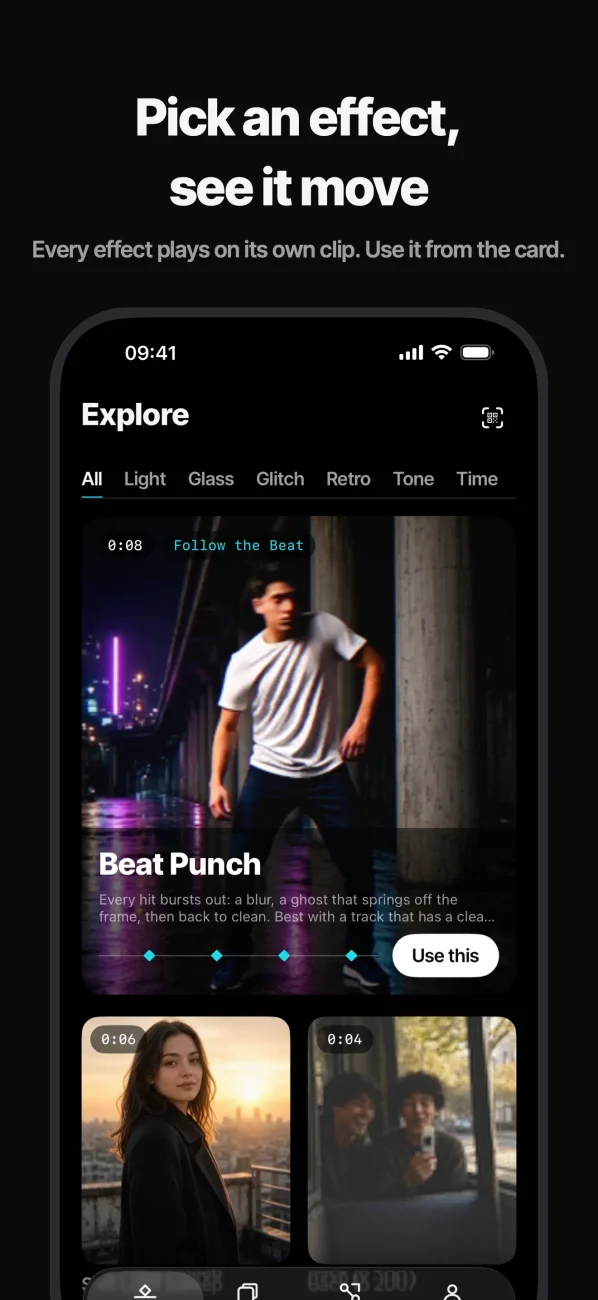
Discover is a screening room: every effect loops on its own clip, and the card says how long it runs and when it happens. Tap Use on the card and pick your footage. Dark by default; light is in Mine.
MOVE TO THE MUSIC
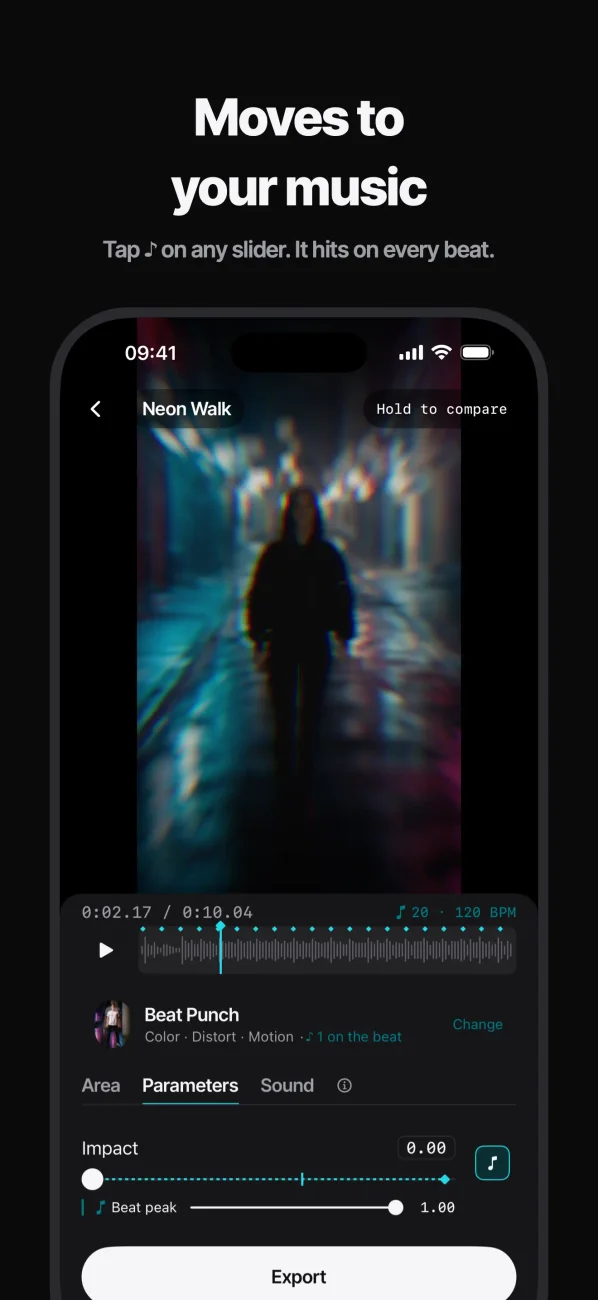
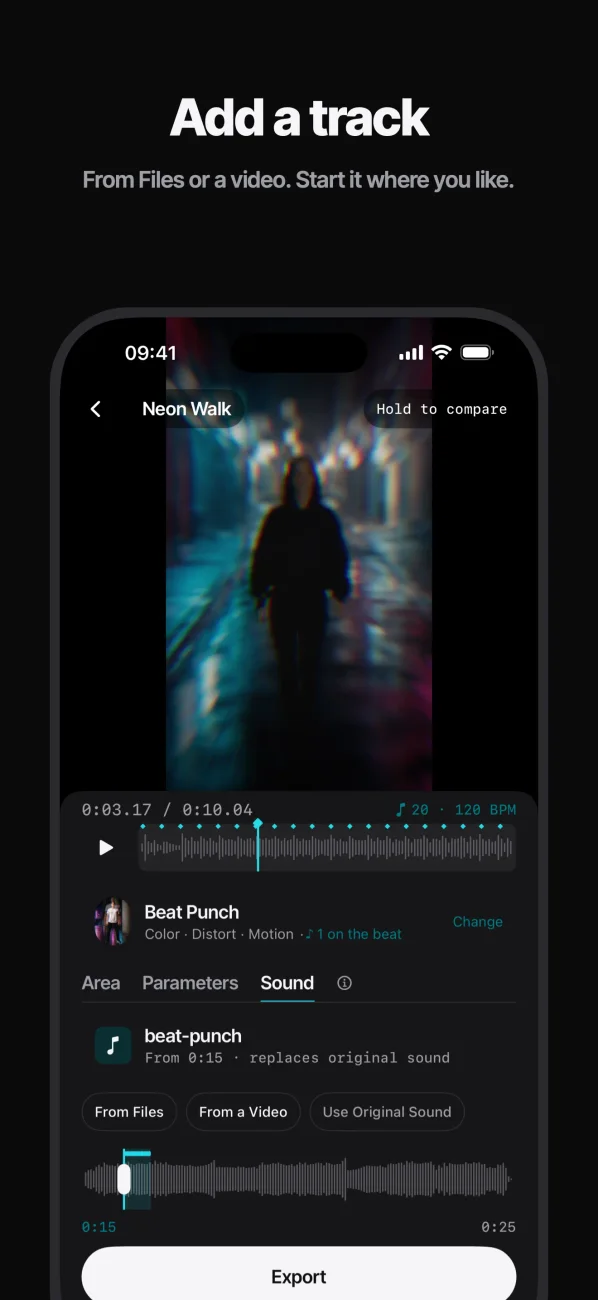
Add a track from Files, borrow the sound from a video in your library, or keep the clip's own. Then tap music on any slider: it rests where you set it and kicks on every beat. The timeline shows the waveform and each beat, and the app listens for the song's pulse, so busy drums do not make everything twitch. A photo with music exports as a video with sound.
SEE IT ON YOUR OWN FOOTAGE
No abstract preview grid. The effect renders on your picture, at the moment you scrubbed to, and a press-and-hold puts the original back so you can see exactly what changed. Bring footage in from your photo library or from Files.
ELEVEN EFFECTS TO START FROM
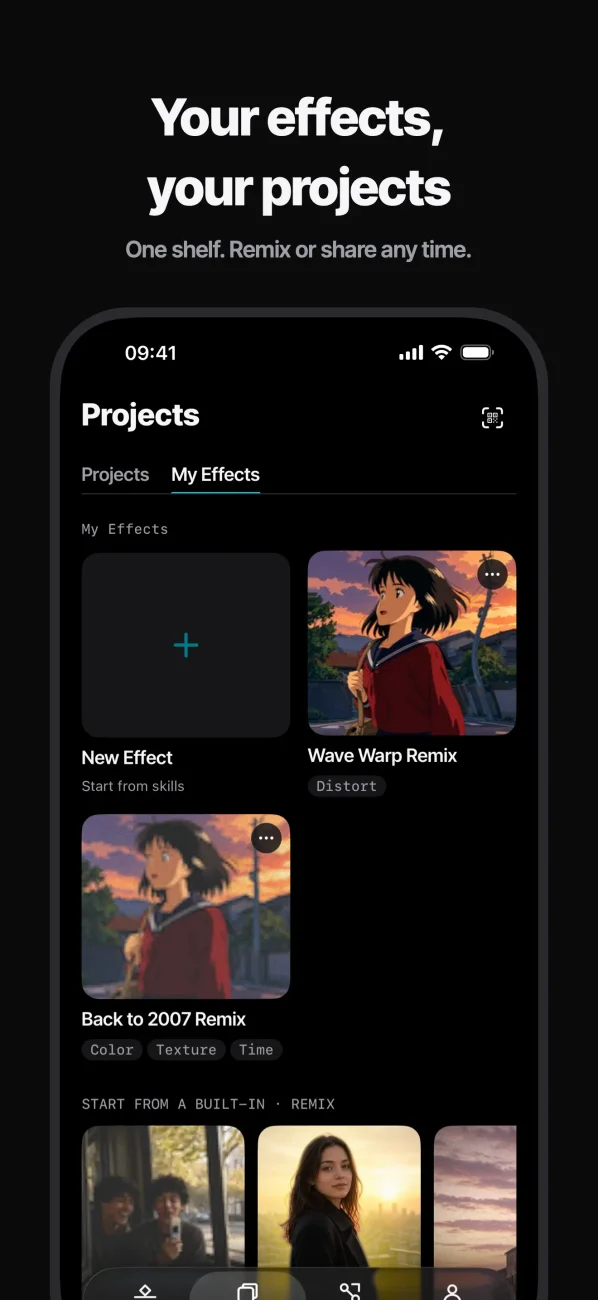
Beat Punch, Wave Warp, Soft Light Sweep, Halo, Back to 2007, Film Look, Bad Signal, Liquid Glass, and four about time: Afterimage, Half a Beat, Long Shutter, Freeze. Every one is a recipe you can open, look inside and change — a starting point, not a locked box. Beat Punch follows the music out of the box: on every hit the picture punches forward and a ghost springs off. Wave Warp ripples the whole frame like a flag.
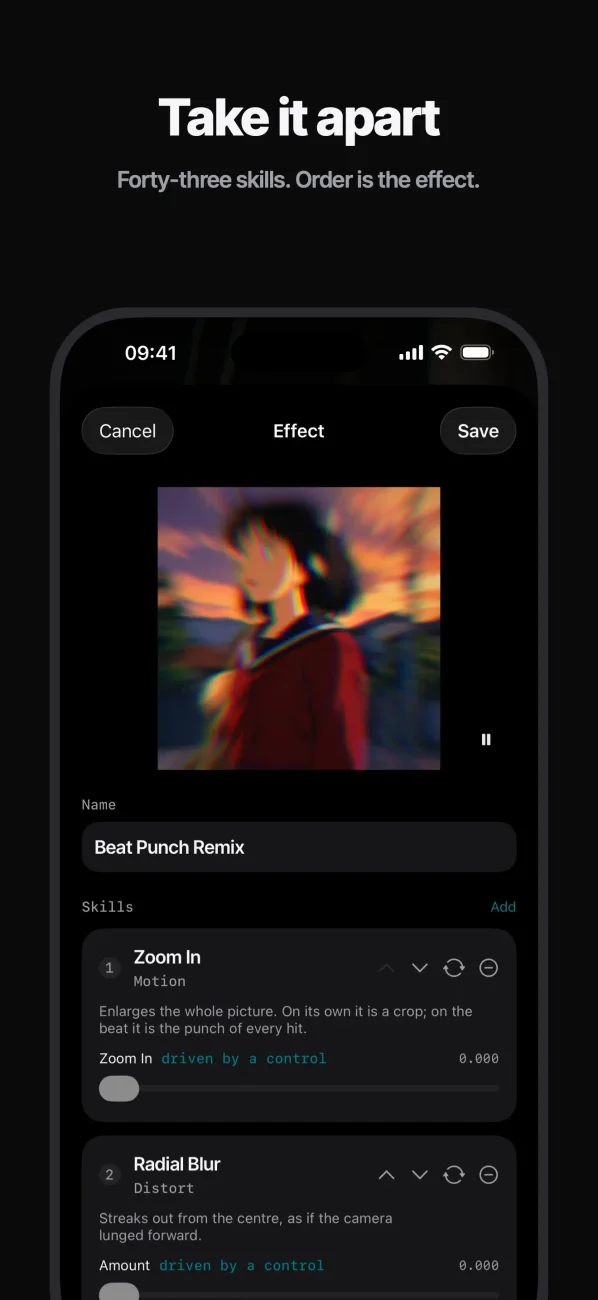
FORTY-THREE SKILLS, IN ONE STACK
Colour, light, glass, glitch, texture, distortion, motion, time, subject and reveal. Add them in any order — order is the effect: a mosaic before a glow is not a glow before a mosaic. Every skill leaves you a slider or two, and any slider can follow the beat.
THE SUBJECT, NOT JUST THE FRAME
The app finds the person or object in your shot, so an effect can land on them and leave the background alone — or the other way round. Blur everything but them, drain the colour from everything but them, or put a rim of light on their outline.
TIME IS A MATERIAL
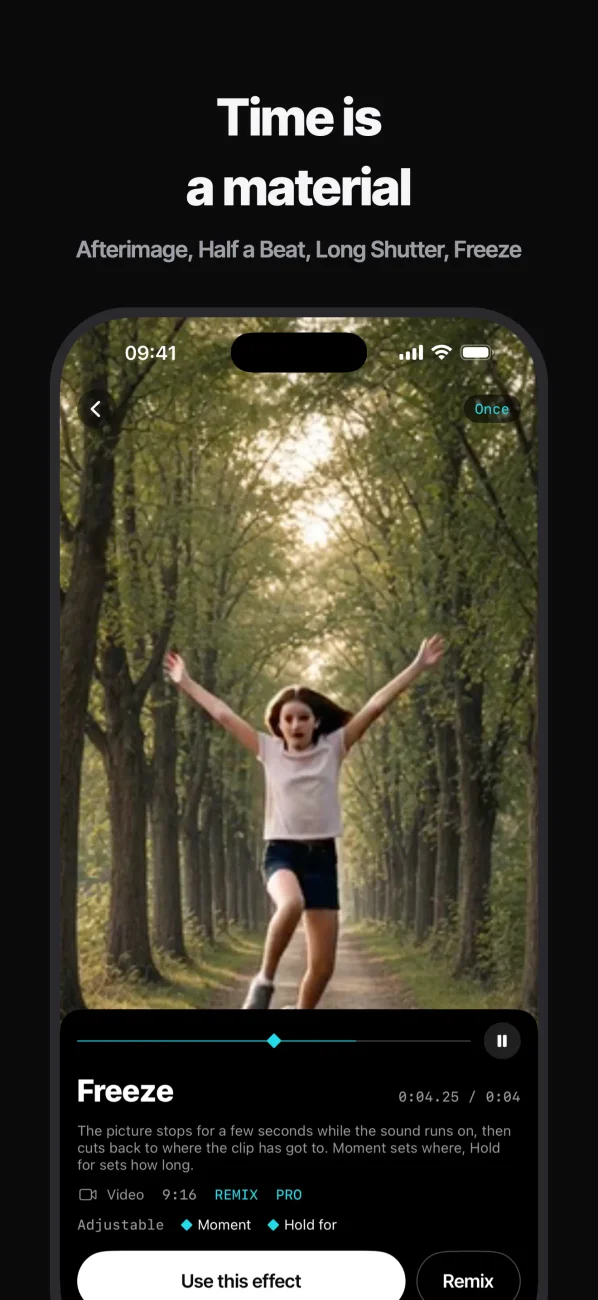
Afterimage leaves a fading copy behind whoever moves. Half a Beat has a second you follow a few frames late. Long Shutter smears fast motion into a streak while everything still stays sharp. Freeze stops the picture for a few seconds while the sound runs on, then cuts back. They show only where something moves.
EXPORT WHAT YOU SEE
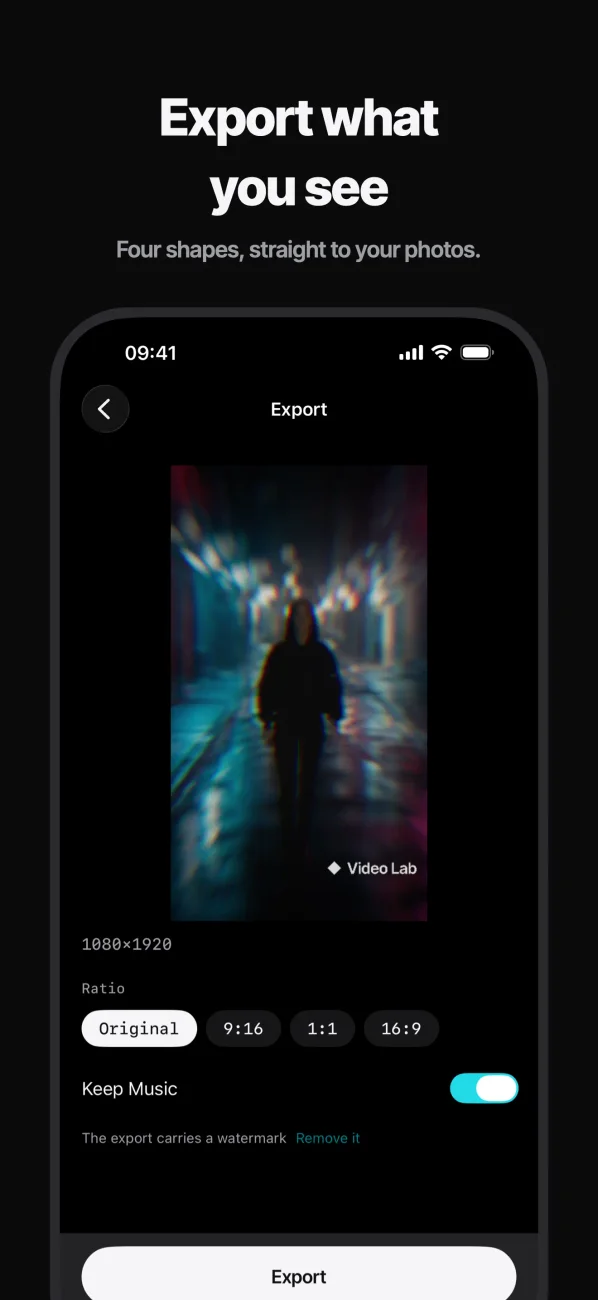
Choose the shape — as filmed, 9:16, 1:1 or 16:9 — and see the crop before it is written. Finished clips go straight to your photos.
YOUR WORK STAYS ON YOUR DEVICE
No account, no server. Photos, clips, music, effects and analysis stay on this device. No third-party analytics, no ads.
FREE
• All forty-three skills, with no limit on effects or projects
• Ten of the eleven built-in effects, and remixing all eleven (only Freeze's export is Pro)
• Adding music, and letting any slider follow the beat
• Automatic subject detection, and applying an effect inside or outside it
• Live preview and press-and-hold to compare
• Export at 1080p in any of the four shapes, saved to your photos
• Free exports carry a small Video Lab mark
VIDEO LAB PRO
• Export with no watermark
• Export at your footage's own resolution
• Tap to pick exactly which subject you mean, and keep it through occlusion
• Pro-only effects: Freeze (from 1.3)
Pro is available as a yearly or monthly subscription, or as a one-time purchase. Payment is charged to your Apple ID at confirmation. A subscription renews automatically at the same price unless it is cancelled at least 24 hours before the end of the current period; manage or cancel it in your Apple ID settings. The one-time purchase does not renew.
Privacy policy: https://videolab.ipixel.to/privacy
Terms of Use (EULA): https://www.apple.com/legal/internet-services/itunes/dev/stdeula/
For iPhone and iPad. iOS 17 or later.
Neue Funktionen
Version 1.3.0 · 30.09.2026
Four new effects about time, each with its own sample clip.
• Afterimage: whoever moves leaves a fading copy of themselves behind, and it catches up when they stop.
• Half a Beat: a second you follows a few frames late, catching up every few frames.
• Long Shutter: fast motion smears into a streak, like a shutter left open a little longer; whatever stands still stays sharp.
• Freeze: the picture stops for a few seconds while the sound runs on, then cuts back. Moment sets where, Hold for sets how long, and the timeline shows the stop.
• Discover has a new Time shelf, where the four loop on their own clips.
• Freeze is the first Pro effect: viewing, previewing and remixing it are free; exporting needs Video Lab Pro.
• Subject effects now preview on a new tracked clip; Halo no longer uses the old animated one.
App-Datenschutz
Was Lintao Li im App Store zum Umgang dieser App mit Daten angibt.
-
Keine Daten erfasst
Der Entwickler erfasst keine Daten von dieser App.
Die Datenschutzpraktiken können variieren, zum Beispiel je nach den von Ihnen verwendeten Funktionen oder Ihrem Alter.
Informationen
- Anbieter
- Lintao Li
- Kategorie
- Grafik und Design
- Version
- 1.3.0
- Aktualisiert
- 30.09.2026
- Veröffentlicht
- 27.08.2026
- Größe
- 14,6 MB
- Erfordert
- iOS 17.0 oder neuer
- Altersfreigabe
- 4+
- Preis
- Kostenlos
- In-App-Käufe
- Ja
- Sprachen
- Englisch, Vereinf. Chinesisch
- Copyright
- © 2026 iPixel Lab
Das könnte Ihnen auch gefallen
-
 DesigngraphikGrafik und Design
-
 ARTCORE - Your abstract artGrafik und Design
-
 涂鸦王国Grafik und Design
-
 ReColor - Kunst FotoeditorUmfärben & Radiergummi
-
 AI Art Generator - KI BilderKI Bild Generator Photo Kunst
-
 starryai - KI-BildgeneratorKunst, Fotos und Videos
-
 AR Code Object Capture 3D Scan3D Scan & AR Model Creation
-
 ConceptsSkizzieren, Notiz, Zeichnen.
-
 Story Art: Story & Reels MakerStory, Reels & Highlight Cover
-
 Infinite PainterMalen und skizzieren