
VideoEffect Lab
Effects you build yourself
Được thiết kế cho iPhone, iPad
Miễn phí · Mua hàng trong ứng dụng
- Độ tuổi4+
- Danh mụcĐồ Họa & Thiết Kế
- Nhà phát triểnLintao Li
- Ngôn ngữTiếng Anh+ 1 ngôn ngữ khác
- Kích thước14,6 MB
Liên kết đến trang App Store chính thức
Download.org không lưu trữ tệp nào của VideoEffect Lab. Nút này mở trang ứng dụng trên App Store, nơi Lintao Li phát hành ứng dụng. Trang được kiểm tra lần cuối: 18/11/2026.
Ảnh chụp màn hình
Giới thiệu
Nhà phát triển chưa cung cấp nội dung này bằng ngôn ngữ của bạn.
Put a layer of light on your footage — and now, put it on the beat.
Pick an effect, drop it on a photo or a clip, and see it on the frame you are working with. Then take it apart: every effect here is made of skills, and the same forty-three skills are yours to stack into something nobody else has.
SEE IT BEFORE YOU USE IT
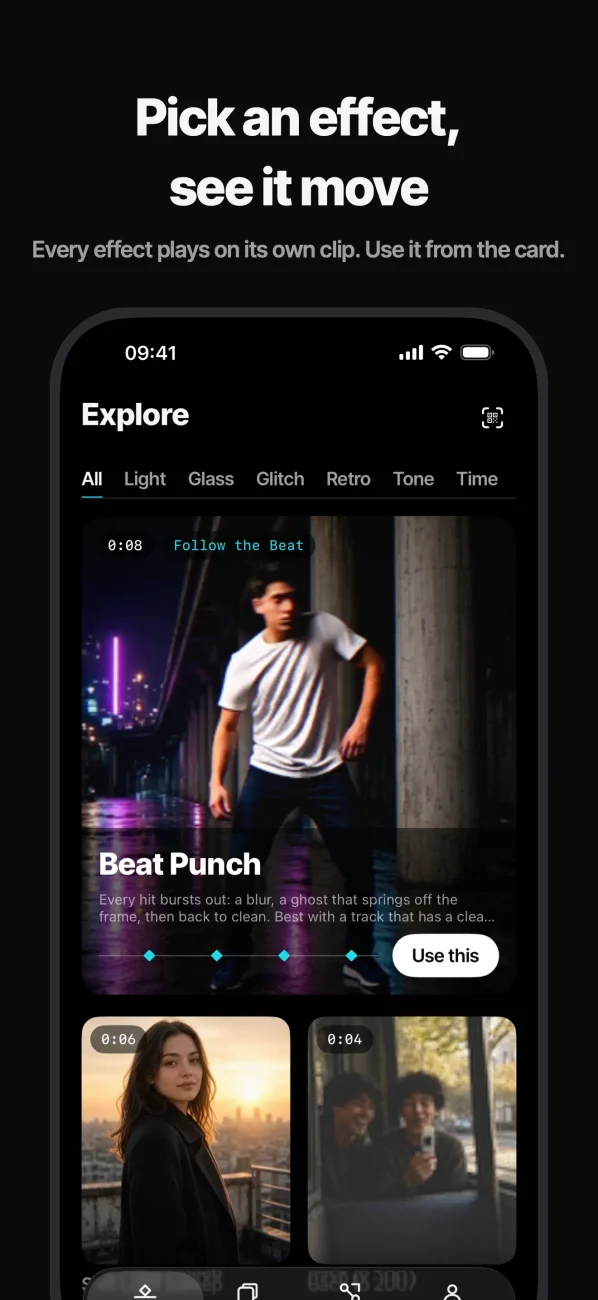
Discover is a screening room: every effect loops on its own clip, and the card says how long it runs and when it happens. Tap Use on the card and pick your footage. Dark by default; light is in Mine.
MOVE TO THE MUSIC
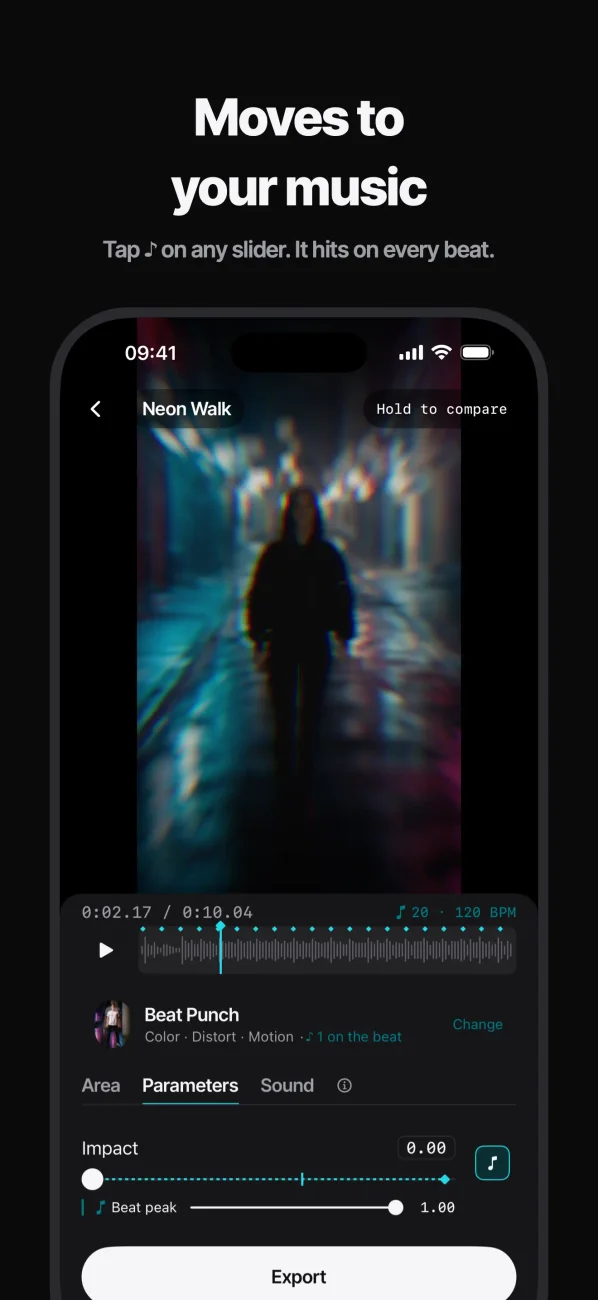
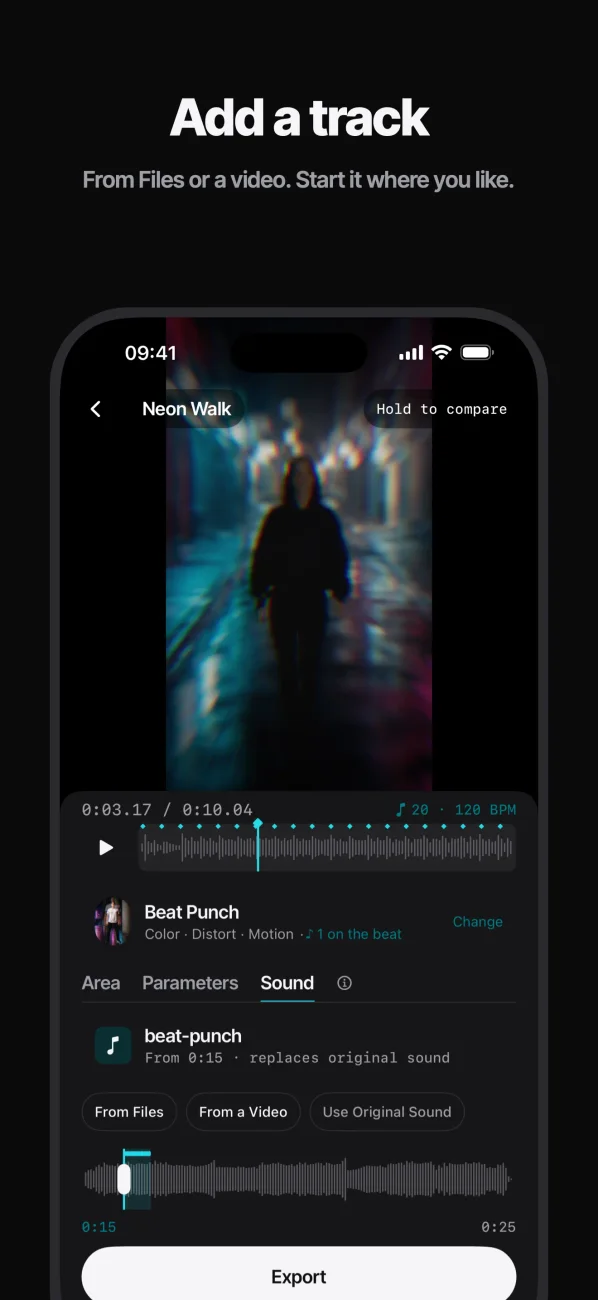
Add a track from Files, borrow the sound from a video in your library, or keep the clip's own. Then tap music on any slider: it rests where you set it and kicks on every beat. The timeline shows the waveform and each beat, and the app listens for the song's pulse, so busy drums do not make everything twitch. A photo with music exports as a video with sound.
SEE IT ON YOUR OWN FOOTAGE
No abstract preview grid. The effect renders on your picture, at the moment you scrubbed to, and a press-and-hold puts the original back so you can see exactly what changed. Bring footage in from your photo library or from Files.
ELEVEN EFFECTS TO START FROM
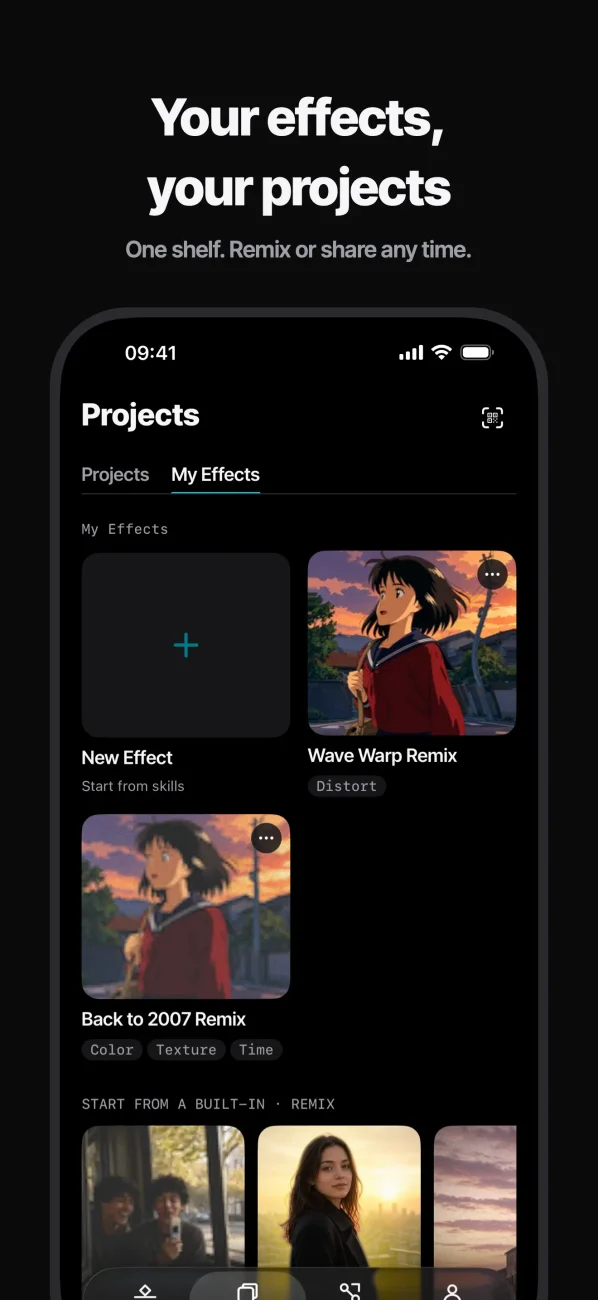
Beat Punch, Wave Warp, Soft Light Sweep, Halo, Back to 2007, Film Look, Bad Signal, Liquid Glass, and four about time: Afterimage, Half a Beat, Long Shutter, Freeze. Every one is a recipe you can open, look inside and change — a starting point, not a locked box. Beat Punch follows the music out of the box: on every hit the picture punches forward and a ghost springs off. Wave Warp ripples the whole frame like a flag.
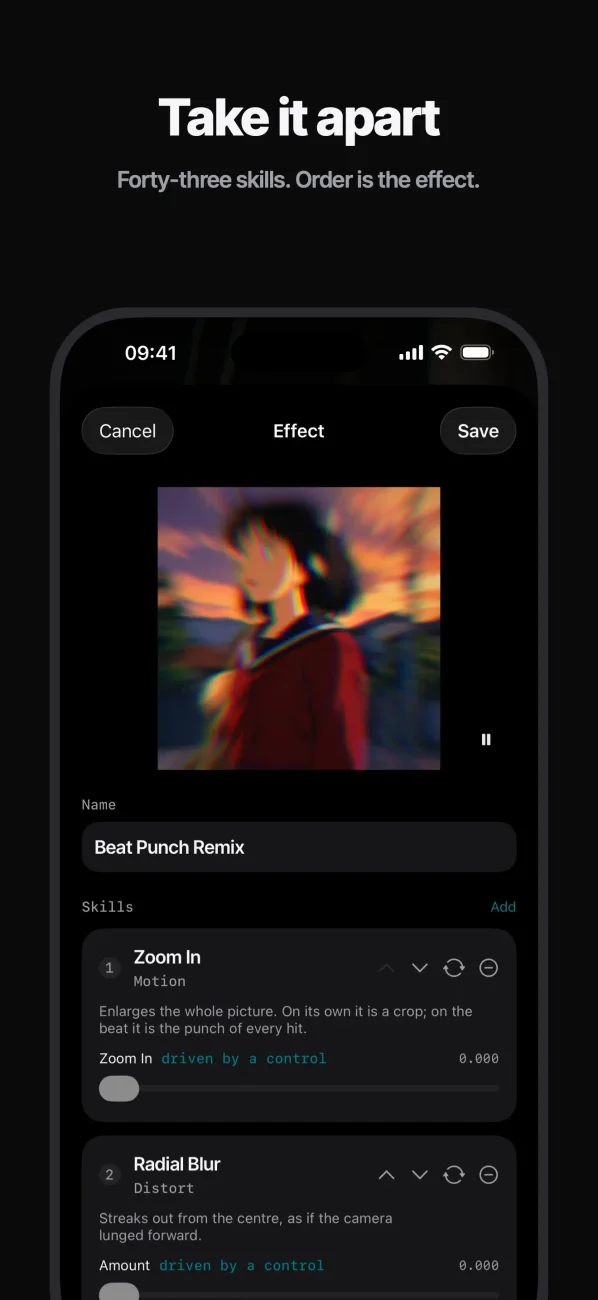
FORTY-THREE SKILLS, IN ONE STACK
Colour, light, glass, glitch, texture, distortion, motion, time, subject and reveal. Add them in any order — order is the effect: a mosaic before a glow is not a glow before a mosaic. Every skill leaves you a slider or two, and any slider can follow the beat.
THE SUBJECT, NOT JUST THE FRAME
The app finds the person or object in your shot, so an effect can land on them and leave the background alone — or the other way round. Blur everything but them, drain the colour from everything but them, or put a rim of light on their outline.
TIME IS A MATERIAL
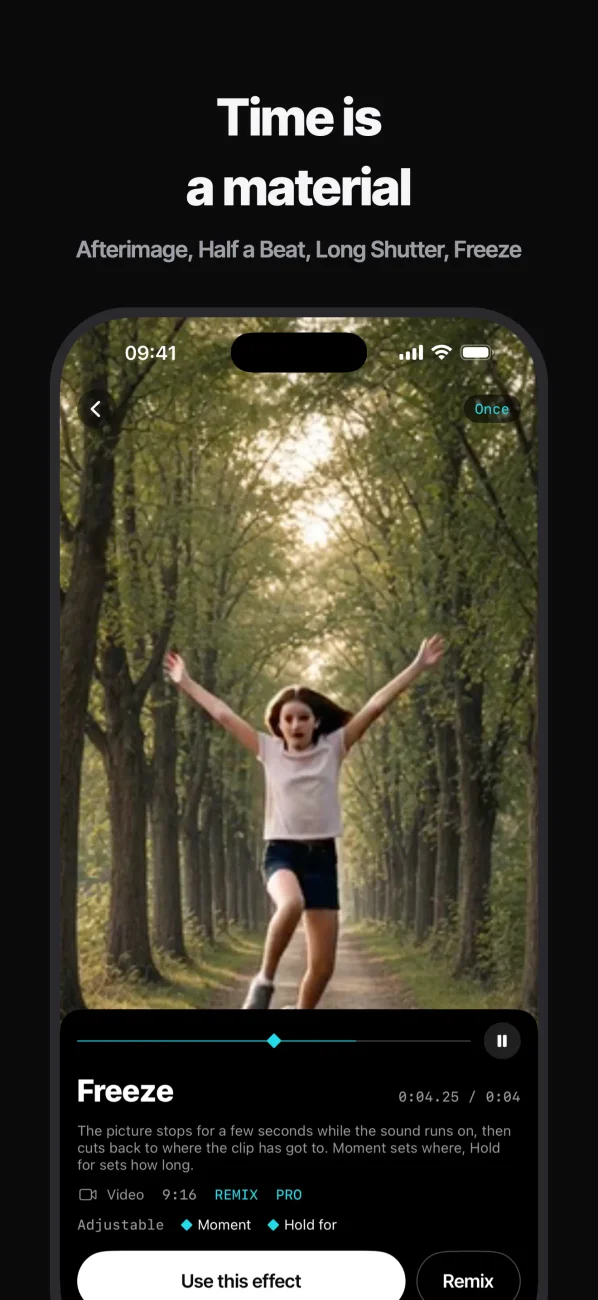
Afterimage leaves a fading copy behind whoever moves. Half a Beat has a second you follow a few frames late. Long Shutter smears fast motion into a streak while everything still stays sharp. Freeze stops the picture for a few seconds while the sound runs on, then cuts back. They show only where something moves.
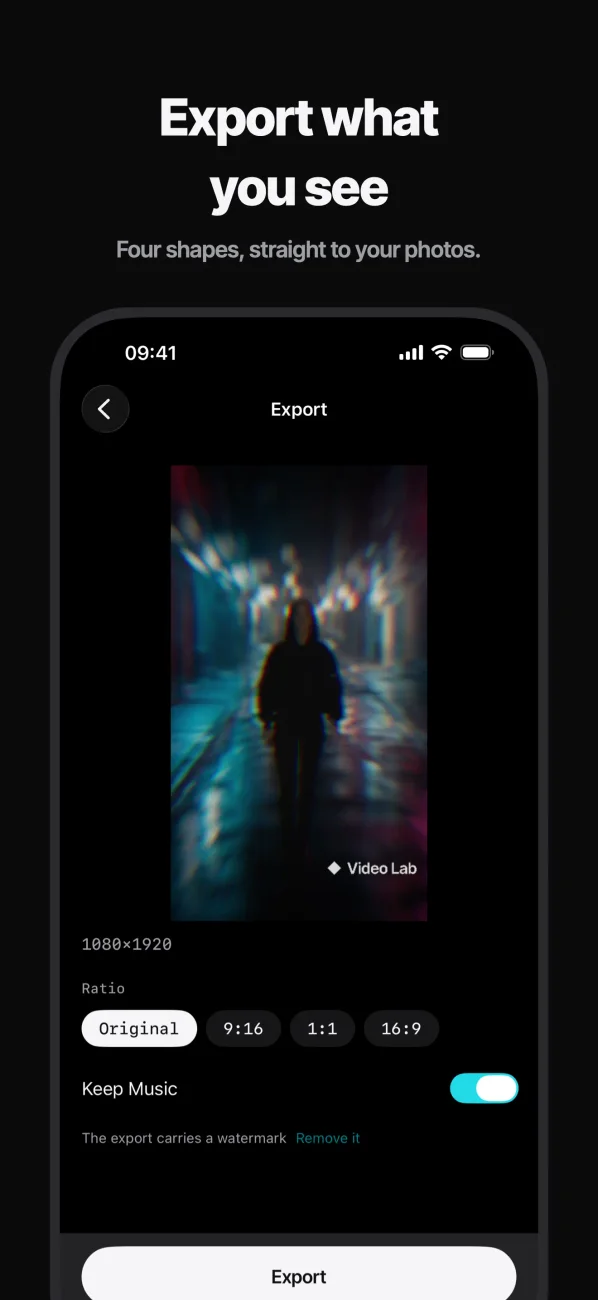
EXPORT WHAT YOU SEE
Choose the shape — as filmed, 9:16, 1:1 or 16:9 — and see the crop before it is written. Finished clips go straight to your photos.
YOUR WORK STAYS ON YOUR DEVICE
No account, no server. Photos, clips, music, effects and analysis stay on this device. No third-party analytics, no ads.
FREE
• All forty-three skills, with no limit on effects or projects
• Ten of the eleven built-in effects, and remixing all eleven (only Freeze's export is Pro)
• Adding music, and letting any slider follow the beat
• Automatic subject detection, and applying an effect inside or outside it
• Live preview and press-and-hold to compare
• Export at 1080p in any of the four shapes, saved to your photos
• Free exports carry a small Video Lab mark
VIDEO LAB PRO
• Export with no watermark
• Export at your footage's own resolution
• Tap to pick exactly which subject you mean, and keep it through occlusion
• Pro-only effects: Freeze (from 1.3)
Pro is available as a yearly or monthly subscription, or as a one-time purchase. Payment is charged to your Apple ID at confirmation. A subscription renews automatically at the same price unless it is cancelled at least 24 hours before the end of the current period; manage or cancel it in your Apple ID settings. The one-time purchase does not renew.
Privacy policy: https://videolab.ipixel.to/privacy
Terms of Use (EULA): https://www.apple.com/legal/internet-services/itunes/dev/stdeula/
For iPhone and iPad. iOS 17 or later.
Có gì mới
Phiên bản 1.3.0 · 30/09/2026
Four new effects about time, each with its own sample clip.
• Afterimage: whoever moves leaves a fading copy of themselves behind, and it catches up when they stop.
• Half a Beat: a second you follows a few frames late, catching up every few frames.
• Long Shutter: fast motion smears into a streak, like a shutter left open a little longer; whatever stands still stays sharp.
• Freeze: the picture stops for a few seconds while the sound runs on, then cuts back. Moment sets where, Hold for sets how long, and the timeline shows the stop.
• Discover has a new Time shelf, where the four loop on their own clips.
• Freeze is the first Pro effect: viewing, previewing and remixing it are free; exporting needs Video Lab Pro.
• Subject effects now preview on a new tracked clip; Halo no longer uses the old animated one.
Quyền riêng tư của ứng dụng
Những gì Lintao Li khai báo trên App Store về cách ứng dụng này xử lý dữ liệu.
-
Dữ liệu không được thu thập
Nhà phát triển không thu thập bất kỳ dữ liệu nào từ ứng dụng này.
Phương thức đảm bảo quyền riêng tư có thể khác nhau, chẳng hạn như tuỳ theo các tính năng bạn sử dụng hoặc độ tuổi của bạn.
Thông tin
- Người bán
- Lintao Li
- Danh mục
- Đồ Họa & Thiết Kế
- Phiên bản
- 1.3.0
- Cập nhật
- 30/09/2026
- Phát hành
- 27/08/2026
- Kích thước
- 14,6 MB
- Yêu cầu
- iOS 17.0 trở lên
- Độ tuổi
- 4+
- Giá
- Miễn phí
- Mua hàng trong ứng dụng
- Có
- Ngôn ngữ
- Tiếng Anh, Tiếng Trung Giản thể
- Bản quyền
- © 2026 iPixel Lab
Có thể bạn cũng thích
-
 DesigngraphikĐồ Họa & Thiết Kế
-
 ARTCORE - Your abstract artĐồ Họa & Thiết Kế
-
 涂鸦王国Đồ Họa & Thiết Kế
-
 ReColor - AI Art Photo EditorĐồ Họa & Thiết Kế
-
 Sabai Art - AI Photo GeneratorĐồ Họa & Thiết Kế
-
 starryai - Tạo ảnh AITạo tranh, ảnh và video
-
 AR Code Object Capture 3D Scan3D Scan & AR Model Creation
-
 ConceptsĐồ Họa & Thiết Kế
-
 Story Art: insta story editorStory, Reels & Highlight Cover
-
 Infinite PainterĐồ Họa & Thiết Kế