
Visual IQ: Image Intelligence+
Photo to Events, Tasks & OCR
Entwickelt für iPhone, iPad
Kostenlos · In-App-Käufe
- Altersfreigabe4+
- KategorieProduktivität
- EntwicklerCromulent Labs
- SprachenEnglisch
- Größe46,6 MB
Verlinkt auf die offizielle App Store-Seite
Download.org hostet keine Datei von Visual IQ: Image Intelligence+. Die Schaltfläche öffnet die App-Seite bei App Store, wo Cromulent Labs die App veröffentlicht. Eintrag zuletzt geprüft am 14.11.2026.
Screenshots



Info
Der Entwickler hat diesen Text nicht in Ihrer Sprache bereitgestellt.
Turn photos into actions. Visual IQ saves you time by converting pictures and screenshots into real results in seconds using cutting-edge visual intelligence.
Front and center is the app's tight integration into iOS to help you get things done with incredible ease.
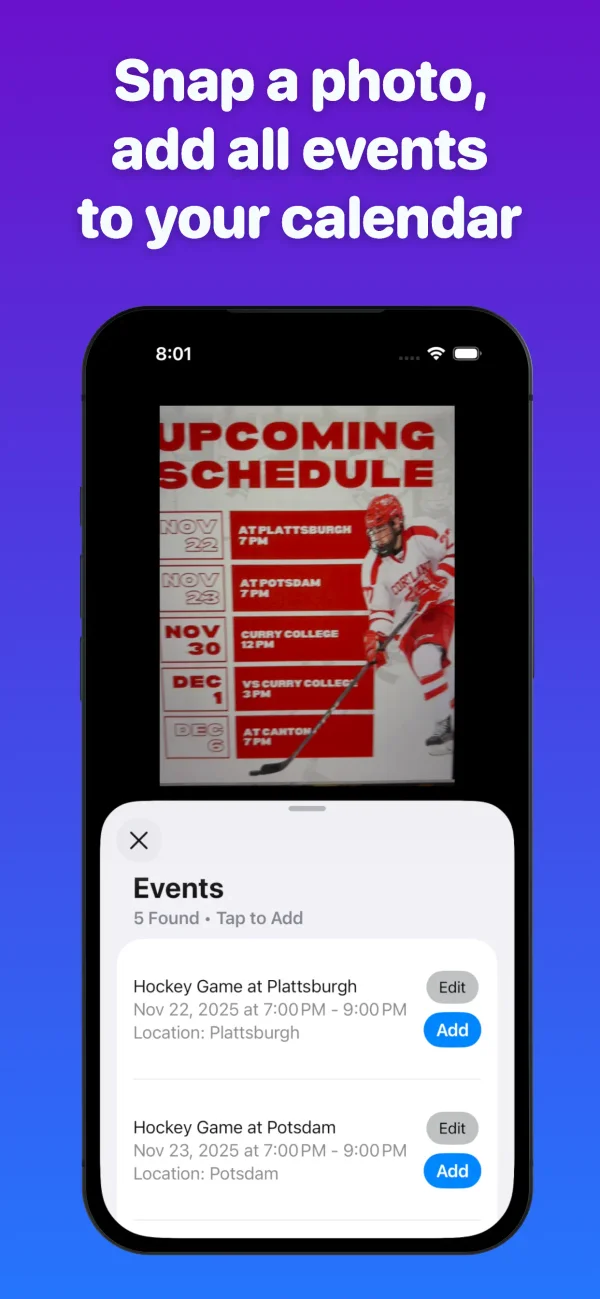
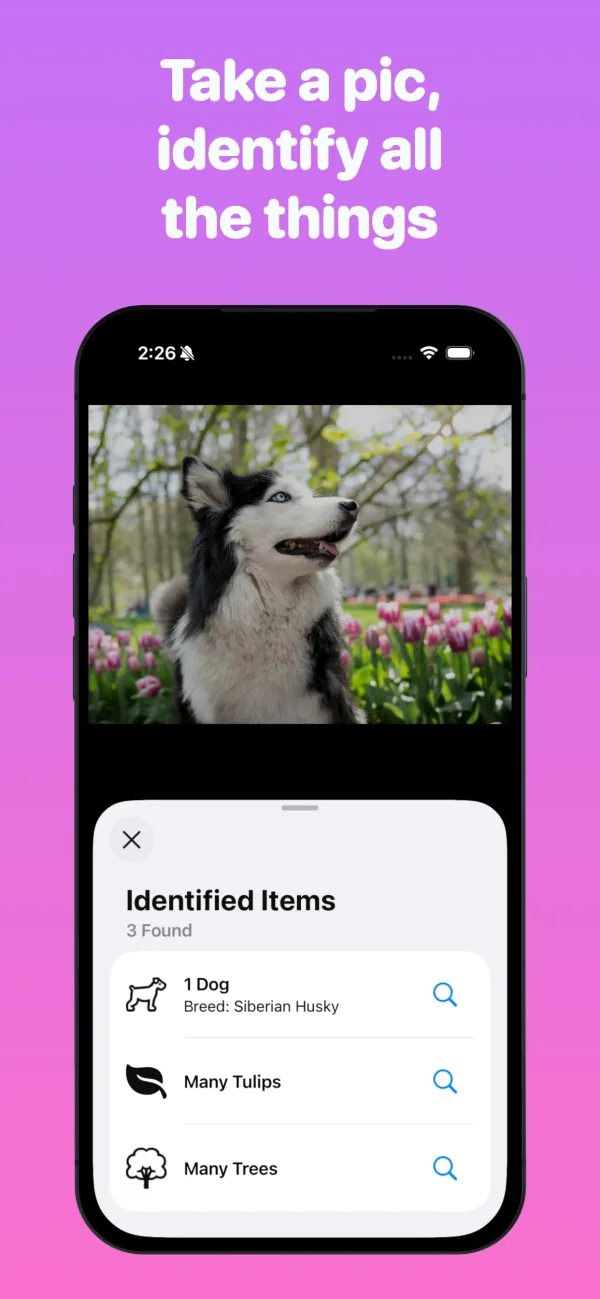
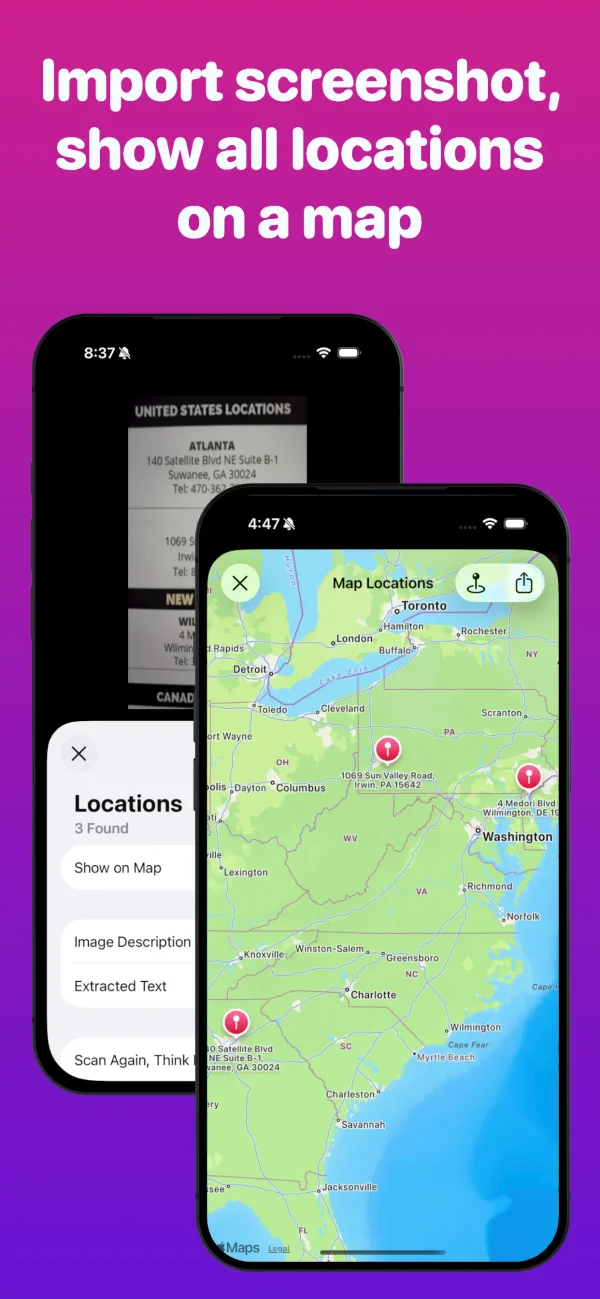
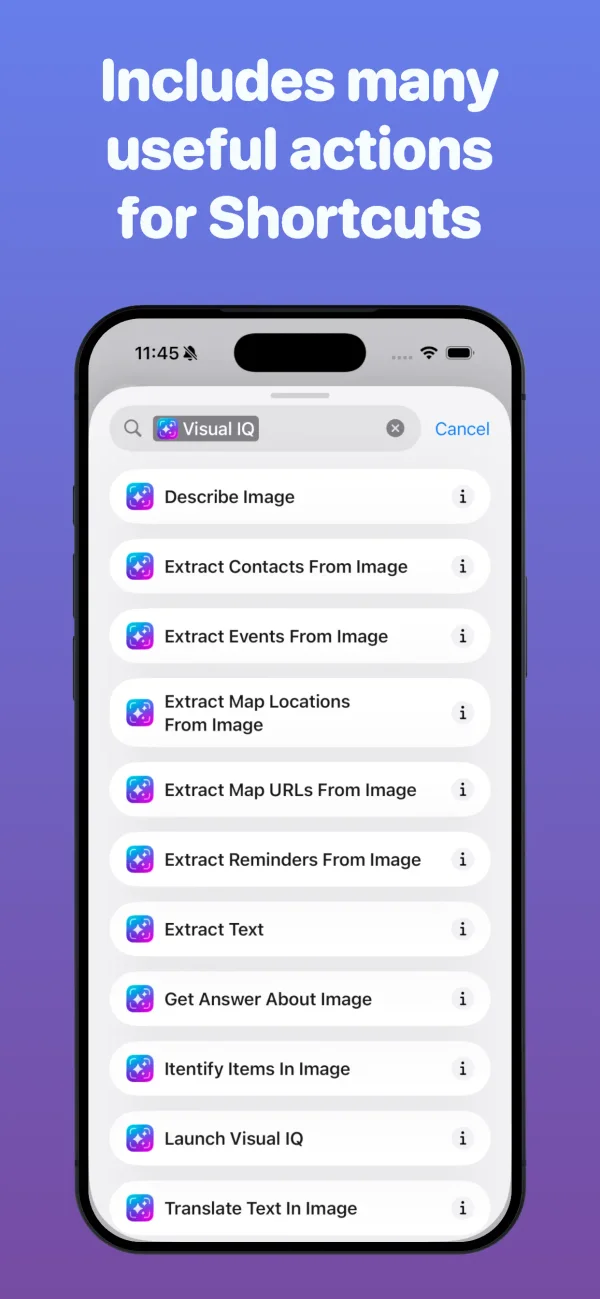
Take a photo or screenshot and easily import its events into Calendar, people into Contacts, tasks into Reminders, or locations into Maps. You can also extract or translate text, identify items, get an answer to a question, or a detailed description of the image. Included are useful actions for Shortcuts, a share extension, and the app be opened using control widgets in Control Center or your Lock Screen as well as pressing the Camera Control button.
Features:
• Capture multiple events from schedules, calendars, event posters, and more into Calendar.
• Import multiple people from business cards, posters, and more into Contacts.
• Snap multiple tasks from grocery, to-do lists, etc. into Reminders.
• Grab multiple locations from lists of addresses into Maps or Google Maps.
• Identify anything in an image such as a dog's breed or a plant's species.
• Lookup accurate translations of text in a picture to over 40 languages.
• Get a detailed description or answer questions about any photo or screenshot.
Visual IQ is free to use for up to 5 scans a day and 50 scans per month. There are optional upgrades to increase these rate limits, access more accurate models, and unlock access to scan history.
Try out Visual IQ today and start saving time.
Subscriptions renew automatically unless canceled at least 24 hours before the end of the current period. You can cancel anytime in your Apple account settings.
Privacy Policy: https://www.cromulentlabs.com/visualiq/privacy/
Terms of Use: https://www.apple.com/legal/internet-services/itunes/dev/stdeula/
Neue Funktionen
Version 1.2.2 · 06.05.2026
- Added support for PDF files.
- Fixed a bug where copying selected text copied all of the text.
App-Datenschutz
Was Cromulent Labs im App Store zum Umgang dieser App mit Daten angibt.
-
Nicht mit Ihnen verknüpfte Daten
Können erfasst werden, sind aber nicht mit Ihrer Identität verknüpft.
- Käufe
- Benutzerinhalte
- Nutzungsdaten
- Diagnose
Die Datenschutzpraktiken können variieren, zum Beispiel je nach den von Ihnen verwendeten Funktionen oder Ihrem Alter.
Informationen
- Anbieter
- Cromulent Labs, Inc
- Kategorie
- Produktivität
- Version
- 1.2.2
- Aktualisiert
- 06.05.2026
- Veröffentlicht
- 03.12.2025
- Größe
- 46,6 MB
- Erfordert
- iOS 17.0 oder neuer
- Altersfreigabe
- 4+
- Preis
- Kostenlos
- In-App-Käufe
- Ja
- Sprachen
- Englisch
- Copyright
- © 2026 Cromulent Labs, Inc.
Das könnte Ihnen auch gefallen
-
 Beck: AI Assistant for WorkProduktivität
-
 Chatform: AI Writing KeyboardProduktivität
-
 Together: Organize LifeProduktivität
-
 SpeakType: AI Voice KeyboardProduktivität
-
 Quip - Clipboard SuperchargerProduktivität
-
 Visual Intelligence PlatformProduktivität
-
 ParrotNote-AI Note TakerProduktivität
-
 Kora - Family AI AssistantProduktivität
-
 Quick Notes (easy voice notes)Produktivität
-
 Be My Widget: Home ScreenProduktivität