
- Altersfreigabe4+
- KategorieProduktivität
- EntwicklerTom van Zummeren
- SprachenEnglisch+ 1 weitere
- Größe769,0 KB
Verlinkt auf die offizielle App Store-Seite
Download.org hostet keine Datei von VO Calendar. Die Schaltfläche öffnet die App-Seite bei App Store, wo Tom van Zummeren die App veröffentlicht. Eintrag zuletzt geprüft am 12.11.2026.
Screenshots


Info
Der Entwickler hat diesen Text nicht in Ihrer Sprache bereitgestellt.
NOTE: Can only be used together with VoiceOver (for blind and partially sighted people).
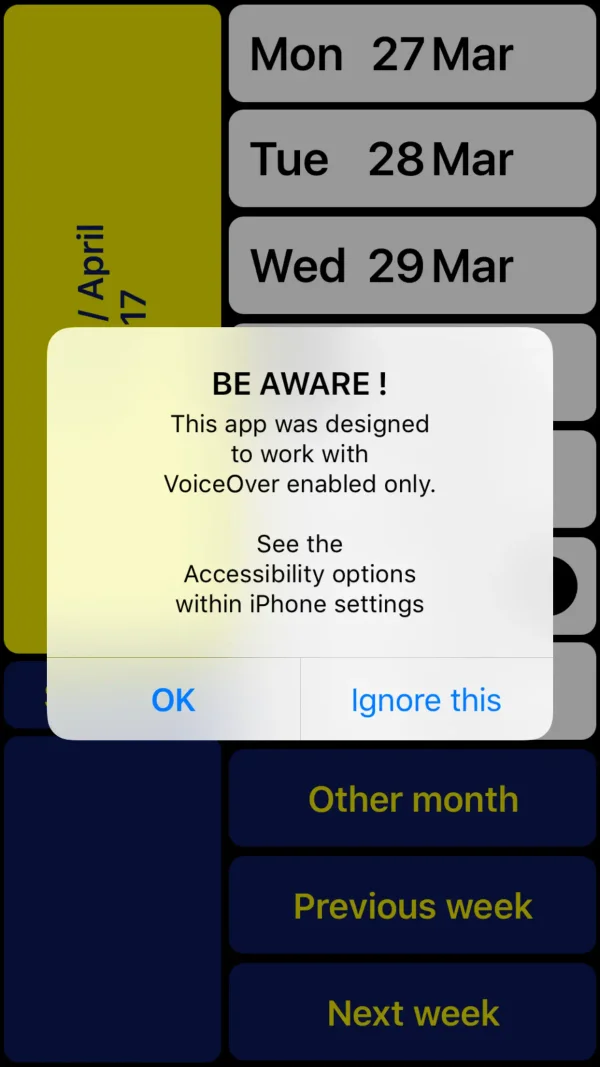
VO Calendar is a weekly calendar specifically designed to be used with VoiceOver.
The result of this VoiceOver-only design is not only a smoother navigation through the app. It also makes it possible for the VoiceOver speech to give smart summaries depending on the context. This prevents you from having to go through each event
Individually.
Existing events are automatically synchronized. If you prefer not to type, you can record voice memos instead.
You can use VO Calendar with the VoiceOver gestures you are used to.
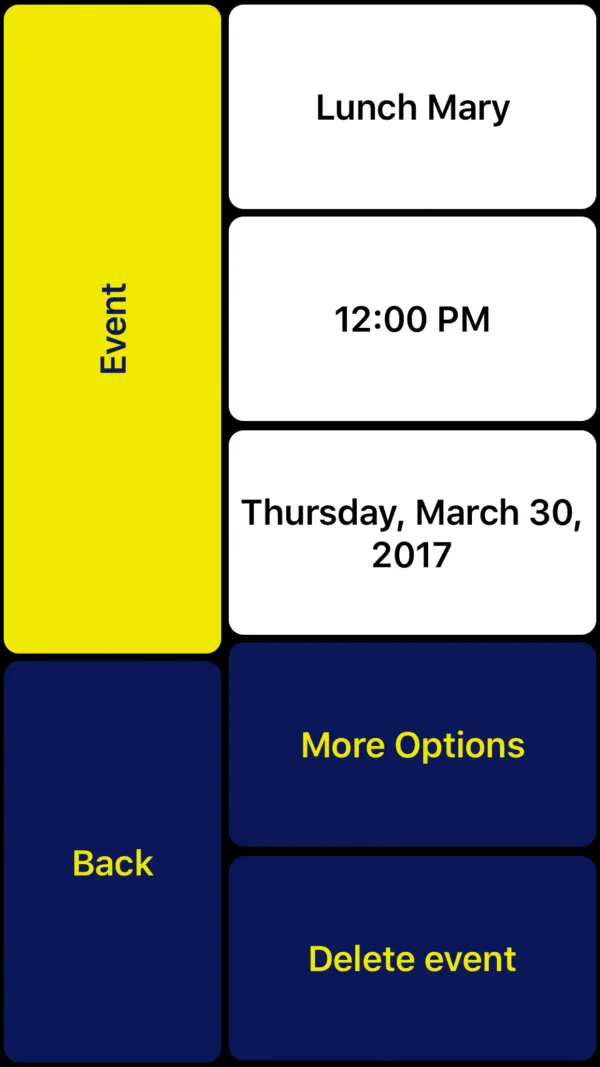
However, there is an even faster way. With the screen being split into two halves you can scan the right half of the screen with your right thumb. A single tap with your left thumb then is enough to activate the concerning function. After getting used to you will find out this helps you to browse through your calendar even quicker.
The left bottom always contains the ‘Return’ button so you can still reach it with your right thumb (being an L-shaped layout). At the top left you can always find a summary of the current screen content. In case you are left-handed you can swap left and right.
Note: If you have multiple calendars configured, VO Calendar will show all concerning events. New events will be assigned to your iPhone’s default calendar. Change the default calendar in: Settings > Mail, Contacts, Calendars > Default Calendar.
VO Calendar is developed in cooperation with Royal Dutch Visio, Centre of Expertise for blind and partially sighted people (www.visio.org).
We appreciate your opinion and are always interested in hearing from you. Feel free to leave your feedback in the form of a review or contact us at: support@vo-calendar.com
In case you have problems recording a memo:
- Hold one finger on 'Record memo' button
- Use other finger to tap on screen
(instead of first focussing on the button and then double tap)
Neue Funktionen
Version 1.2.5 · 22.11.2023
Updated for iOS 17.
App-Datenschutz
Was Tom van Zummeren im App Store zum Umgang dieser App mit Daten angibt.
-
Keine Daten erfasst
Der Entwickler erfasst keine Daten von dieser App.
Die Datenschutzpraktiken können variieren, zum Beispiel je nach den von Ihnen verwendeten Funktionen oder Ihrem Alter.
Informationen
- Anbieter
- Tom van Zummeren
- Kategorie
- Produktivität
- Version
- 1.2.5
- Aktualisiert
- 22.11.2023
- Veröffentlicht
- 31.01.2013
- Größe
- 769,0 KB
- Erfordert
- iOS 15.0 oder neuer
- Altersfreigabe
- 4+
- Preis
- 3,99 €
- Sprachen
- Englisch, Niederländisch
- Copyright
- © 2023 Tom van Zummeren
Das könnte Ihnen auch gefallen
-
 Emvi.aiProduktivität
-
 WayAround - Tag and ScanProduktivität
-
 PiccyBotProduktivität
-
 ScribeMeKI-Scanner & Visual Assistent
-
 Envision AIEnabling vision for the blind
-
 Seeing AISprechende Kamera für Blinde
-
 Speech Central: Vorlese-App KIVorlesen PDF, ePub, Web, RSS
-
 DraftsProduktivität
-
 Kalender ·Calendar app for iPhone
-
 Fantastical CalendarReminders & Todo List