
VoicePrinter
音紋、声紋のリアルタイム表示
Entwickelt für iPhone, iPod touch
Kostenlos · In-App-Käufe
- Altersfreigabe4+
- KategorieDienstprogramme
- EntwicklerHIROFUMI MARUO
- SprachenEnglisch+ 1 weitere
- Größe5,1 MB
Verlinkt auf die offizielle App Store-Seite
Download.org hostet keine Datei von VoicePrinter. Die Schaltfläche öffnet die App-Seite bei App Store, wo HIROFUMI MARUO die App veröffentlicht. Eintrag zuletzt geprüft am 15.11.2026.
Screenshots



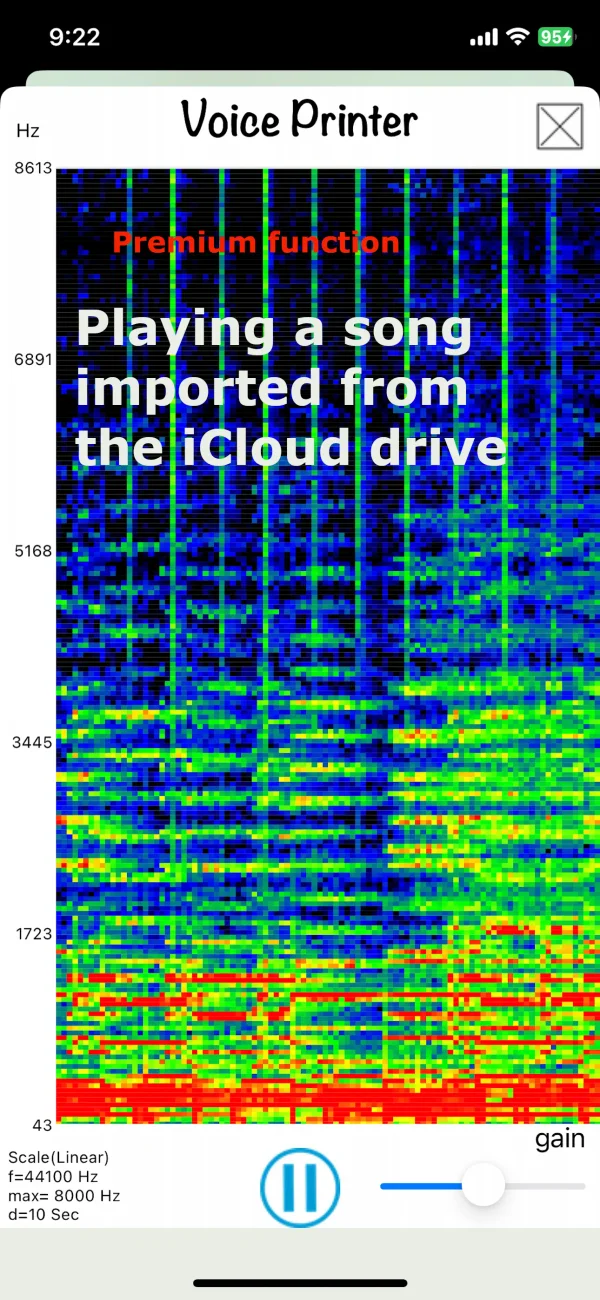
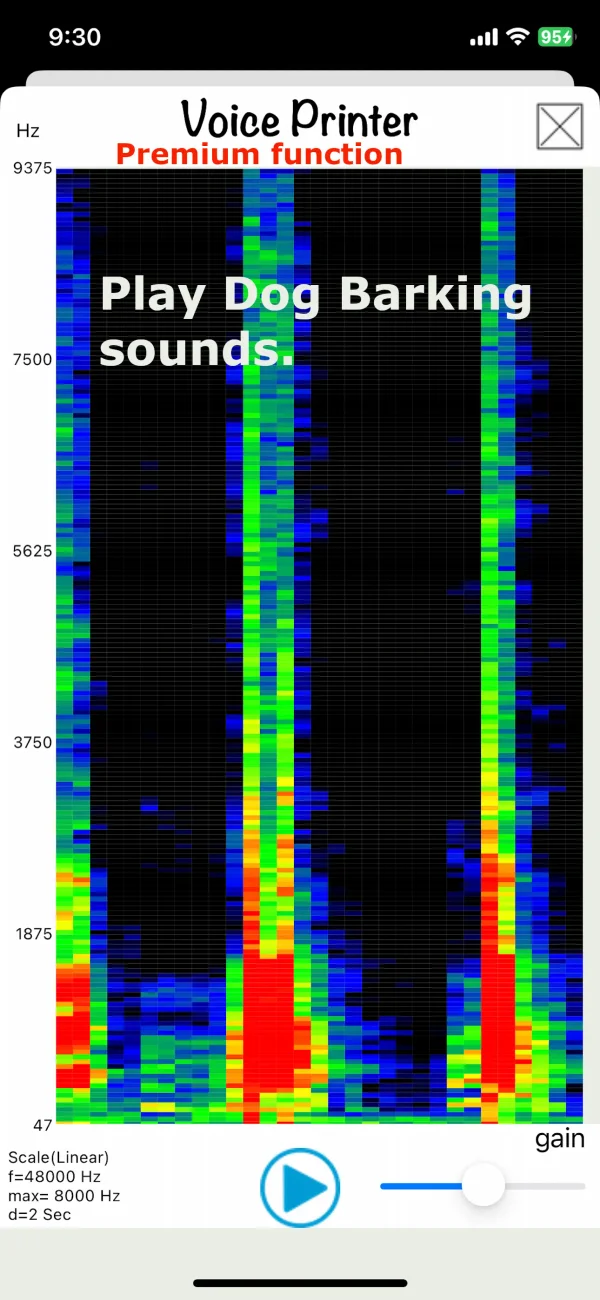
Info
Der Entwickler hat diesen Text nicht in Ihrer Sprache bereitgestellt.
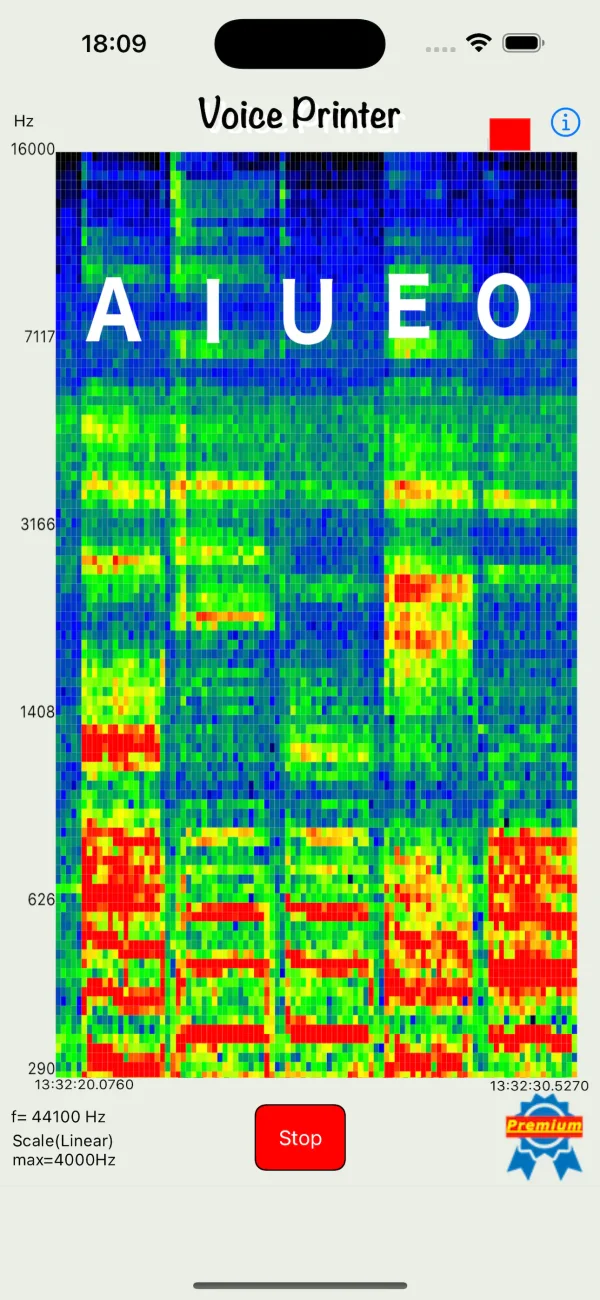
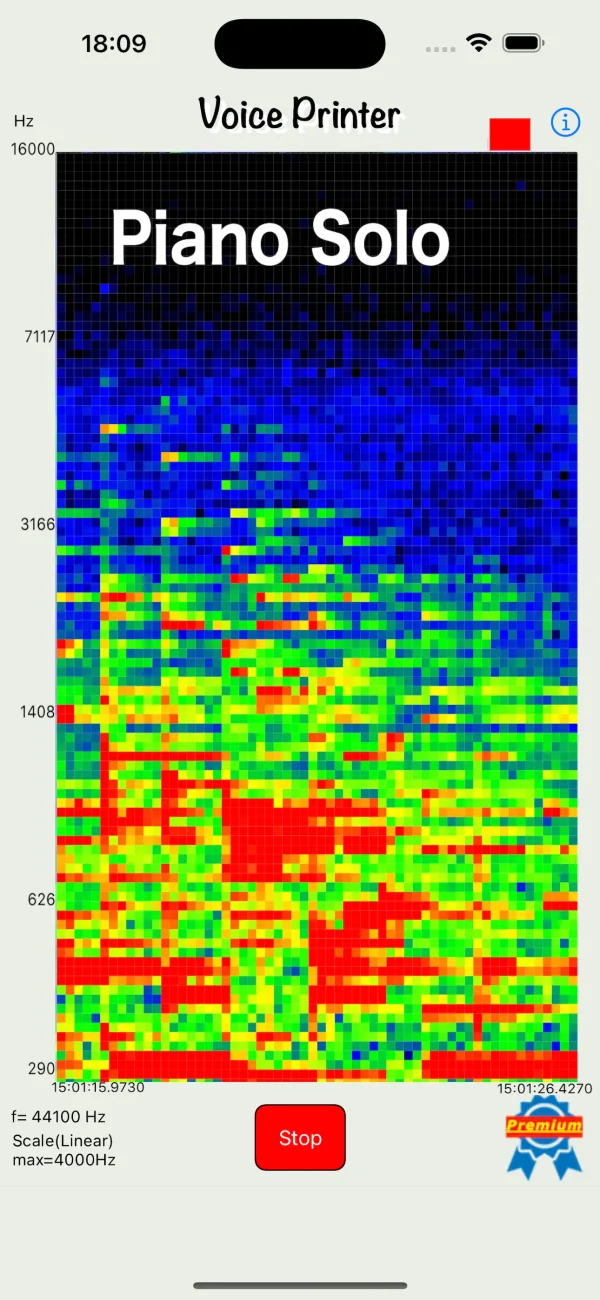
Sound is decomposed into two dimensions and displayed continuously over time.
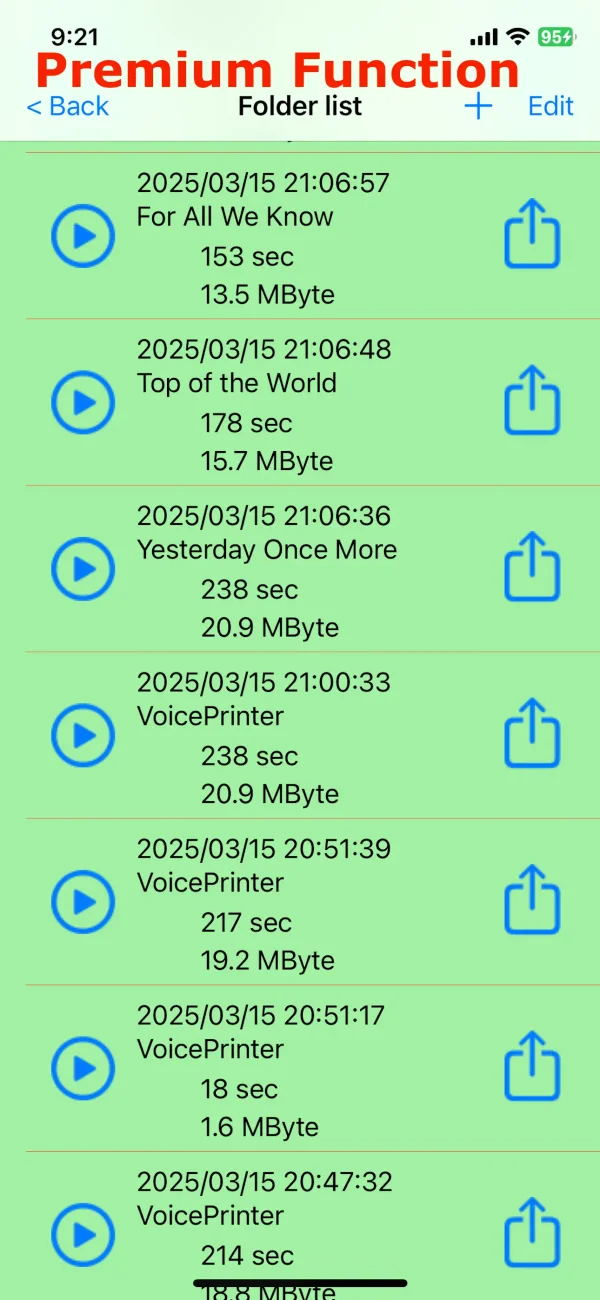
The premium version offers a new style of audio recorder/player.
This app can be used for analysis of
Human voice,
Environmental sound,
Sound of animals,
musics,
etc.
The specifications are as follows.
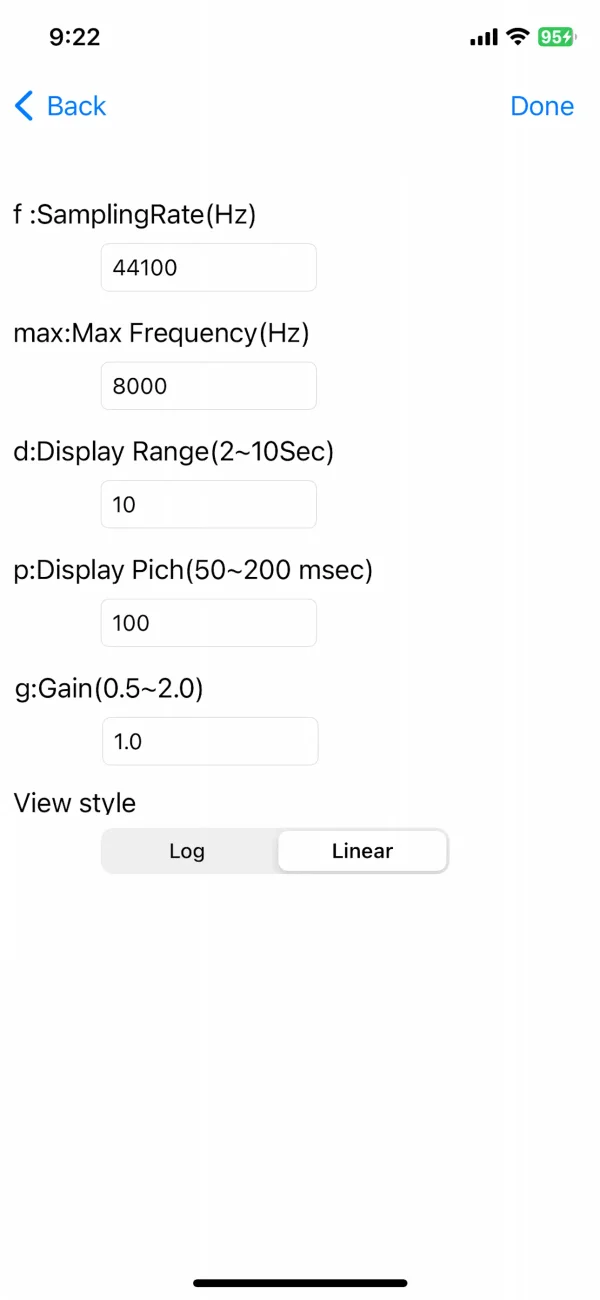
Sampling rate = 10000 to 44100 Hz
Display maximum frequency = 1000 to 22050 Hz
Display time range = 2 to 10 seconds
Frequency axis display resolution = 100
Time axis display resolution = 10 / sec
From version 1.1, recording, playback, import, and export functions based on sound and voiceprints can be used by in-app purchase. In this case, banners will not be displayed.
The premium version allows recording, playback, import of external sound source files, and external output.
・Record under the following conditions
Sampling frequency = 10000~44100Hz
・Display audio analysis results under the following conditions (audio is played in sync with the analysis screen)
Maximum display frequency (high-pitched display frequency limit) = 1000~22050Hz (half the sampling frequency or less)
Display time range (time that can be displayed on one screen) = 2~10 seconds
Frequency display resolution (frequency axis: number of data displayed on the vertical axis) = 200 points
Time axis display resolution (time axis: display interval (pitch) on the horizontal axis) = 50~200ms (10~200 points)
・Importing external audio source files
Imports 16-bit linear PCM mono audio sources. (In the case of stereo, only 1ch is imported.)
・External output
Outputs as 16-bit linear PCM mono.
*To input and output data to iCloud Drive, you must enable iCloud Drive in System Preferences.
*******
Neue Funktionen
Version 1.2 · 14.04.2025
Added a sample video of premium features.
App-Datenschutz
Was HIROFUMI MARUO im App Store zum Umgang dieser App mit Daten angibt.
-
Daten, die zum Tracking Ihrer Person verwendet werden
Können verwendet werden, um Sie über Apps und Websites anderer Unternehmen hinweg zu verfolgen.
- Standort
- Kennungen
- Nutzungsdaten
- Diagnose
-
Mit Ihnen verknüpfte Daten
Können erfasst und mit Ihrer Identität verknüpft werden.
- Standort
- Kennungen
- Nutzungsdaten
- Diagnose
Die Datenschutzpraktiken können variieren, zum Beispiel je nach den von Ihnen verwendeten Funktionen oder Ihrem Alter.
Informationen
- Anbieter
- HIROFUMI MARUO
- Kategorie
- Dienstprogramme
- Version
- 1.2
- Aktualisiert
- 14.04.2025
- Veröffentlicht
- 31.07.2017
- Größe
- 5,1 MB
- Erfordert
- iOS 15.0 oder neuer
- Altersfreigabe
- 4+
- Preis
- Kostenlos
- In-App-Käufe
- Ja
- Sprachen
- Englisch, Japanisch
- Copyright
- © 2017-2025 Cariya Japan.
Das könnte Ihnen auch gefallen
-
 Audio SADienstprogramme
-
 FormantScopeDienstprogramme
-
 EyeSound VocalDienstprogramme
-
 Sorama AppDienstprogramme
-
 Wavelet Voice SonogramDienstprogramme
-
 TONE TelegenicsDienstprogramme
-
 Linmore LED UltraLinkDienstprogramme
-
 Simple Measure -GPS & Map AreaDienstprogramme
-
 COCO ControllerDer PirateEye-Begleiter
-
 コレクションDienstprogramme