VoicePrinter
音紋、声紋のリアルタイム表示
Conçue pour iPhone, iPod touch
Gratuit · Achats intégrés
- Classification d’âge4+
- CatégorieUtilitaires
- DéveloppeurHIROFUMI MARUO
- LanguesAnglais+ 1 de plus
- Taille5,1 Mo
Renvoie vers la page App Store officielle
Download.org n’héberge aucun fichier de VoicePrinter. Le bouton ouvre la page de l’application sur App Store, où HIROFUMI MARUO la publie. Fiche vérifiée pour la dernière fois le 15/11/2026.
Captures d’écran



À propos
Le développeur n’a pas fourni ce texte dans votre langue.
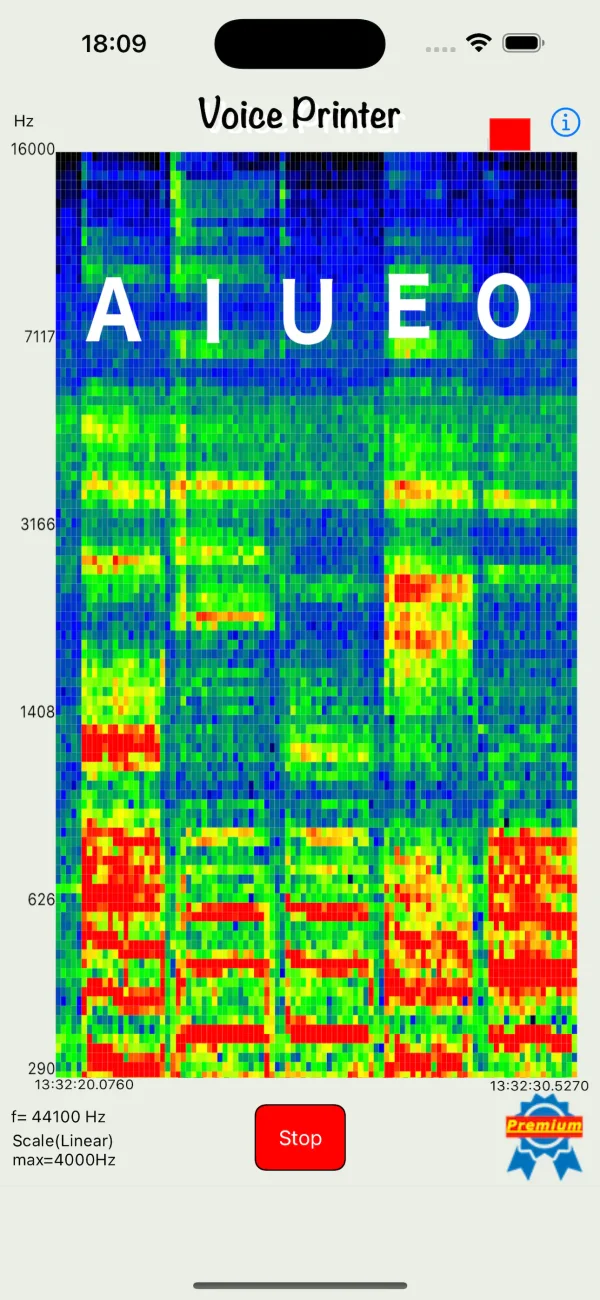
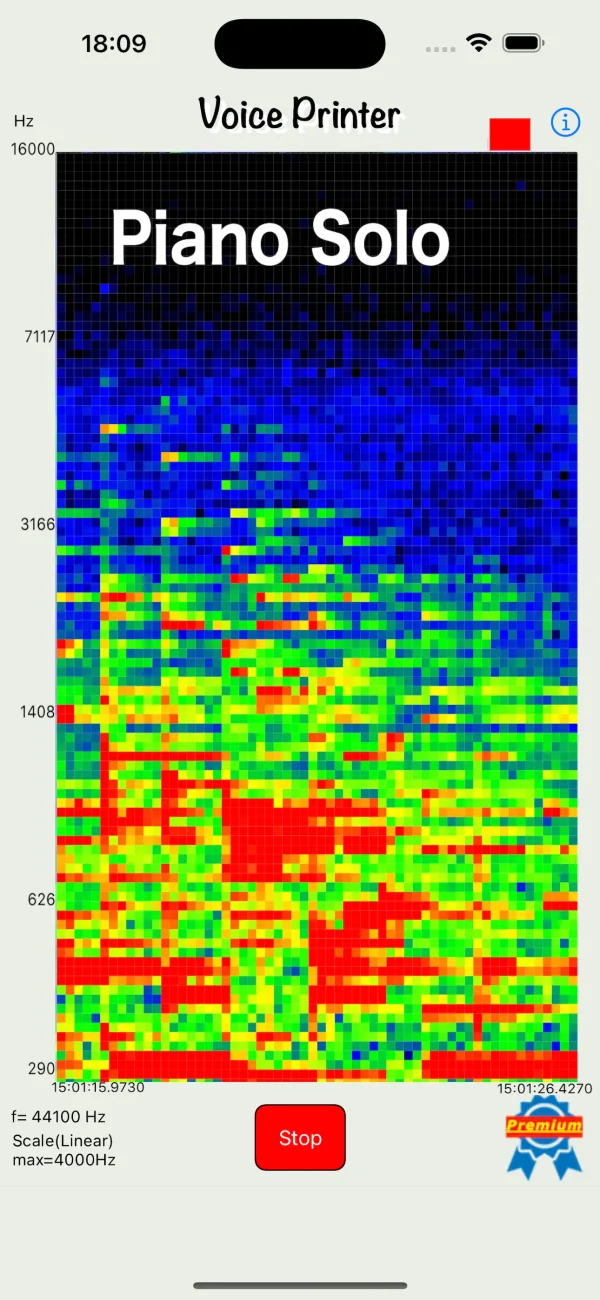
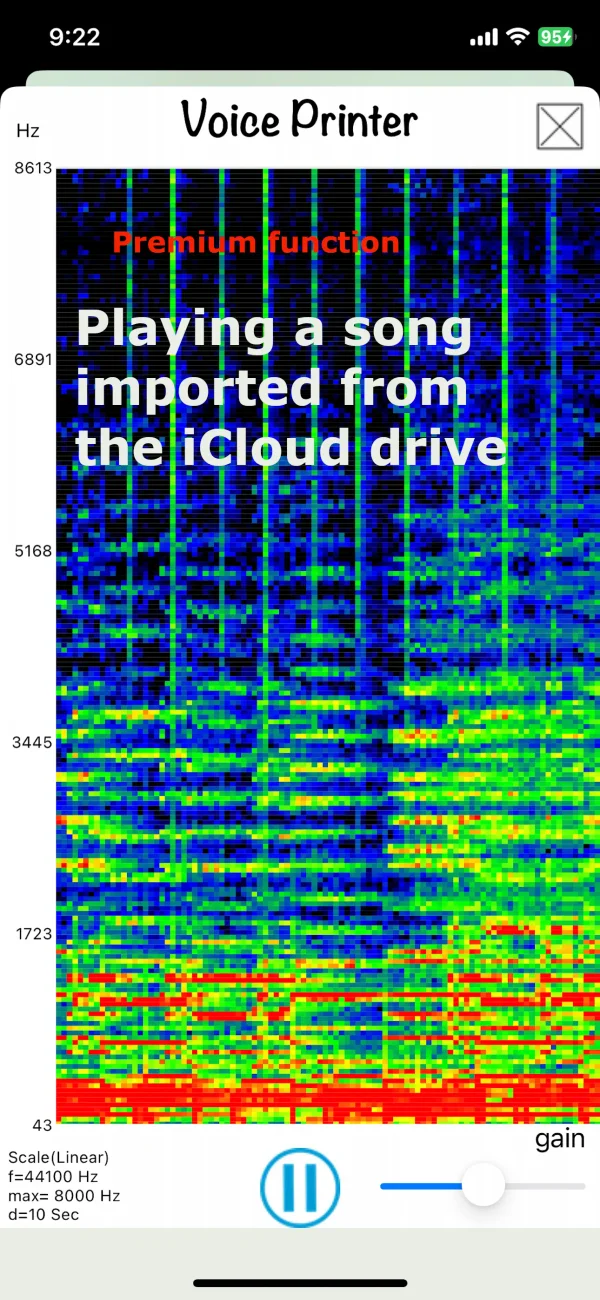
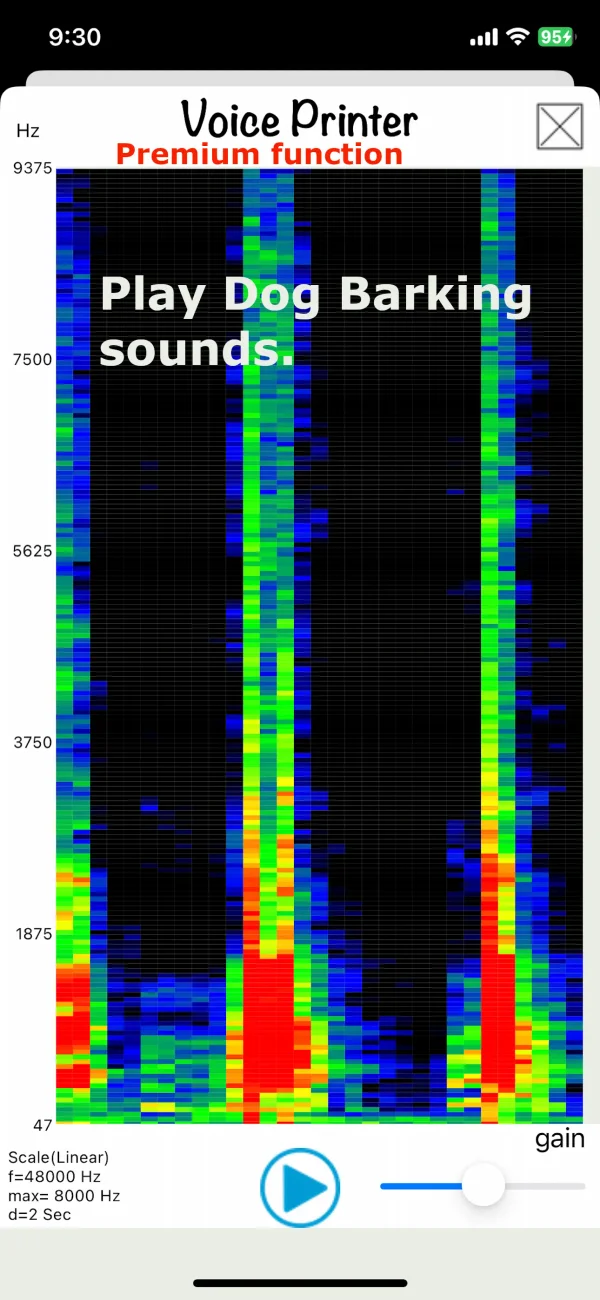
Sound is decomposed into two dimensions and displayed continuously over time.
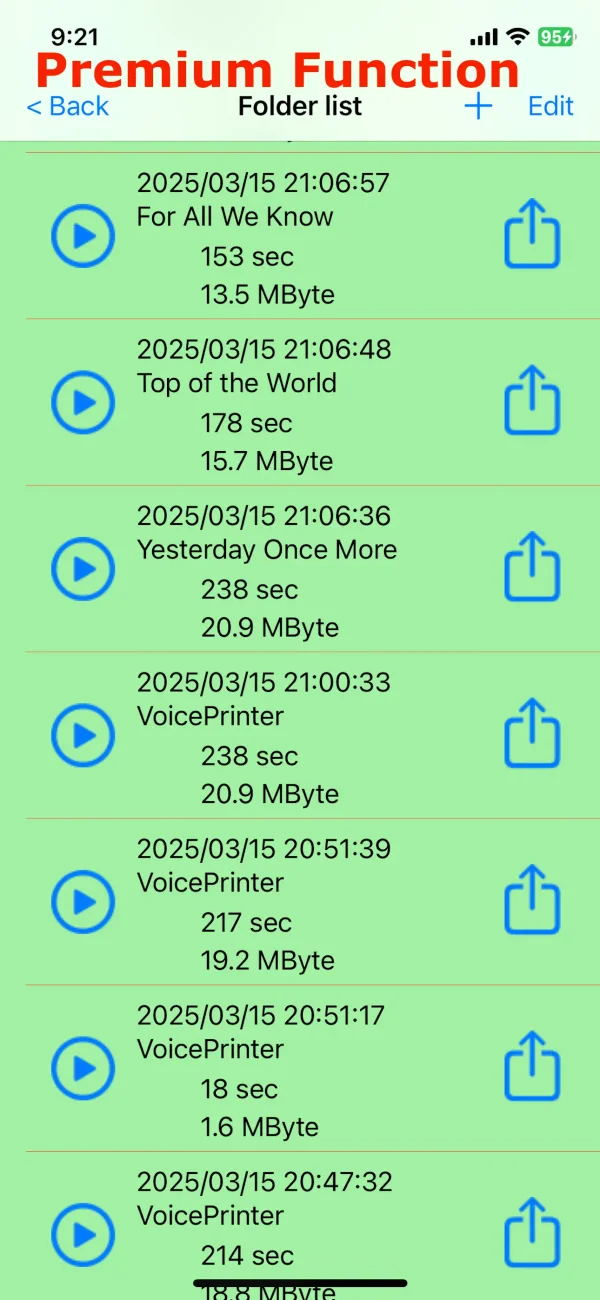
The premium version offers a new style of audio recorder/player.
This app can be used for analysis of
Human voice,
Environmental sound,
Sound of animals,
musics,
etc.
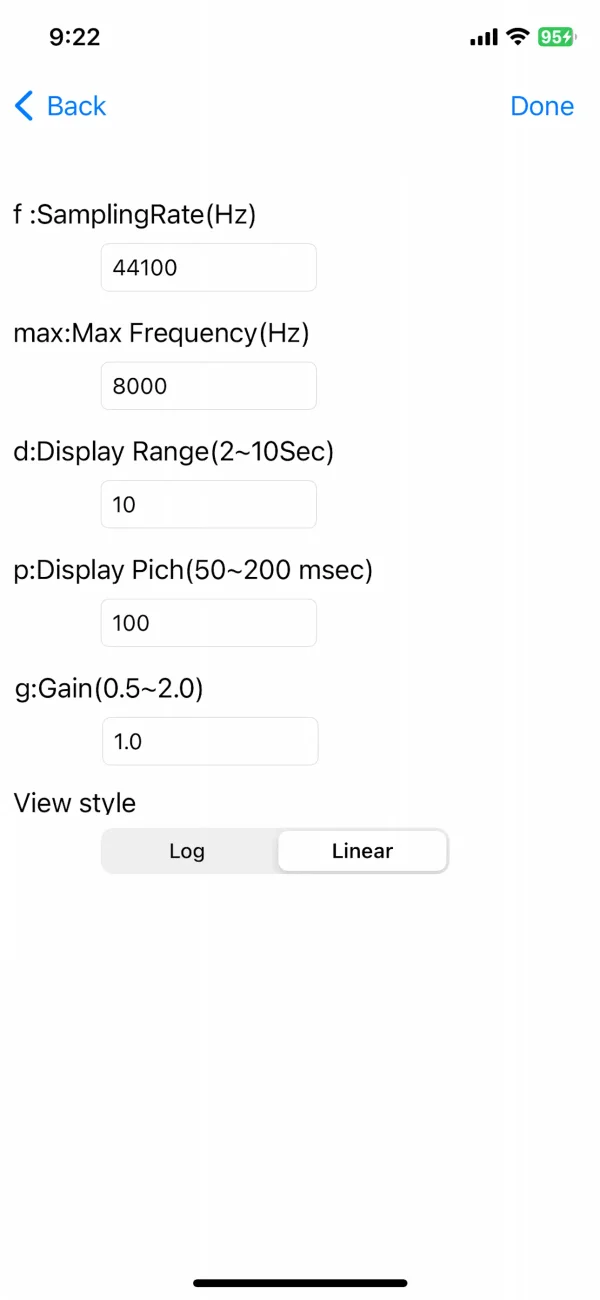
The specifications are as follows.
Sampling rate = 10000 to 44100 Hz
Display maximum frequency = 1000 to 22050 Hz
Display time range = 2 to 10 seconds
Frequency axis display resolution = 100
Time axis display resolution = 10 / sec
From version 1.1, recording, playback, import, and export functions based on sound and voiceprints can be used by in-app purchase. In this case, banners will not be displayed.
The premium version allows recording, playback, import of external sound source files, and external output.
・Record under the following conditions
Sampling frequency = 10000~44100Hz
・Display audio analysis results under the following conditions (audio is played in sync with the analysis screen)
Maximum display frequency (high-pitched display frequency limit) = 1000~22050Hz (half the sampling frequency or less)
Display time range (time that can be displayed on one screen) = 2~10 seconds
Frequency display resolution (frequency axis: number of data displayed on the vertical axis) = 200 points
Time axis display resolution (time axis: display interval (pitch) on the horizontal axis) = 50~200ms (10~200 points)
・Importing external audio source files
Imports 16-bit linear PCM mono audio sources. (In the case of stereo, only 1ch is imported.)
・External output
Outputs as 16-bit linear PCM mono.
*To input and output data to iCloud Drive, you must enable iCloud Drive in System Preferences.
*******
Nouveautés
Version 1.2 · 14/04/2025
Added a sample video of premium features.
Confidentialité de l’application
Ce que HIROFUMI MARUO déclare sur l’App Store au sujet du traitement des données par cette application.
-
Données utilisées pour vous suivre
Peuvent être utilisées pour vous suivre sur des applications et des sites web appartenant à d’autres sociétés.
- Emplacement
- Identifiants
- Données d’utilisation
- Diagnostic
-
Données établissant un lien avec vous
Peuvent être collectées et liées à votre identité.
- Emplacement
- Identifiants
- Données d’utilisation
- Diagnostic
Les pratiques en matière de confidentialité peuvent varier, notamment en fonction des fonctionnalités que vous utilisez ou de votre âge.
Informations
- Vendeur
- HIROFUMI MARUO
- Catégorie
- Utilitaires
- Version
- 1.2
- Mis à jour
- 14/04/2025
- Publié
- 31/07/2017
- Taille
- 5,1 Mo
- Nécessite
- iOS 15.0 ou version ultérieure
- Classification d’âge
- 4+
- Prix
- Gratuit
- Achats intégrés
- Oui
- Langues
- Anglais, Japonais
- Copyright
- © 2017-2025 Cariya Japan.