WallFrameKit2025
Easy to Create Wallpaper!
Entwickelt für iPhone, iPad
Kostenlos
- Altersfreigabe4+
- KategorieLifestyle
- EntwicklerHisanori Yamashita
- SprachenJapanisch+ 1 weitere
- Größe136,7 MB
Verlinkt auf die offizielle App Store-Seite
Download.org hostet keine Datei von WallFrameKit2025. Die Schaltfläche öffnet die App-Seite bei App Store, wo Hisanori Yamashita die App veröffentlicht. Eintrag zuletzt geprüft am 12.11.2026.
Screenshots
Info
Der Entwickler hat diesen Text nicht in Ihrer Sprache bereitgestellt.
The best frame-type wallpaper creation app!
Multifunctional anyway! Super easy to use!
[How to create]
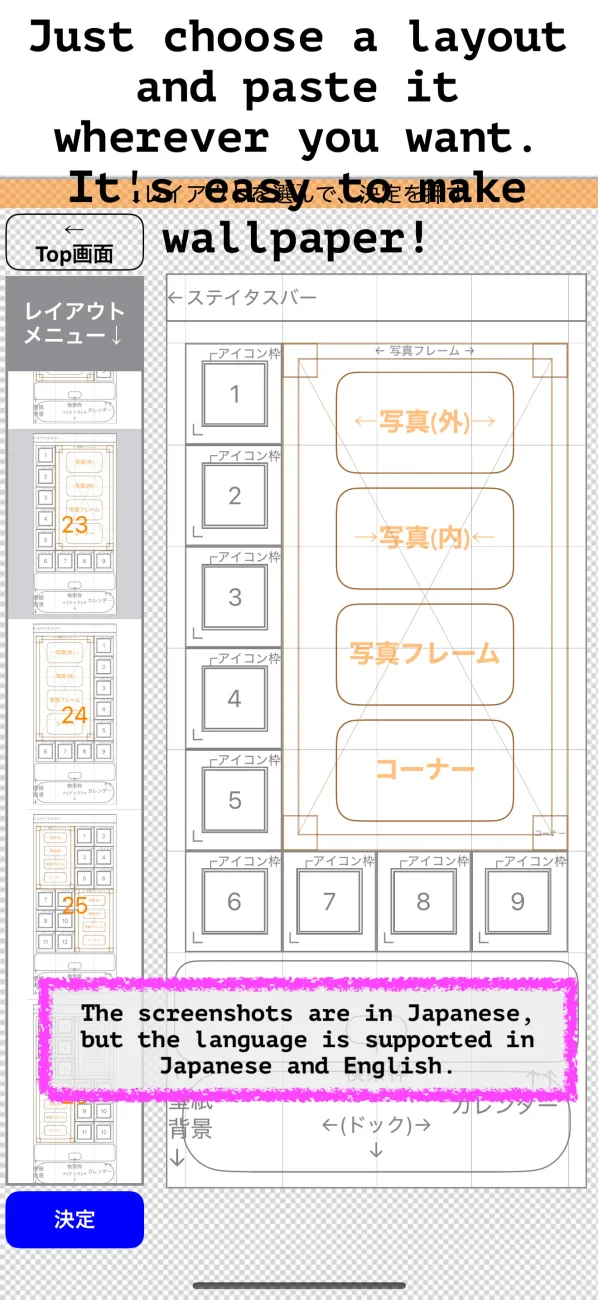
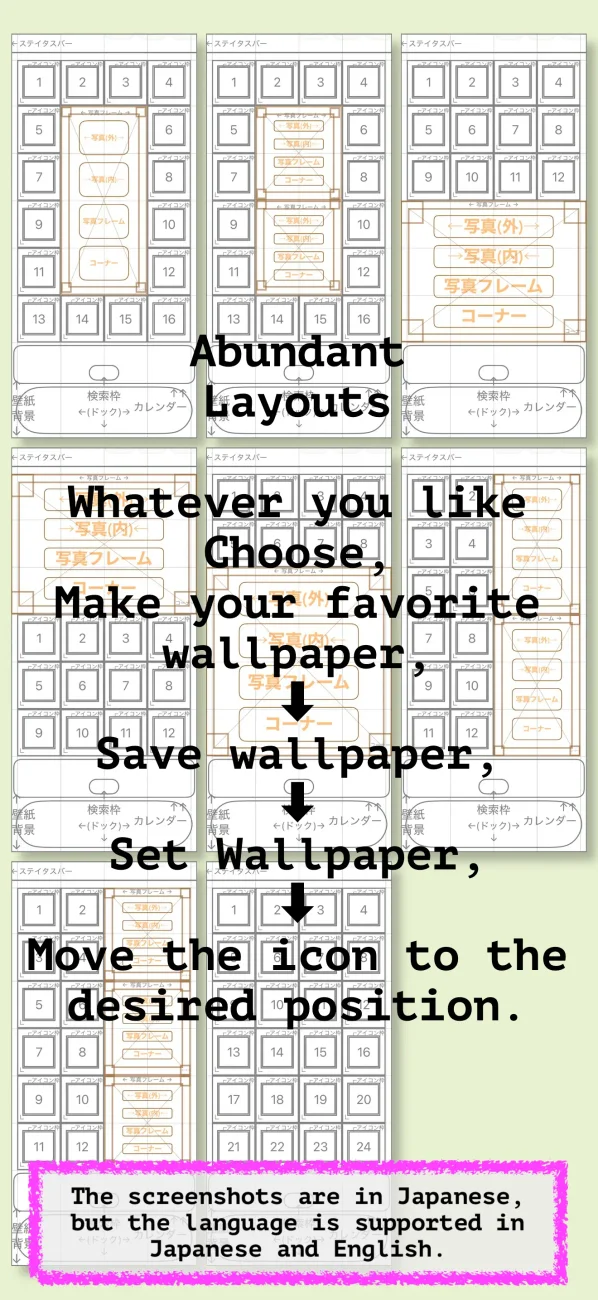
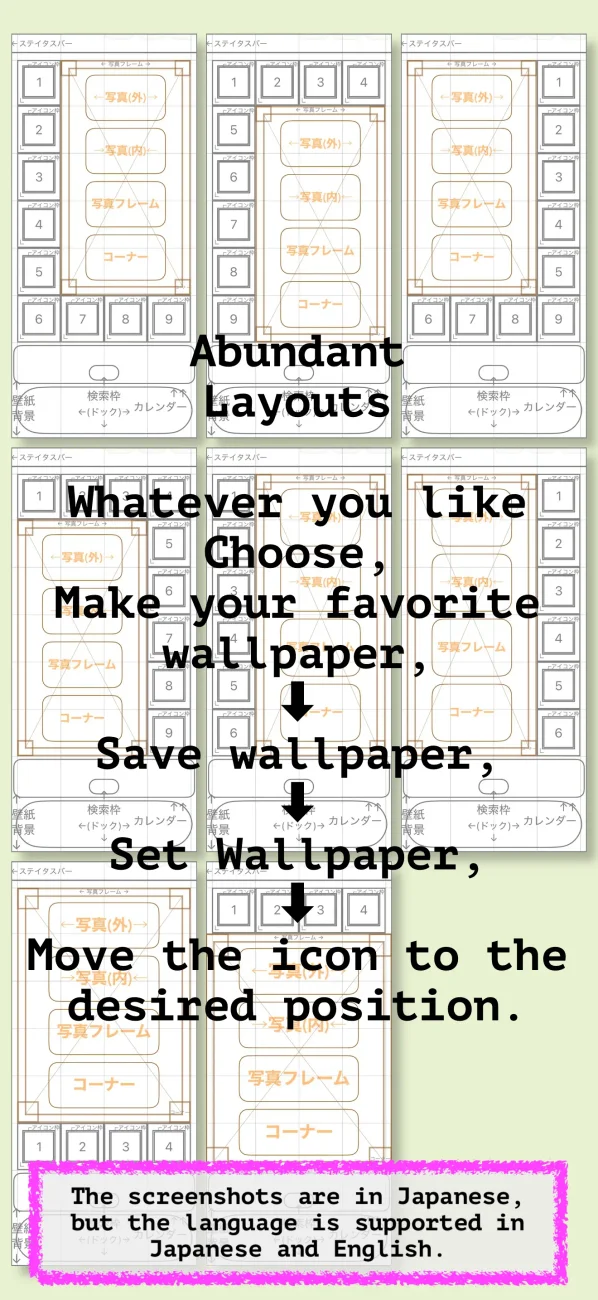
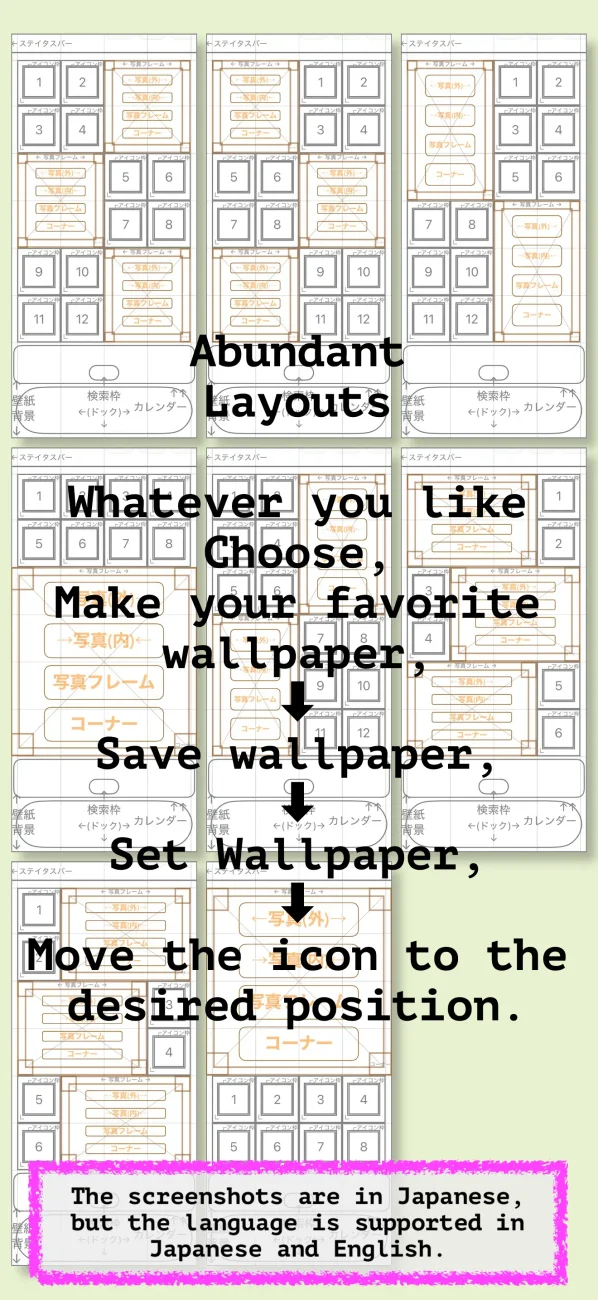
(1) Select the favorite layout.
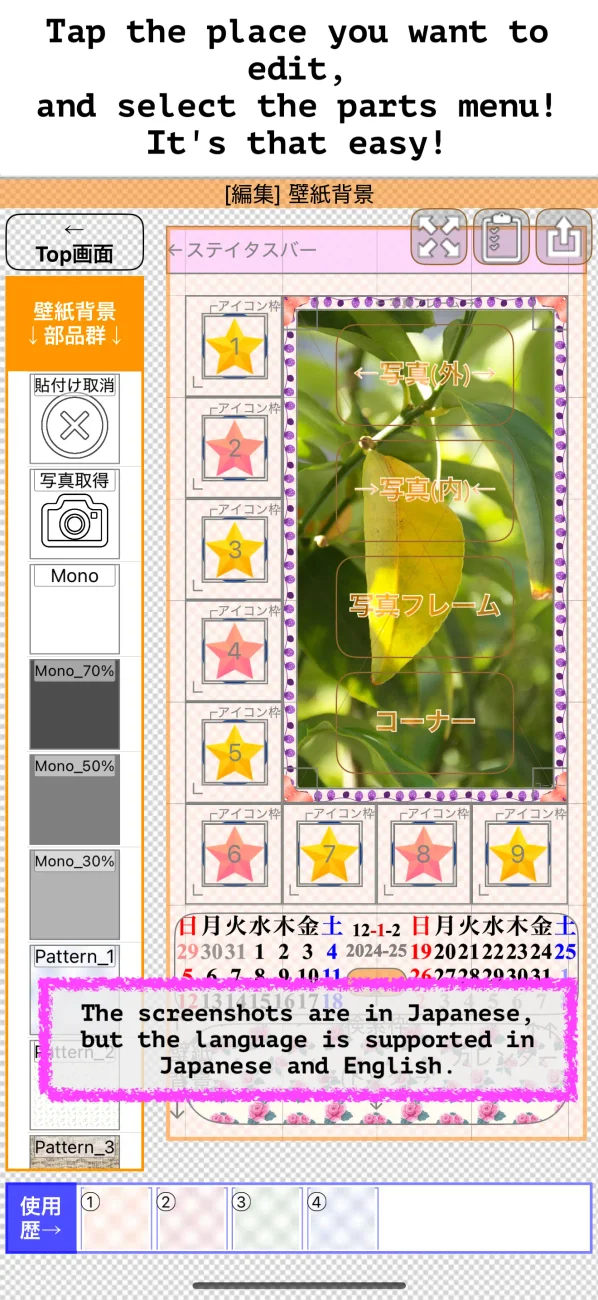
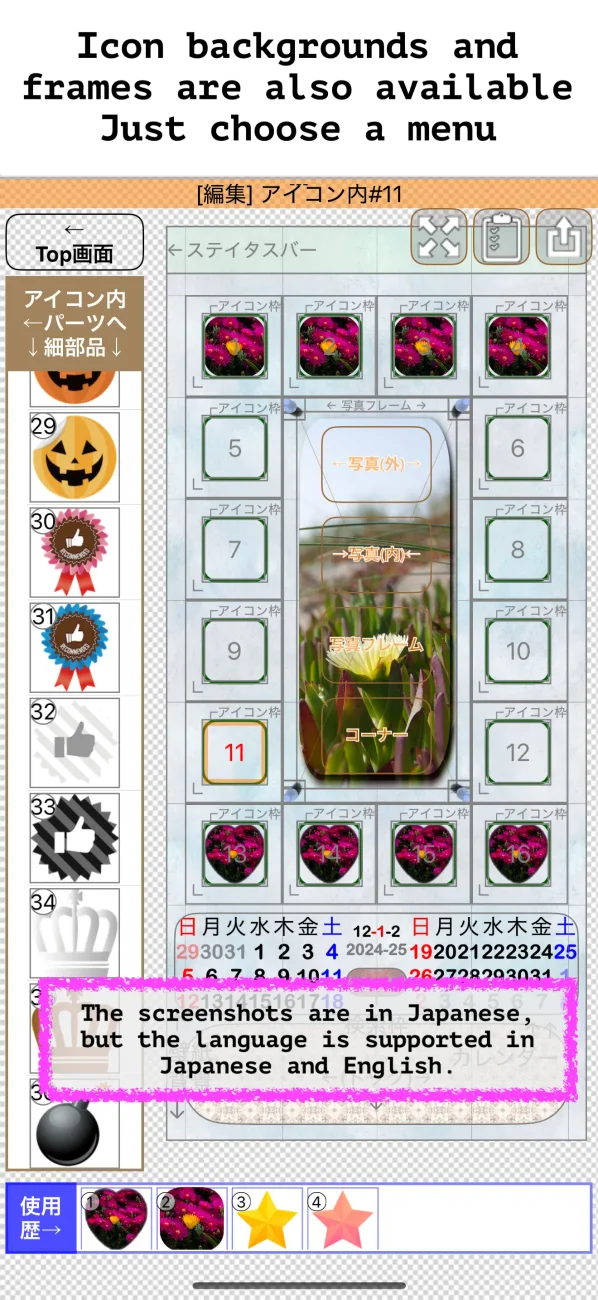
(2) Tap the area you want to edit.
(3) Select a menu and paste an image or decorative image.
(4) The wallpaper image is completed.
(5) Save the image in your favorite way (save image or save creation history)
[Features]
(1) Anyone can create wallpaper easily.
(2) You can restart from the “Wallpaper creation history”.
(3) You can put a rounded corner image on the background where the icons are lined up, or put a frame around it.
(4) You can decorate the photo area with images.
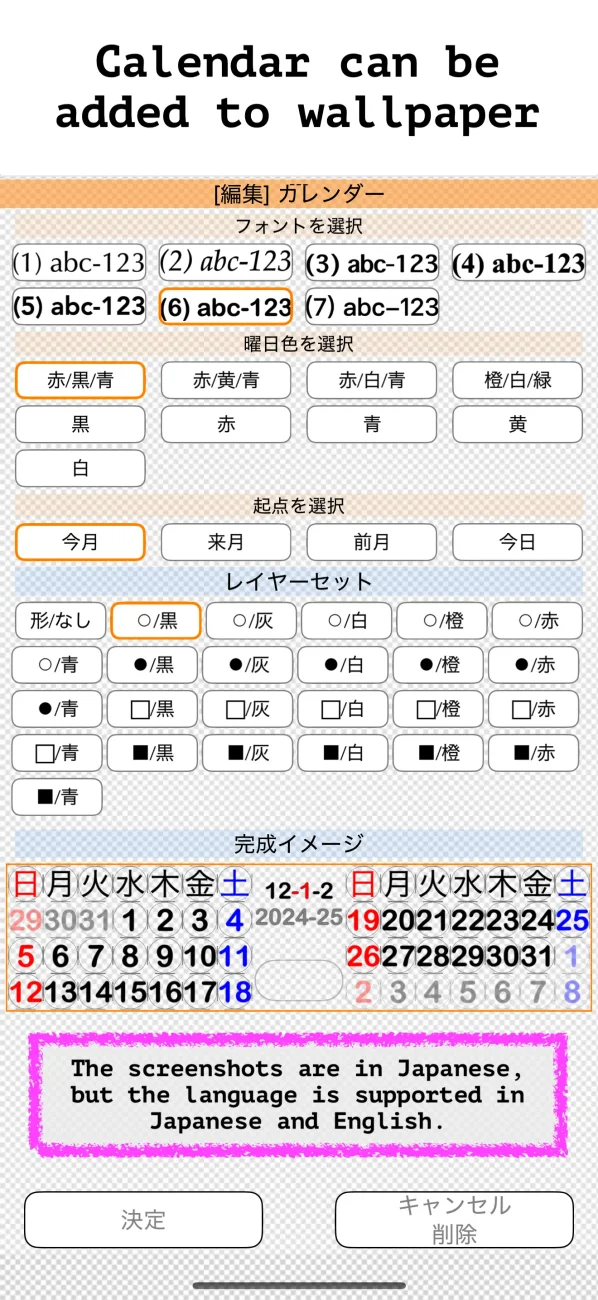
(5) A calendar can be inserted.
[Requests from the author]
Please tell people around you about this app.
If possible, please review the app.
Please share your wallpapers on social networking sites with any comments.
[How to move the position of the icons]
Move the icon as follows according to the number of shelves of the wallpaper you created and installed.
(1) Hold your finger on the icon (or press and hold the home screen).
(2) After a while, the icon will start shaking.
(3) While keeping your finger on the icon that is shaking, move it in any direction you like, such as horizontally, vertically, and diagonally (you can move the icon anywhere you like).
(4) After all the icons have been moved, press the Home button (or slide your finger from the bottom to the top of the screen).
(5) The icons will stop shaking.
---[Note]---
[About the size of the icon]
Please set the size of the icon to “Small”.
To do this, long-press the home screen > tap Edit in the upper left corner > Customize > select “Small” at the bottom of the screen.
[About sending and receiving the wallpaper you created]
When exchanging wallpapers via free email services or social networking services, the size of the wallpaper may be automatically reduced on social networking services.
When exchanging wallpapers, please make sure to send and receive the original size of the wallpaper. Please be especially careful when exchanging wallpapers of different sizes for other models.
[Turn on “Reduce parallax effect”]
Settings > Accessibility > Behavior > Reduce parallax effect > ON
[About Supporting for iPad]
The iPad wallpaper creation is not supported.
However, it is possible to create wallpaper for iPhone on iPad.
[About in-app purchases]
There are no in-app purchases at this time, but there is a possibility that some functions will be changed to a billing system in the future.
App-Datenschutz
Was Hisanori Yamashita im App Store zum Umgang dieser App mit Daten angibt.
-
Daten, die zum Tracking Ihrer Person verwendet werden
Können verwendet werden, um Sie über Apps und Websites anderer Unternehmen hinweg zu verfolgen.
- Nutzungsdaten
-
Mit Ihnen verknüpfte Daten
Können erfasst und mit Ihrer Identität verknüpft werden.
- Standort
- Nutzungsdaten
Die Datenschutzpraktiken können variieren, zum Beispiel je nach den von Ihnen verwendeten Funktionen oder Ihrem Alter.
Informationen
- Anbieter
- Hisanori Yamashita
- Kategorie
- Lifestyle
- Version
- 1.1.5
- Aktualisiert
- 03.02.2025
- Veröffentlicht
- 02.02.2025
- Größe
- 136,7 MB
- Erfordert
- iOS 17.6 oder neuer
- Altersfreigabe
- 4+
- Preis
- Kostenlos
- Sprachen
- Japanisch, Englisch
- Copyright
- © 2025@nextYam