
WinPulse – Windows Admin
Windows admin from your phone
Entwickelt für iPhone, iPad, iPod touch
Kostenlos · In-App-Käufe
- Altersfreigabe4+
- KategorieWirtschaft
- EntwicklerSignifium LLC
- Größe118,8 MB
Verlinkt auf die offizielle App Store-Seite
Download.org hostet keine Datei von WinPulse – Windows Admin. Die Schaltfläche öffnet die App-Seite bei App Store, wo Signifium LLC die App veröffentlicht. Eintrag zuletzt geprüft am 12.11.2026.
Screenshots


Info
Der Entwickler hat diesen Text nicht in Ihrer Sprache bereitgestellt.
## WinPulse — Windows Server management from your iPhone ##
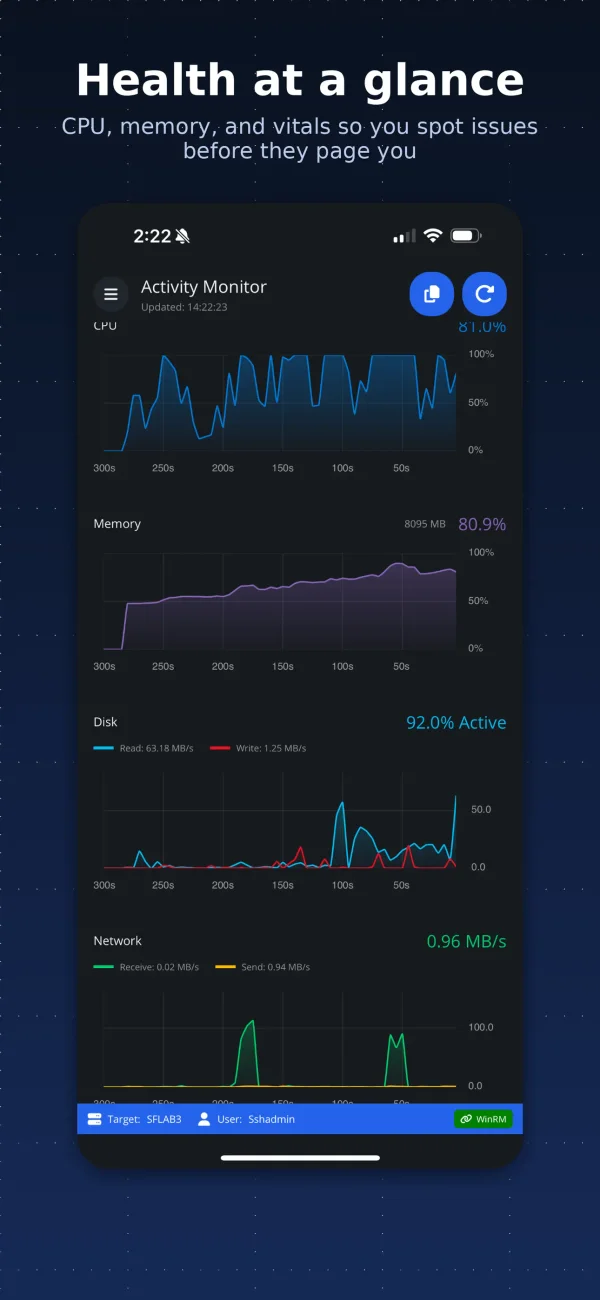
Monitor, troubleshoot, and control Windows servers from anywhere — no RDP, no agents, no exposed ports. WinPulse brings processes, services, event logs, diagnostics, and reporting to your iPhone or iPad so you can triage, investigate, and act in seconds.
## How it works ##
WinPulse connects to your Windows Gateway server over SSH (port 22). The Gateway communicates with all your target servers using WinRM, WMI, and CIM — native Windows protocols that are already in your environment. No separate agent product. No new attack surface.
WinPulse connects your phone to a Windows Gateway over SSH. The Gateway communicates with all target servers using native Windows protocols — no agents required.
## Gateway setup ##
Connect your Gateway server in minutes. Full setup documentation at signifium.com/winpulse.
On Windows Server 2025, enabling SSH is as simple as ticking a checkbox in Server Manager — just like enabling RDP. No PowerShell required.
For Windows Server 2022, 2019, 2016, and 2012 R2, a one-step PowerShell command handles the install. Step-by-step instructions at signifium.com/winpulse.
Supported: Windows Server 2025, 2022, 2019, 2016, 2012 R2, and Server Core.
## Built for the moments between full sessions ##
Full-screen RDP from a phone is clunky for quick checks. WinPulse surfaces the information you need in seconds — whether you are troubleshooting an outage, reviewing logs before a meeting, or responding to an alert at 2am.
## Complete server management ##
Real-time monitoring
• Activity dashboard with CPU, memory, and system vitals
• Process monitor with resource usage, module details, and process control
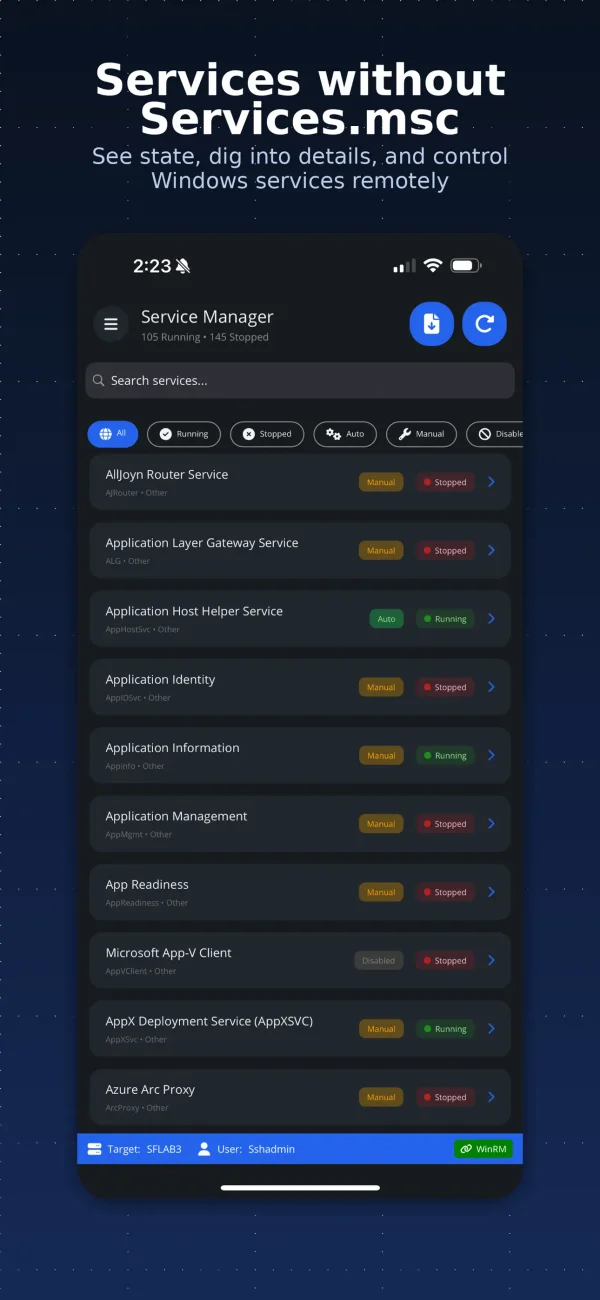
• Service status with start/stop/restart controls
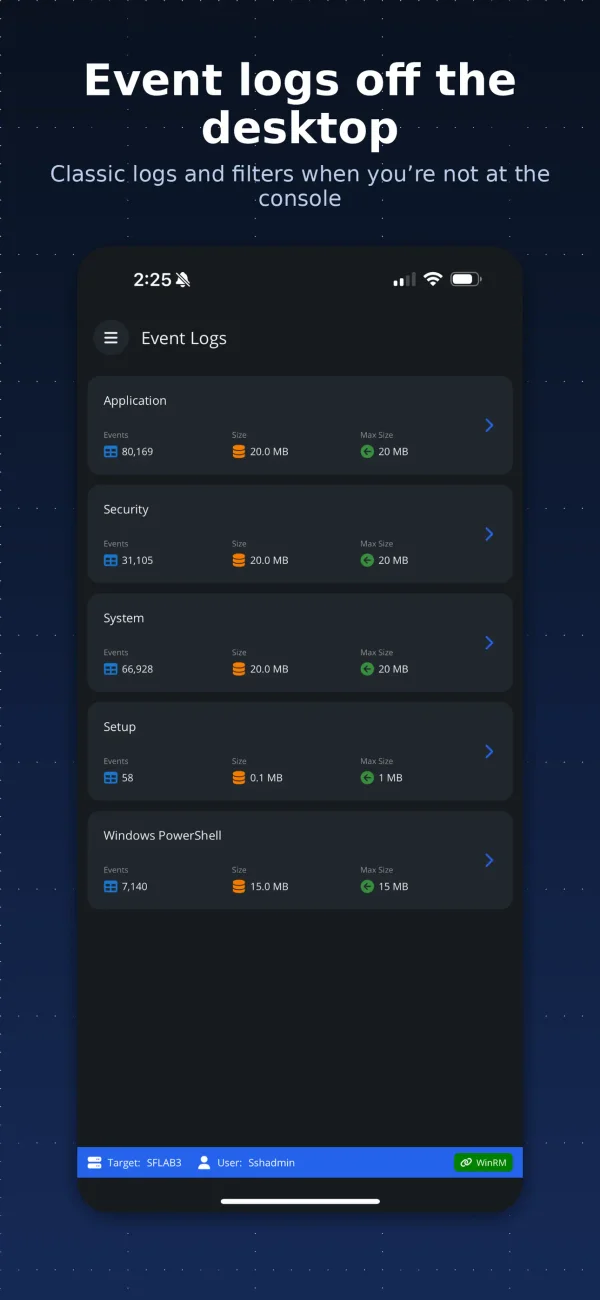
• Event log browser with advanced filtering (ID, level, timeframe, message search)
System administration
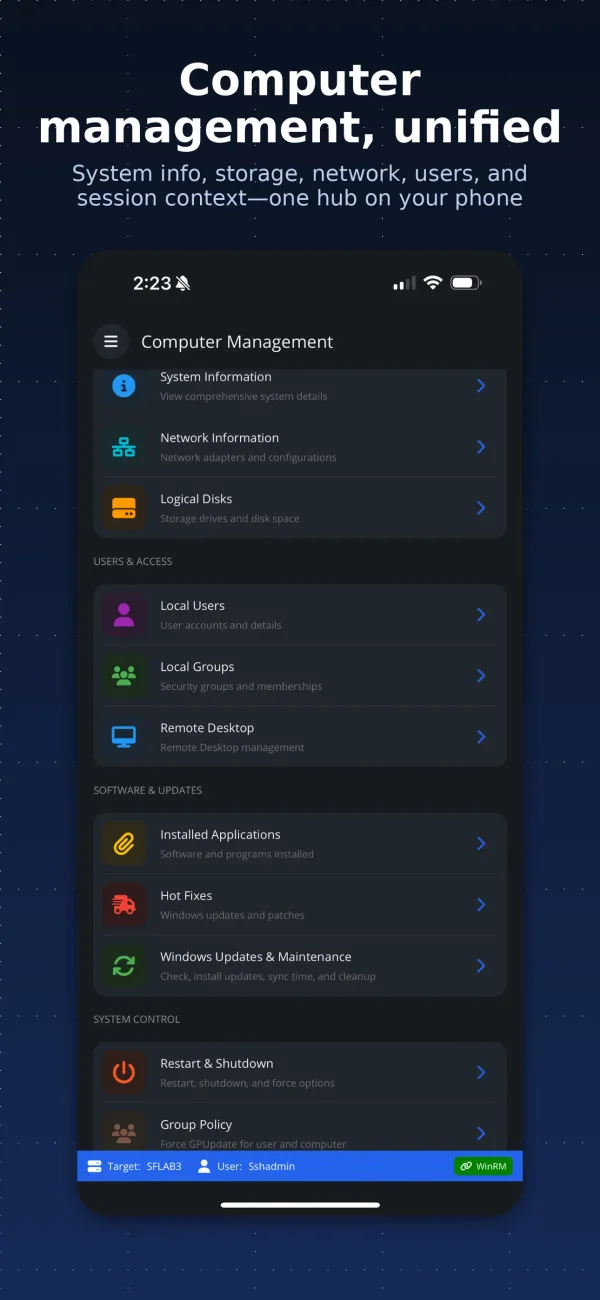
• System information, BIOS details, installed roles, and OS configuration
• Network interfaces with IP configuration and adapter management
• Disk management with capacity, health, and usage metrics
• Local users and groups with membership details
• Installed applications and Windows Updates (view and install)
• Active RDP sessions and connection monitoring
Operations & control
• Power management (restart, shutdown, with optional delay)
• Windows Update deployment and scheduling
• Group Policy refresh and verification
• Time synchronisation diagnostics and repair
• Remote Desktop enable/disable
• User session management and logoff
• Recycle bin management
Network diagnostics
Run connectivity tests from your target servers:
• Ping and traceroute
• DNS resolution and lookup
• Port connectivity checks
• HTTP/HTTPS endpoint testing
• Active Directory and Kerberos authentication verification
File management & reporting
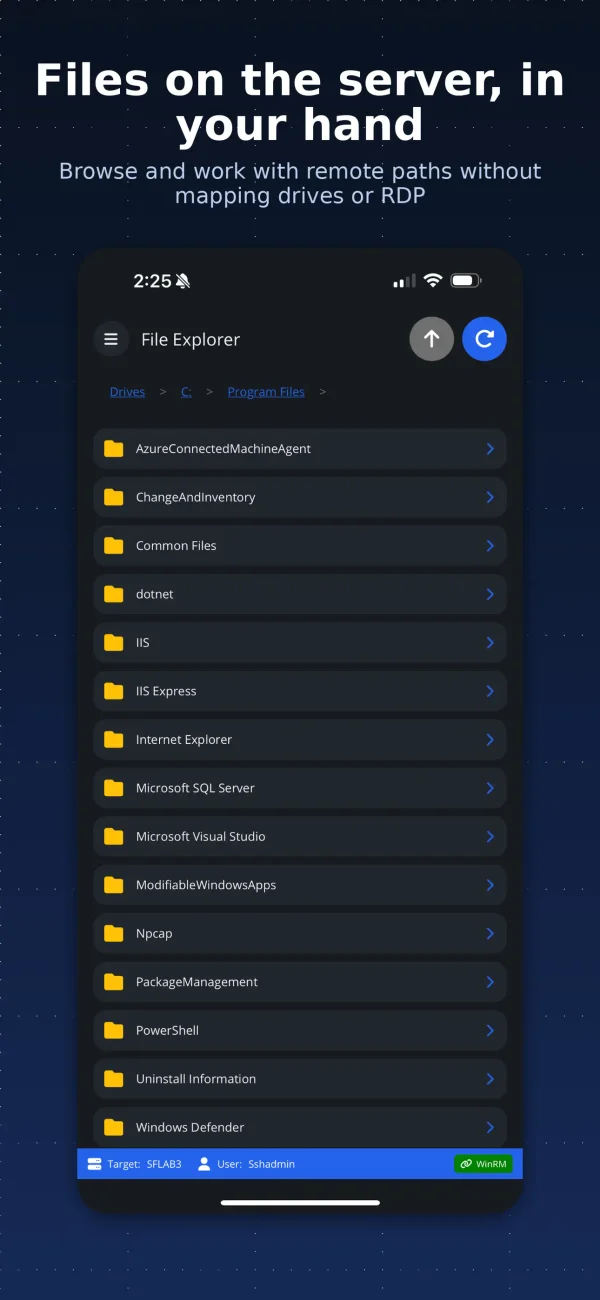
• Browse, search, and manage remote files and folders
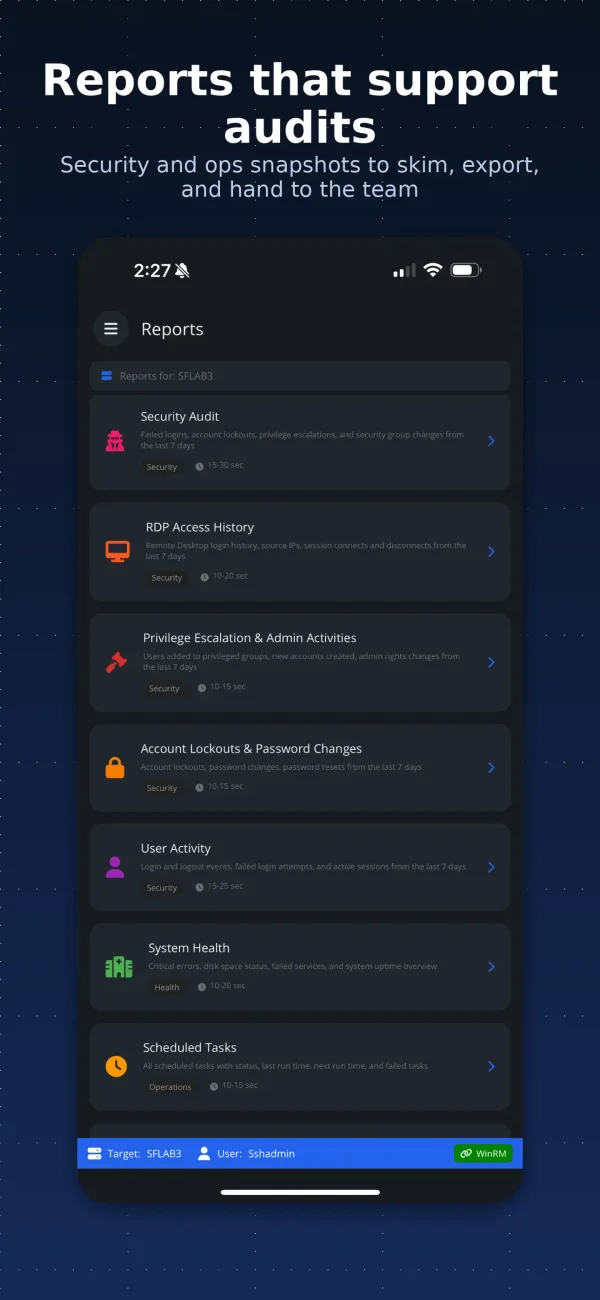
• Security reports: RDP access history, privilege escalation tracking, account lockouts and password changes, failed login analysis
• System health reports: uptime, performance baseline, scheduled tasks, Windows Updates
• Backup status monitoring with VSS and restore points
• Export reports to text/CSV for compliance and analysis
## Multi-target management ##
Switch between servers quickly. Save connection profiles for one-tap access across environments — production, staging, DR. One Gateway login, many targets.
## Pricing ##
Try free for up to 14 days with full access. After that, manage up to 3 servers forever at no charge. Subscribe when you need more than three targets. All features included — no tiered feature gates. Cancel anytime in your Apple account settings.
## Support ##
Documentation: signifium.com/winpulse
Direct support: support@signifium.com
Privacy Policy: signifium.com/privacy
Terms of Service: signifium.com/termsofuse
Neue Funktionen
Version 2.2 · 22.06.2026
Bug fixes
App-Datenschutz
Was Signifium LLC im App Store zum Umgang dieser App mit Daten angibt.
-
Mit Ihnen verknüpfte Daten
Können erfasst und mit Ihrer Identität verknüpft werden.
- Kennungen
- Nutzungsdaten
Die Datenschutzpraktiken können variieren, zum Beispiel je nach den von Ihnen verwendeten Funktionen oder Ihrem Alter.
Informationen
- Anbieter
- Signifium LLC
- Kategorie
- Wirtschaft
- Version
- 2.2
- Aktualisiert
- 22.06.2026
- Veröffentlicht
- 03.01.2021
- Größe
- 118,8 MB
- Erfordert
- iOS 15.0 oder neuer
- Altersfreigabe
- 4+
- Preis
- Kostenlos
- In-App-Käufe
- Ja
- Copyright
- © 2020 Signifium LLC.
Das könnte Ihnen auch gefallen
-
 Windows Service MonitorWirtschaft
-
 eScan MDMProduktivität
-
 NetSupport Manager ControlProduktivität
-
 Endpoint Central MSPWirtschaft
-
 Network Configuration ManagerWirtschaft
-
 Remote Desktop GuestComputerfernbedienung
-
 Remote Access PlusWirtschaft
-
 Remote Desktop: RDP & VNCProduktivität
-
 DriveHQ File ManagerCloud Storage, FTP, WebDAV
-
 MATRIC: Custom Control PanelsProduktivität