
WinPulse – Windows Admin
Windows admin from your phone
Được thiết kế cho iPhone, iPad, iPod touch
Miễn phí · Mua hàng trong ứng dụng
- Độ tuổi4+
- Danh mụcKinh Doanh
- Nhà phát triểnSignifium LLC
- Kích thước118,8 MB
Liên kết đến trang App Store chính thức
Download.org không lưu trữ tệp nào của WinPulse – Windows Admin. Nút này mở trang ứng dụng trên App Store, nơi Signifium LLC phát hành ứng dụng. Trang được kiểm tra lần cuối: 12/11/2026.
Ảnh chụp màn hình

Giới thiệu
Nhà phát triển chưa cung cấp nội dung này bằng ngôn ngữ của bạn.
## WinPulse — Windows Server management from your iPhone ##
Monitor, troubleshoot, and control Windows servers from anywhere — no RDP, no agents, no exposed ports. WinPulse brings processes, services, event logs, diagnostics, and reporting to your iPhone or iPad so you can triage, investigate, and act in seconds.
## How it works ##
WinPulse connects to your Windows Gateway server over SSH (port 22). The Gateway communicates with all your target servers using WinRM, WMI, and CIM — native Windows protocols that are already in your environment. No separate agent product. No new attack surface.
WinPulse connects your phone to a Windows Gateway over SSH. The Gateway communicates with all target servers using native Windows protocols — no agents required.
## Gateway setup ##
Connect your Gateway server in minutes. Full setup documentation at signifium.com/winpulse.
On Windows Server 2025, enabling SSH is as simple as ticking a checkbox in Server Manager — just like enabling RDP. No PowerShell required.
For Windows Server 2022, 2019, 2016, and 2012 R2, a one-step PowerShell command handles the install. Step-by-step instructions at signifium.com/winpulse.
Supported: Windows Server 2025, 2022, 2019, 2016, 2012 R2, and Server Core.
## Built for the moments between full sessions ##
Full-screen RDP from a phone is clunky for quick checks. WinPulse surfaces the information you need in seconds — whether you are troubleshooting an outage, reviewing logs before a meeting, or responding to an alert at 2am.
## Complete server management ##
Real-time monitoring
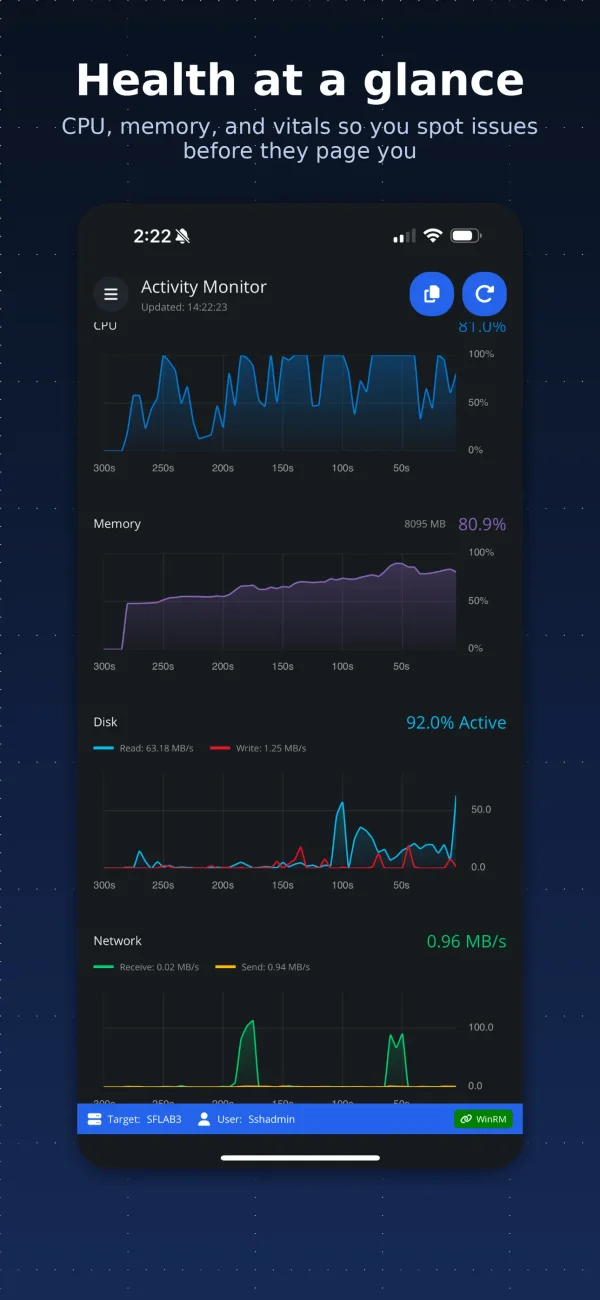
• Activity dashboard with CPU, memory, and system vitals
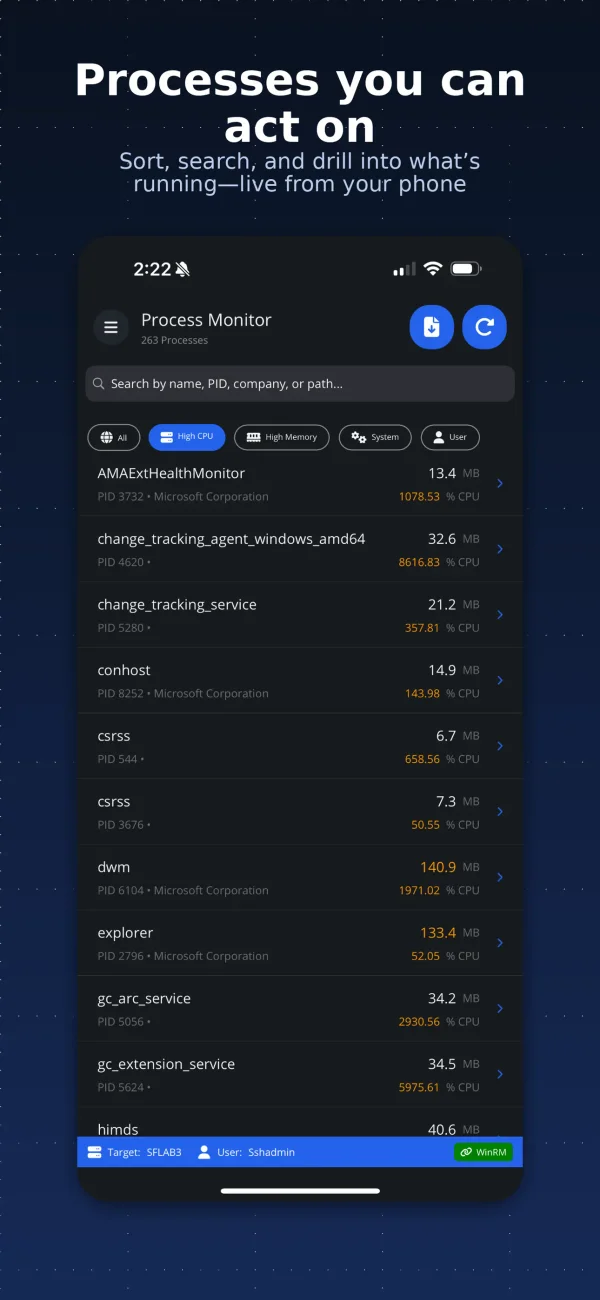
• Process monitor with resource usage, module details, and process control
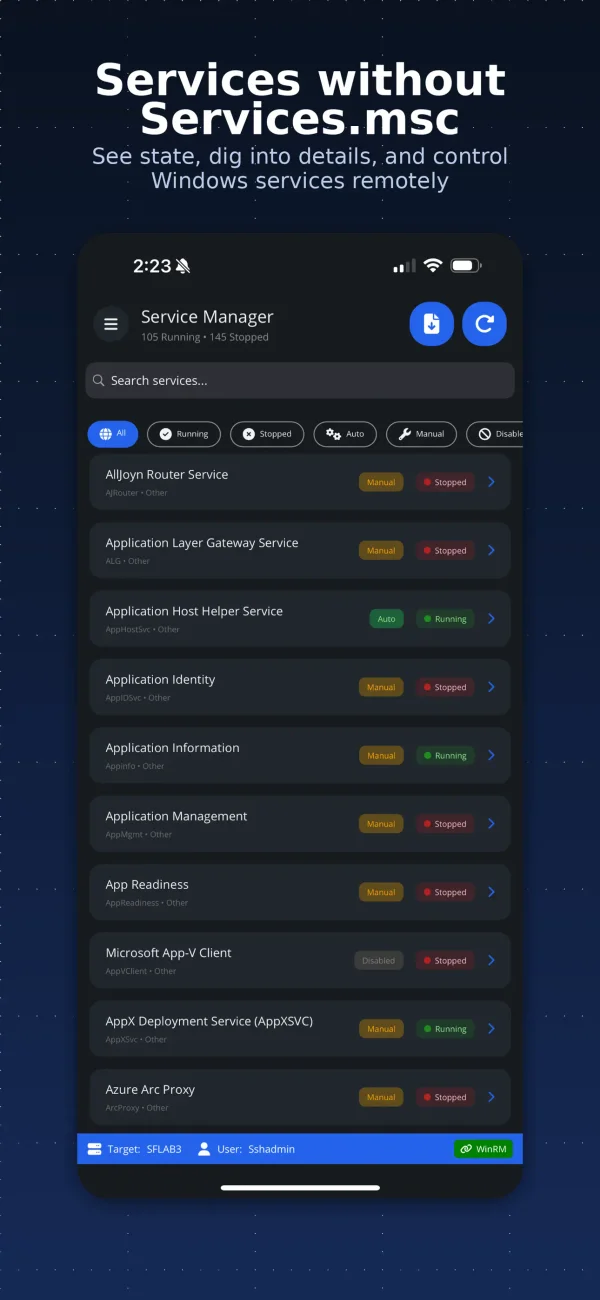
• Service status with start/stop/restart controls
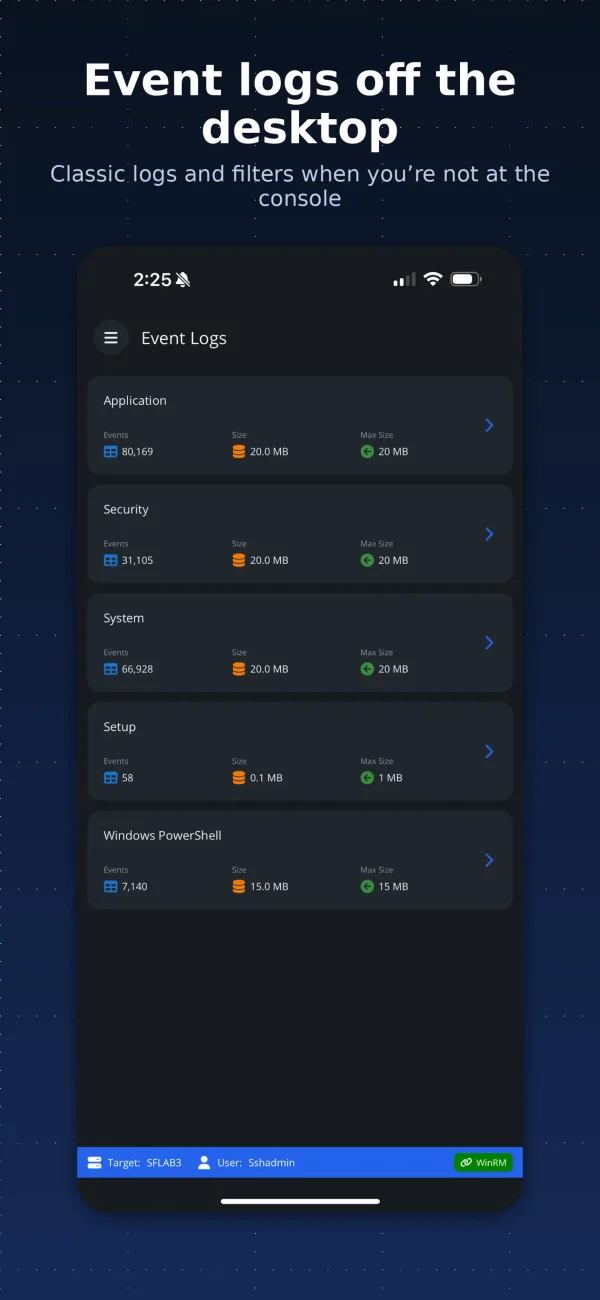
• Event log browser with advanced filtering (ID, level, timeframe, message search)
System administration
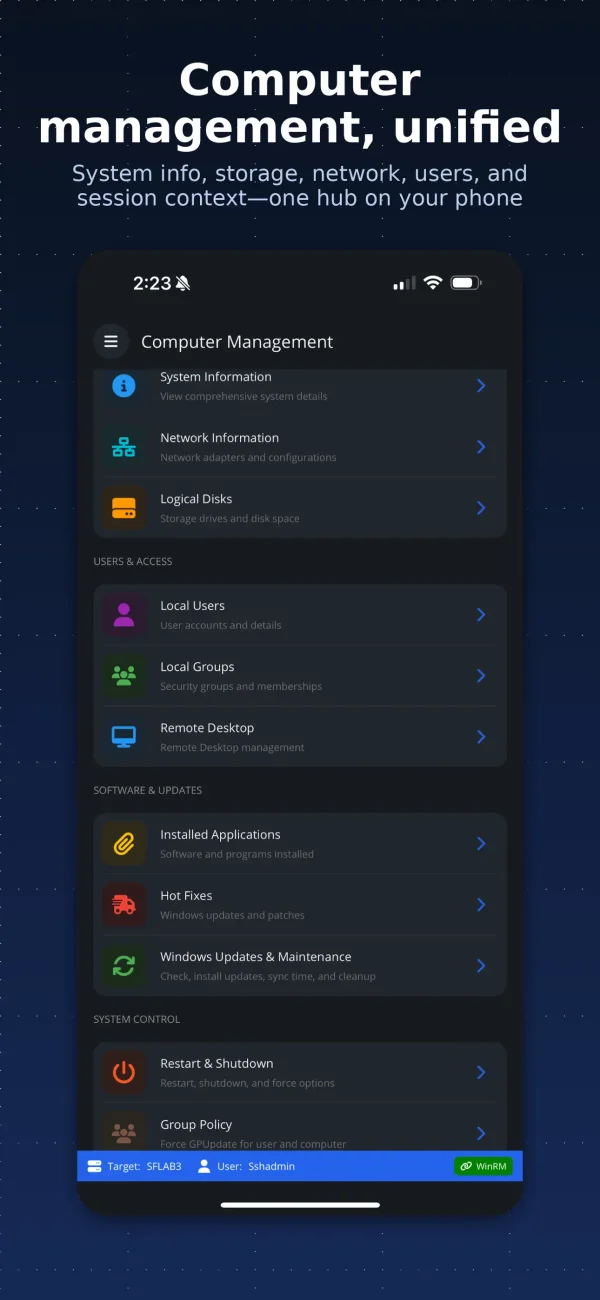
• System information, BIOS details, installed roles, and OS configuration
• Network interfaces with IP configuration and adapter management
• Disk management with capacity, health, and usage metrics
• Local users and groups with membership details
• Installed applications and Windows Updates (view and install)
• Active RDP sessions and connection monitoring
Operations & control
• Power management (restart, shutdown, with optional delay)
• Windows Update deployment and scheduling
• Group Policy refresh and verification
• Time synchronisation diagnostics and repair
• Remote Desktop enable/disable
• User session management and logoff
• Recycle bin management
Network diagnostics
Run connectivity tests from your target servers:
• Ping and traceroute
• DNS resolution and lookup
• Port connectivity checks
• HTTP/HTTPS endpoint testing
• Active Directory and Kerberos authentication verification
File management & reporting
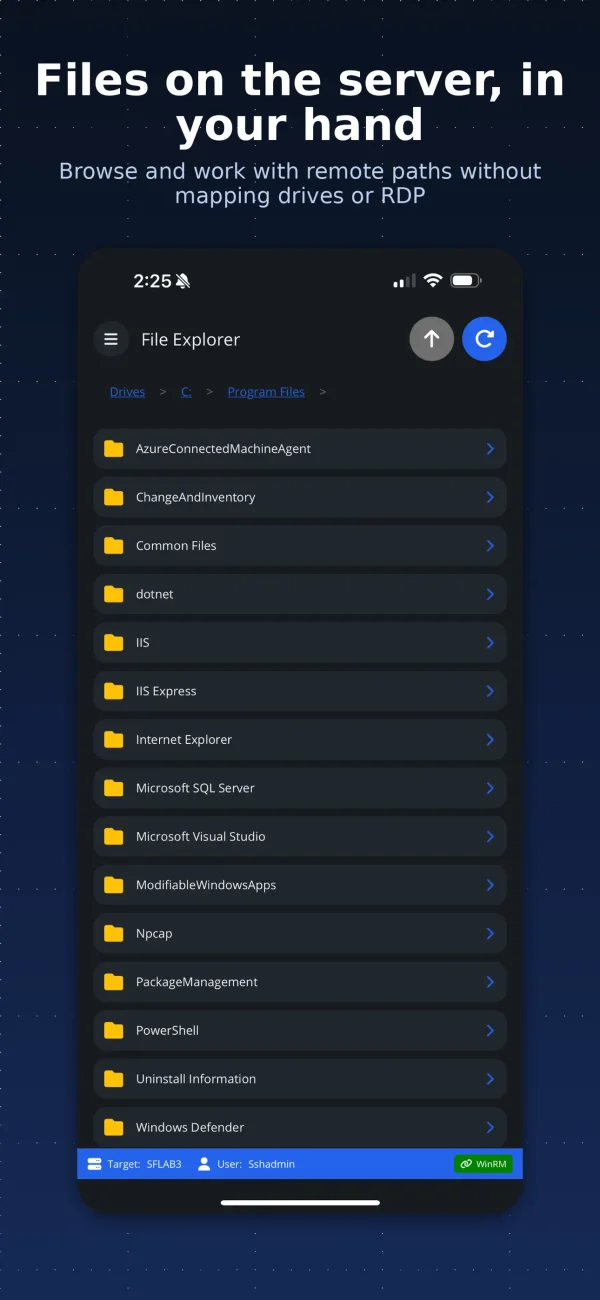
• Browse, search, and manage remote files and folders
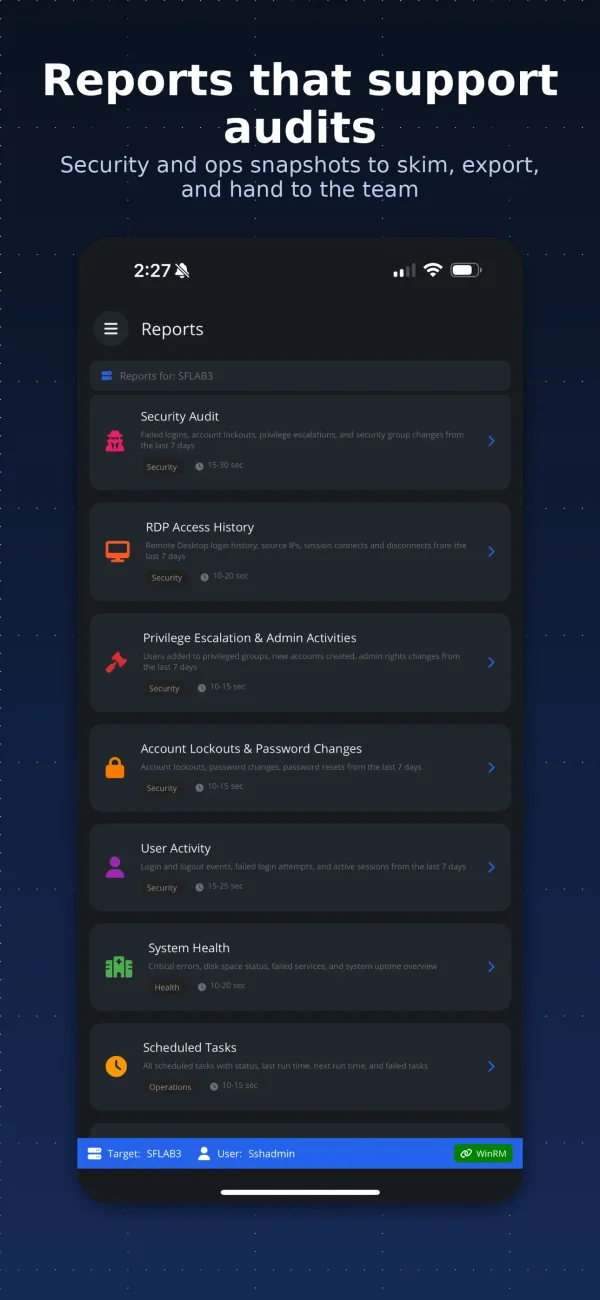
• Security reports: RDP access history, privilege escalation tracking, account lockouts and password changes, failed login analysis
• System health reports: uptime, performance baseline, scheduled tasks, Windows Updates
• Backup status monitoring with VSS and restore points
• Export reports to text/CSV for compliance and analysis
## Multi-target management ##
Switch between servers quickly. Save connection profiles for one-tap access across environments — production, staging, DR. One Gateway login, many targets.
## Pricing ##
Try free for up to 14 days with full access. After that, manage up to 3 servers forever at no charge. Subscribe when you need more than three targets. All features included — no tiered feature gates. Cancel anytime in your Apple account settings.
## Support ##
Documentation: signifium.com/winpulse
Direct support: support@signifium.com
Privacy Policy: signifium.com/privacy
Terms of Service: signifium.com/termsofuse
Có gì mới
Phiên bản 2.2 · 22/06/2026
Bug fixes
Quyền riêng tư của ứng dụng
Những gì Signifium LLC khai báo trên App Store về cách ứng dụng này xử lý dữ liệu.
-
Dữ liệu liên kết với bạn
Có thể được thu thập và liên kết với danh tính của bạn.
- Mã định danh
- Dữ liệu sử dụng
Phương thức đảm bảo quyền riêng tư có thể khác nhau, chẳng hạn như tuỳ theo các tính năng bạn sử dụng hoặc độ tuổi của bạn.
Thông tin
- Người bán
- Signifium LLC
- Danh mục
- Kinh Doanh
- Phiên bản
- 2.2
- Cập nhật
- 22/06/2026
- Phát hành
- 03/01/2021
- Kích thước
- 118,8 MB
- Yêu cầu
- iOS 15.0 trở lên
- Độ tuổi
- 4+
- Giá
- Miễn phí
- Mua hàng trong ứng dụng
- Có
- Bản quyền
- © 2020 Signifium LLC.
Có thể bạn cũng thích
-
 Windows Service MonitorKinh Doanh
-
 eScan MDMHiệu Suất
-
 NetSupport Manager ControlHiệu Suất
-
 Endpoint Central MSPKinh Doanh
-
 Network Configuration ManagerKinh Doanh
-
 Remote Desktop GuestKinh Doanh
-
 Remote Access PlusKinh Doanh
-
 Remote Desktop: RDP & VNCHiệu Suất
-
 DriveHQ File ManagerHiệu Suất
-
 MATRIC: Custom Control PanelsHiệu Suất