Worksheet Print: Math Practice
Printable PDFs & Photo Grading
Entwickelt für iPhone, iPad
Kostenlos · In-App-Käufe
- Altersfreigabe4+
- KategorieBildung
- EntwicklerPhillip Yang
- Größe5,5 MB
Verlinkt auf die offizielle App Store-Seite
Download.org hostet keine Datei von Worksheet Print: Math Practice. Die Schaltfläche öffnet die App-Seite bei App Store, wo Phillip Yang die App veröffentlicht. Eintrag zuletzt geprüft am 23.11.2026.
Screenshots
Info
Der Entwickler hat diesen Text nicht in Ihrer Sprache bereitgestellt.
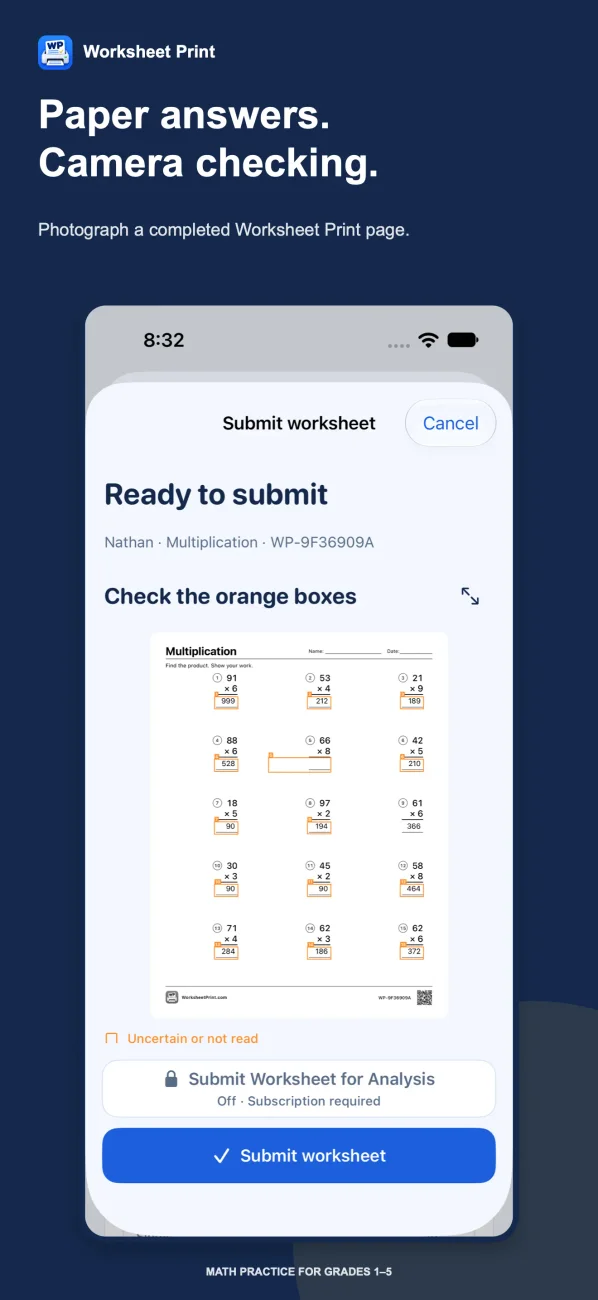
Fresh math practice, without searching for another worksheet. Choose a skill, print a page, and check handwritten answers with a photo—all from your iPhone or iPad.
Worksheet Print is made for parents and adults supporting children in grades 1–5. Children do the practice on paper, with a pencil.
A FRESH PAGE FOR WHAT THEY NEED
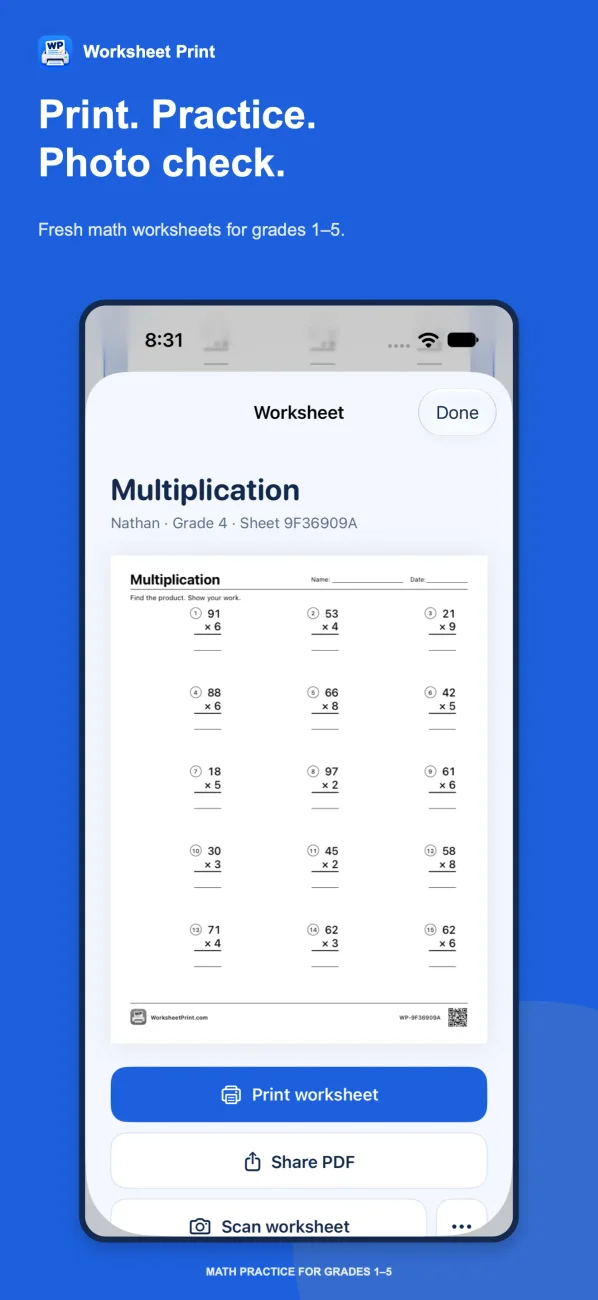
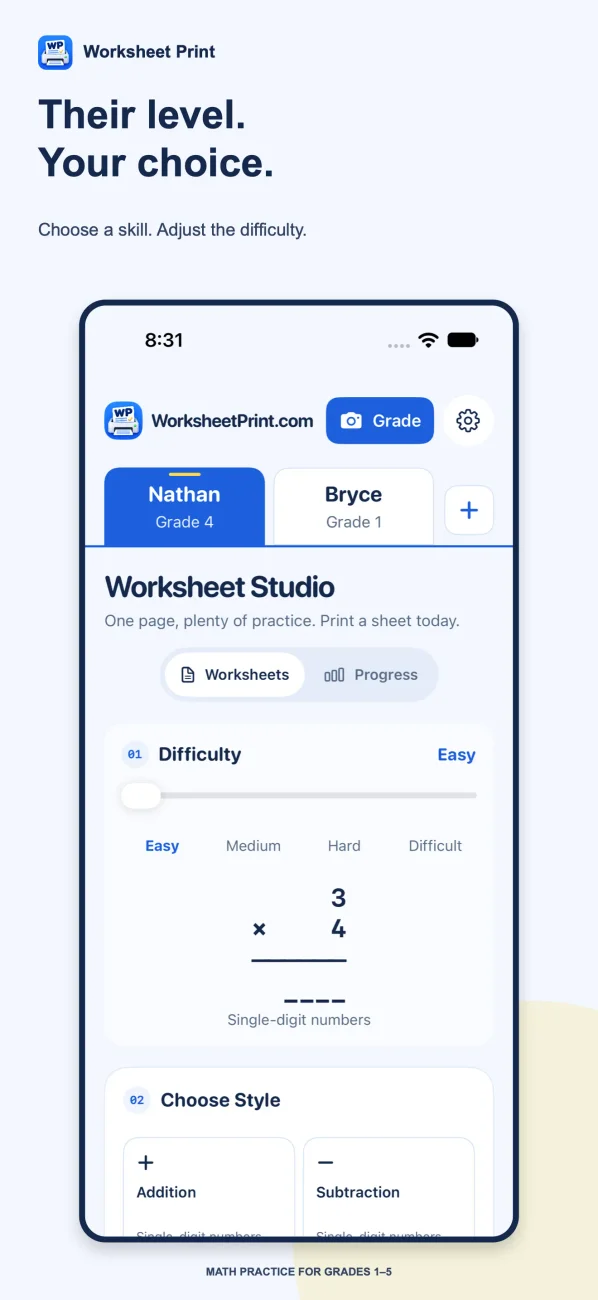
Practice addition, subtraction, multiplication, division, fractions and decimals. Choose Easy, Medium, Hard or Difficult and see an example before generating a worksheet. Start simple or move to bigger numbers as your child is ready.
PRINT, PRACTICE, REPEAT
Clean grayscale pages keep the focus on the math. Familiar vertical arithmetic, circled question numbers and space between problems make each page easy to follow. Print with AirPrint, add an optional separate answer key, or share a PDF by email or text. Use Letter or A4 paper.
SEE WHICH PROBLEMS NEED ANOTHER TRY
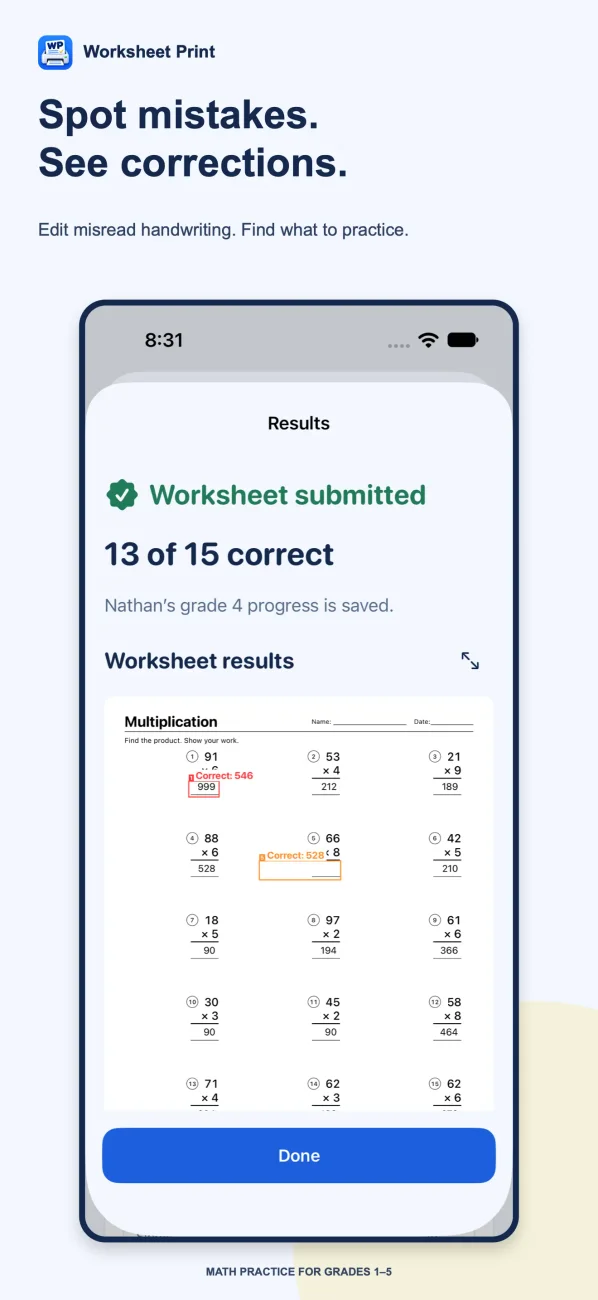
Photograph a completed Worksheet Print page to check handwritten answers. Results highlight mistakes and show the correct answers beside them. Tap a marked answer to fix a recognition mistake with a large keypad. Handwriting recognition can make mistakes; parents can edit the readings.
EXTRA HELP WITH TRICKY HANDWRITING
Subscribers can request an optional cloud second look at uncertain answers. Only approved question-and-answer crops are uploaded, encrypted; the full-page photo and learner profile stay on your device. Additional recognition methods and, when needed, a human reviewer help read the writing. Processing may take up to 24 hours. You can follow the status or cancel a request. Local checking is also available.
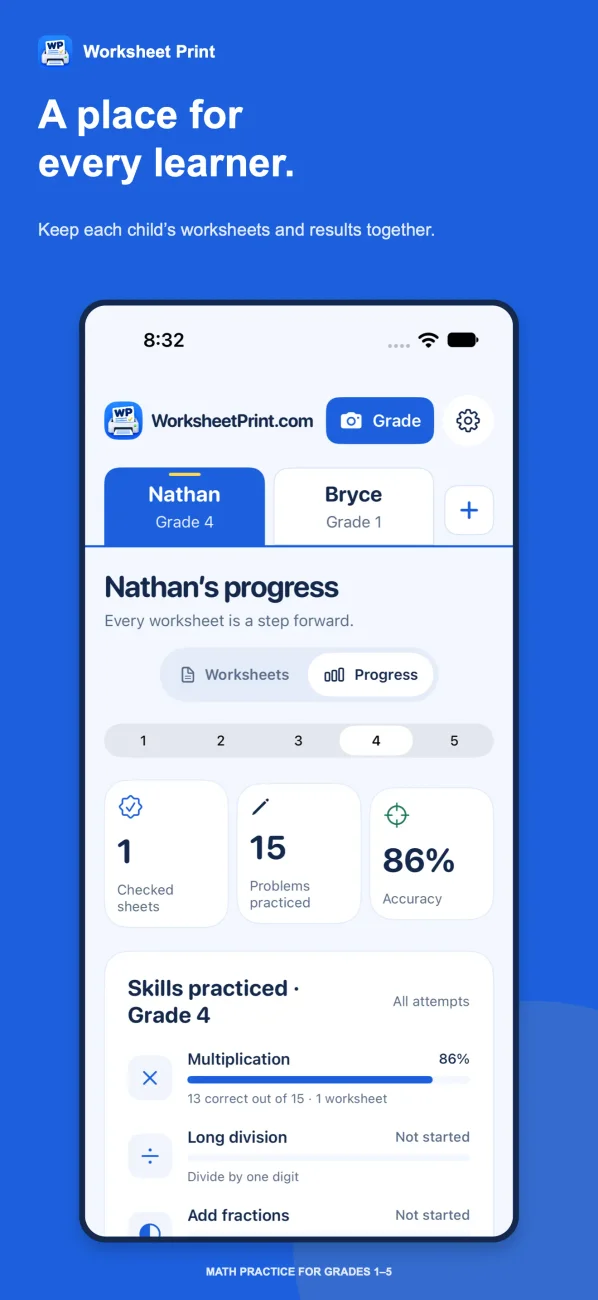
KEEP EVERY LEARNER'S PRACTICE TOGETHER
Add learners, organize groups and return to saved worksheets. Follow scores by learner and skill, see print and review status, and pick the next page to practice. Profiles and worksheet history are stored on each device; cross-device sync is not included.
TRY IT, THEN CHOOSE YOUR PLAN
Download free and try worksheet printing, PDF sharing and photo checking. The limited preview ends after two distinct worksheet prints or PDF shares, or a second successful photo check. For continued worksheet creation, choose a monthly or annual auto-renewable subscription. Both plans include unlimited worksheet creation and printing, photo checking, learner progress and optional cloud handwriting review. Your local price and billing period appear before purchase. Saved worksheets and results remain available without a subscription. Existing verified lifetime access is honored.
Payment is charged to your Apple Account at confirmation. Subscriptions renew automatically unless cancelled at least 24 hours before the current period ends. Manage or cancel in Apple Account subscription settings. Restore Purchases is available in the app.
MADE FOR FAMILY PRIVACY
No location tracking or advertising identifiers. Optional anonymous usage reporting excludes photos, individual answers, learner names and printer details. Cloud review is a separate, parent-approved request. Read the Privacy Policy for details.
Support: info@WorkSheetPrint.com
Privacy: https://worksheetprint.com/privacy
Service terms: https://worksheetprint.com/terms
Apple Terms of Use: https://www.apple.com/legal/internet-services/itunes/dev/stdeula/
Neue Funktionen
Version 1.0.4 · 21.11.2026
Start practicing sooner with simpler parent setup and an automatic first worksheet. Printing, PDF sharing and plan choices are clearer. This update also improves photo checking and practice reminders.
App-Datenschutz
Was Phillip Yang im App Store zum Umgang dieser App mit Daten angibt.
-
Mit Ihnen verknüpfte Daten
Können erfasst und mit Ihrer Identität verknüpft werden.
- Käufe
- Benutzerinhalte
- Kennungen
-
Nicht mit Ihnen verknüpfte Daten
Können erfasst werden, sind aber nicht mit Ihrer Identität verknüpft.
- Nutzungsdaten
- Sonstige Daten
Die Datenschutzpraktiken können variieren, zum Beispiel je nach den von Ihnen verwendeten Funktionen oder Ihrem Alter.
Informationen
- Anbieter
- Phillip Yang
- Kategorie
- Bildung
- Version
- 1.0.4
- Aktualisiert
- 21.11.2026
- Veröffentlicht
- 27.10.2026
- Größe
- 5,5 MB
- Erfordert
- iOS 17.0 oder neuer
- Altersfreigabe
- 4+
- Preis
- Kostenlos
- In-App-Käufe
- Ja
- Copyright
- © 2026 NBS Group Holdings LLC
Das könnte Ihnen auch gefallen
-
 Numi123Bildung
-
 Vorschule Arbeitsblätter 2–6Kinder lernen ohne Bildschirm
-
 ABC Spelling RunnerBildung
-
 First Gadget: Kids Habit QuestBildung
-
 Capella MobileBildung
-
 Wortspiele - SprachstudienRechtschreibwortschatz ABC
-
 My Town Pets - Animal ShelterAdopt, care & play Vet Games
-
 Picture Fish - Fisch BestimmenErkennen Sie Fische von Fotos
-
 Sago Mini School-KinderspieleVorschullernen von 2-5 Jahren
-
 Brightspace PulseBildung