Worksheet Print: Math Practice
Printable PDFs & Photo Grading
Conçue pour iPhone, iPad
Gratuit · Achats intégrés
- Classification d’âge4+
- CatégorieÉducation
- DéveloppeurPhillip Yang
- Taille5,5 Mo
Renvoie vers la page App Store officielle
Download.org n’héberge aucun fichier de Worksheet Print: Math Practice. Le bouton ouvre la page de l’application sur App Store, où Phillip Yang la publie. Fiche vérifiée pour la dernière fois le 23/11/2026.
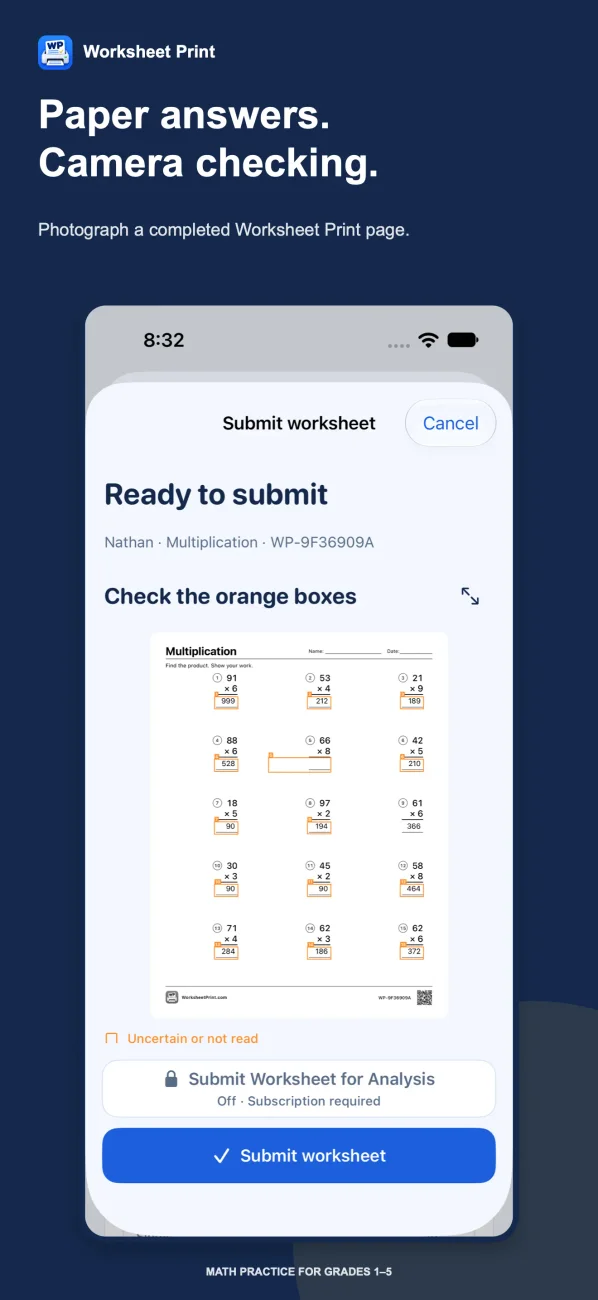
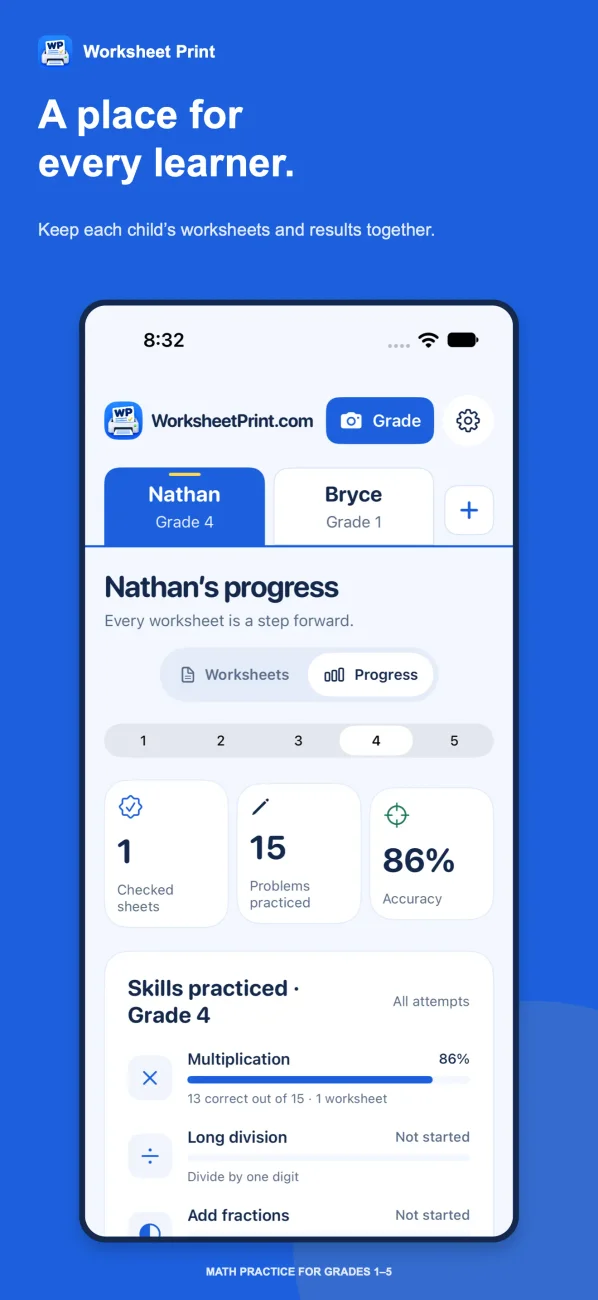
Captures d’écran
À propos
Le développeur n’a pas fourni ce texte dans votre langue.
Fresh math practice, without searching for another worksheet. Choose a skill, print a page, and check handwritten answers with a photo—all from your iPhone or iPad.
Worksheet Print is made for parents and adults supporting children in grades 1–5. Children do the practice on paper, with a pencil.
A FRESH PAGE FOR WHAT THEY NEED
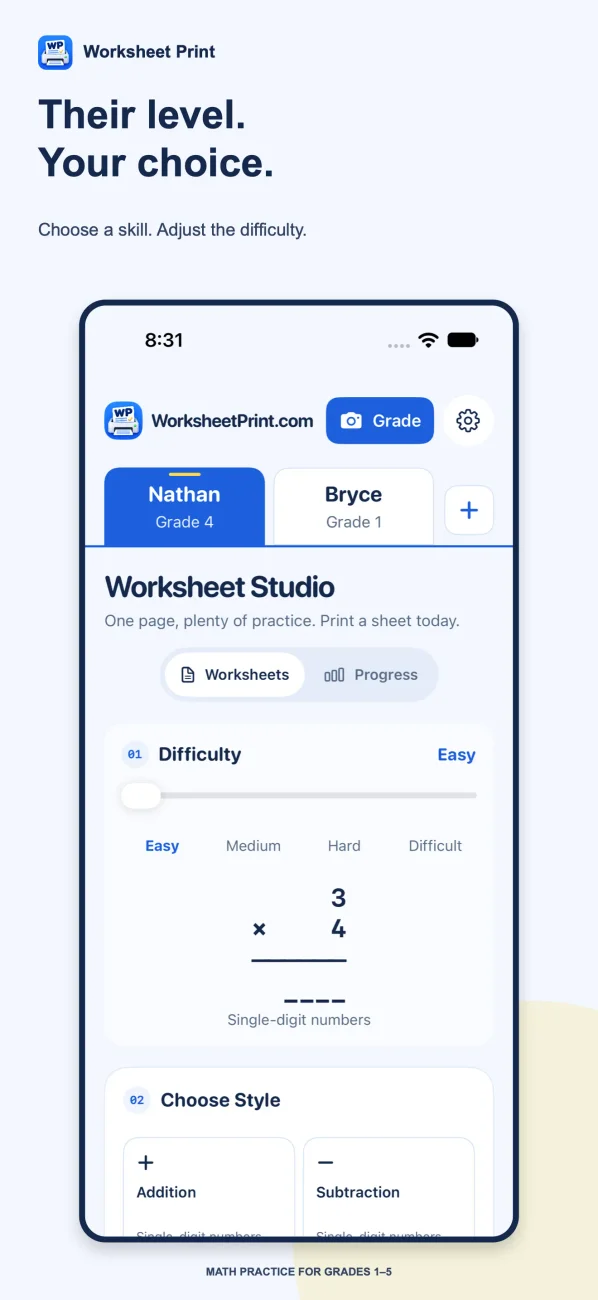
Practice addition, subtraction, multiplication, division, fractions and decimals. Choose Easy, Medium, Hard or Difficult and see an example before generating a worksheet. Start simple or move to bigger numbers as your child is ready.
PRINT, PRACTICE, REPEAT
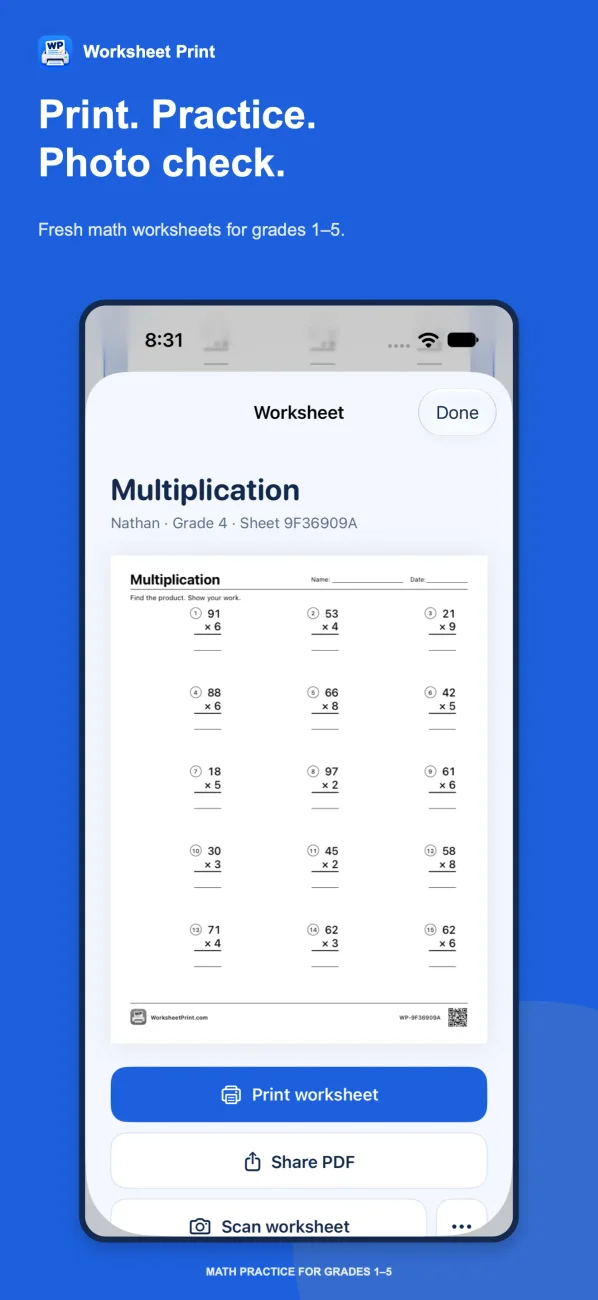
Clean grayscale pages keep the focus on the math. Familiar vertical arithmetic, circled question numbers and space between problems make each page easy to follow. Print with AirPrint, add an optional separate answer key, or share a PDF by email or text. Use Letter or A4 paper.
SEE WHICH PROBLEMS NEED ANOTHER TRY
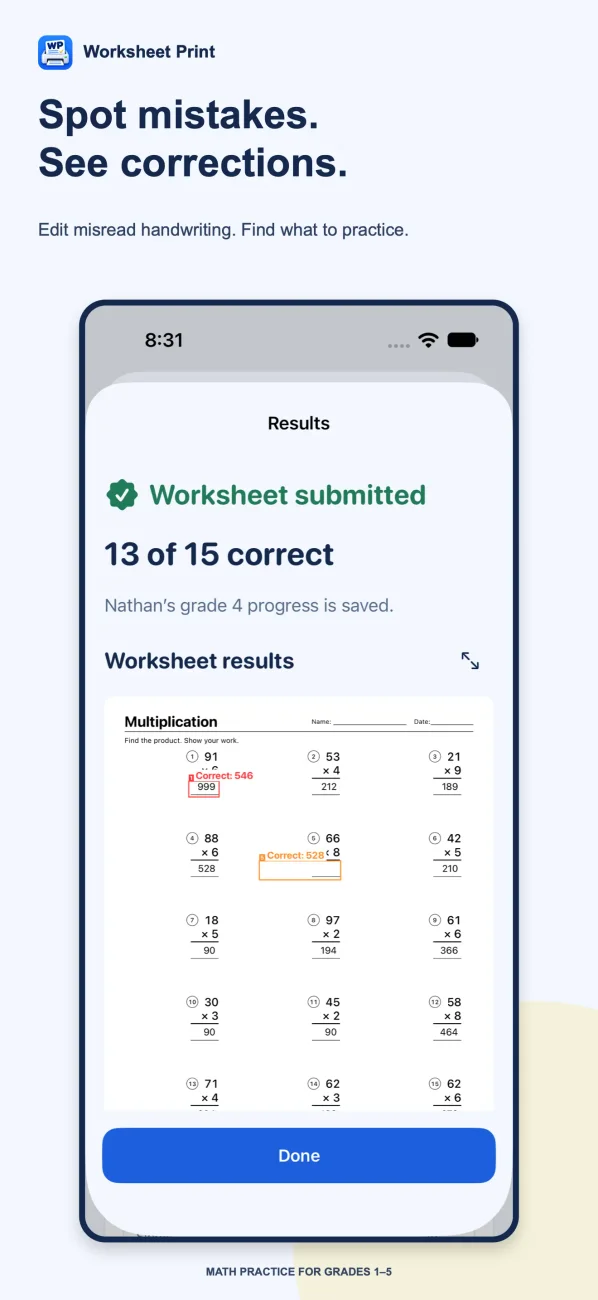
Photograph a completed Worksheet Print page to check handwritten answers. Results highlight mistakes and show the correct answers beside them. Tap a marked answer to fix a recognition mistake with a large keypad. Handwriting recognition can make mistakes; parents can edit the readings.
EXTRA HELP WITH TRICKY HANDWRITING
Subscribers can request an optional cloud second look at uncertain answers. Only approved question-and-answer crops are uploaded, encrypted; the full-page photo and learner profile stay on your device. Additional recognition methods and, when needed, a human reviewer help read the writing. Processing may take up to 24 hours. You can follow the status or cancel a request. Local checking is also available.
KEEP EVERY LEARNER'S PRACTICE TOGETHER
Add learners, organize groups and return to saved worksheets. Follow scores by learner and skill, see print and review status, and pick the next page to practice. Profiles and worksheet history are stored on each device; cross-device sync is not included.
TRY IT, THEN CHOOSE YOUR PLAN
Download free and try worksheet printing, PDF sharing and photo checking. The limited preview ends after two distinct worksheet prints or PDF shares, or a second successful photo check. For continued worksheet creation, choose a monthly or annual auto-renewable subscription. Both plans include unlimited worksheet creation and printing, photo checking, learner progress and optional cloud handwriting review. Your local price and billing period appear before purchase. Saved worksheets and results remain available without a subscription. Existing verified lifetime access is honored.
Payment is charged to your Apple Account at confirmation. Subscriptions renew automatically unless cancelled at least 24 hours before the current period ends. Manage or cancel in Apple Account subscription settings. Restore Purchases is available in the app.
MADE FOR FAMILY PRIVACY
No location tracking or advertising identifiers. Optional anonymous usage reporting excludes photos, individual answers, learner names and printer details. Cloud review is a separate, parent-approved request. Read the Privacy Policy for details.
Support: info@WorkSheetPrint.com
Privacy: https://worksheetprint.com/privacy
Service terms: https://worksheetprint.com/terms
Apple Terms of Use: https://www.apple.com/legal/internet-services/itunes/dev/stdeula/
Nouveautés
Version 1.0.4 · 21/11/2026
Start practicing sooner with simpler parent setup and an automatic first worksheet. Printing, PDF sharing and plan choices are clearer. This update also improves photo checking and practice reminders.
Confidentialité de l’application
Ce que Phillip Yang déclare sur l’App Store au sujet du traitement des données par cette application.
-
Données établissant un lien avec vous
Peuvent être collectées et liées à votre identité.
- Achats
- Contenu utilisateur
- Identifiants
-
Données n’établissant aucun lien avec vous
Peuvent être collectées, mais ne sont pas liées à votre identité.
- Données d’utilisation
- Autres données
Les pratiques en matière de confidentialité peuvent varier, notamment en fonction des fonctionnalités que vous utilisez ou de votre âge.
Informations
- Vendeur
- Phillip Yang
- Catégorie
- Éducation
- Version
- 1.0.4
- Mis à jour
- 21/11/2026
- Publié
- 27/10/2026
- Taille
- 5,5 Mo
- Nécessite
- iOS 17.0 ou version ultérieure
- Classification d’âge
- 4+
- Prix
- Gratuit
- Achats intégrés
- Oui
- Copyright
- © 2026 NBS Group Holdings LLC
Vous aimerez peut-être aussi
-
 Numi123Éducation
-
 Fiches maternelle à imprimerActivités sans écran 2–6 ans
-
 ABC Spelling RunnerÉducation
-
 First Gadget: Kids Habit QuestÉducation
-
 Capella MobileÉducation
-
 Orthographe - Jeux de MotsMots Croisés: Puzzle,Quiz ABC
-
 My Town : Animaux domestiquesSoin des animaux de compagnie
-
 Picture Fish - Fish IdentifierIdentifier un poisson en photo
-
 Sago Mini School pour bambinsApprendre maternelle 2 à 5 ans
-
 Brightspace PulseÉducation