- Altersfreigabe4+
- KategorieFoto und Video
- Entwicklersungho an
- SprachenKoreanisch+ 2 weitere
- Größe1,7 MB
Z-Stop ist bei App Store derzeit möglicherweise nicht verfügbar
Bei unserer letzten Prüfung war der Store-Eintrag nicht erreichbar. Der Link führt weiterhin zur offiziellen App Store-Seite.
Screenshots


Info
Der Entwickler hat diesen Text nicht in Ihrer Sprache bereitgestellt.
Expose for the shadows, develop for the highlights.
Z-Stop is an iPhone spot meter true to this Zone System principle.
Shoot black-and-white film with the Zone System, no external meter needed.
[ Update 2.0 · November 2026 ]
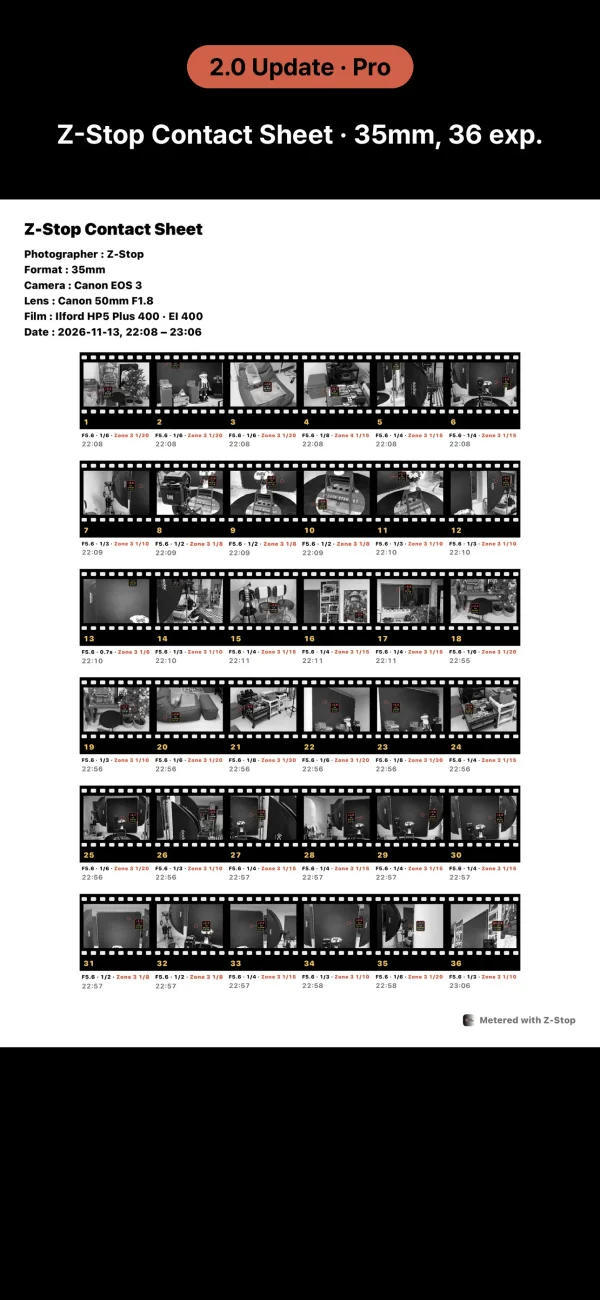
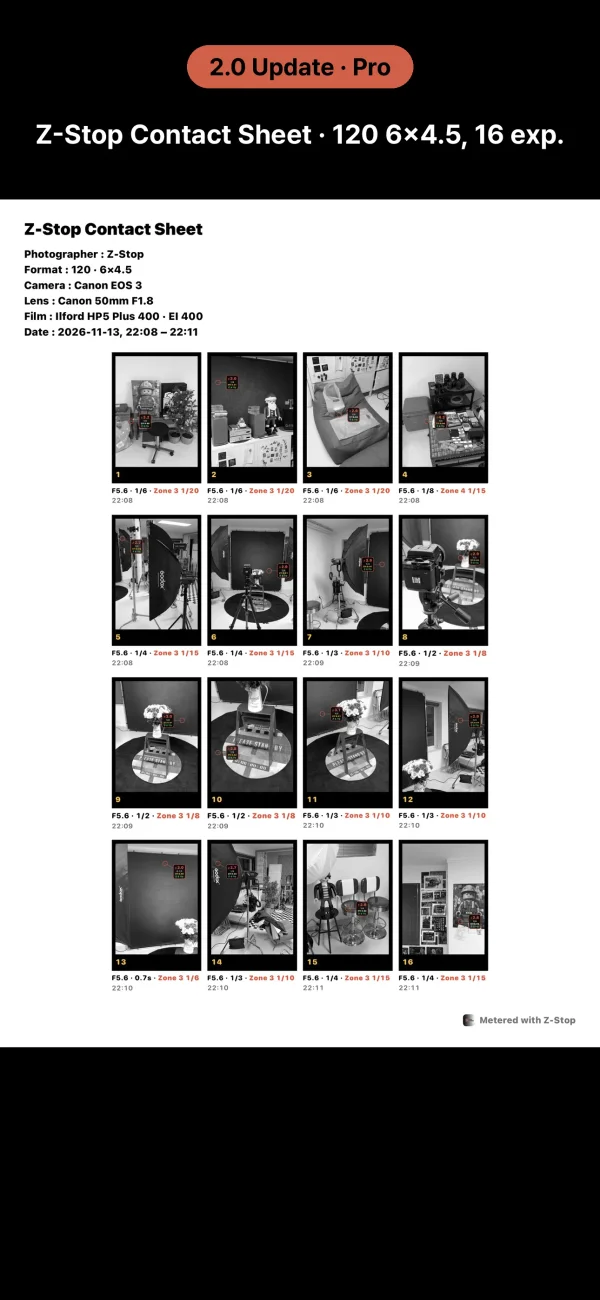
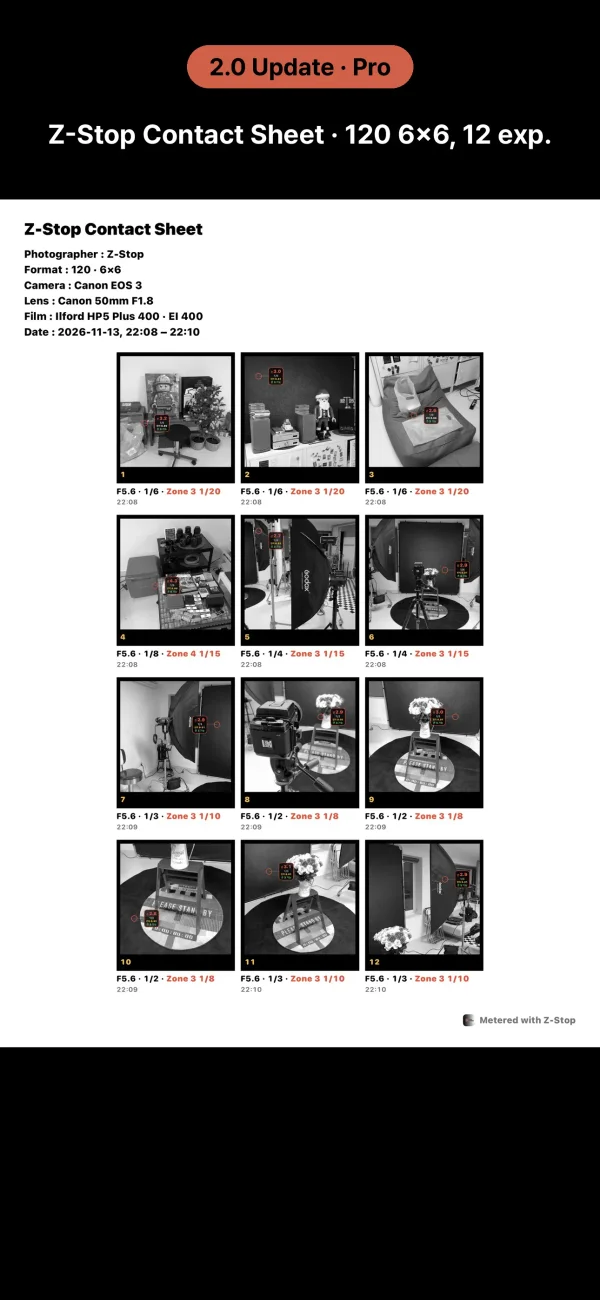
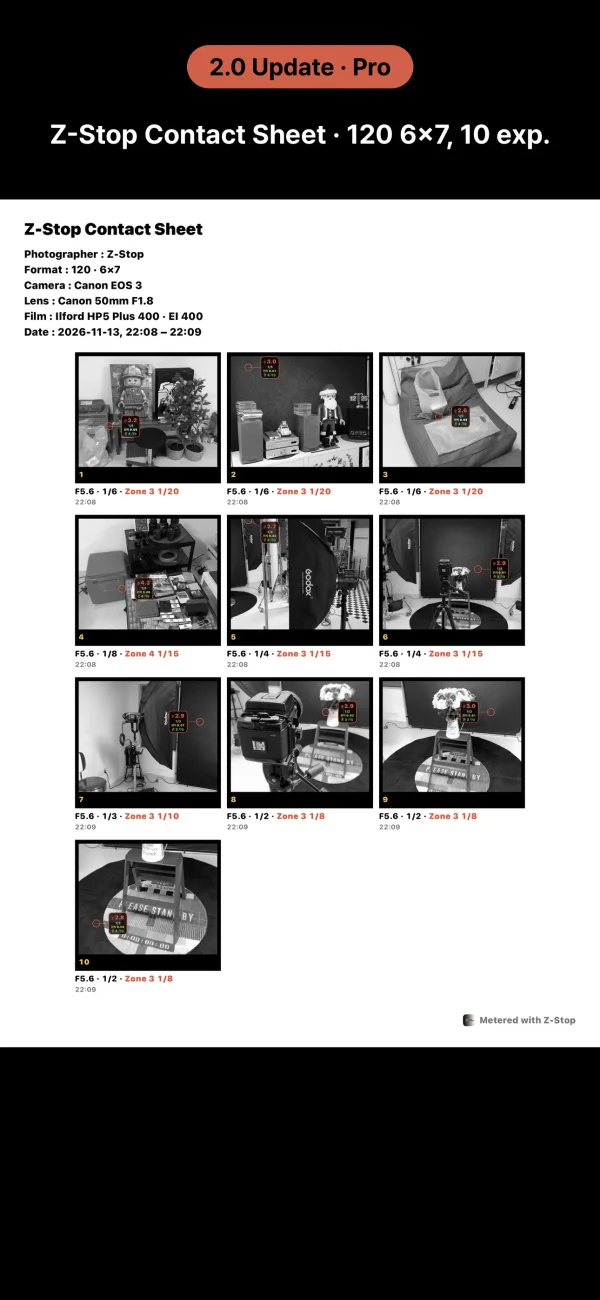
Pro: Z-Stop Contact Sheet gathers saved records by film format on one A4 or A3 page.
Free is now a Zone 5 spot meter; the five Zone 3 steps move to Pro.
[ Sound familiar? ]
- Your mechanical or MF camera has no meter, so you carry a separate spot meter.
- You meter with a DSLR, then copy the values to your film camera.
- You metered a shadow, shot at that value, and the picture came out too bright.
- By the time you develop, you can't remember where you metered.
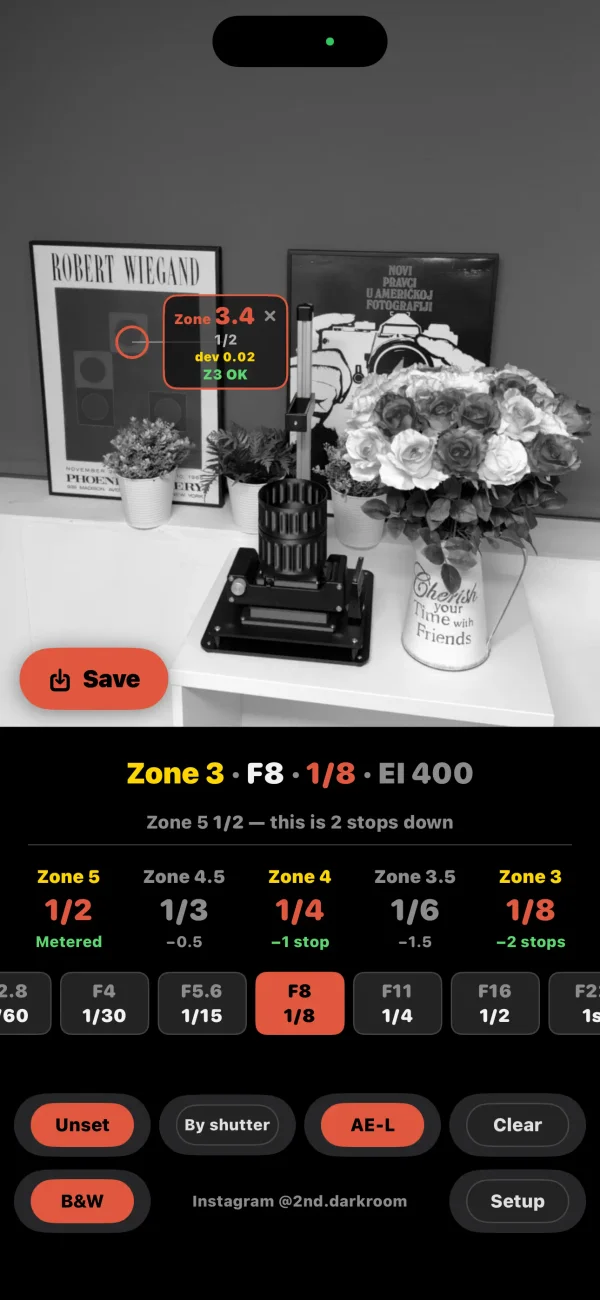
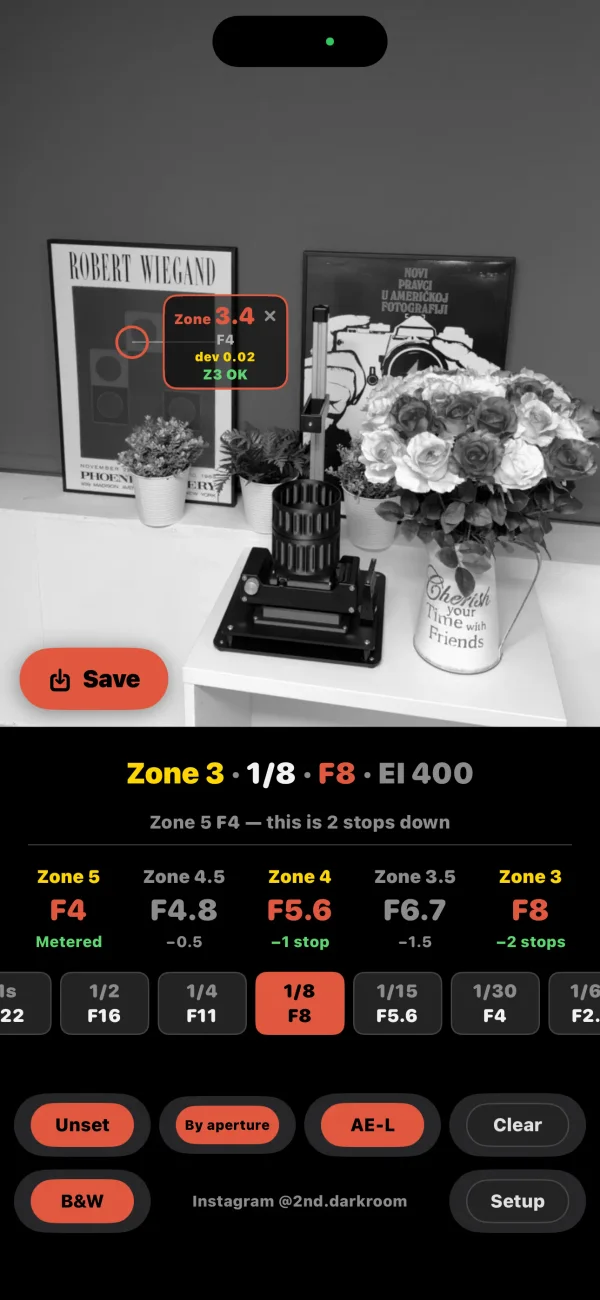
Meter one shadow with your iPhone, and Z-Stop shows the shutter speed and aperture that place it on Zone 3, in ½-stop steps. (Pro)
One tap on "Save" keeps the scene as a record image. (Pro)
[ The Zone System ]
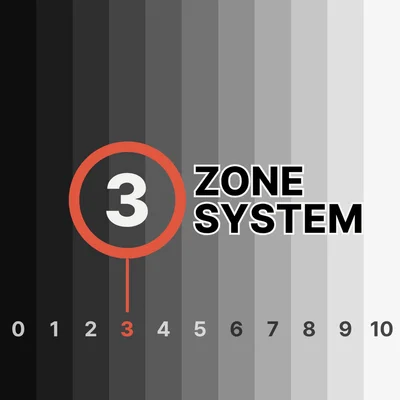
Set out by Ansel Adams and Fred Archer around 1940, it divides tones from black (Zone 0) to white (Zone 10) into 11 steps. One zone is one stop.
Zone 3 is the darkest shadow with full texture: dark clothing, bark in shade.
Zone 5 is middle gray: an 18% gray card.
The rule: expose for the shadows, develop for the highlights.
[ A meter only tells you Zone 5 ]
Any reflected-light meter gives the exposure that renders the metered spot as middle gray (Zone 5).
Meter a shadow and shoot at that value, and the shadow turns gray.
To place it on Zone 3, give 2 stops less, measured on that one spot. That is why you need spot metering.
[ What Z-Stop does ]
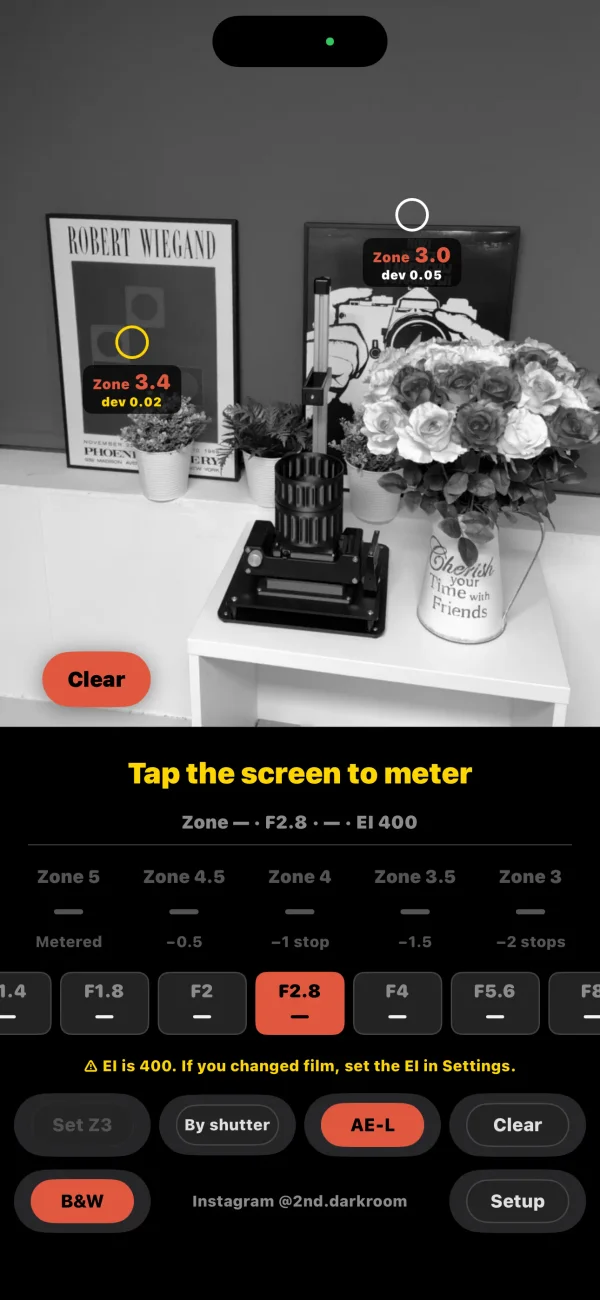
* Spot metering on your iPhone
- Measures only inside a small circle on the screen.
* Checks the shadow (Pro)
- A green "Z3 OK" if the spot is even enough to use, a red "Re-meter" if pattern or edges are mixed in.
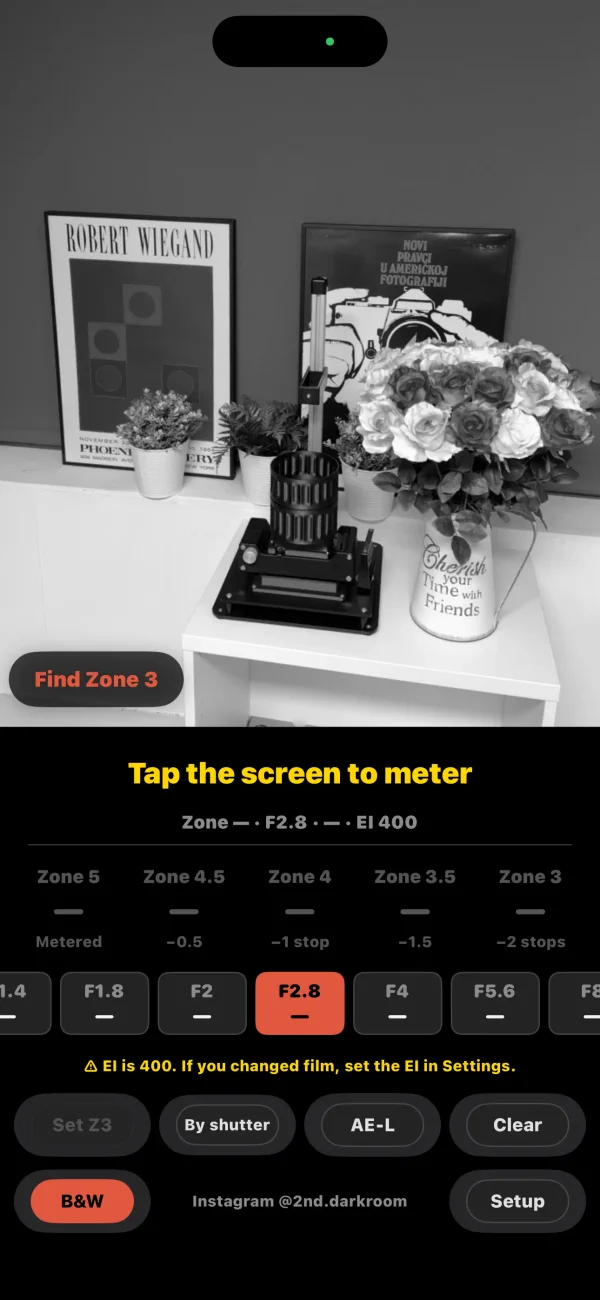
* Finds a spot for you (Pro)
- "Find Zone 3" marks usable spots. With no Zone 3 it looks for Zone 4, and with neither it says "Don't shoot."
* Does the math
- Converts to your body's shutter steps and your lens's aperture range.
- Values that can't be set are marked; Pro tells you what to change.
* Film, camera and lens (Pro)
- Choosing them sets EI, body and aperture range.
- If Setup doesn't match your gear, a banner appears and metering pauses.
* Keeps a record (Pro)
- The record image keeps the scene, readings, shutter, aperture and your film, camera and lens names.
* Z-Stop Contact Sheet (Pro)
- Lays out chosen records by format, 35mm or 120 (6x4.5 to 6x12), with each frame's exposure, as A4 or A3.
* Previews black-and-white tones
[ How to use ]
1. Tap a dark spot. Free shows the shutter speed and aperture for the Zone 5 reading.
2. (Pro) Tap "Find Zone 3" and tap a circle. The circle becomes the reference right away. For a spot you metered yourself, tap its green "Z3 OK" box.
3. (Pro) Five steps appear, from the reading down to -2 stops in ½ stops (+1 to -1 with a Zone 4 reference).
4. -2 stops is the theory; the right step shifts by about half a stop with film, EI and development. For your first roll, shoot -2 · -1.5 · -1 stops. After developing, the frame where the Zone 3 shadows show their shapes is your chosen frame.
5. (Pro) Tap "Save". The record image goes to the "Z-Stop" album in Photos.
[ Free and Pro ]
Free: spot metering (Zone 5), By shutter, By aperture, AE-L, B&W preview and settings (body, apertures, EI, ND, EV). Preview the five steps three times each time you open the app.
Pro (yearly): the five Zone 3 steps, "Z3 OK" and reference, Find Zone 3, film, camera and lens, record images and Contact Sheet.
[ Also ]
Privacy: no network use except Apple's subscription check, no ads or analytics, video stays on your iPhone.
Terms of Use: https://www.apple.com/legal/internet-services/itunes/dev/stdeula/
* A reflected-light meter based on the iPhone's main camera. Development (highlights) is up to you.
* Before important shoots you can't redo (weddings, trips, paid work), always test first with a roll or two to set your EI and chosen frame.
Neue Funktionen
Version 2.0.1 · 18.11.2026
1. Added Contax to the lens maker list.
2. Added EI (film speed) 1600. You can now choose 800, 1600 and 3200 in order.
3. Moved the Privacy Policy link on the Pro screen to z-stop.kr.
App-Datenschutz
Was sungho an im App Store zum Umgang dieser App mit Daten angibt.
-
Keine Daten erfasst
Der Entwickler erfasst keine Daten von dieser App.
Die Datenschutzpraktiken können variieren, zum Beispiel je nach den von Ihnen verwendeten Funktionen oder Ihrem Alter.
Informationen
- Anbieter
- sungho an
- Kategorie
- Foto und Video
- Version
- 2.0.1
- Aktualisiert
- 18.11.2026
- Veröffentlicht
- 02.10.2026
- Größe
- 1,7 MB
- Erfordert
- iOS 18.0 oder neuer
- Altersfreigabe
- 4+
- In-App-Käufe
- Ja
- Sprachen
- Koreanisch, Englisch, Japanisch
- Copyright
- © 2026 SUNG HO AN
Das könnte Ihnen auch gefallen
-
 ND-BelichtungsrechnerFilter und Langzeitbelichtung
-
 Film WalkFoto und Video
-
 FilmDevMateFoto und Video
-
 Shutter Button - A Light MeterFoto und Video
-
 GR RelayFoto und Video
-
 UnspooledFoto und Video
-
 Cutvey ViewfinderRegiesucher für Film und Foto
-
 [Filmbelichtungsmesser]Filmbelichtungsmesser
-
 Light Meter for Film CameraFoto und Video