
Shutter Button - A Light Meter
Shutter Button - Light meter
Entwickelt für iPhone
Kostenlos · In-App-Käufe
- Altersfreigabe4+
- KategorieFoto und Video
- EntwicklerSEUNGHYUK CHOI
- SprachenEnglisch
- Größe4,3 MB
Verlinkt auf die offizielle App Store-Seite
Download.org hostet keine Datei von Shutter Button - A Light Meter. Die Schaltfläche öffnet die App-Seite bei App Store, wo SEUNGHYUK CHOI die App veröffentlicht. Eintrag zuletzt geprüft am 12.11.2026.
Screenshots
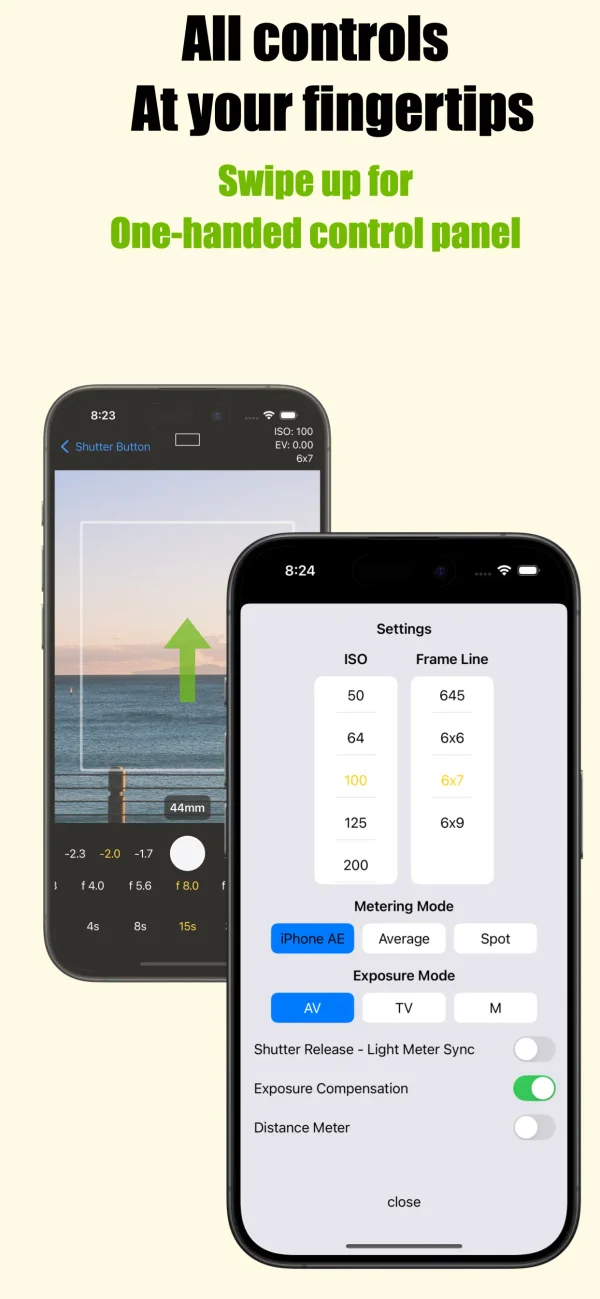
Info
Der Entwickler hat diesen Text nicht in Ihrer Sprache bereitgestellt.
Film Oddments
Bluetooth Camera Remote with Exposure Meter and Rangefinder
This app serves as a Bluetooth-enabled camera remote, incorporating both an exposure meter and a rangefinder.
Compatible with film cameras and all cameras equipped with a mechanical shutter release, the app allows remote shutter control via Bluetooth.
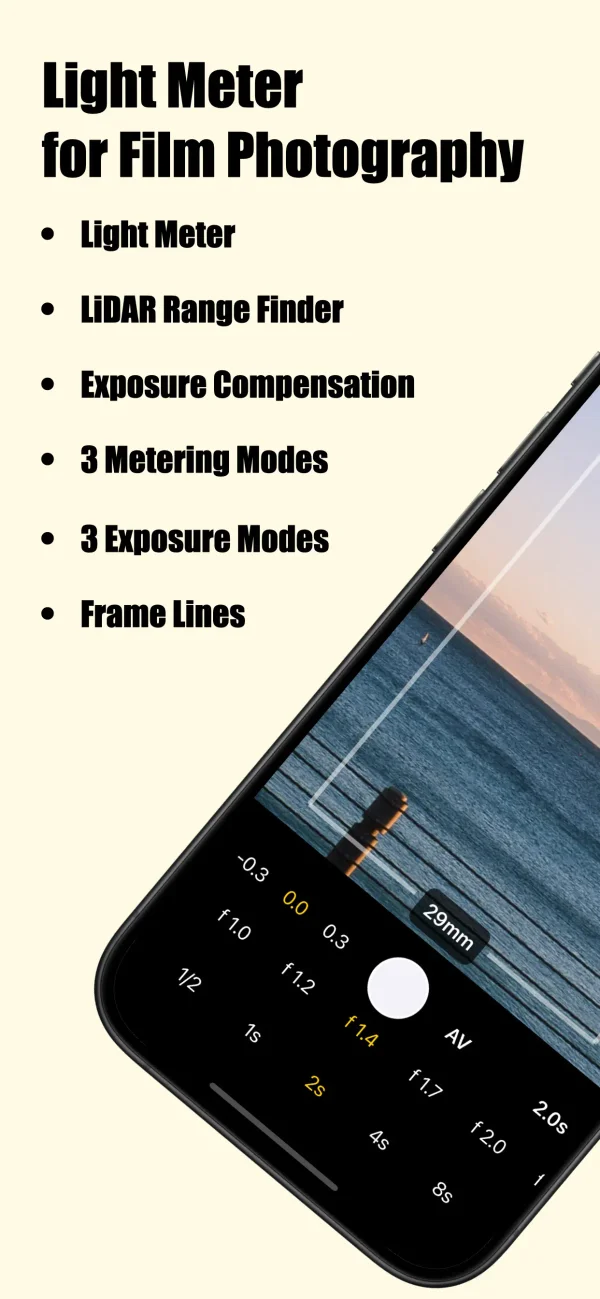
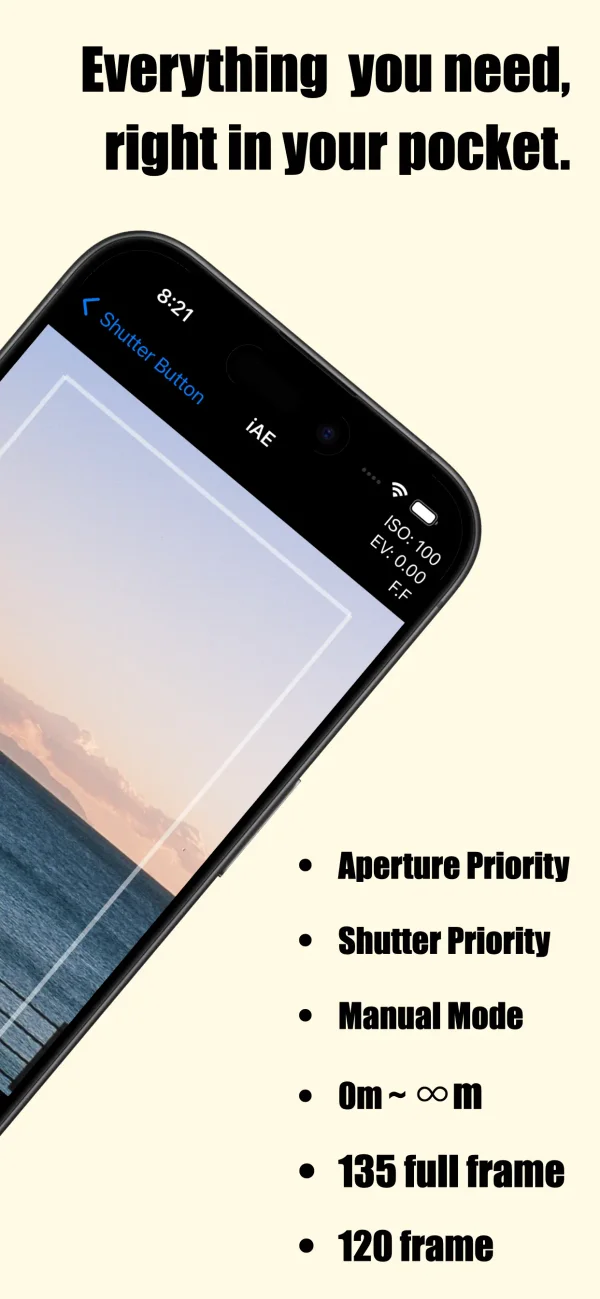
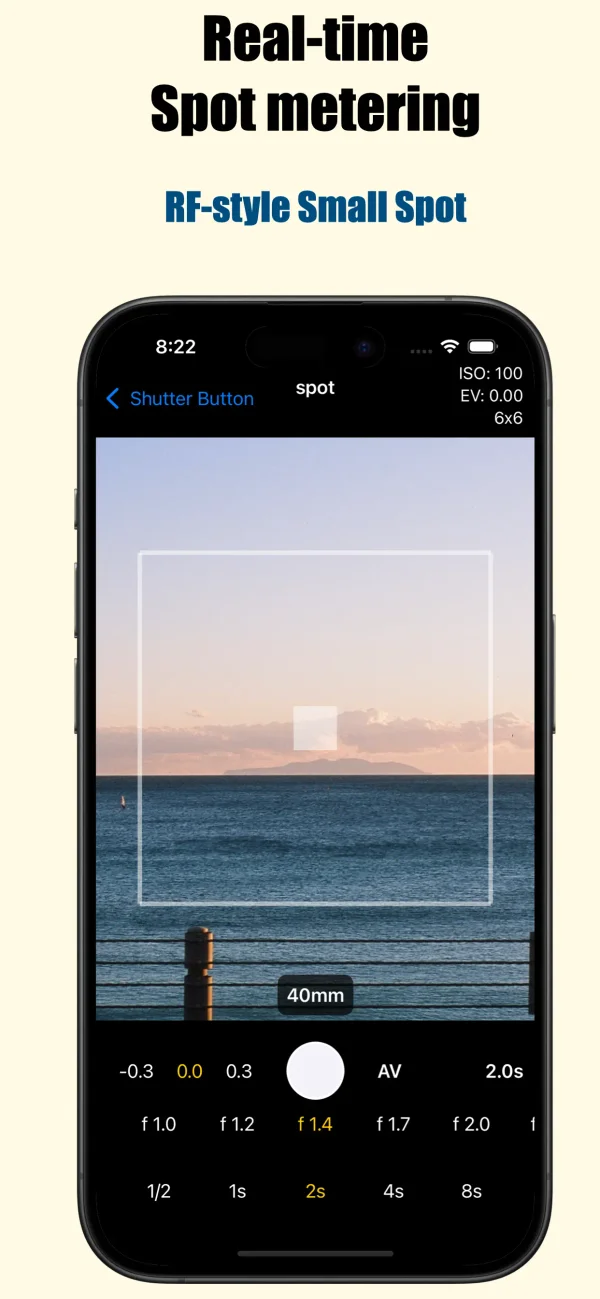
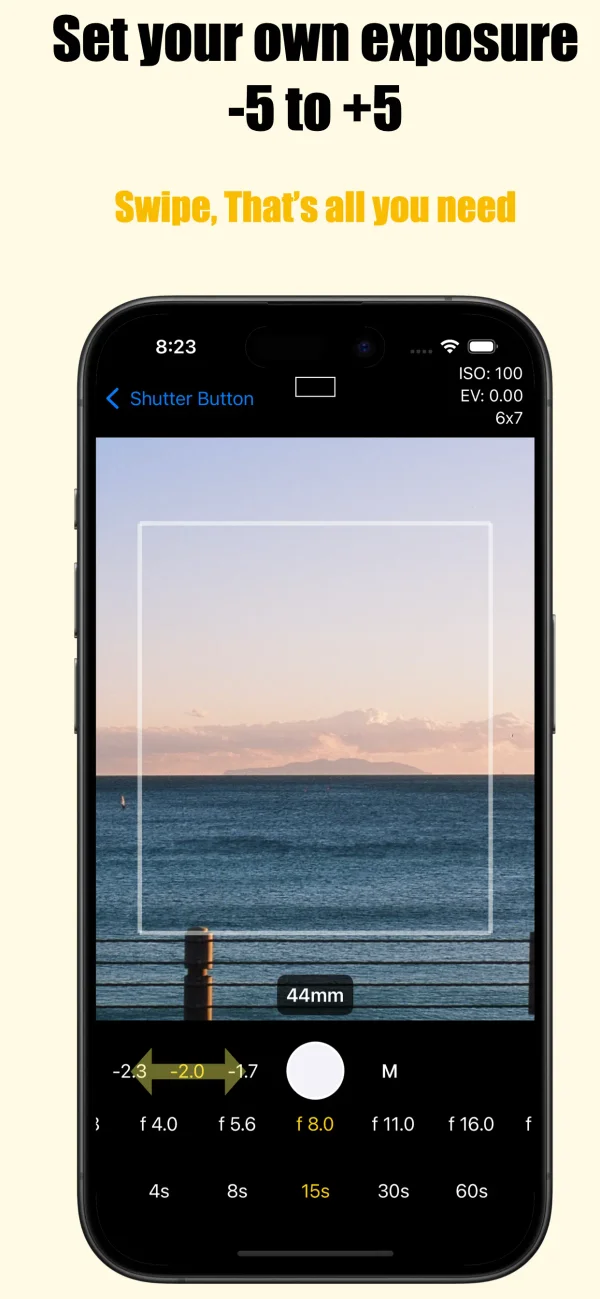
Exposure Meter (AV, TV, M Modes)
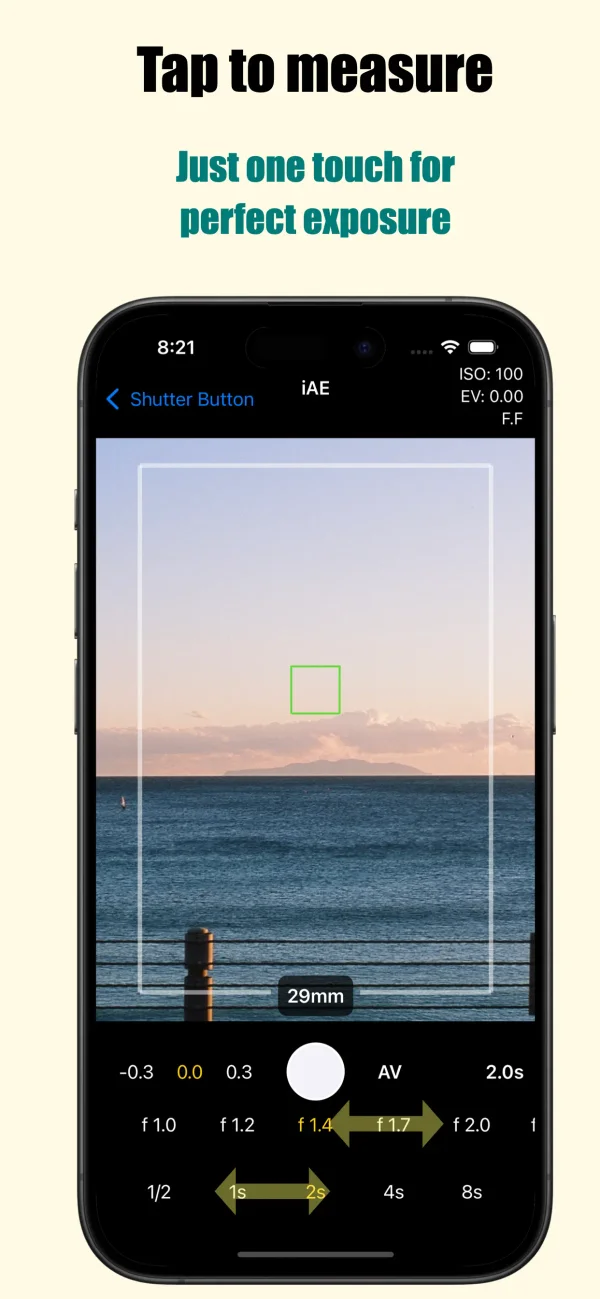
Supports exposure compensation in 1/3-stop increments and displays exposure values from -5 to +5 EV.
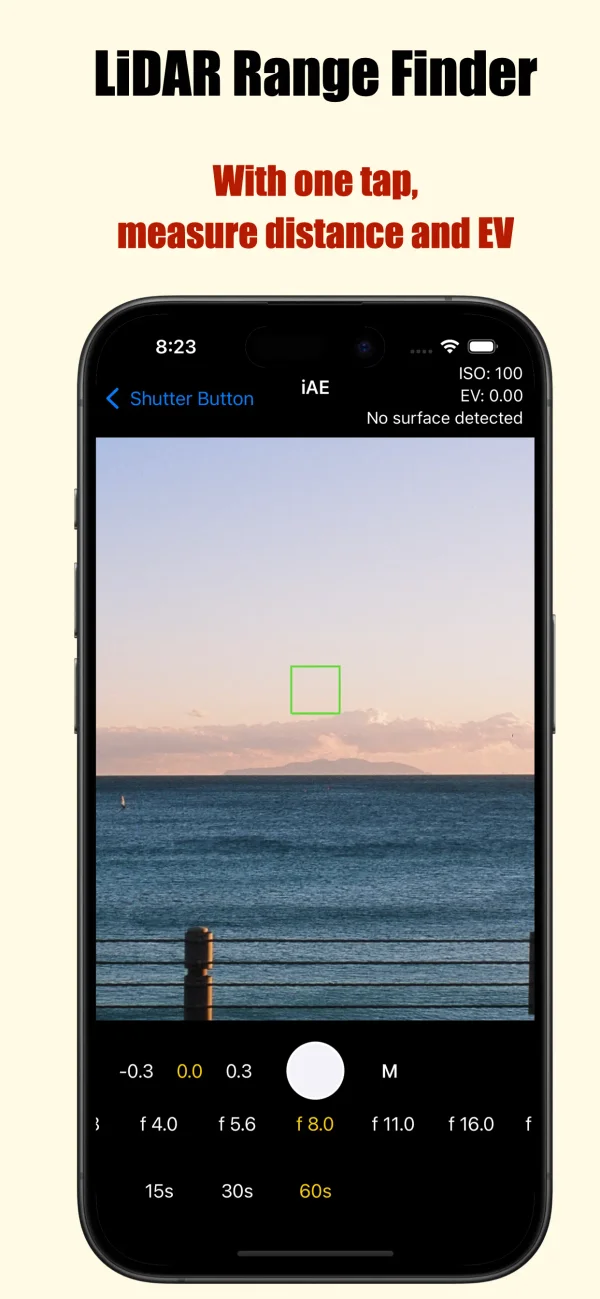
LiDAR Rangefinder
Accurately measures distances using your iPhone’s built-in LiDAR sensor.
*Requires a device equipped with a LiDAR sensor.
Key Features:
- Exposure Meter: AV, TV, and M modes, exposure compensation, integrated remote shutter control
- Rangefinder: Distance measurement using LiDAR sensor
Selectable exposure modes and metering methods include:
- iPhone AE Metering
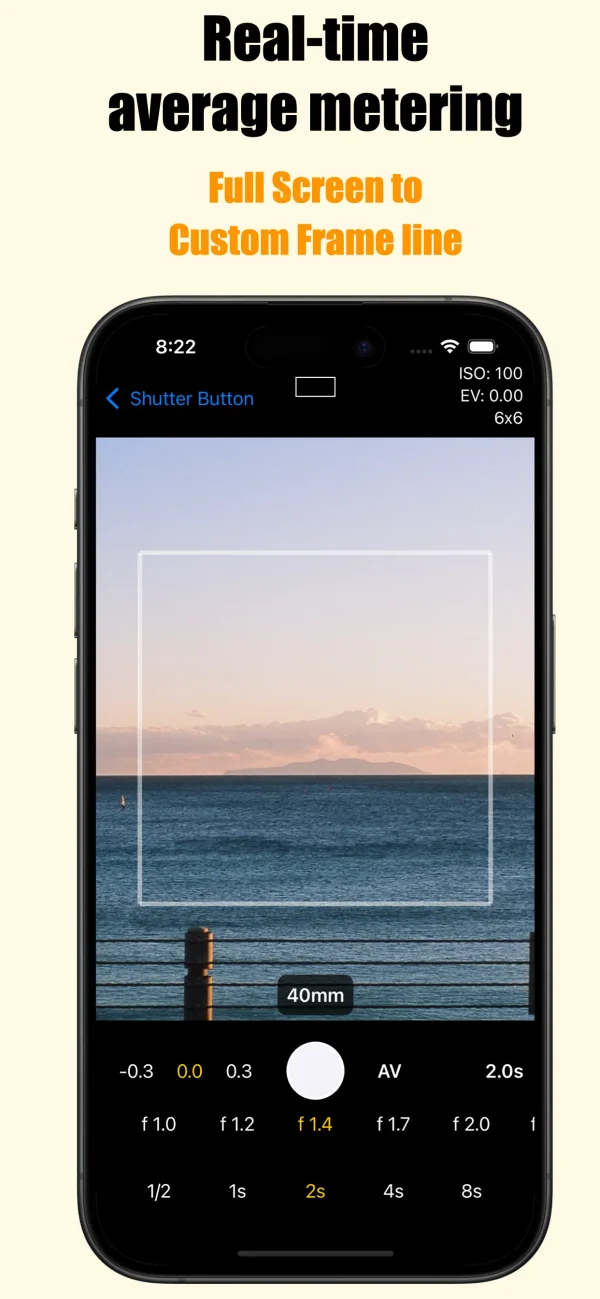
- Average Metering
- Framing Area Average Metering
- Spot Metering
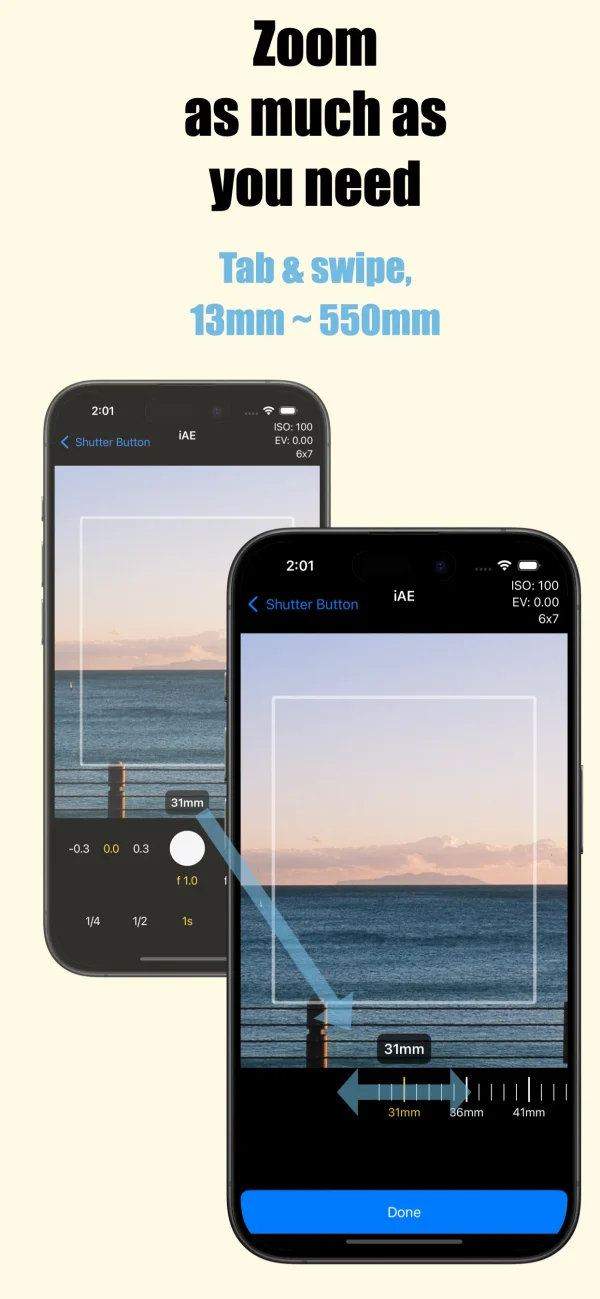
Zoom Function:
- Supports focal lengths from 13mm to 550mm
Framelines:
- Includes framelines for 135 full-frame and selected medium-format sizes
Improved dials and touch feedback:
- Added haptic feedback (vibration)
Frame your shot and preview composition accurately.
Additional Features:
Shutter Trigger: Capture photos instantly with a single button press
Bulb Mode: Hold the shutter open for long-exposure photography
Timer Mode: Hands-free shooting with adjustable timer settings
Timed Bulb Mode: Automatic control of long exposures with preset timers
Shutter Depth Adjustment: Precisely control the shutter release depth
Log Feature Added
- A new “Instax Style Log” toggle is available under Exposure Meter → Settings.
- Press and hold the shutter button on the Exposure Meter screen for at least 1 second to save the current metadata to the native Photos app.
- You can enter custom text under Exposure Meter → Settings → Value Settings, which will be recorded with each log.
*Swipe up on the Exposure Meter screen to open Exposure Meter → Settings.
Demo Video: https://youtu.be/dvUyKOs7xEY
LiDAE Demo Video: https://www.youtube.com/shorts/azueoZaa90M
Neue Funktionen
Version 5.8 · 17.09.2026
Bug fixes
App-Datenschutz
Was SEUNGHYUK CHOI im App Store zum Umgang dieser App mit Daten angibt.
-
Keine Daten erfasst
Der Entwickler erfasst keine Daten von dieser App.
Die Datenschutzpraktiken können variieren, zum Beispiel je nach den von Ihnen verwendeten Funktionen oder Ihrem Alter.
Informationen
- Anbieter
- SEUNGHYUK CHOI
- Kategorie
- Foto und Video
- Version
- 5.8
- Aktualisiert
- 17.09.2026
- Veröffentlicht
- 25.02.2025
- Größe
- 4,3 MB
- Erfordert
- iOS 17.6 oder neuer
- Altersfreigabe
- 4+
- Preis
- Kostenlos
- In-App-Käufe
- Ja
- Sprachen
- Englisch
- Copyright
- © 2025 S.C
Das könnte Ihnen auch gefallen
-
 출사지도Foto und Video
-
 [Filmbelichtungsmesser]Filmbelichtungsmesser
-
 illumeterFoto und Video
-
 Film WalkFoto und Video
-
 Photography TimerFoto und Video
-
 Paddie: Alltag einrahmenDeine Fragmente neu gerahmt
-
 UnspooledFoto und Video
-
 Photo Batch Resize & ConverterFoto und Video
-
 FilmDevMateFoto und Video
-
 Z-StopFoto und Video