athenaPatient
athenahealth- PEGI 3Clasificación por edad
- MedicinaCategoría
- 4/11/2026Actualizado
- GratisPrecio
Enlaza a la ficha oficial de com.athenahealth.athenapatient en Google Play. Última comprobación el 19/11/2026.

Es posible que athenaPatient no esté disponible en Google Play en este momento
No se pudo acceder a la ficha de la tienda en nuestra última comprobación. El enlace sigue llevando a la página oficial de Google Play.
Capturas de pantalla


Acerca de esta aplicación
Traducción automática de Google. Idioma original: Inglés (Estados Unidos).
Acceda a la información de salud y comuníquese con su equipo de atención en cualquier momento y en cualquier lugar.
athenaPatient solo está disponible para pacientes cuyos proveedores de atención médica les hayan indicado que descarguen y usen la aplicación.
Acceda a su información de salud y comuníquese con su equipo de atención en cualquier lugar y en cualquier momento.* athenaPatient es un recurso móvil conveniente que le permite:
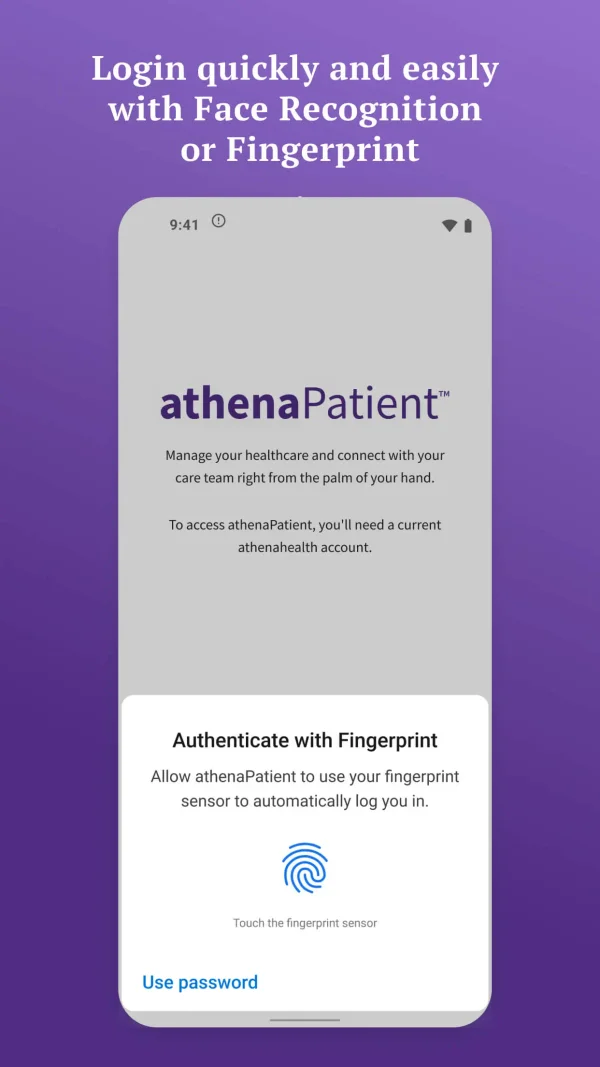
- Inicie sesión rápidamente: el reconocimiento facial y la identificación táctil facilitan el inicio de sesión y mantienen sus datos seguros.
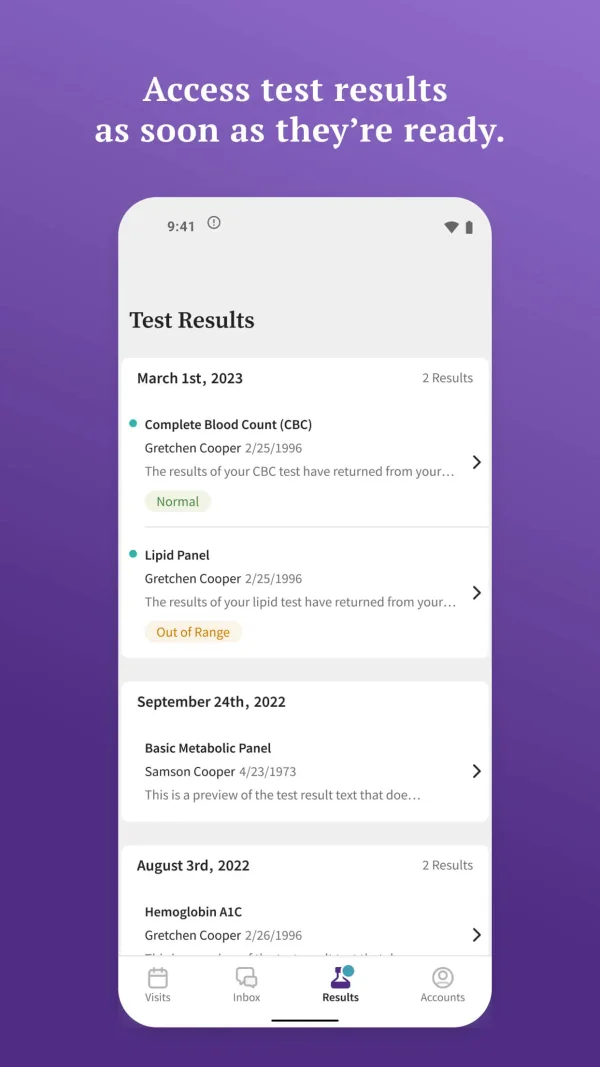
- Ver los resultados de las pruebas: acceda a los resultados de laboratorio, imágenes y otras pruebas médicas tan pronto como estén disponibles.
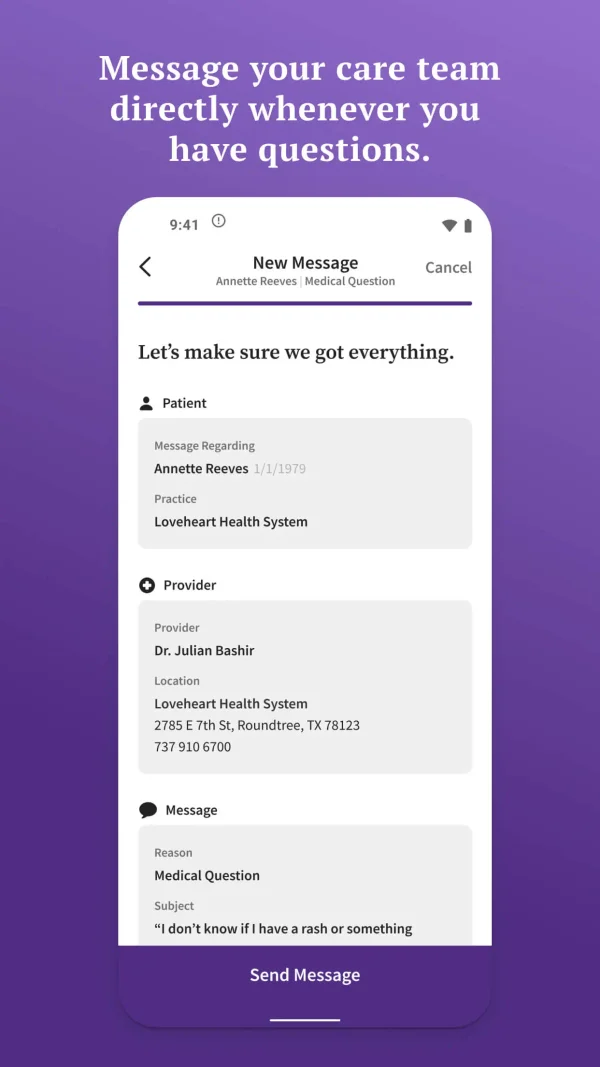
- Envíe un mensaje a su equipo de atención: comuníquese con su equipo de atención cada vez que tenga preguntas a través de mensajes directos rápidos y seguros.
- Citas autoprogramadas: programe citas con su equipo de atención y vea las próximas visitas fuera del horario de atención habitual. Su(s) proveedor(es) debe(n) admitir la autoprogramación para usar esta función.
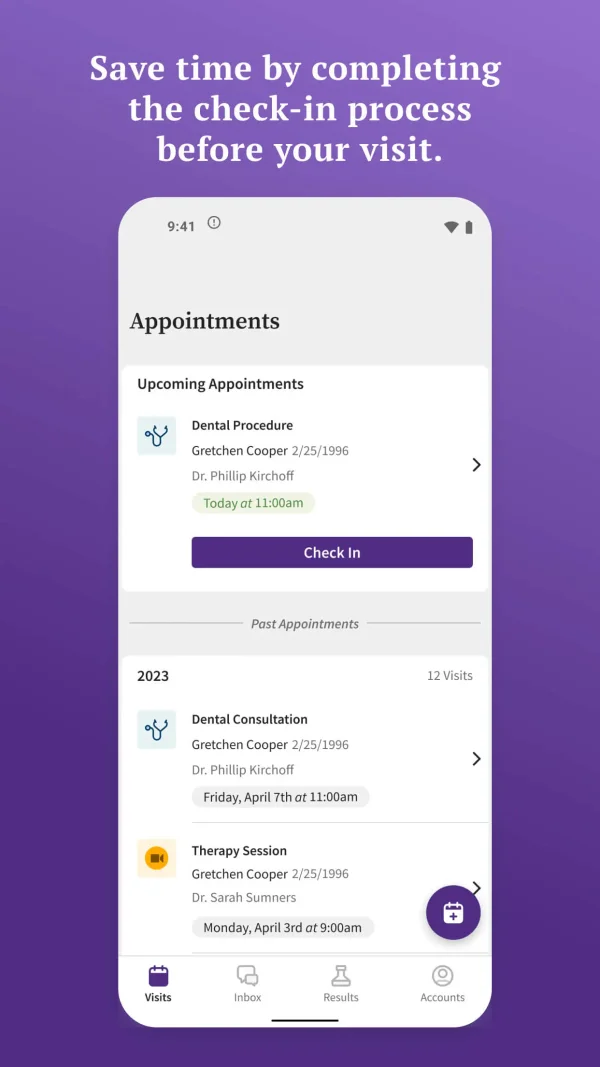
- Regístrese antes de su visita: regístrese fácilmente para las citas y ahorre tiempo completando la documentación necesaria antes de su llegada. (Su(s) proveedor(es) debe(n) admitir Auto Check-In para usar esta función)
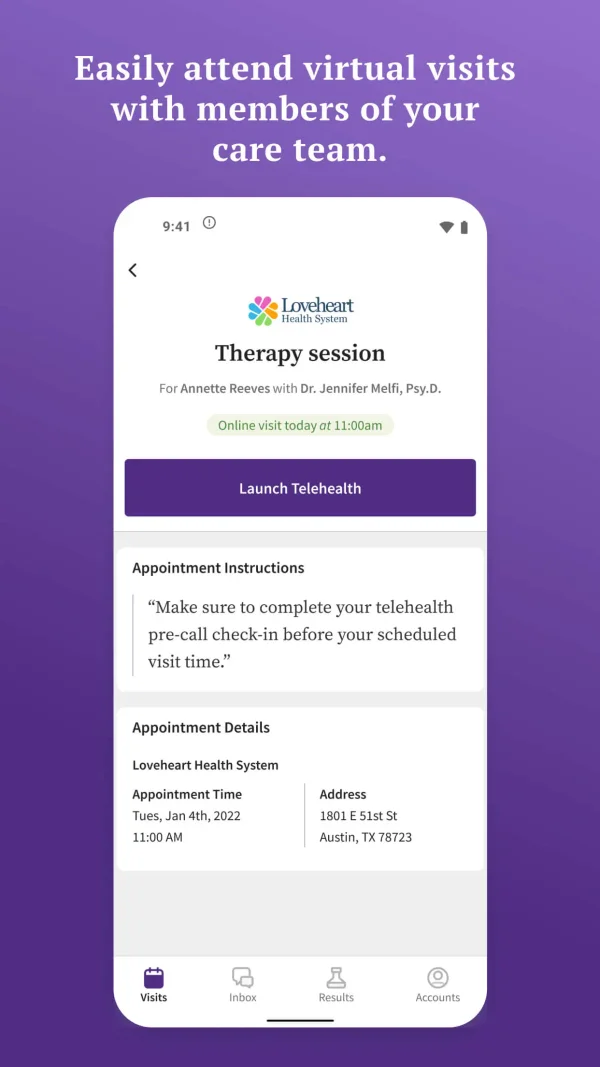
- Asista a visitas virtuales: inicie y asista fácilmente a visitas de telesalud con miembros de su equipo de atención. (Su(s) proveedor(es) debe(n) admitir visitas virtuales a través de athenaTelehealth para usar esta función).
- Obtener indicaciones para llegar a las citas: las indicaciones para llegar en automóvil le muestran cómo llegar a su próxima cita médica.
Tenga en cuenta que debe tener una cuenta existente en el Portal del paciente de athenahealth para usar athenaPatient.
Una vez que haya descargado e iniciado athenaPatient, debe iniciar sesión con la misma dirección de correo electrónico y contraseña que usa para acceder al Portal del paciente athenahealth de su proveedor para comenzar a usar la aplicación. Le preguntará si desea habilitar Face ID o Touch ID. Habilitar cualquiera de estas funciones le evitará tener que ingresar su información de inicio de sesión cada vez que desee usar la aplicación.
Si no tiene la información de su cuenta del Portal del paciente, su(s) proveedor(es) de atención médica pueden ofrecerle acceso al Portal del paciente a través de su sitio web.
Si tiene problemas para encontrar el Portal del paciente de su proveedor de atención médica, puede comunicarse con su oficina para obtener la URL correcta o para solicitar una invitación por correo electrónico a su Portal del paciente.
* La aplicación athenaPatient solo está disponible para descargar y ver información en los Estados Unidos para pacientes de proveedores de atención médica en la red athenahealth.
Mostrar el texto original
athenaPatient is only available for patients whose healthcare providers have instructed them to download and use the app.
Access your health information and communicate with your care team anywhere, anytime.* athenaPatient is a convenient, mobile resource that allows you to:
- Log in quickly – Facial recognition and touch ID make log in easy while keeping your data safe.
- View test results – Access lab, imaging, and other medical test results as soon as they become available.
- Message your care team – Contact your care team whenever you have questions through quick, secure direct messages.
- Self-schedule appointments – Book appointments with your care team and view upcoming visits beyond regular office hours. Your provider(s) must support Self-Scheduling to use this feature.
- Check in before your visit – Easily check in for appointments and save time by completing any necessary documentation before your arrival. (Your provider(s) must support Self Check-In to use this feature)
- Attend virtual visits – Easily initiate and attend telehealth visits with members of your care team. (Your provider(s) must support virtual visits through athenaTelehealth to use this feature.)
- Get directions to appointments – Driving directions show you how to get to your next medical appointment.
Please note that you must have an existing athenahealth Patient Portal account to use athenaPatient.
Once you’ve downloaded and launched athenaPatient, you must log in using the same email address and password you use to access your provider’s athenahealth Patient Portal to begin using the app. It will ask if you want to enable Face ID or Touch ID. Enabling either of these features will save you from having to enter your login information every time you want to use the app.
If you do not have your Patient Portal account information, your healthcare provider(s) may offer Patient Portal access through their website.
If you’re having issues finding your healthcare provider’s Patient Portal, you can contact their office for the correct URL, or to request an email invitation to their Patient Portal.
* The athenaPatient app is only available for download and viewing information in the United States for patients of healthcare providers on the athenahealth network.
Seguridad de los datos
Lo que athenahealth declara en Google Play sobre los datos que esta aplicación recopila y comparte.
- No se comparten datos con tercerosMás información sobre cómo los desarrolladores declaran lo que comparten
- Esta aplicación puede recoger estos tipos de datosUbicación, Información personal y 6 más
- Los datos están cifrados durante el tránsito
- Los datos no se pueden eliminar
Novedades
Versión 1.25.9 · 4/11/2026
- Bug fixes and improvements
Contacto del desarrollador
- Sitio webathenahealth.com
- Correo electrónicoinfo@athenahealth.com
- Política de privacidadathenahealth.com
- Dirección80 Guest St Boston, MA 02135 United States
Información
- Ofrecida por
- athenahealth
- Categoría
- Medicina
- Versión
- 1.25.9
- Actualizado
- 4/11/2026
- Publicado
- 9/11/2022
- Requiere
- Android 11 o posterior
- Clasificación por edad
- PEGI 3
- Precio
- Gratis
- Nombre del paquete
- com.athenahealth.athenapatient
Aplicaciones similares
-
 CVS Health
Medicina
-
 OctaApp - Donate Plasma
Medicina
-
 CSL Plasma
Medicina
-
 Fresh Thyme Market
Compras
-
 Stanford Health Care MyHealth
Medicina
-
 Sydney Health
Medicina
-
 Xfinity
Productividad
-
 myAir™ by Resmed
Medicina
-
 AAA Auto Club
Estilo de vida
-
 Casey's
Comer y beber
-
 myCigna
Salud y bienestar
-
 Teladoc Health
Medicina