athenaPatient
athenahealth- 3 歳以上対象年齢
- 医療カテゴリ
- 2026/11/4更新日
- 無料価格
com.athenahealth.athenapatientのGoogle Play公式ページにリンクしています。最終確認:2026/11/19。

athenaPatientは現在Google Playで入手できない可能性があります
前回の確認時、ストアのページにアクセスできませんでした。リンク先は引き続きGoogle Playの公式ページです。
スクリーンショット


このアプリについて
Googleによる英語 (アメリカ合衆国)からの自動翻訳です。
医療情報にアクセスし、いつでもどこでもケア チームと通信できます。
athenaPatient は、医療提供者がアプリをダウンロードして使用するように指示した患者のみが利用できます。
いつでもどこでも健康情報にアクセスし、ケア チームとコミュニケーションを取ることができます。* athenaPatient は、次のことができる便利なモバイル リソースです。
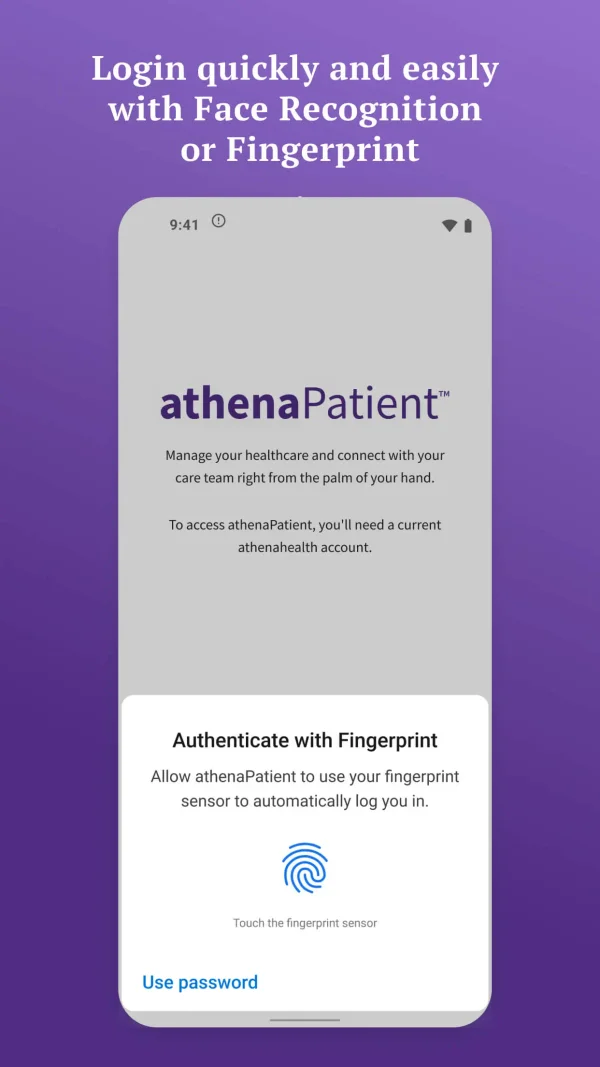
- すばやくログイン – 顔認識とタッチ ID により、データを安全に保ちながら簡単にログインできます。
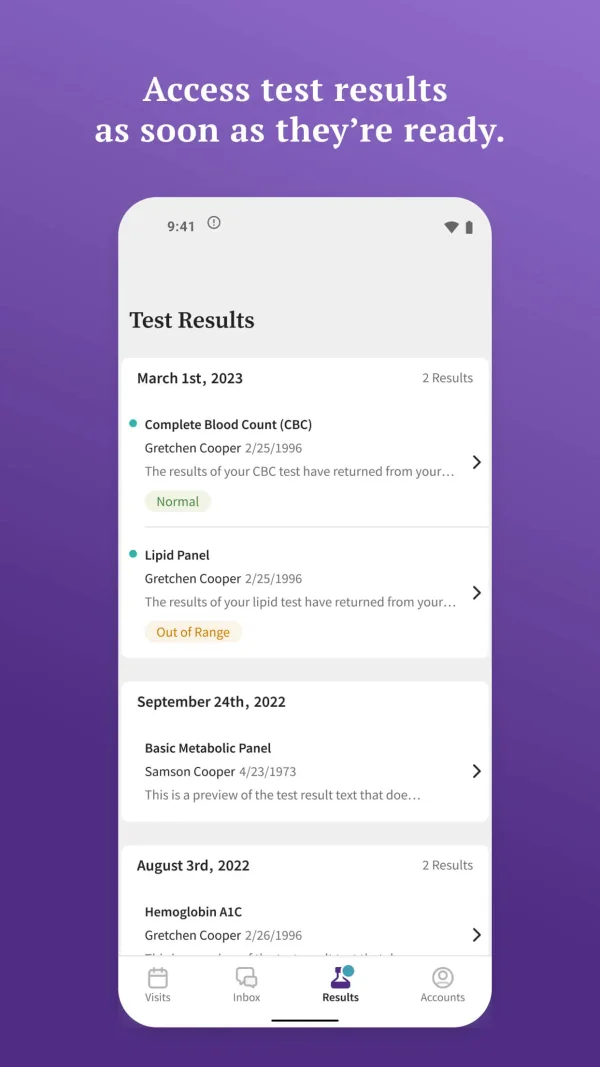
- テスト結果の表示 – ラボ、画像、その他の医療検査結果が利用可能になり次第アクセスします。
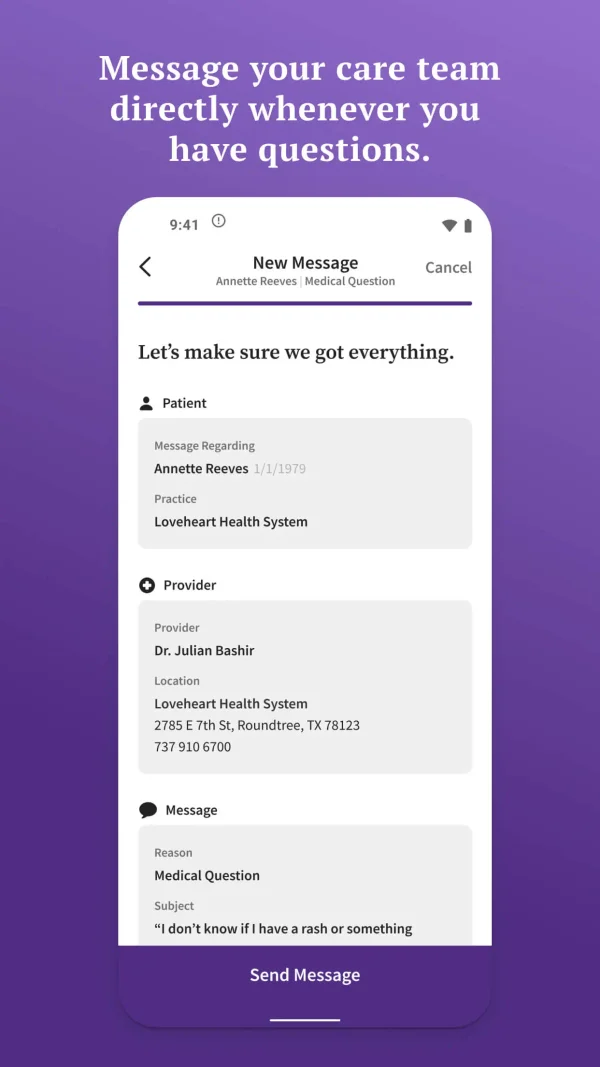
- ケア チームにメッセージを送る – 迅速で安全なダイレクト メッセージを通じて、質問があるときはいつでもケア チームに連絡してください。
- セルフスケジュールの予定 – ケアチームとの予定を予約し、通常の営業時間外に今後の訪問を表示します。この機能を使用するには、プロバイダがセルフ スケジューリングをサポートしている必要があります。
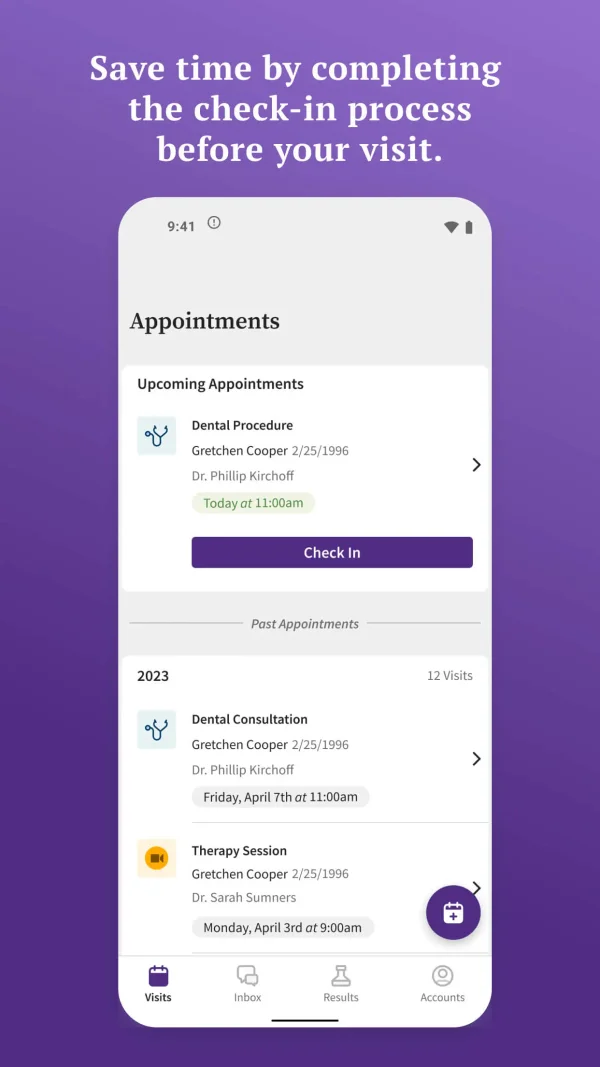
- 訪問前にチェックイン – 予約を簡単にチェックインし、到着前に必要な書類を記入することで時間を節約できます。 (この機能を使用するには、プロバイダがセルフ チェックインをサポートしている必要があります)
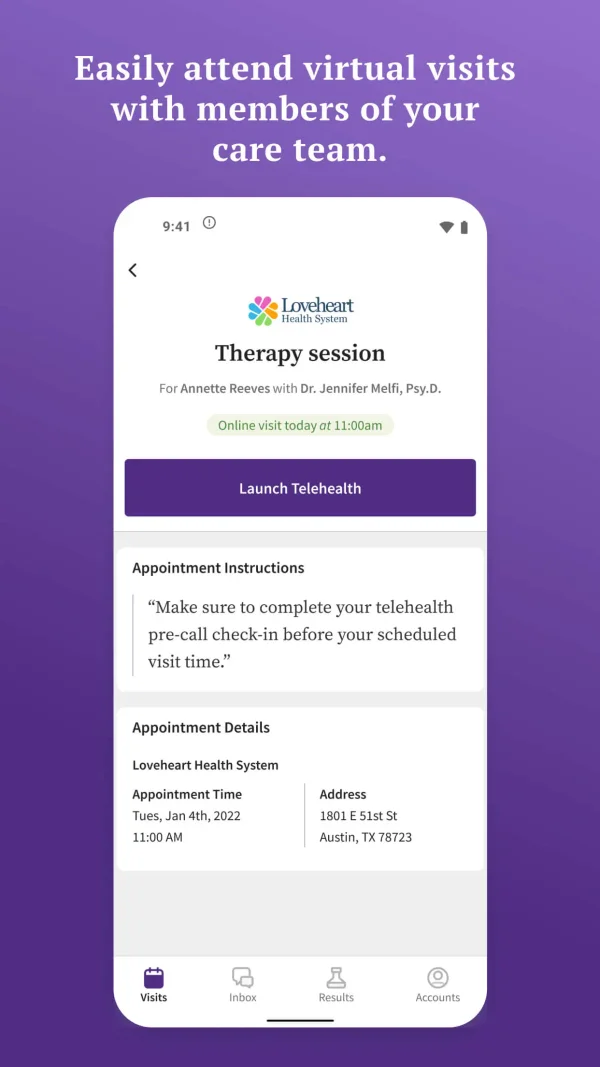
- 仮想訪問への参加 – ケア チームのメンバーとの遠隔医療訪問を簡単に開始して参加できます。 (この機能を使用するには、プロバイダが athenaTelehealth を介した仮想訪問をサポートしている必要があります。)
- 予定への道順を取得する - 運転ルートは、次の医療予定への行き方を示します。
athenaPatient を使用するには、既存の athenahealth 患者ポータル アカウントが必要であることに注意してください。
athenaPatient をダウンロードして起動したら、プロバイダーの athenahealth 患者ポータルへのアクセスに使用するのと同じメール アドレスとパスワードを使用してログインし、アプリの使用を開始する必要があります。 Face IDまたはTouch IDを有効にするかどうかを尋ねられます。これらの機能のいずれかを有効にすると、アプリを使用するたびにログイン情報を入力する必要がなくなります。
患者ポータルのアカウント情報をお持ちでない場合は、医療提供者が Web サイトから患者ポータルへのアクセスを提供している場合があります。
医療提供者の患者ポータルが見つからない場合は、医療提供者のオフィスに連絡して正しい URL を入手するか、患者ポータルへの招待メールをリクエストしてください。
* athenaPatient アプリは、athenahealth ネットワーク上の医療提供者の患者向けに、米国内でダウンロードして情報を表示する場合にのみ利用できます。
原文を表示
athenaPatient is only available for patients whose healthcare providers have instructed them to download and use the app.
Access your health information and communicate with your care team anywhere, anytime.* athenaPatient is a convenient, mobile resource that allows you to:
- Log in quickly – Facial recognition and touch ID make log in easy while keeping your data safe.
- View test results – Access lab, imaging, and other medical test results as soon as they become available.
- Message your care team – Contact your care team whenever you have questions through quick, secure direct messages.
- Self-schedule appointments – Book appointments with your care team and view upcoming visits beyond regular office hours. Your provider(s) must support Self-Scheduling to use this feature.
- Check in before your visit – Easily check in for appointments and save time by completing any necessary documentation before your arrival. (Your provider(s) must support Self Check-In to use this feature)
- Attend virtual visits – Easily initiate and attend telehealth visits with members of your care team. (Your provider(s) must support virtual visits through athenaTelehealth to use this feature.)
- Get directions to appointments – Driving directions show you how to get to your next medical appointment.
Please note that you must have an existing athenahealth Patient Portal account to use athenaPatient.
Once you’ve downloaded and launched athenaPatient, you must log in using the same email address and password you use to access your provider’s athenahealth Patient Portal to begin using the app. It will ask if you want to enable Face ID or Touch ID. Enabling either of these features will save you from having to enter your login information every time you want to use the app.
If you do not have your Patient Portal account information, your healthcare provider(s) may offer Patient Portal access through their website.
If you’re having issues finding your healthcare provider’s Patient Portal, you can contact their office for the correct URL, or to request an email invitation to their Patient Portal.
* The athenaPatient app is only available for download and viewing information in the United States for patients of healthcare providers on the athenahealth network.
データ セーフティ
このアプリが収集・共有するデータについて、athenahealthがGoogle Playで申告している内容です。
- 第三者と共有されるデータはありません詳しくは、デベロッパーが共有を申告する方法についての説明をご覧ください
- このアプリは以下の種類のデータを収集することがあります位置情報、個人情報、他 6 件
- データは送信中に暗号化されます
- データを削除できません
新機能
バージョン 1.25.9 · 2026/11/4
- Bug fixes and improvements
開発元の連絡先
- ウェブサイトathenahealth.com
- メールinfo@athenahealth.com
- プライバシーポリシーathenahealth.com
- 住所80 Guest St Boston, MA 02135 United States
情報
- 提供元
- athenahealth
- カテゴリ
- 医療
- バージョン
- 1.25.9
- 更新日
- 2026/11/4
- リリース
- 2022/11/9
- 必要条件
- Android 11以降
- 対象年齢
- 3 歳以上
- 価格
- 無料
- パッケージ名
- com.athenahealth.athenapatient