HyperOS 4 Icon pack
AKBONContiene anuncios
- PEGI 3Clasificación por edad
- PersonalizaciónCategoría
- 22/11/2026Actualizado
- GratisPrecio
Enlaza a la ficha oficial de com.akbon.miui en Google Play. Última comprobación el 23/11/2026.
Capturas de pantalla
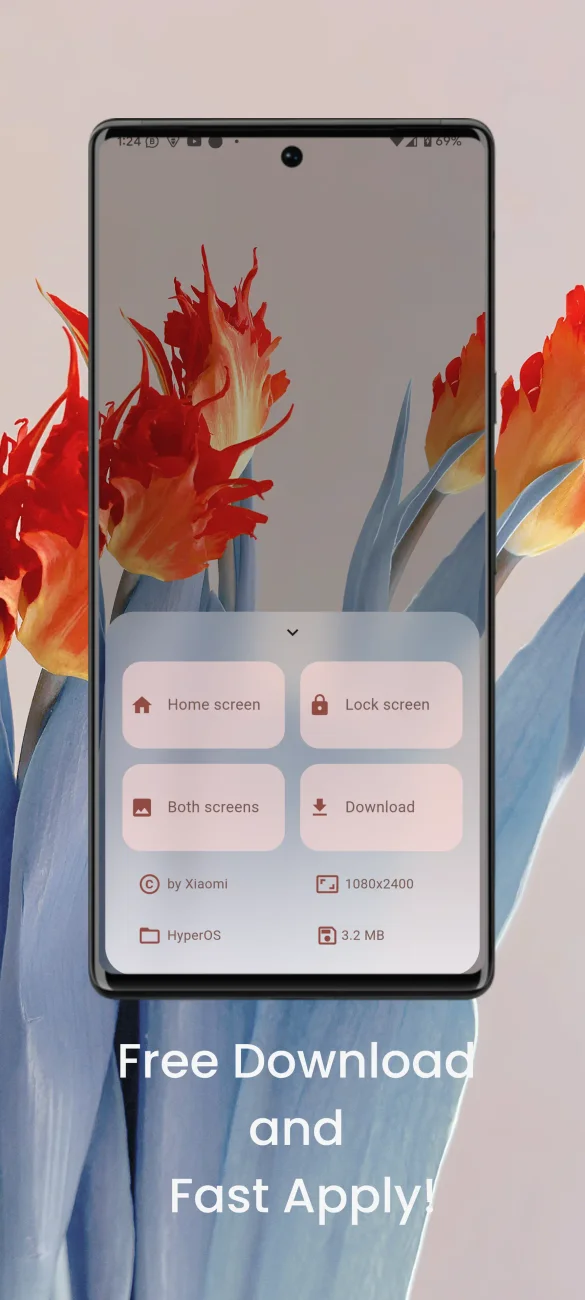
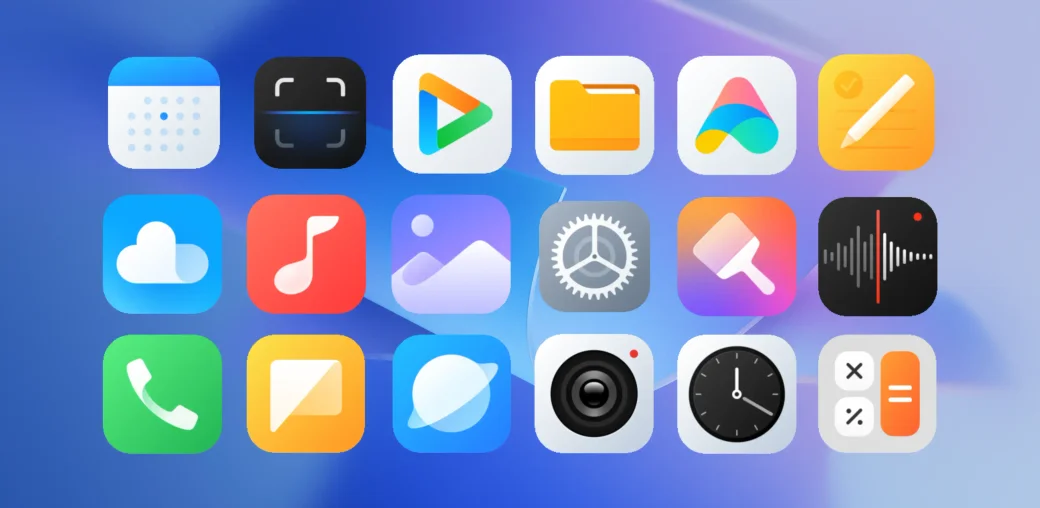
Acerca de esta aplicación
Traducción automática de Google. Idioma original: Inglés (Estados Unidos).
Paquete de iconos y fondos de pantalla de HyperOS
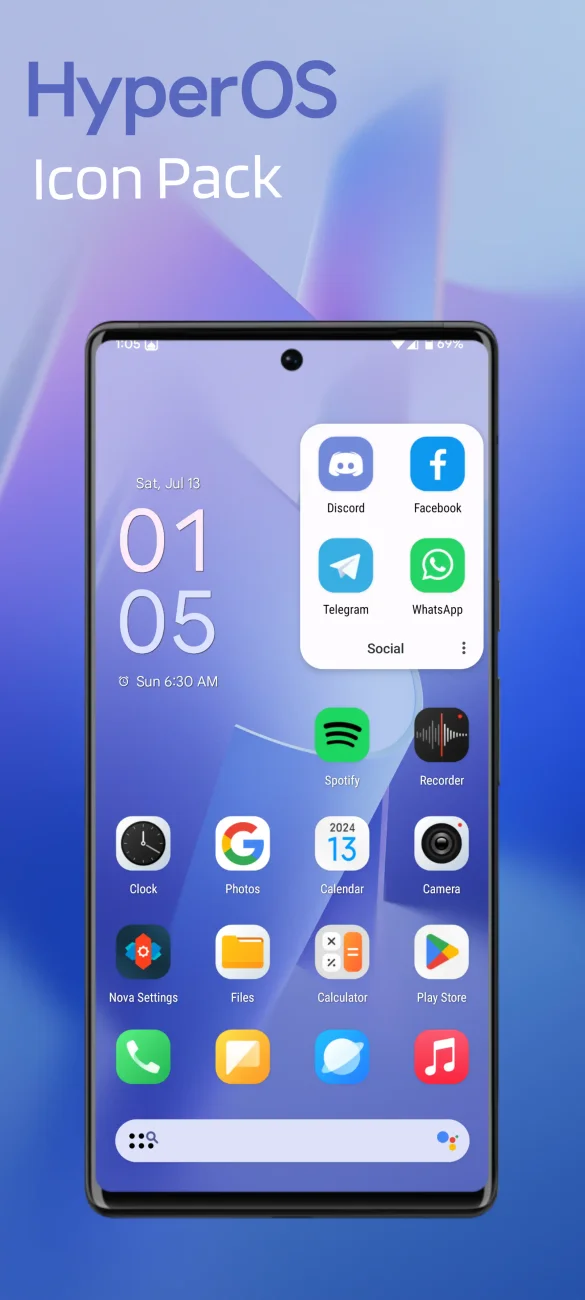
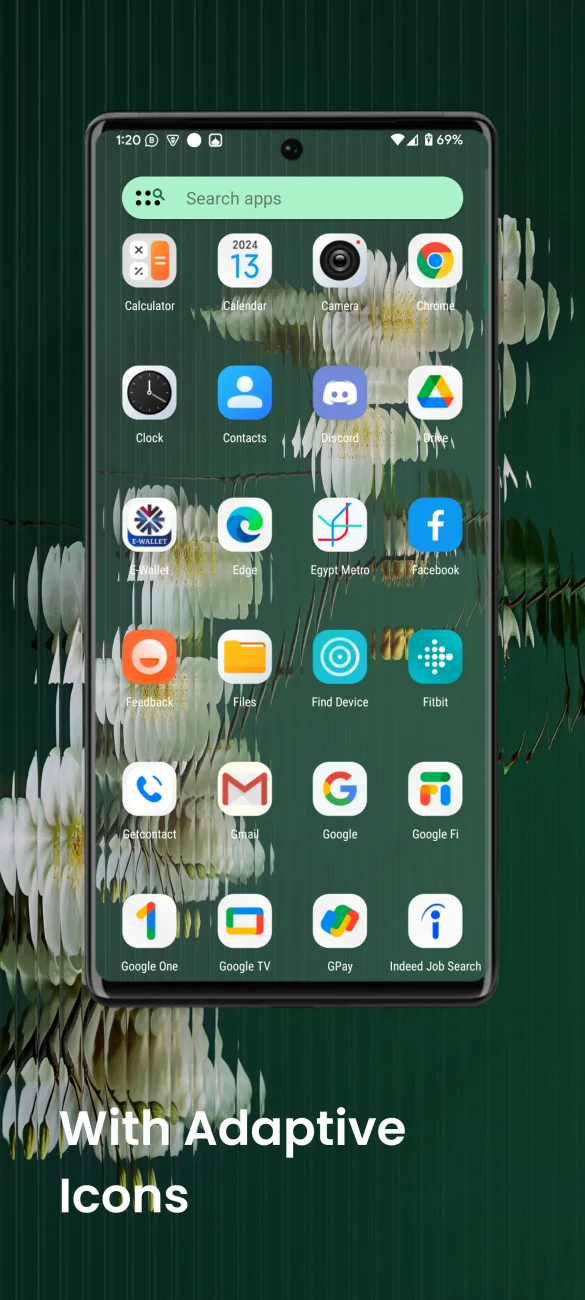
Paquete de iconos de HyperOS Inspirados en la interfaz de usuario de HyperOS, estos iconos adaptables se han creado al estilo de HyperOS Design. Tienen un ícono lineal y fondos de diferentes colores.
¿Sabías?
El usuario medio revisa sus dispositivos más de 50 veces al día. Haz que cada momento sea un verdadero placer con este paquete de íconos.
Siempre hay algo nuevo:
¿Por qué elegir HyperOS Icon Pack en lugar de otros paquetes?
• Actualizaciones frecuentes
• Sistema de enmascaramiento perfecto
• Muchos íconos alternativos
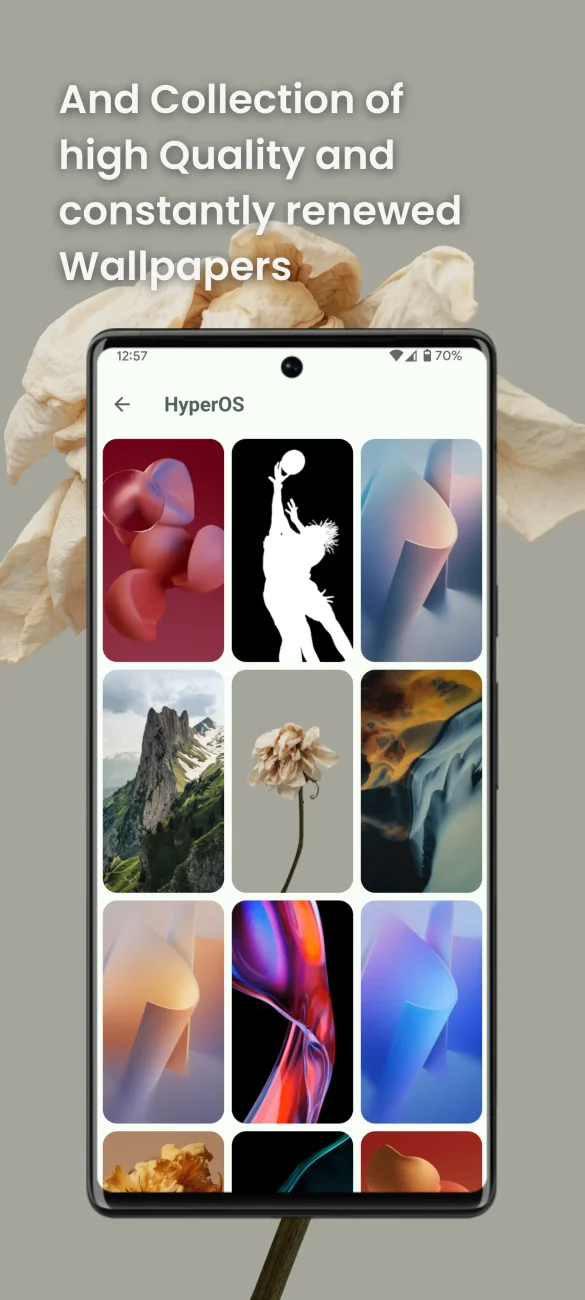
• Una colección de fondos de pantalla de alta calidad y constantemente renovados.
Configuraciones personales recomendadas
• Lanzador: lanzador Nova
• Ajustar la normalización de iconos desde la configuración de Nova Launcher
• Tamaño de ícono
> Si te gustan los iconos pequeños, establece el tamaño al 85%
> Si te gustan los iconos grandes, establece el tamaño entre 100% y 120%.
Otras características
• Vista previa de iconos
• Calendario dinámico
• Panel de materiales.
• Iconos de carpeta personalizados
• Iconos basados en categorías
• Iconos personalizados del cajón de aplicaciones.
¿Cómo utilizar este paquete de iconos?
El primer paso: instalar el iniciador compatible
Paso 2: abra el paquete de íconos, vaya a la sección de aplicación del paquete de íconos y seleccione su iniciador
Si su lanzador no está en la lista, asegúrese de aplicarlo desde la configuración del propio lanzador.
apoyo
• Si tiene algún problema al utilizar el paquete de iconos. Envíeme un correo electrónico a akbon.business@gmail.com
Recomendaciones
• ¡Se requiere un iniciador compatible para usar este paquete de íconos!
• Sección de preguntas frecuentes en la aplicación, que responde a muchas preguntas que puedas tener. Léalo antes de enviar su pregunta por correo electrónico.
Lanzadores compatibles en el paquete de iconos
• Apus • Action Launcher • ADW Launcher • Apex • Atom • Aviate • LineageOS Theme Engine • GO • Holo Launcher • Holo HD • LG Home • Lucid • M Launcher • Mini • Next Launcher • Nougat Launcher • Nova Launcher (recomendado) • Smart Launcher (recomendado) • Solo Launcher • V Launcher • ZenUI • Zero • ABC Launcher • Evie • L Launcher • Lawnchair (recomendado) • XOS Launcher • HiOS Launcher • Poco Launcher
Los lanzadores compatibles están incluidos en el paquete de iconos, pero no requieren instalación manual
• Lanzador de flechas • Lanzador ASAP • Lanzador Cobo • Lanzador de líneas • Lanzador de malla • Lanzador Peek • Lanzador Z Lanzador Quixey • Lanzador iTop • Lanzador KK • Lanzador MN • Lanzador S • Lanzador abierto • Lanzador Flick
Este paquete de iconos ha sido probado y funciona con estos lanzadores. Sin embargo, también puede funcionar para otros. En caso de que el iniciador no esté en la sección de aplicaciones del paquete de iconos. Puede aplicar el paquete de iconos desde la configuración del iniciador.
Notas adicionales
• El paquete de iconos necesita un iniciador para funcionar.
• ¿Falta el icono? No dude en enviarme una solicitud de ícono e intentaré actualizar este paquete con sus solicitudes.
créditos
• AKBON (Ibrahim Fathelbab)
• Equipo HyperOS
Mostrar el texto original
HyperOS Icon pack Inspired by the HyperOS UI, these Adaptive icons have been created in the style of HyperOS Design. They have a linear icon and different color backgrounds.
Did you know?
The average user checks their devices more than 50 times a day. Make every time a real pleasure with this icon pack.
There is always something new:
Why choose HyperOS Icon Pack over other packages?
• Frequent updates
• Perfect masking system
• Lots of alternative icons
• A collection of high quality and constantly renewed wallpapers
Recommended personal settings
• Launcher: Nova launcher
• Adjust icon normalization from Nova Launcher settings
• Icon size
> If you like small icons, set the size to 85%
> If you like big icons, set the size to 100% - 120%
Other Features
• Icon preview
• Dynamic calendar
• Material panel.
• Custom folder icons
• Category based icons
• Custom app drawer icons.
How to use this icon pack?
The first step: Install the supported launcher
Step 2: Open the icon pack, go to the apply section of the icon pack and select your launcher
If your launcher is not in the list, make sure to apply it from the settings of the launcher itself
support
• If you have any problems while using the icon pack. Just email me at akbon.business@gmail.com
Recommendations
• A supported launcher is required to use this icon pack!
• FAQ section in the app, which answers a lot of questions you might have. Please read it before emailing your question.
Supported launchers in icon pack
• Apus • Action Launcher • ADW Launcher • Apex • Atom • Aviate • LineageOS Theme Engine • GO • Holo Launcher • Holo HD • LG Home • Lucid • M Launcher • Mini • Next Launcher • Nougat Launcher • Nova Launcher (recommended) • Smart Launcher (recommended) • Solo Launcher • V Launcher • ZenUI • Zero • ABC Launcher • Evie • L Launcher • Lawnchair (recommended) • XOS Launcher • HiOS Launcher • Poco Launcher
Supported launchers are included in the icon pack, but do not require manual installation
• Arrow Launcher • ASAP Launcher • Cobo Launcher • Line Launcher • Mesh Launcher • Peek Launcher • Z Launcher Quixey Launcher • iTop Launcher • KK Launcher • MN Launcher • S Launcher • Open Launcher • Flick Launcher
This icon pack has been tested and works with these launchers. However, it may also work for others. In case the launcher is not in the application section of the icon pack. You can apply the icon pack from the launcher settings.
Additional notes
• The icon pack needs a launcher to work.
• Icon missing? Feel free to send me an icon request and I'll try to update this package with your requests.
credits
• AKBON (Ibrahim Fathelbab)
• HyperOS Team
Seguridad de los datos
Lo que AKBON declara en Google Play sobre los datos que esta aplicación recopila y comparte.
- Puede que esta aplicación comparta estos tipos de datos con tercerosUbicación, Información personal y 4 más
- No se recogen datosMás información sobre cómo los desarrolladores declaran lo que recogen
- Los datos están cifrados durante el tránsito
- Los datos no se pueden eliminar
Contacto del desarrollador
- Sitio webakb0n.blogspot.com
- Correo electrónicoakbon.business@gmail.com
- Política de privacidadakb0n.blogspot.com
- Dirección14 Haret Borhan Hada'iq El Qobbah القاهرة 4382458 Egypt
Información
- Ofrecida por
- AKBON
- Categoría
- Personalización
- Versión
- 10.10.5
- Actualizado
- 22/11/2026
- Publicado
- 22/3/2022
- Requiere
- Android 7.0 o posterior
- Clasificación por edad
- PEGI 3
- Precio
- Gratis
- Nombre del paquete
- com.akbon.miui
Aplicaciones similares
-
 Cool Mi Launcher - CC Launcher
Personalización
-
 DNA Launcher ‧ Home Screen
Personalización
-
 AppDash: App Manager & Backup
Herramientas
-
 Wallpaper For Iphone - Wallway
Personalización
-
 AT&T Personal Cloud
Herramientas
-
 Square Home Launcher - Tile UI
Personalización
-
 Ares Light: Pastel Icon Pack
Personalización
-
 Pie Launcher version 2026
Personalización
-
 Hi-tech Circuit Launcher
Personalización
-
 Arm Care
Deportes
-
 Vera Icon Pack: shapeless icon
Personalización
-
 heyUp: Custom Lock Screen
Personalización