HyperOS 4 Icon pack
AKBONReklam içerir
- PEGI 3Yaş sınırı
- KişiselleştirmeKategori
- 22.11.2026Güncellendi
- ÜcretsizFiyat
com.akbon.miui için resmi Google Play sayfasına bağlanır. Son kontrol: 23.11.2026.
Ekran görüntüleri
Bu uygulama hakkında
Google tarafından otomatik çeviri. Orijinal dil: İngilizce (Amerika Birleşik Devletleri).
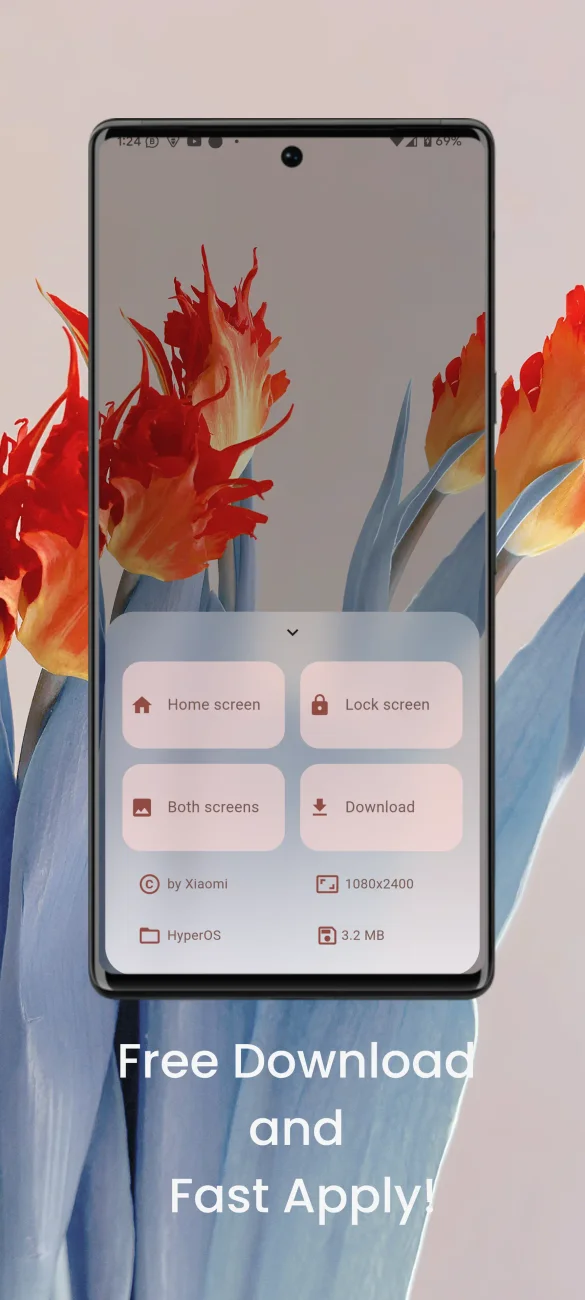
HyperOS Simge paketi ve Duvar Kağıtları
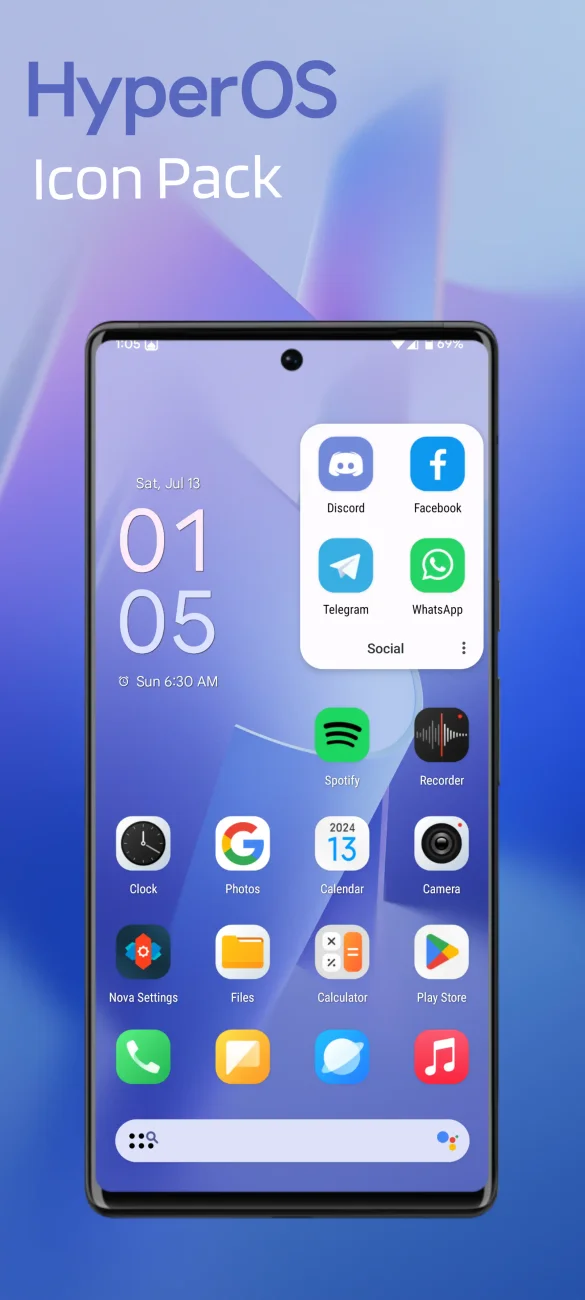
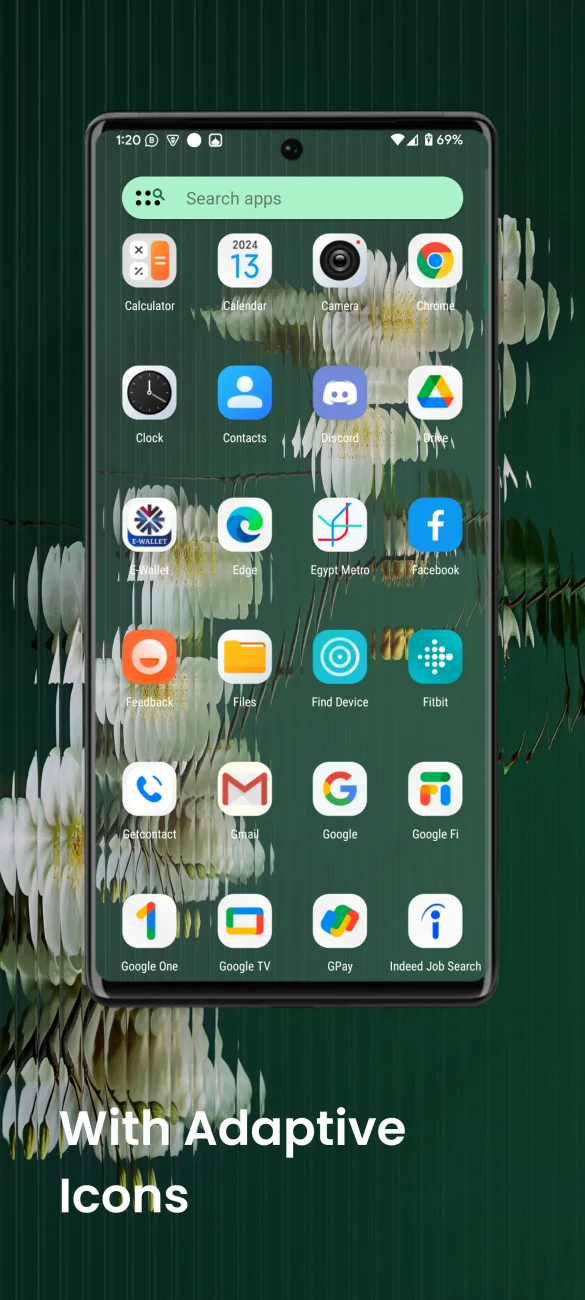
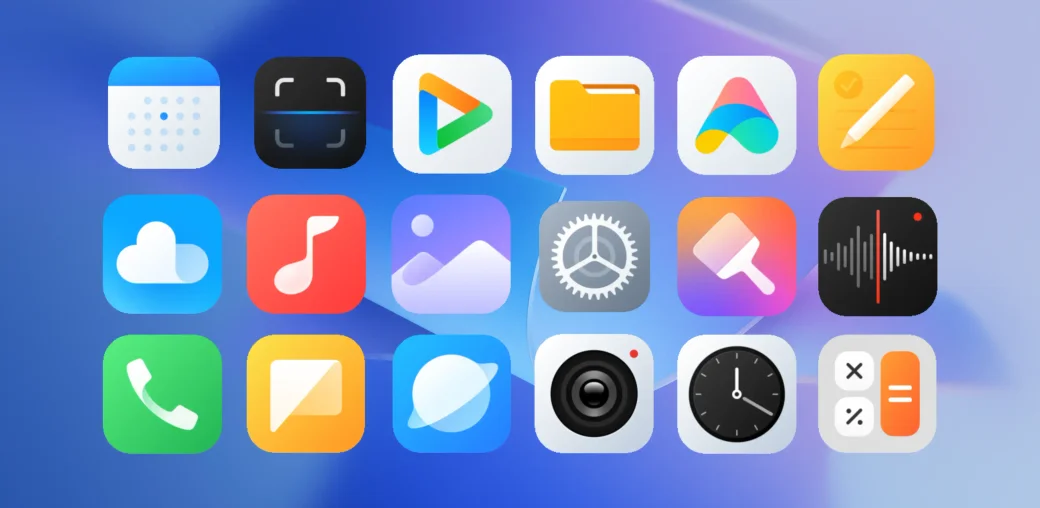
HyperOS Simge paketi HyperOS kullanıcı arayüzünden ilham alan bu Uyarlanabilir simgeler, HyperOS Tasarımı tarzında oluşturulmuştur. Doğrusal bir simgeye ve farklı renkli arka planlara sahiptirler.
Biliyor musun?
Ortalama bir kullanıcı, cihazlarını günde 50 defadan fazla kontrol ediyor. Bu simge paketiyle her anı gerçek bir zevke dönüştürün.
Her zaman yeni bir şeyler vardır:
Neden diğer paketler yerine HyperOS Icon Pack'i seçmelisiniz?
• Sık güncellemeler
• Mükemmel maskeleme sistemi
• Çok sayıda alternatif simge
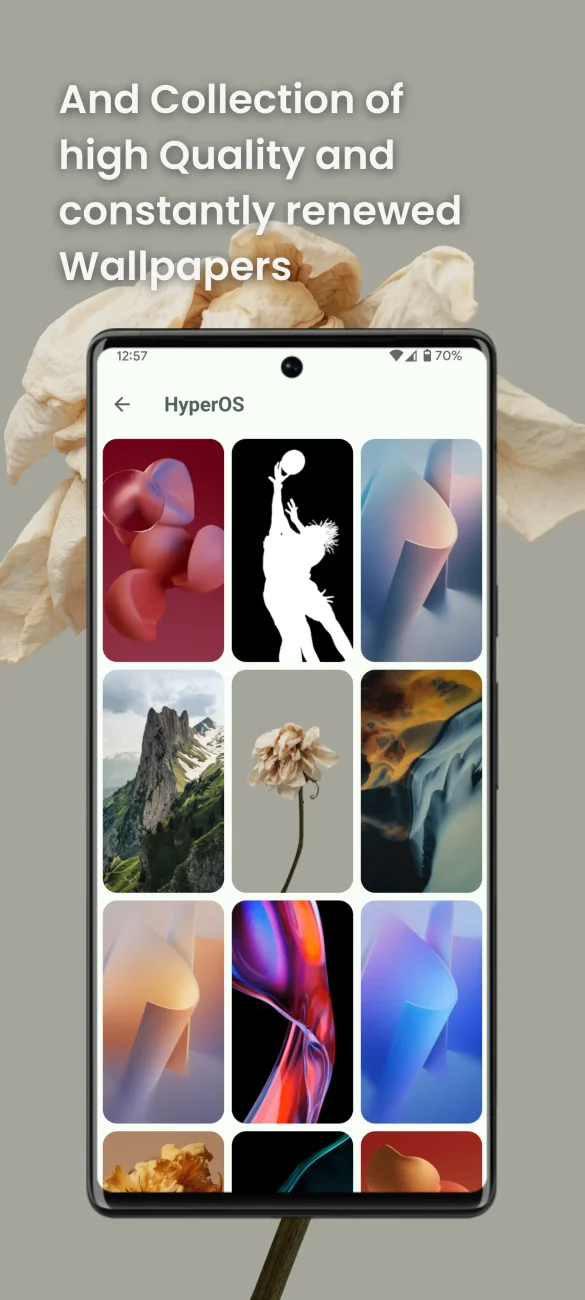
• Yüksek kaliteli ve sürekli yenilenen duvar kağıtlarından oluşan bir koleksiyon
Önerilen kişisel ayarlar
• Başlatıcı: Nova başlatıcısı
• Nova Başlatıcı ayarlarından simge normalizasyonunu ayarlayın
• Simge boyutu
> Küçük simgeleri seviyorsanız boyutu %85'e ayarlayın
> Büyük simgelerden hoşlanıyorsanız, boyutu %100 - %120 olarak ayarlayın
Diğer özellikler
• Simge önizlemesi
• Dinamik takvim
• Malzeme paneli.
• Özel klasör simgeleri
• Kategori bazlı simgeler
• Özel uygulama çekmecesi simgeleri.
Bu simge paketi nasıl kullanılır?
İlk adım: Desteklenen başlatıcıyı yükleyin
Adım 2: Simge paketini açın, simge paketinin uygulama bölümüne gidin ve başlatıcınızı seçin
Başlatıcınız listede yoksa başlatıcının kendi ayarlarından uyguladığınızdan emin olun.
Destek
• Simge paketini kullanırken herhangi bir sorunla karşılaşırsanız. Akbon.business@gmail.com adresinden bana e-posta göndermeniz yeterli
Öneriler
• Bu simge paketini kullanmak için desteklenen bir başlatıcı gereklidir!
• Uygulamada aklınıza gelebilecek birçok soruyu yanıtlayan SSS bölümü. Lütfen sorunuzu e-postayla göndermeden önce okuyun.
Simge paketinde desteklenen başlatıcılar
• Apus • Eylem Başlatıcı • ADW Başlatıcı • Apex • Atom • Aviate • LineageOS Tema Motoru • GO • Holo Başlatıcı • Holo HD • LG Home • Lucid • M Başlatıcı • Mini • Sonraki Başlatıcı • Nougat Başlatıcı • Nova Başlatıcı (önerilen) • Akıllı Başlatıcı (önerilen) • Solo Başlatıcı • V Başlatıcı • ZenUI • Zero • ABC Başlatıcı • Evie • L Başlatıcı • Çim Sandalyesi (önerilen) • XOS Başlatıcı • HiOS Başlatıcı • Poco Başlatıcı
Desteklenen başlatıcılar simge paketine dahildir ancak manuel kurulum gerektirmez
• Ok Başlatıcı • ASAP Başlatıcı • Cobo Başlatıcı • Satır Başlatıcı • Mesh Başlatıcı • Peek Başlatıcı • Z Başlatıcı Quixey Başlatıcı • iTop Başlatıcı • KK Başlatıcı • MN Başlatıcı • S Başlatıcı • Açık Başlatıcı • Hızlı Başlatıcı
Bu simge paketi test edildi ve bu başlatıcılarla çalışıyor. Ancak başkaları için de işe yarayabilir. Başlatıcının simge paketinin uygulama bölümünde olmaması durumunda. Simge paketini başlatıcı ayarlarından uygulayabilirsiniz.
Ek Notlar
• Simge paketinin çalışması için bir başlatıcıya ihtiyacı var.
• Simge eksik mi? Bana bir simge isteği göndermekten çekinmeyin; bu paketi isteklerinizle güncellemeye çalışacağım.
kredi
• AKBON (İbrahim Fathelbab)
• HyperOS Ekibi
Orijinal metni göster
HyperOS Icon pack Inspired by the HyperOS UI, these Adaptive icons have been created in the style of HyperOS Design. They have a linear icon and different color backgrounds.
Did you know?
The average user checks their devices more than 50 times a day. Make every time a real pleasure with this icon pack.
There is always something new:
Why choose HyperOS Icon Pack over other packages?
• Frequent updates
• Perfect masking system
• Lots of alternative icons
• A collection of high quality and constantly renewed wallpapers
Recommended personal settings
• Launcher: Nova launcher
• Adjust icon normalization from Nova Launcher settings
• Icon size
> If you like small icons, set the size to 85%
> If you like big icons, set the size to 100% - 120%
Other Features
• Icon preview
• Dynamic calendar
• Material panel.
• Custom folder icons
• Category based icons
• Custom app drawer icons.
How to use this icon pack?
The first step: Install the supported launcher
Step 2: Open the icon pack, go to the apply section of the icon pack and select your launcher
If your launcher is not in the list, make sure to apply it from the settings of the launcher itself
support
• If you have any problems while using the icon pack. Just email me at akbon.business@gmail.com
Recommendations
• A supported launcher is required to use this icon pack!
• FAQ section in the app, which answers a lot of questions you might have. Please read it before emailing your question.
Supported launchers in icon pack
• Apus • Action Launcher • ADW Launcher • Apex • Atom • Aviate • LineageOS Theme Engine • GO • Holo Launcher • Holo HD • LG Home • Lucid • M Launcher • Mini • Next Launcher • Nougat Launcher • Nova Launcher (recommended) • Smart Launcher (recommended) • Solo Launcher • V Launcher • ZenUI • Zero • ABC Launcher • Evie • L Launcher • Lawnchair (recommended) • XOS Launcher • HiOS Launcher • Poco Launcher
Supported launchers are included in the icon pack, but do not require manual installation
• Arrow Launcher • ASAP Launcher • Cobo Launcher • Line Launcher • Mesh Launcher • Peek Launcher • Z Launcher Quixey Launcher • iTop Launcher • KK Launcher • MN Launcher • S Launcher • Open Launcher • Flick Launcher
This icon pack has been tested and works with these launchers. However, it may also work for others. In case the launcher is not in the application section of the icon pack. You can apply the icon pack from the launcher settings.
Additional notes
• The icon pack needs a launcher to work.
• Icon missing? Feel free to send me an icon request and I'll try to update this package with your requests.
credits
• AKBON (Ibrahim Fathelbab)
• HyperOS Team
Veri güvenliği
Bu uygulamanın topladığı ve paylaştığı veriler hakkında AKBON tarafından Google Play üzerinde yapılan beyan.
- Bu uygulamanın üçüncü taraflarla paylaşabileceği veri türleri:Konum, Kişisel bilgiler ve 4 veri türü daha
- Veri toplanamadıGeliştiricilerin, veri toplamayı nasıl beyan ettikleri hakkında daha fazla bilgi edinin
- Veriler, aktarım sırasında şifreleniyor
- Veriler silinemiyor
Geliştirici iletişim bilgileri
- Web sitesiakb0n.blogspot.com
- E-postaakbon.business@gmail.com
- Gizlilik politikasıakb0n.blogspot.com
- Adres14 Haret Borhan Hada'iq El Qobbah القاهرة 4382458 Egypt
Bilgiler
- Sunan
- AKBON
- Kategori
- Kişiselleştirme
- Sürüm
- 10.10.5
- Güncellendi
- 22.11.2026
- Yayın tarihi
- 22.03.2022
- Gereksinim
- Android 7.0 veya sonrası
- Yaş sınırı
- PEGI 3
- Fiyat
- Ücretsiz
- Paket adı
- com.akbon.miui
Benzer uygulamalar
-
 Cool Mi Launcher - CC Launcher
Kişiselleştirme
-
 DNA Launcher ‧ Home Screen
Kişiselleştirme
-
 AppDash: App Manager & Backup
Araçlar
-
 Wallpaper For Iphone - Wallway
Kişiselleştirme
-
 AT&T Personal Cloud
Araçlar
-
 Square Home Launcher - Tile UI
Kişiselleştirme
-
 Ares Light: Pastel Icon Pack
Kişiselleştirme
-
 Pie Launcher version 2026
Kişiselleştirme
-
 Hi-tech Circuit Launcher
Kişiselleştirme
-
 Arm Care
Spor
-
 Vera Icon Pack: shapeless icon
Kişiselleştirme
-
 heyUp: Custom Lock Screen
Kişiselleştirme