SMZ DS003
SMZ™- PEGI 3Clasificación por edad
- PersonalizaciónCategoría
- 1/11/2025Actualizado
- GratisPrecio
Enlaza a la ficha oficial de com.watchfacestudio.smzds003 en Google Play. Última comprobación el 28/11/2026.
Acerca de esta aplicación
Traducción automática de Google. Idioma original: Inglés (Estados Unidos).
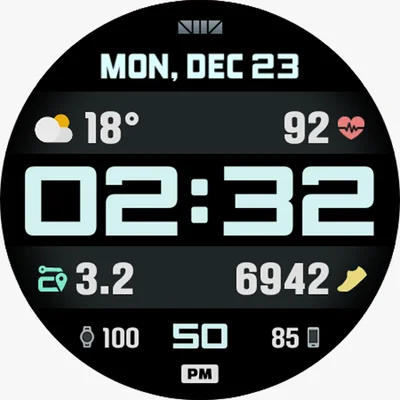
Esfera digital SMZ para Wear OS
Esfera digital SMZ para Wear OS
Mire el video para decorar su reloj como las fotos.
Mire el VIDEO para su uso.
[Cómo usar el formato de 24 horas]
Si desea cambiar el formato de la hora, puede configurarlo en la ruta a continuación en el teléfono conectado al reloj.
*El teléfono conectado - Ajustes - Gestión general - Fecha y hora - Usar formato de 24 horas.
Si está marcado, el reloj también estará en formato de 24 horas, y si no está marcado, el reloj estará en formato de 12 horas.
[PERSONALIZAR]
Para personalizar la esfera del reloj, toque y mantenga presionada la pantalla y toque el botón [Personalizar].
[La OSCURIDAD de la pantalla AOD]
En la sección Personalizar, 'AOD Dim' ajusta la oscuridad de toda la pantalla AOD.
[Nivel de batería del teléfono]
Aplicación Phone Battery Complications de amoledwatchfaces™
Enlace del desarrollador: https://play.google.com/store/apps/dev?id=5591589606735981545
Para usar esta función, la aplicación 'Complicación de la batería del teléfono' debe estar instalada en su teléfono y reloj.
Ruta de descarga:
https://play.google.com/store/apps/details?id=com.weartools.phonebattcomp
*Cómo establecer. - https://cafe.naver.com/smzwatch/22
[Instagram SMZ]
http://www.instagram.com/smz.watch.tech
[SMZFacebook]
https://www.facebook.com/smz.watchface
[Página de inicio SMZ]
https://www.smzwatch.com
[El correo electrónico siempre es bienvenido]
smz.watch.tech@gmail.com
Mostrar el texto original
SMZ Digital Watchface for Wear OS
Please Watch the video to decorate your watch like the photos.
Please Watch the VIDEO for usage.
[How to use 24-hour format]
If you want to change the time format, you can set it in the path below on the phone connected to the watch.
*The connected phone - Settings - General management - Date and time - Use 24-hour format.
If checked, the watch will also be in 24-hour format, and if unchecked, the watch will be in 12-hour format.
[CUSTOMIZE]
For customization of watchface, touch and hold the screen and touch on [Coustomize] button.
[The DARKNESS of the AOD screen]
In the Customize section, 'AOD Dim' adjusts the darkness of all the AOD screen.
[Phone Battery Level]
Phone Battery Complications app from amoledwatchfaces™
Dev's link - https://play.google.com/store/apps/dev?id=5591589606735981545
To use this function, the 'Phone Battery Complication' app must be installed on your phone and watch.
Download path :
https://play.google.com/store/apps/details?id=com.weartools.phonebattcomp
*How to set. - https://cafe.naver.com/smzwatch/22
[SMZ Instagram]
http://www.instagram.com/smz.watch.tech
[SMZ Facebook]
https://www.facebook.com/smz.watchface
[SMZ Homepage]
https://www.smzwatch.com
[E-mail is always welcome]
smz.watch.tech@gmail.com
Seguridad de los datos
Lo que SMZ™ declara en Google Play sobre los datos que esta aplicación recopila y comparte.
- No se comparten datos con tercerosMás información sobre cómo los desarrolladores declaran lo que comparten
- No se recogen datosMás información sobre cómo los desarrolladores declaran lo que recogen
Contacto del desarrollador
- Sitio webinstagram.com
- Correo electrónicosmz.watch.tech@gmail.com
- Política de privacidadsmzwatch.com
- Dirección거제대로 275 거제미소지움더퍼스트, 102동 1101호 연제구, 부산광역시 47512 South Korea
Información
- Ofrecida por
- SMZ™
- Categoría
- Personalización
- Actualizado
- 1/11/2025
- Publicado
- 29/10/2021
- Clasificación por edad
- PEGI 3
- Precio
- Gratis
- Nombre del paquete
- com.watchfacestudio.smzds003
Aplicaciones similares
-
 SMZ GREEN HEART
Personalización
-
 SMZ ACTION9
Personalización
-
 SMZ Integrity7
Personalización
-
 SG-143
Personalización
-
 SMZ Kingmaker3
Personalización
-
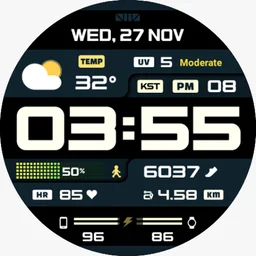 SMZ FORWARD2
Personalización
-
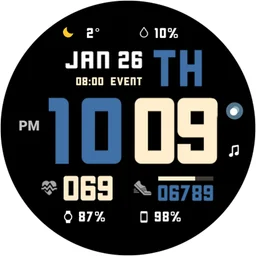 HMKWatch Digital 204
Personalización
-
 SG-155
Personalización
-
 HMKWatch Digital 172
Personalización
-
 SMZ TRIPLE7
Personalización
-
 SMZ AX23
Personalización
-
 HMKWatch Digital 050
Personalización