SMZ DS003
SMZ™- PEGI 3Classification d’âge
- PersonnalisationCatégorie
- 01/11/2025Mis à jour
- GratuitPrix
Renvoie vers la fiche Google Play officielle de com.watchfacestudio.smzds003. Dernière vérification le 28/11/2026.
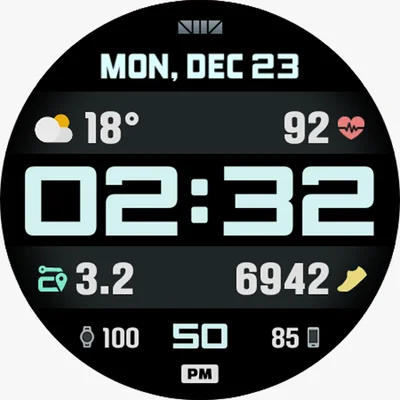
À propos de cette application
Traduction automatique par Google. Langue d’origine : Anglais (États-Unis).
Cadran de montre numérique SMZ pour Wear OS
Cadran numérique SMZ pour Wear OS
Veuillez regarder la vidéo pour décorer votre montre comme les photos.
Veuillez regarder la vidéo pour l'utilisation.
[Comment utiliser le format 24 heures]
Si vous souhaitez modifier le format de l'heure, vous pouvez le définir dans le chemin ci-dessous sur le téléphone connecté à la montre.
*Le téléphone connecté - Paramètres - Gestion générale - Date et heure - Utiliser le format 24h.
Si coché, la montre sera également au format 24 heures, et si décoché, la montre sera au format 12 heures.
[PERSONNALISER]
Pour personnaliser le cadran, touchez et maintenez l'écran et touchez le bouton [Personnaliser].
[L'obscurité de l'écran AOD]
Dans la section Personnaliser, 'AOD Dim' ajuste l'obscurité de tout l'écran AOD.
[Niveau de la batterie du téléphone]
Application Phone Battery Complications d'amoledwatchfaces™
Lien du développeur - https://play.google.com/store/apps/dev?id=5591589606735981545
Pour utiliser cette fonction, l'application 'Phone Battery Complication' doit être installée sur votre téléphone et votre montre.
Chemin de téléchargement :
https://play.google.com/store/apps/details?id=com.weartools.phonebattcomp
*Comment régler. - https://cafe.naver.com/smzwatch/22
[Instagram SMZ]
http://www.instagram.com/smz.watch.tech
[Facebook SMZ]
https://www.facebook.com/smz.watchface
[Page d'accueil SMZ]
https://www.smzwatch.com
[Le courrier électronique est toujours le bienvenu]
smz.watch.tech@gmail.com
Afficher le texte d’origine
SMZ Digital Watchface for Wear OS
Please Watch the video to decorate your watch like the photos.
Please Watch the VIDEO for usage.
[How to use 24-hour format]
If you want to change the time format, you can set it in the path below on the phone connected to the watch.
*The connected phone - Settings - General management - Date and time - Use 24-hour format.
If checked, the watch will also be in 24-hour format, and if unchecked, the watch will be in 12-hour format.
[CUSTOMIZE]
For customization of watchface, touch and hold the screen and touch on [Coustomize] button.
[The DARKNESS of the AOD screen]
In the Customize section, 'AOD Dim' adjusts the darkness of all the AOD screen.
[Phone Battery Level]
Phone Battery Complications app from amoledwatchfaces™
Dev's link - https://play.google.com/store/apps/dev?id=5591589606735981545
To use this function, the 'Phone Battery Complication' app must be installed on your phone and watch.
Download path :
https://play.google.com/store/apps/details?id=com.weartools.phonebattcomp
*How to set. - https://cafe.naver.com/smzwatch/22
[SMZ Instagram]
http://www.instagram.com/smz.watch.tech
[SMZ Facebook]
https://www.facebook.com/smz.watchface
[SMZ Homepage]
https://www.smzwatch.com
[E-mail is always welcome]
smz.watch.tech@gmail.com
Sécurité des données
Ce que SMZ™ déclare sur Google Play au sujet des données que cette application collecte et partage.
- Aucune donnée partagée avec des tiersEn savoir plus sur la manière dont les développeurs déclarent le partage
- Aucune donnée collectéeEn savoir plus sur la manière dont les développeurs déclarent la collecte
Coordonnées du développeur
- Site webinstagram.com
- E-mailsmz.watch.tech@gmail.com
- Politique de confidentialitésmzwatch.com
- Adresse거제대로 275 거제미소지움더퍼스트, 102동 1101호 연제구, 부산광역시 47512 South Korea
Informations
- Proposée par
- SMZ™
- Catégorie
- Personnalisation
- Mis à jour
- 01/11/2025
- Publié
- 29/10/2021
- Classification d’âge
- PEGI 3
- Prix
- Gratuit
- Nom du package
- com.watchfacestudio.smzds003
Applications similaires
-
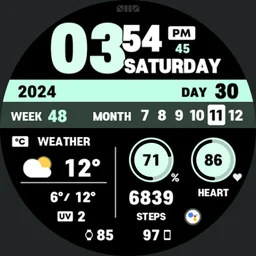 SMZ GREEN HEART
Personnalisation
-
 SMZ ACTION9
Personnalisation
-
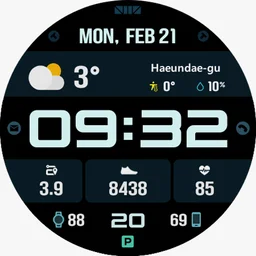 SMZ Integrity7
Personnalisation
-
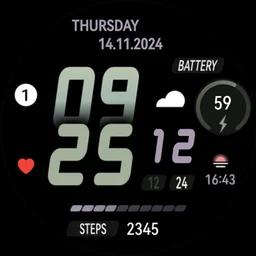 SG-143
Personnalisation
-
 SMZ Kingmaker3
Personnalisation
-
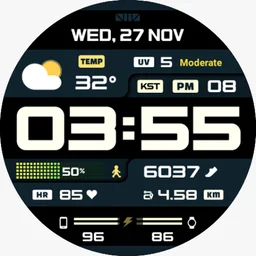 SMZ FORWARD2
Personnalisation
-
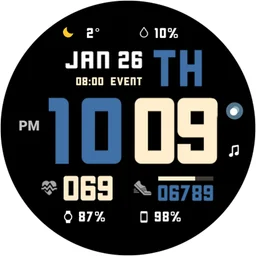 HMKWatch Digital 204
Personnalisation
-
 SG-155
Personnalisation
-
 HMKWatch Digital 172
Personnalisation
-
 SMZ TRIPLE7
Personnalisation
-
 SMZ AX23
Personnalisation
-
 HMKWatch Digital 050
Personnalisation