SURFY: Calculator Budget Notes
47 calculators, no sign-up
Diseñada para iPhone, iPod touch
Gratis · Compras en la aplicación
- Clasificación por edad4+
- CategoríaProductividad
- DesarrolladorDoHan Lee
- IdiomasInglés
- Tamaño300,0 MB
Enlaza a la página oficial de App Store
Download.org no aloja ningún archivo de SURFY: Calculator Budget Notes. El botón abre la página de la aplicación en App Store, donde la publica DoHan Lee. Ficha comprobada por última vez el 29/11/2026.
Capturas de pantalla

Acerca de
El desarrollador no ha proporcionado este texto en tu idioma.
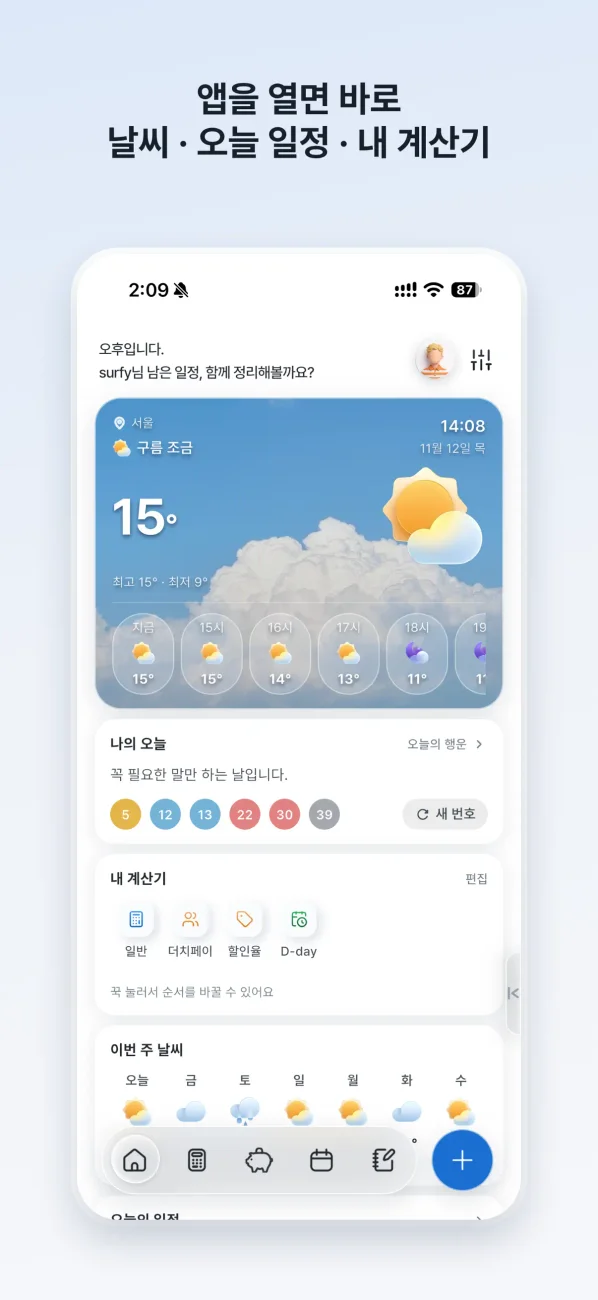
Stop installing a new app every time you need one calculator.
One for tips, one for exchange rates, one for splitting the bill.
Find it, install it, use it once, delete it.
SURFY was made to end that loop.
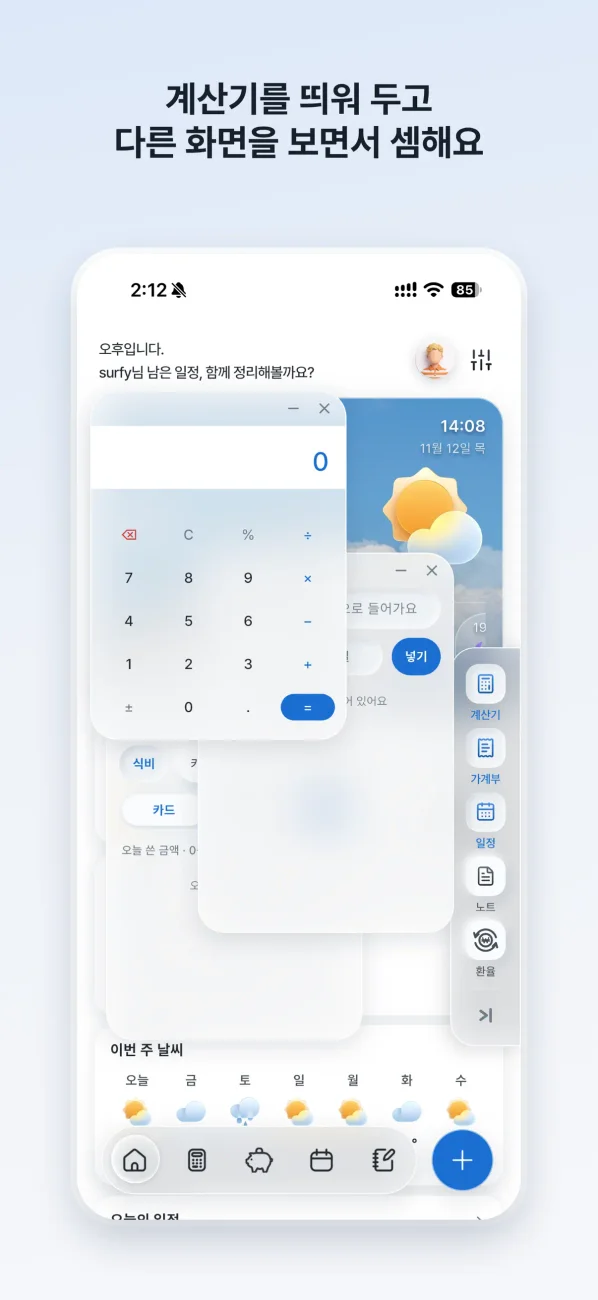
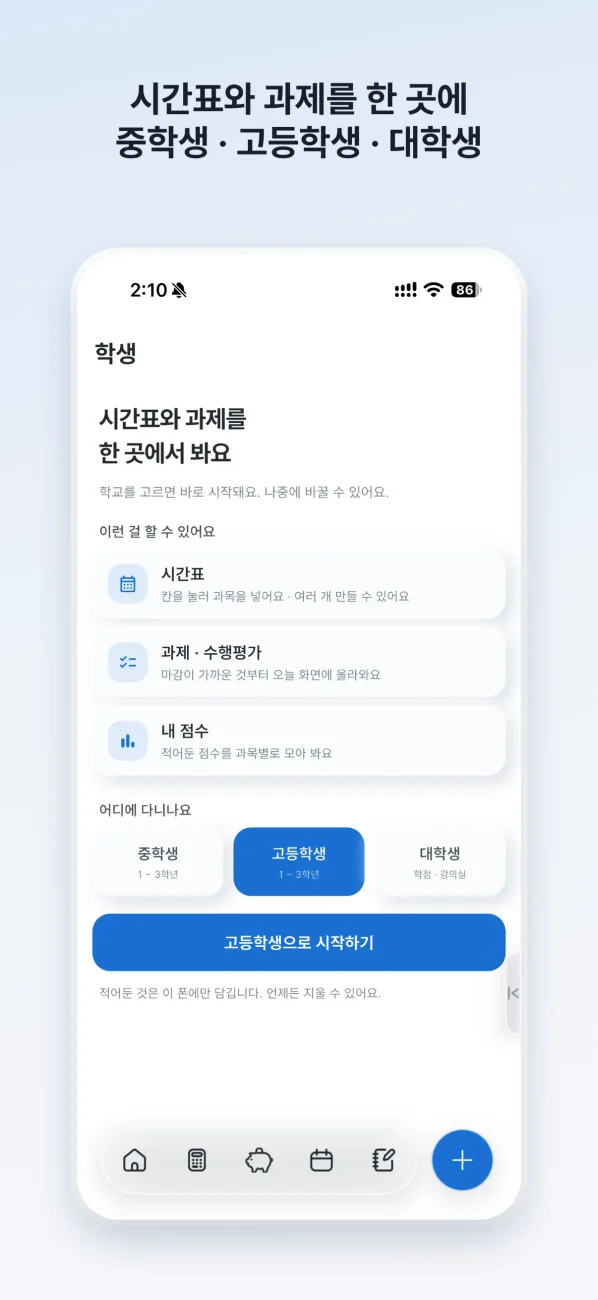
■ 47 calculators
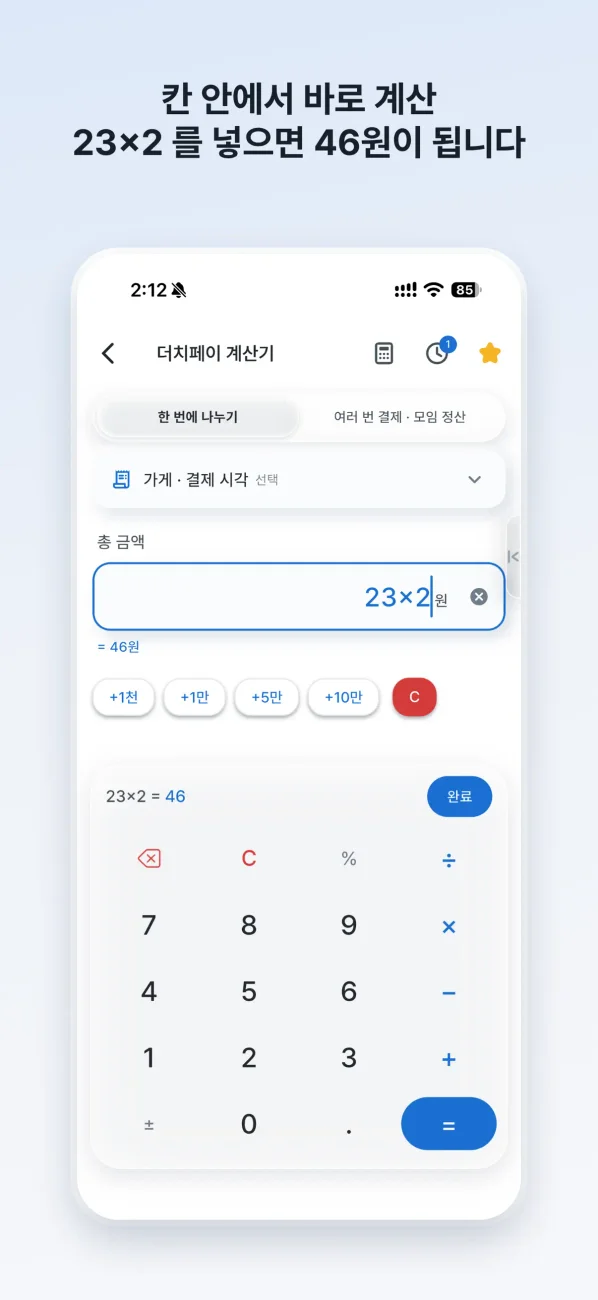
Tip · split the bill · discount · percent · VAT · unit price
Exchange rates · units · loan interest · savings · stock average
Date count · countdown · age · time difference · BMI …
Pin the ones you use to the first screen and put them in your own order.
Some calculators (severance pay, net salary, taxes, real estate) follow Korean law and rates. They are marked "KR".
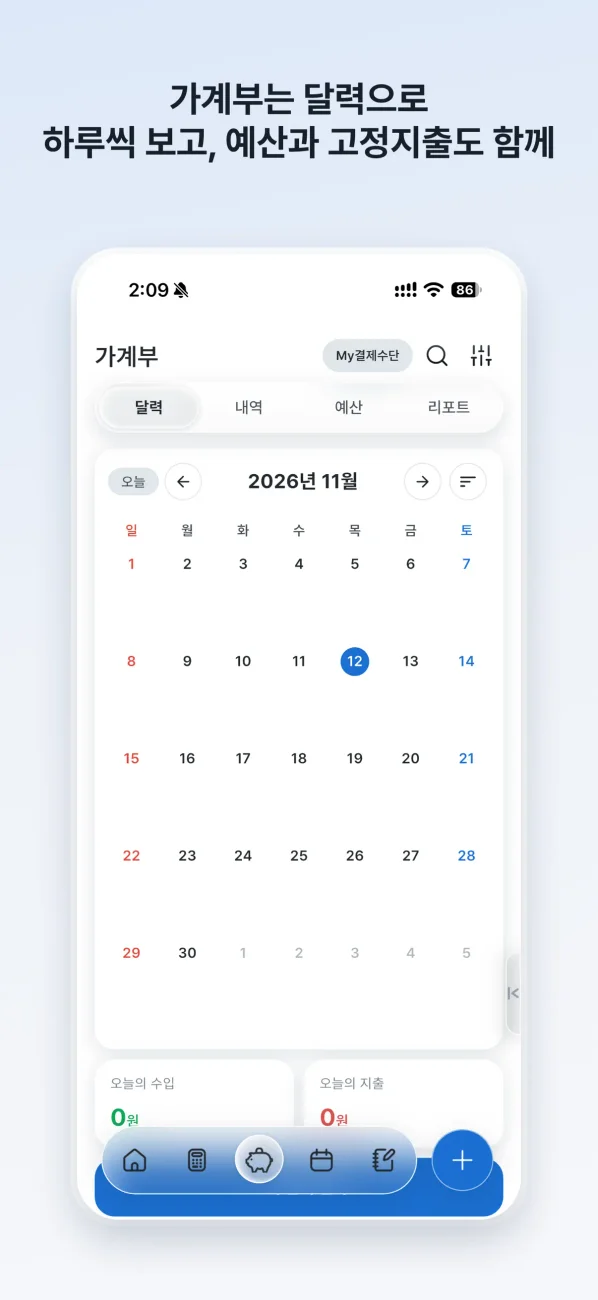
■ Budget book
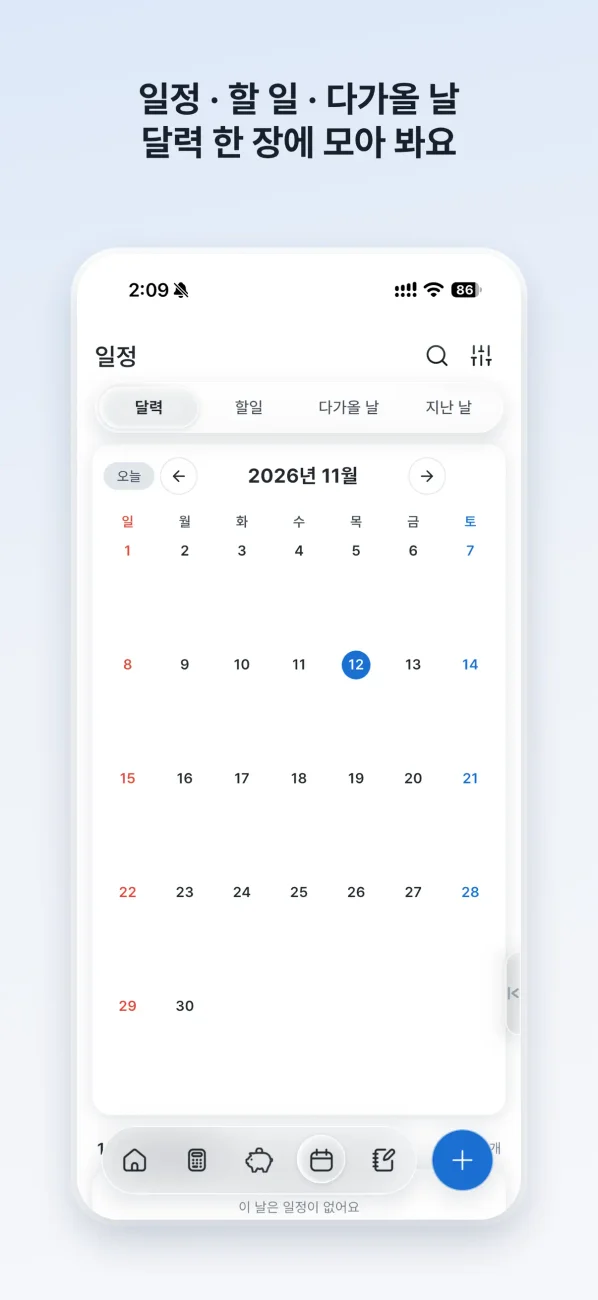
See each day on a calendar, together with your budget and fixed costs.
Write down assets and debts and your net worth shows up in one line.
Choose your currency in Settings. Amounts in the budget book and calculators are shown in it.
■ Planner · to-dos
Calendar, repeats and reminders. Days when fixed costs go out are shown too.
Pick your country to see its public holidays on the calendar (240+ countries).
Events from the iPhone Calendar appear on the same calendar, and Surfy events can be added to it.
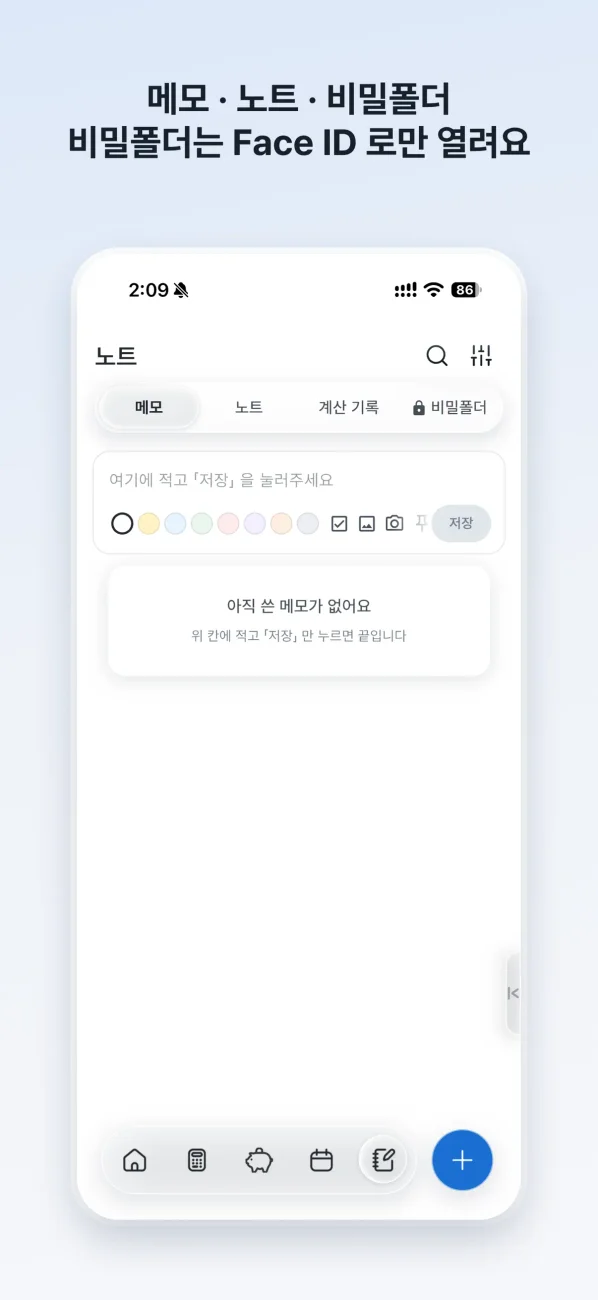
■ Notes
Attach photos and files, export to PDF, or write by hand.
The secret notebook opens only with Face ID.
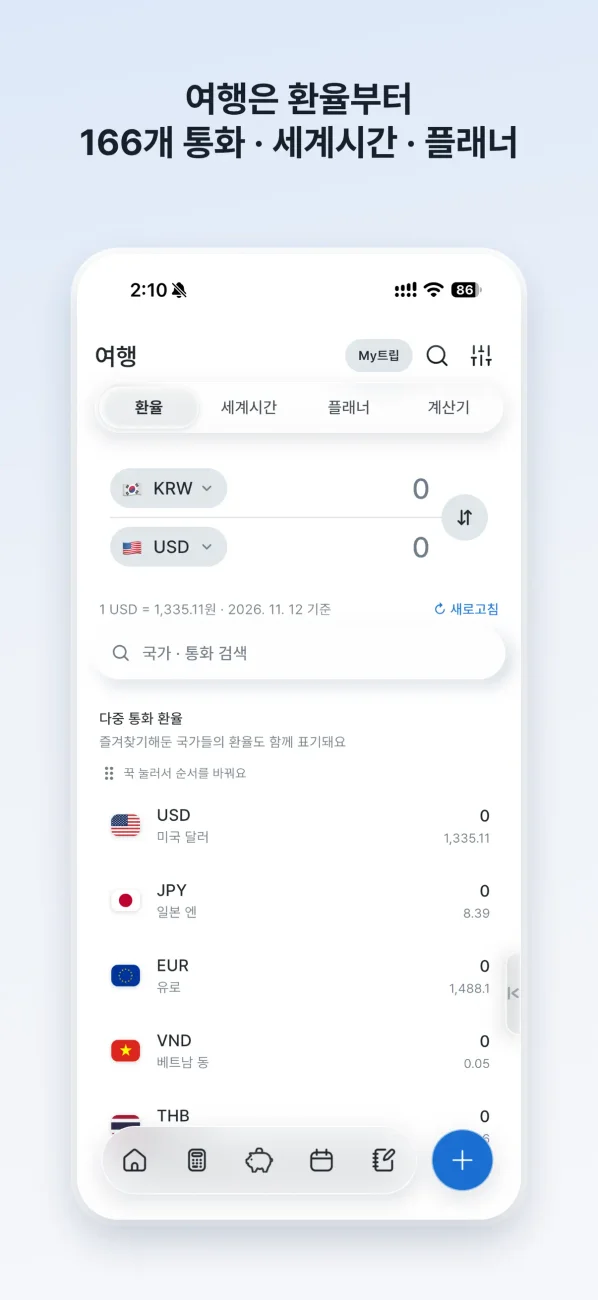
■ Travel
Exchange rates · weather · time difference · packing list · world clock with 447 cities.
Your passport and frequent-flyer numbers are kept only in the iPhone's secure storage and are never included in backup files.
■ Students · work
Make several timetables and pick a colour for each subject.
Shift schedule, days off, pay and a wake-up alarm for work in one place.
■ Tools
Multiple timers · QR maker and reader · My Wallet (cards · accounts · memberships).
■ iPad · wide screens
On iPad a menu appears on the left and two pages open side by side.
Tap a pane's title to change the page in that pane.
■ Make it yours
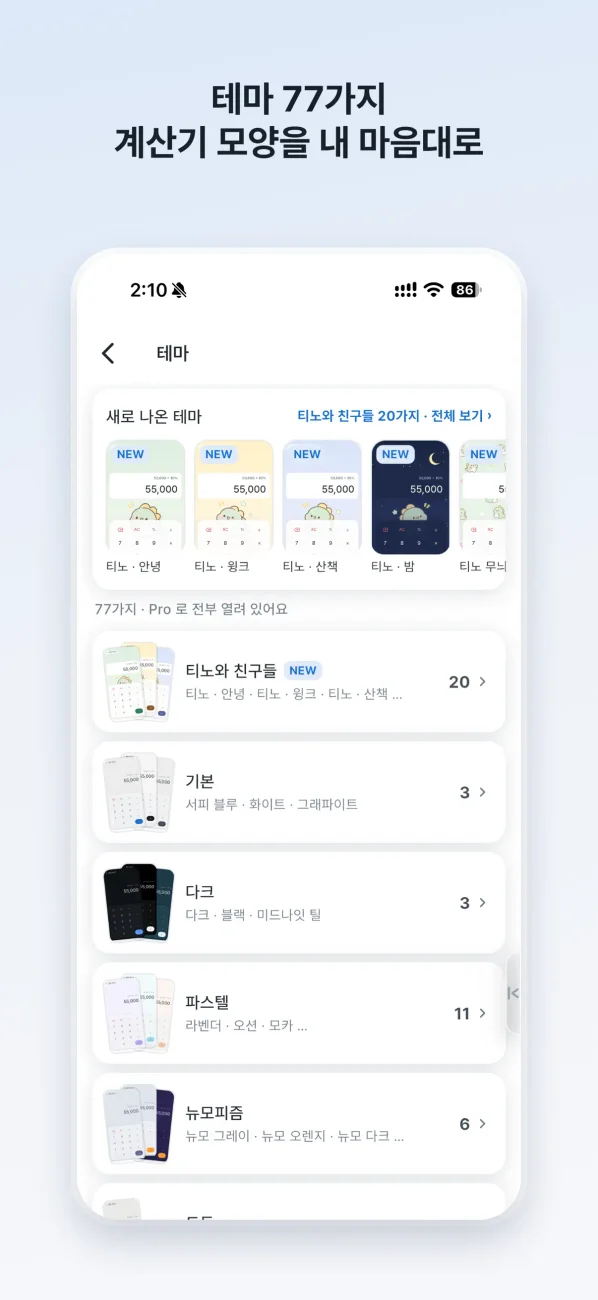
77 themes, adjustable Liquid Glass, and home screen widgets.
Available in English, Japanese and Korean.
■ What you write does not leave your phone
No sign-up, no login. We do not run a server.
Every number and note you enter stays on your iPhone.
Backups go only to your own iCloud Drive or Google Drive, and only when you choose.
Exchange rates and weather come from the internet.
For weather, your coordinates are sent only when you tap "Current location" and are not stored.
■ Works offline
Everything except exchange rates and weather works without the internet.
On a plane or in an underground car park, it just works.
■ SURFY PRO
Removes the banners and unlocks all 77 themes, fonts, unlimited mini windows and daily automatic backup to Google Drive.
The budget book, planner, notes, travel, timetable and all 47 calculators are free for everyone.
Monthly and yearly subscriptions are available. Prices are shown on the purchase screen.
A subscription renews automatically unless it is turned off at least 24 hours before the period ends, and is charged to your Apple Account.
You can cancel any time in Settings › Apple Account › Subscriptions.
Terms of Use (EULA) https://www.apple.com/legal/internet-services/itunes/dev/stdeula/
Privacy Policy https://surfystudio.com/privacy
Surfy Studio
Contact support@surfystudio.com
Novedades
Versión 1.0.7 · 28/11/2026
· Stitch effect is now free on every color theme: bottom bar only, or the whole app (cards, calculator keys, top tabs)
· Customization in one screen. Make your own theme with a photo, animated image and accent color (Pro)
· New bottom bar style: Bubble
· Shift schedule: patterns by industry, 3-team rotation choices, up to 8 teams, this month's shifts, sharing
· Lotto: Reset in round search, Saturday 6 PM reminder
· Stars and lights in winter themes
· Effect switches update right away
Privacidad de la aplicación
Lo que DoHan Lee declara en App Store sobre cómo esta aplicación gestiona los datos.
-
Datos usados para rastrearte
Pueden usarse para rastrearte en aplicaciones y sitios web propiedad de otras empresas.
- Identificadores
-
Datos no vinculados a ti
Pueden recopilarse, pero no se vinculan a tu identidad.
- Compras
- Ubicación
- Identificadores
- Datos de uso
- Diagnóstico
Las prácticas de privacidad pueden variar, por ejemplo, según las funciones que uses o tu edad.
Información
- Vendedor
- DoHan Lee
- Categoría
- Productividad
- Versión
- 1.0.7
- Actualizado
- 28/11/2026
- Publicado
- 13/11/2026
- Tamaño
- 300,0 MB
- Requiere
- iOS 15.5 o posterior
- Clasificación por edad
- 4+
- Precio
- Gratis
- Compras en la aplicación
- Sí
- Idiomas
- Inglés
- Copyright
- © 2026 Surfy Studio
Quizá también te guste
-
 MyDayBook: Agenda y diarioCalendario, tareas y notas
-
 Mal Memo - Live TranscriptionProductividad
-
 Local AI BenchProductividad
-
 Pin Reminder: Place AlertsProductividad
-
 TagNote : Multi-Tagging NotesProductividad
-
 내쓸모Productividad
-
 Llama 1B AI Chat - Offline LLMProductividad
-
 CampusFlowProductividad
-
 TickkuProductividad
-
 hydo - 잠금화면 일정 공유 캘린더Productividad