SURFY: Calculator Budget Notes
47 calculators, no sign-up
Designed for iPhone, iPod touch
Free · In-app purchases
- Age rating4+
- CategoryProductivity
- DeveloperDoHan Lee
- LanguagesEnglish
- Size295.9 MB
Links to the official App Store page
Download.org hosts no file of SURFY: Calculator Budget Notes. The button opens its official App Store page, published by DoHan Lee. Listing last checked on Nov 25, 2026.
Screenshots

About
Stop installing a new app every time you need one calculator.
One for tips, one for exchange rates, one for splitting the bill.
Find it, install it, use it once, delete it.
SURFY was made to end that loop.
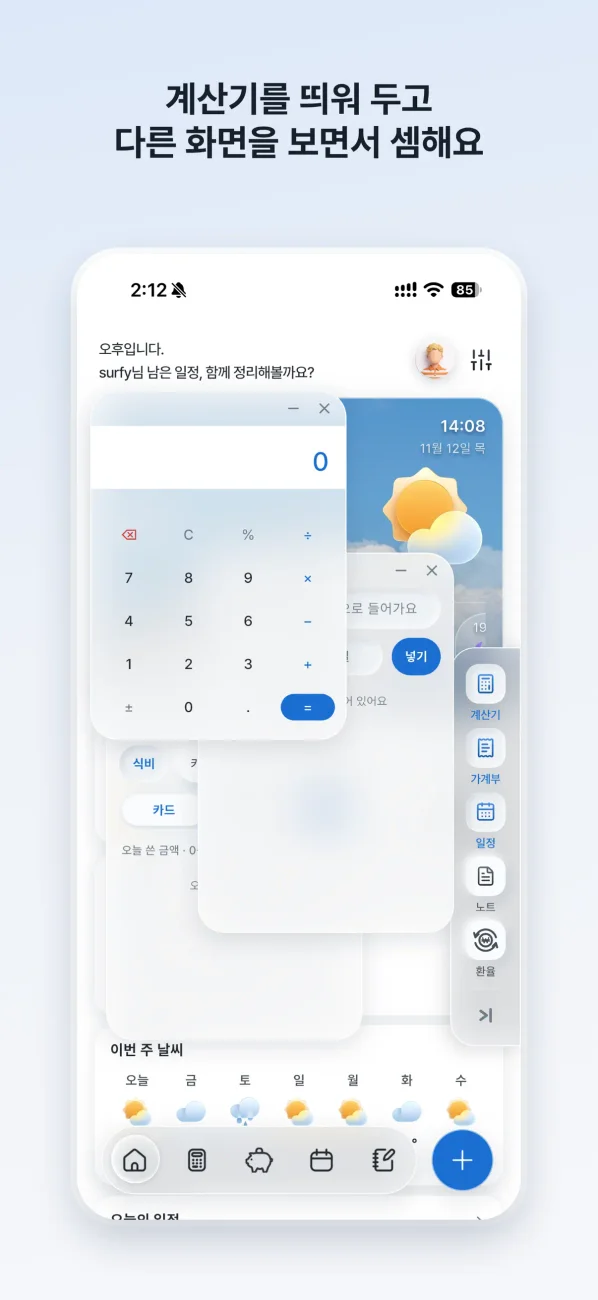
■ 47 calculators
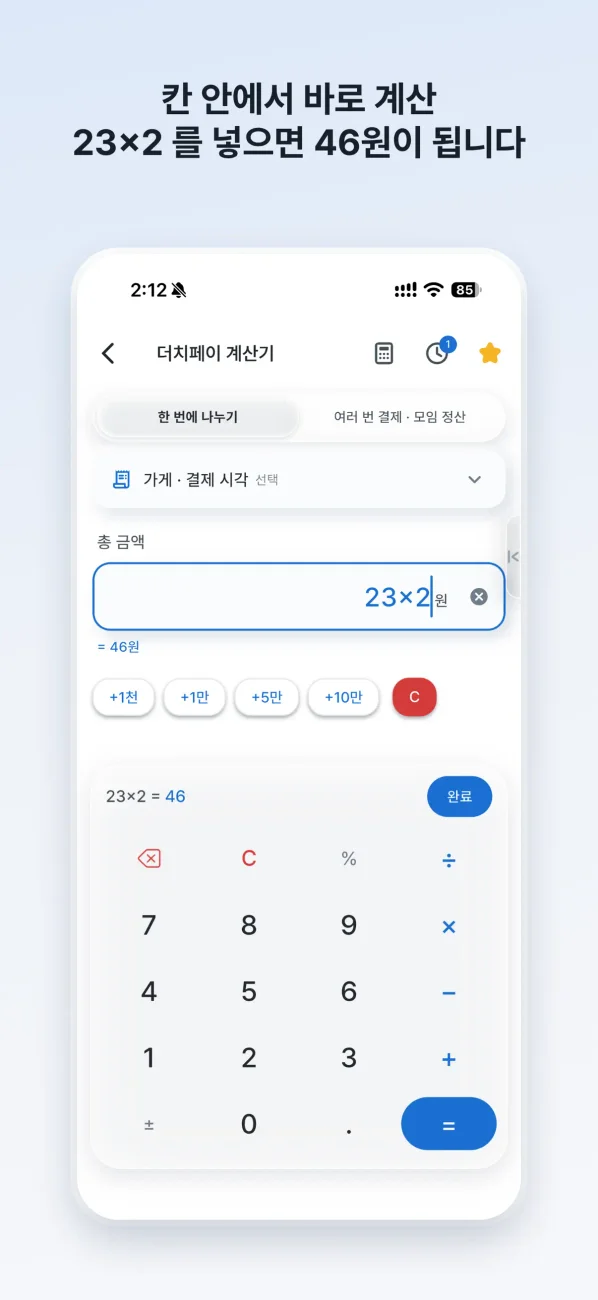
Tip · split the bill · discount · percent · VAT · unit price
Exchange rates · units · loan interest · savings · stock average
Date count · countdown · age · time difference · BMI …
Pin the ones you use to the first screen and put them in your own order.
Some calculators (severance pay, net salary, taxes, real estate) follow Korean law and rates. They are marked "KR".
■ Budget book
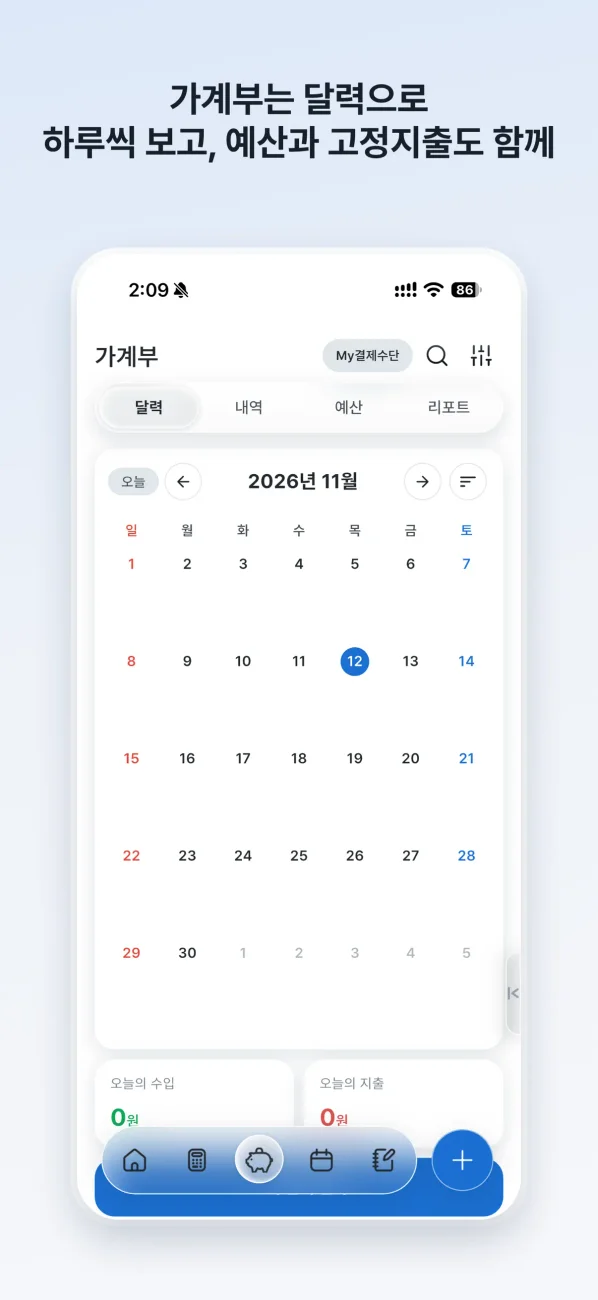
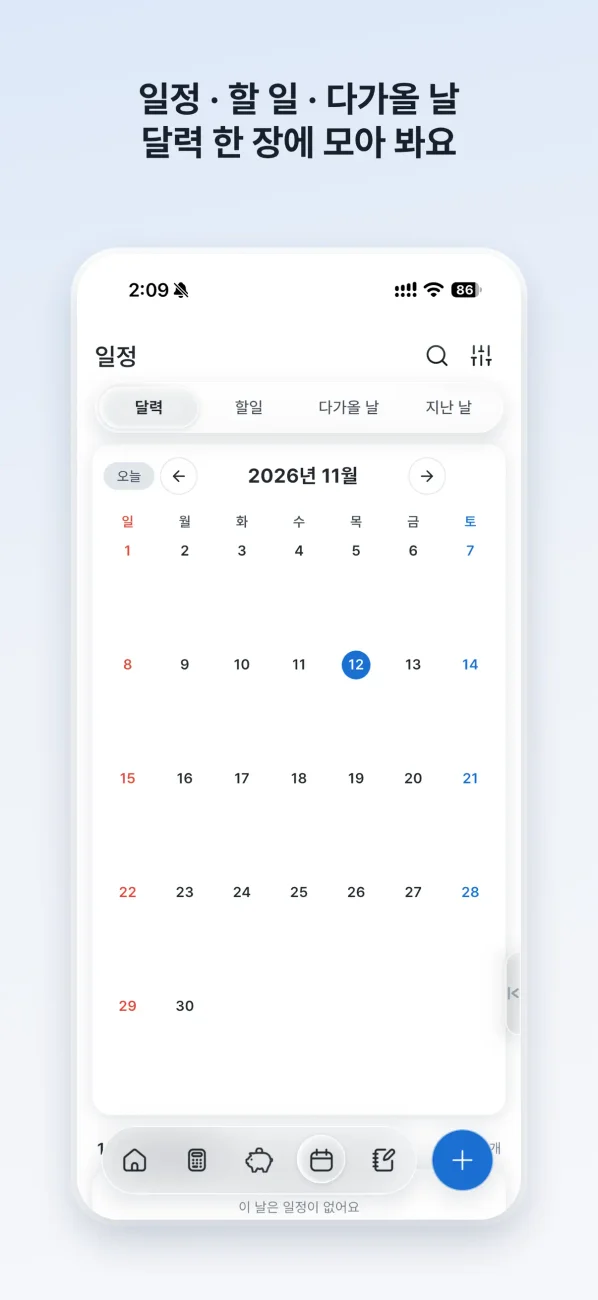
See each day on a calendar, together with your budget and fixed costs.
Write down assets and debts and your net worth shows up in one line.
Choose your currency in Settings. Amounts in the budget book and calculators are shown in it.
■ Planner · to-dos
Calendar, repeats and reminders. Days when fixed costs go out are shown too.
Pick your country to see its public holidays on the calendar (240+ countries).
Events from the iPhone Calendar appear on the same calendar, and Surfy events can be added to it.
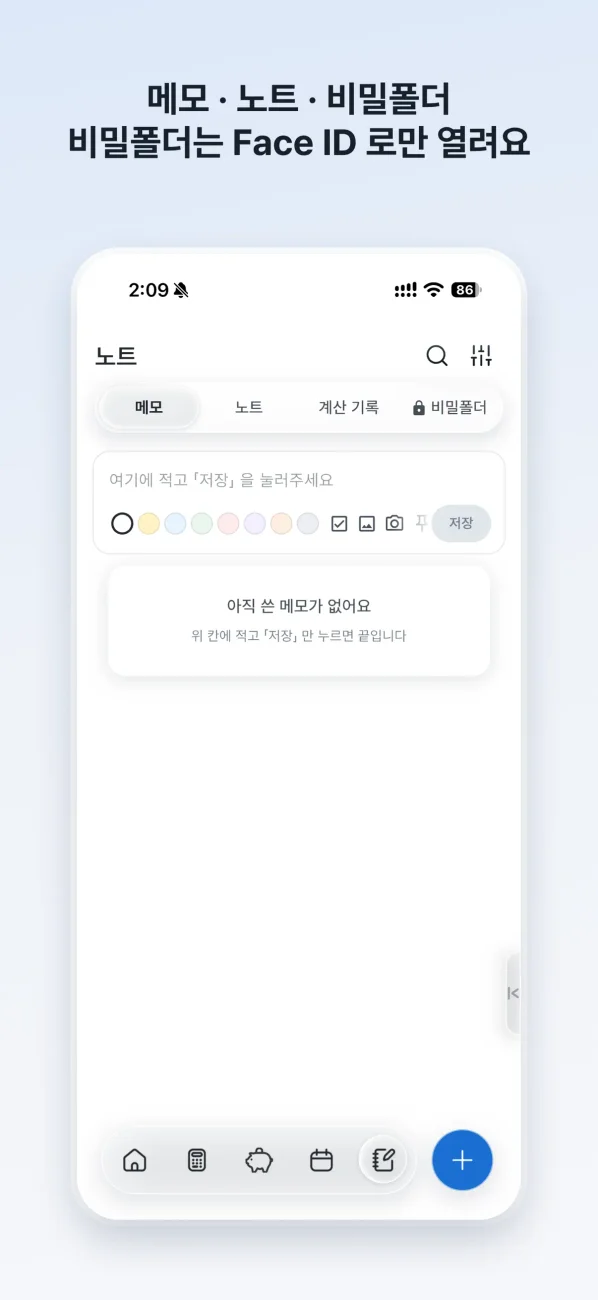
■ Notes
Attach photos and files, export to PDF, or write by hand.
The secret notebook opens only with Face ID.
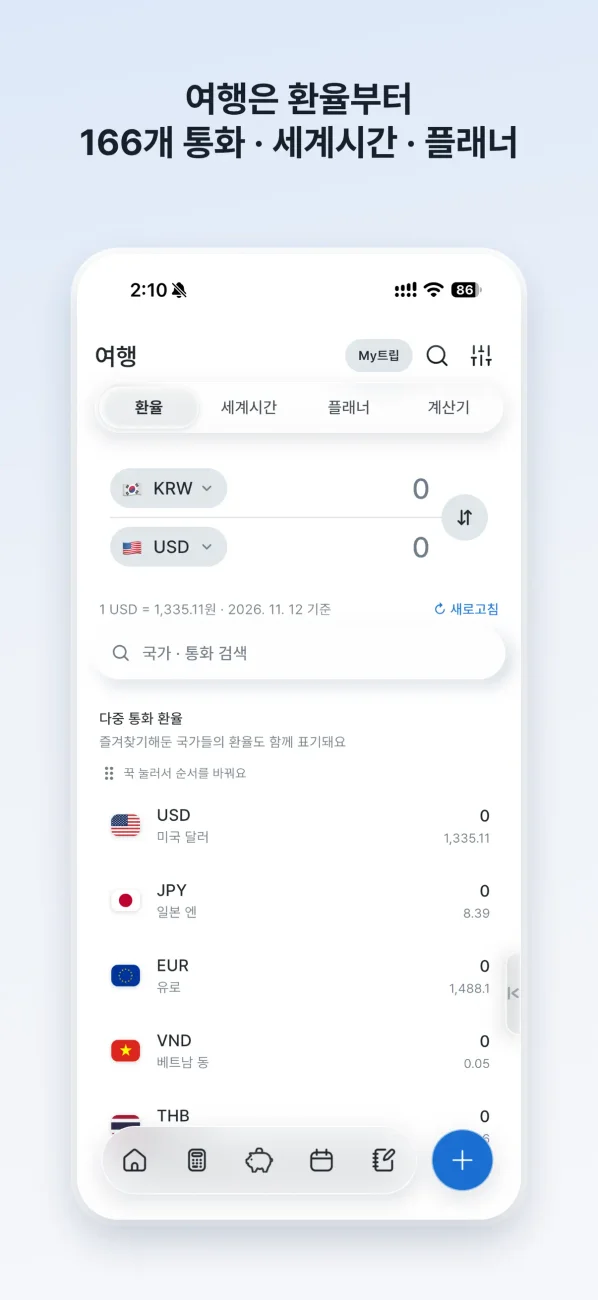
■ Travel
Exchange rates · weather · time difference · packing list · world clock with 447 cities.
Your passport and frequent-flyer numbers are kept only in the iPhone's secure storage and are never included in backup files.
■ Students · work
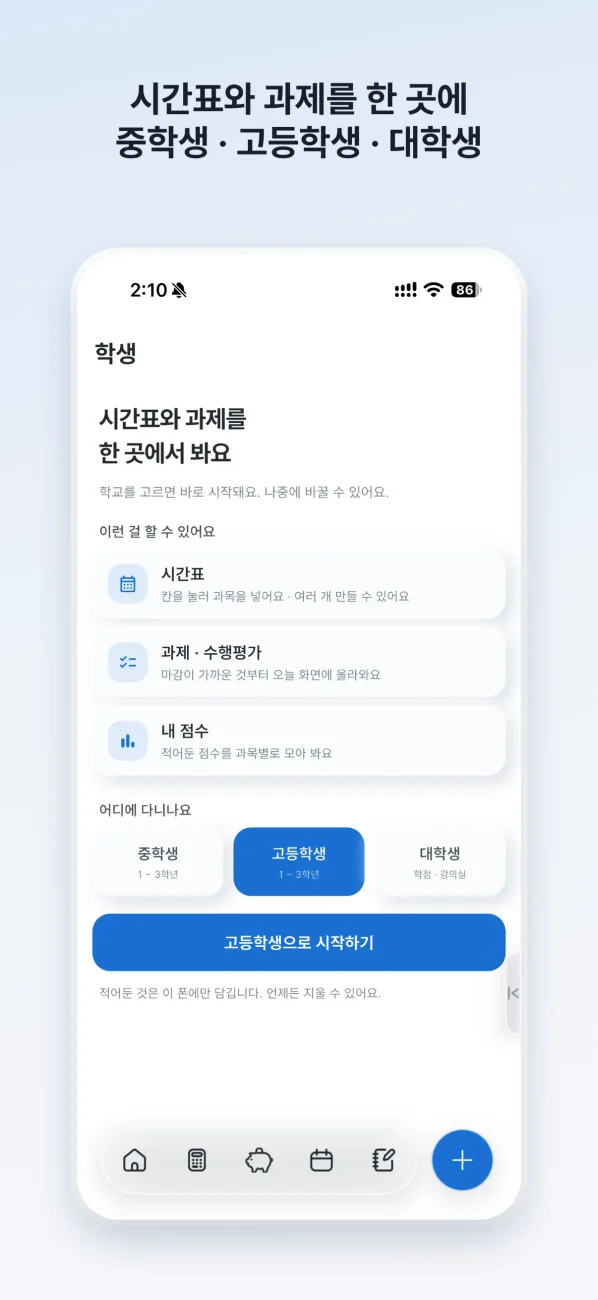
Make several timetables and pick a colour for each subject.
Shift schedule, days off, pay and a wake-up alarm for work in one place.
■ Tools
Multiple timers · QR maker and reader · My Wallet (cards · accounts · memberships).
■ iPad · wide screens
On iPad a menu appears on the left and two pages open side by side.
Tap a pane's title to change the page in that pane.
■ Make it yours
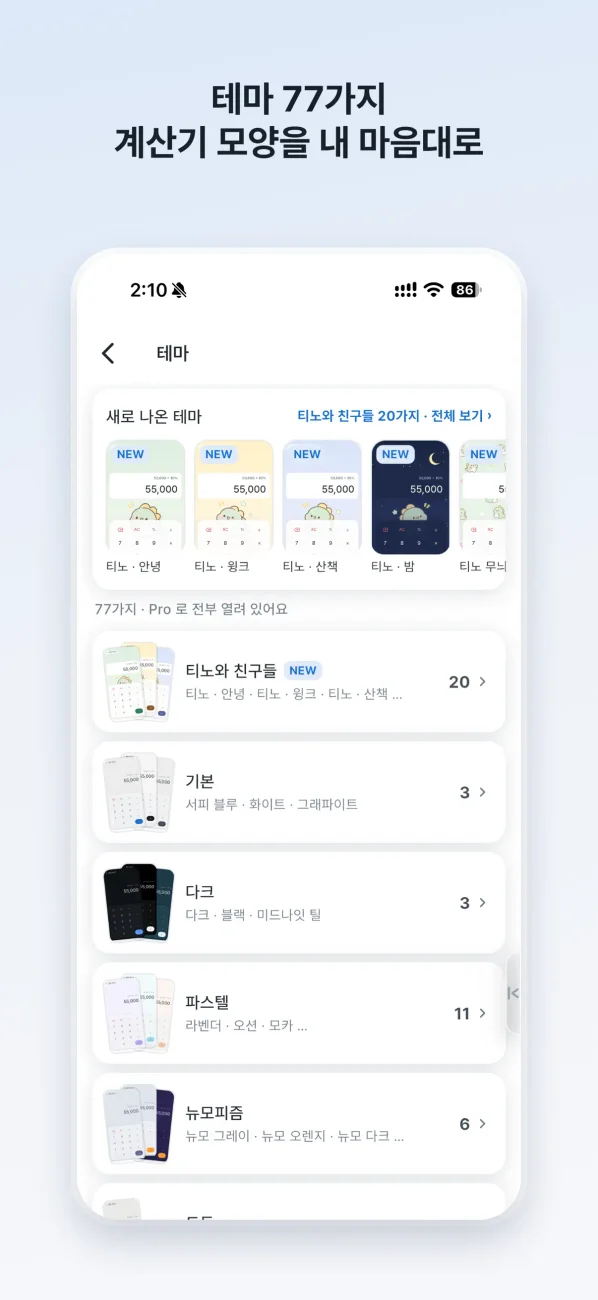
77 themes, adjustable Liquid Glass, and home screen widgets.
Available in English, Japanese and Korean.
■ What you write does not leave your phone
No sign-up, no login. We do not run a server.
Every number and note you enter stays on your iPhone.
Backups go only to your own iCloud Drive or Google Drive, and only when you choose.
Exchange rates and weather come from the internet.
For weather, your coordinates are sent only when you tap "Current location" and are not stored.
■ Works offline
Everything except exchange rates and weather works without the internet.
On a plane or in an underground car park, it just works.
■ SURFY PRO
Removes the banners and unlocks all 77 themes, fonts, unlimited mini windows and daily automatic backup to Google Drive.
The budget book, planner, notes, travel, timetable and all 47 calculators are free for everyone.
Monthly and yearly subscriptions are available. Prices are shown on the purchase screen.
A subscription renews automatically unless it is turned off at least 24 hours before the period ends, and is charged to your Apple Account.
You can cancel any time in Settings › Apple Account › Subscriptions.
Terms of Use (EULA) https://www.apple.com/legal/internet-services/itunes/dev/stdeula/
Privacy Policy https://surfystudio.com/privacy
Surfy Studio
Contact support@surfystudio.com
What’s new
Version 1.0.5 · Nov 24, 2026
· Fixed backup restore. Pick which backup to restore, then reopen the app to see your data.
· Choose your tab bar style. Preview and switch in Settings › Tab bar.
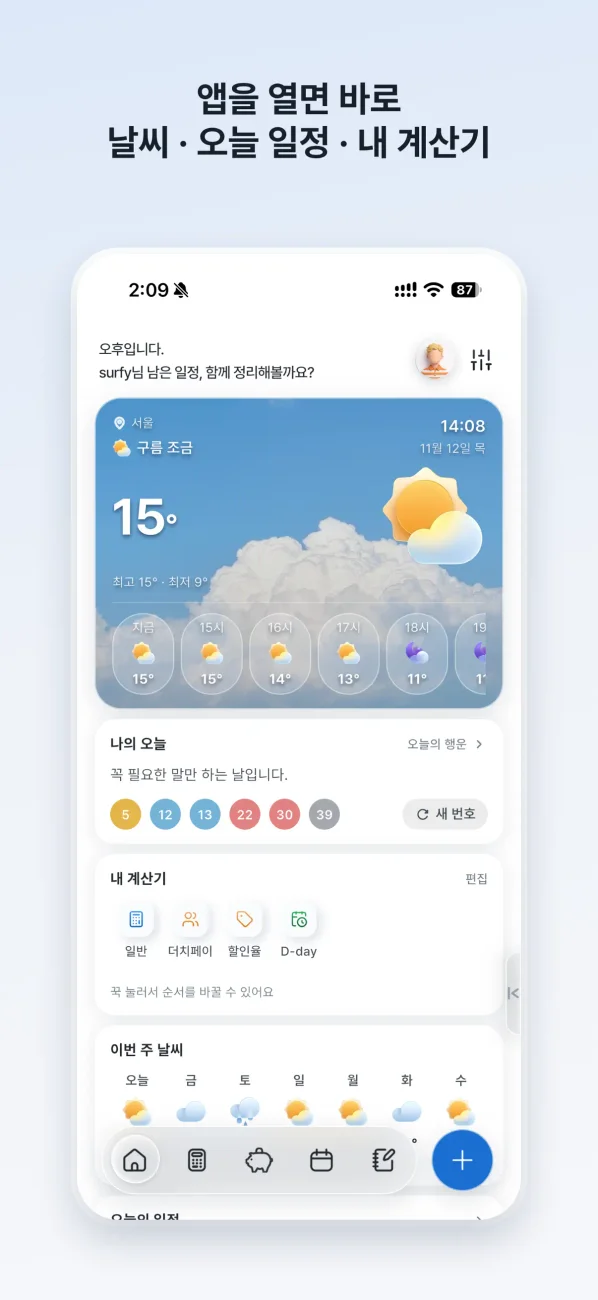
· New home weather card. Tap to expand hourly, wind, humidity and this week.
· Search weather locations by city, district or neighborhood.
· Shorter settings screens and a simpler backup screen.
· Import directly from Ledger, Schedule, Notes and Travel settings.
· Added Chinese (Simplified, Traditional) and Thai.
· More complete holidays for China, Taiwan, Hong Kong, Macau and Thailand.
· Fixed unreadable text in the Travel tab on dark themes and a doubled calculator title.
App privacy
What DoHan Lee declares on the App Store about how this app handles data.
-
Data used to track you
May be used to track you across apps and websites owned by other companies.
- Identifiers
-
Data not linked to you
May be collected but is not linked to your identity.
- Purchases
- Location
- Identifiers
- Usage data
- Diagnostics
Privacy practices may vary, for example with the features you use or your age.
Information
- Seller
- DoHan Lee
- Category
- Productivity
- Version
- 1.0.5
- Updated
- Nov 24, 2026
- Released
- Nov 13, 2026
- Size
- 295.9 MB
- Requires
- iOS 15.5 or later
- Age rating
- 4+
- Price
- Free
- In-app purchases
- Yes
- Languages
- English
- Copyright
- © 2026 Surfy Studio
You might also like
-
 MyDayBook: Calendar & DiaryTo-dos, notes & journal in one
-
 Mal Memo - Live TranscriptionPrivate On-Device Voice Notes
-
 Local AI Bench오프라인 온디바이스 AI 벤치마크
-
 Pin Reminder: Place AlertsPinpoint Location Reminders
-
 TagNote : Multi-Tagging NotesTag your notes, forget folders
-
 내쓸모Productivity
-
 Llama 1B AI Chat - Offline LLMSecure + Private Offline Chat
-
 CampusFlowProductivity
-
 TickkuMulti-Step Timers, Made Easy
-
 hydo - 잠금화면 일정 공유 캘린더Productivity