AspectKey
The creative keyboard
Diseñada para iPhone, iPod touch
Gratis · Compras en la aplicación
- Clasificación por edad12+
- CategoríaUtilidades
- DesarrolladorIRIS TEKNOLOJI ANONIM SIRKETI
- IdiomasInglés+ 11 más
- Tamaño111,8 MB
Enlaza a la página oficial de App Store
Download.org no aloja ningún archivo de AspectKey. El botón abre la página de la aplicación en App Store, donde la publica IRIS TEKNOLOJI ANONIM SIRKETI. Ficha comprobada por última vez el 14/11/2026.
Capturas de pantalla



Acerca de
El desarrollador no ha proporcionado este texto en tu idioma.
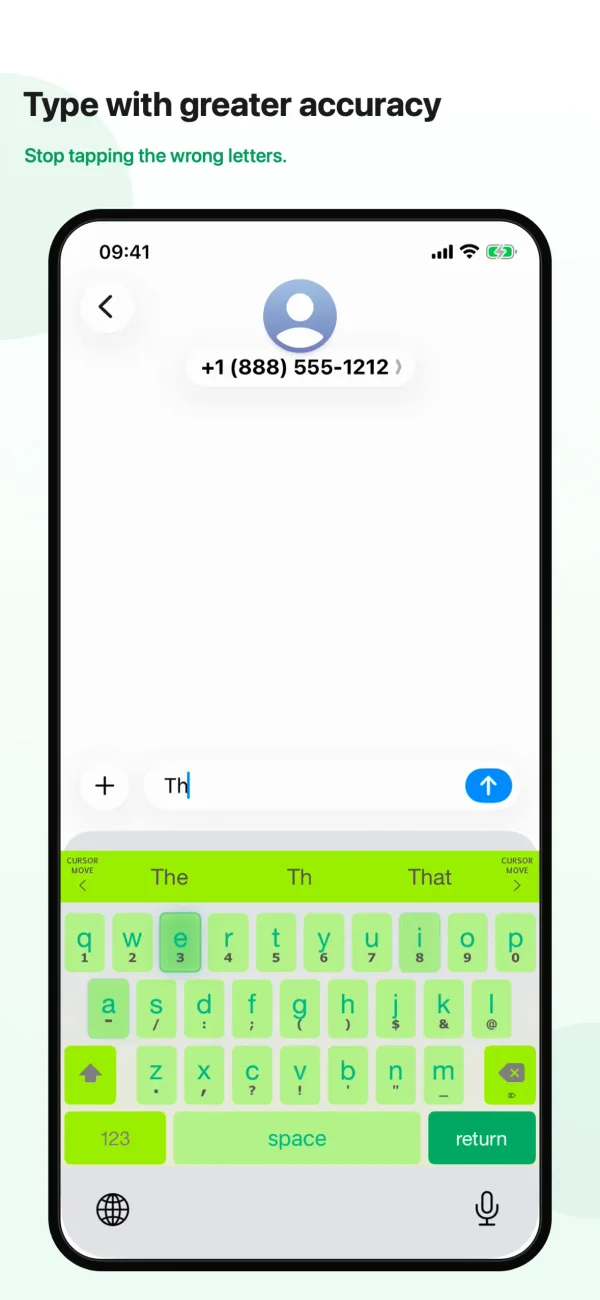
Feedback is essential when you interact with your mobile keyboard. AspectKey provides you with the best typing experience, by far. This app will allow you to clearly see if your device is typing what you intended it to type.
We are proud to present the best auto-correct mechanism. We encourage you to try! There is countless hours work for auto-correct functionality. We are still improving it little bit here and there to set the bar.
Along with the best typing feedback the auto-correct function will comfort users who are dyslexics.
Simple and straightforward: The user is in total control of their keyboard. There will be no surprises when you are typing with AspectKey. All features of AspectKey are intuitive, clear and precise.
Thirty state-of-art themes are unlocked. Random Rainbow feature is available.
Product Features:
1- Swipe up on the keys to change the letter to uppercase
2- Swipe down on the keys for subscripted items. Such as, numbers, punctuation and your favorite emojis
3- Swipe right anywhere for space
4- Swipe left anywhere for backspace
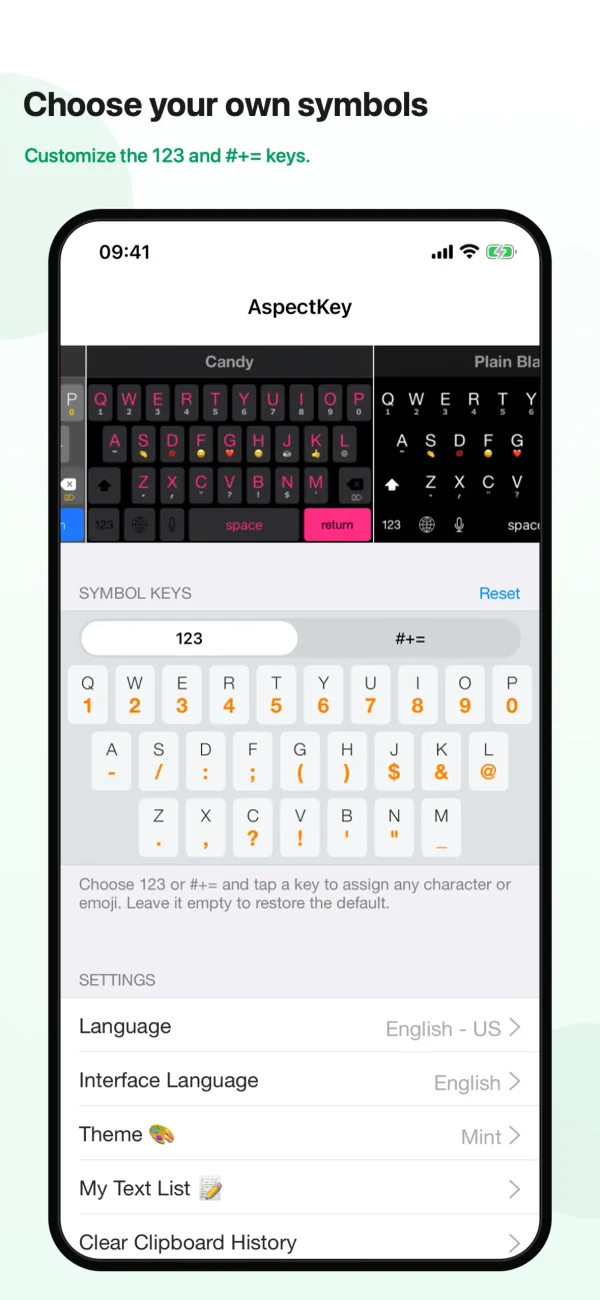
5- Customize secondary characters in second and third rows
6- Move the cursor by tapping the top-left and top-right buttons
7- Access emojis and stickers by pulling down the prediction bar
8- Access your quick text list by pulling down the prediction bar on the left side
9- Access themes by pulling down the prediction bar on the right side
10- Speech-To-Text (first time in AspectKey besides stock keyboard and gboard)
11- The number pad is in landscape view
12- There are also additional functions in landscape view, such as: Paste, Home, End, fast cursor and settings
13- State-of-art themes
14- 200 genuine sticker
15- Random rainbow theme mode (first time in AspectKey)
16- 3D Touch cursor move
17- User dictionary management
18- iMessage sticker app
Novedades
Versión 3.01 · 4/11/2026
- Auto fix and word recommendation got better!
- Performance got better!
Privacidad de la aplicación
Lo que IRIS TEKNOLOJI ANONIM SIRKETI declara en App Store sobre cómo esta aplicación gestiona los datos.
-
No se recopilan datos
El desarrollador no recopila ningún dato de esta aplicación.
Las prácticas de privacidad pueden variar, por ejemplo, según las funciones que uses o tu edad.
Información
- Vendedor
- IRIS TEKNOLOJI ANONIM SIRKETI
- Categoría
- Utilidades
- Versión
- 3.01
- Actualizado
- 4/11/2026
- Publicado
- 11/11/2015
- Tamaño
- 111,8 MB
- Requiere
- iOS 15.0 o posterior
- Clasificación por edad
- 12+
- Precio
- Gratis
- Compras en la aplicación
- Sí
- Idiomas
- Inglés, Danés, Neerlandés, Finés, Francés, Alemán, Italiano, Noruego bokmål, Ruso, Español, Sueco, Turco
- Copyright
- © 2015 Iris Teknoloji A.S.
Quizá también te guste
-
 Camera Scale for Grams AI MassUtilidades
-
 Drilling Calculator for RigsUtilidades
-
 Insight Trading NotesUtilidades
-
 Temas Teclado - Emoji, FuentesStickers monos, DIY y Kaomoji
-
 Akari: Browser with Ad BlockerUtilidades
-
 MyThings – Personal InventoryUtilidades
-
 Teclado Personalizable:GIFFoto, GIF, sonidos & vitalicio
-
 Calculator - Currency - UnitUtilidades
-
 Speaker Dust CleanerUtilidades
-
 Fun Customizable KeyboardUtilidades