AspectKey
The creative keyboard
Conçue pour iPhone, iPod touch
Gratuit · Achats intégrés
- Classification d’âge12+
- CatégorieUtilitaires
- DéveloppeurIRIS TEKNOLOJI ANONIM SIRKETI
- LanguesAnglais+ 11 de plus
- Taille111,8 Mo
Renvoie vers la page App Store officielle
Download.org n’héberge aucun fichier de AspectKey. Le bouton ouvre la page de l’application sur App Store, où IRIS TEKNOLOJI ANONIM SIRKETI la publie. Fiche vérifiée pour la dernière fois le 14/11/2026.
Captures d’écran



À propos
Le développeur n’a pas fourni ce texte dans votre langue.
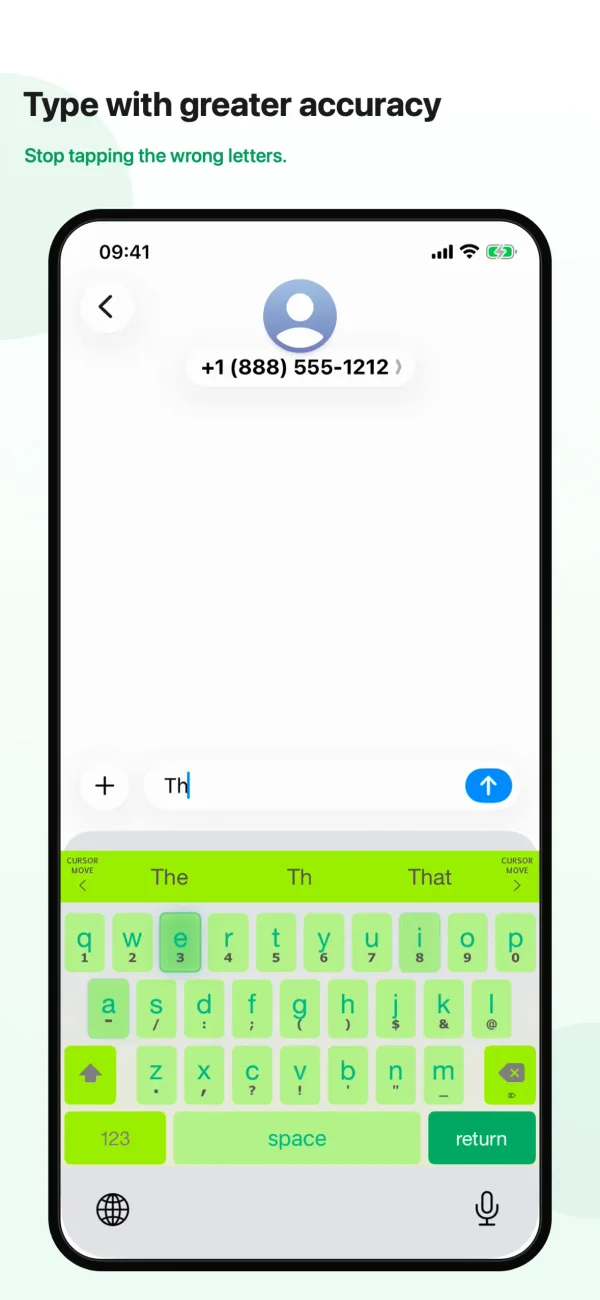
Feedback is essential when you interact with your mobile keyboard. AspectKey provides you with the best typing experience, by far. This app will allow you to clearly see if your device is typing what you intended it to type.
We are proud to present the best auto-correct mechanism. We encourage you to try! There is countless hours work for auto-correct functionality. We are still improving it little bit here and there to set the bar.
Along with the best typing feedback the auto-correct function will comfort users who are dyslexics.
Simple and straightforward: The user is in total control of their keyboard. There will be no surprises when you are typing with AspectKey. All features of AspectKey are intuitive, clear and precise.
Thirty state-of-art themes are unlocked. Random Rainbow feature is available.
Product Features:
1- Swipe up on the keys to change the letter to uppercase
2- Swipe down on the keys for subscripted items. Such as, numbers, punctuation and your favorite emojis
3- Swipe right anywhere for space
4- Swipe left anywhere for backspace
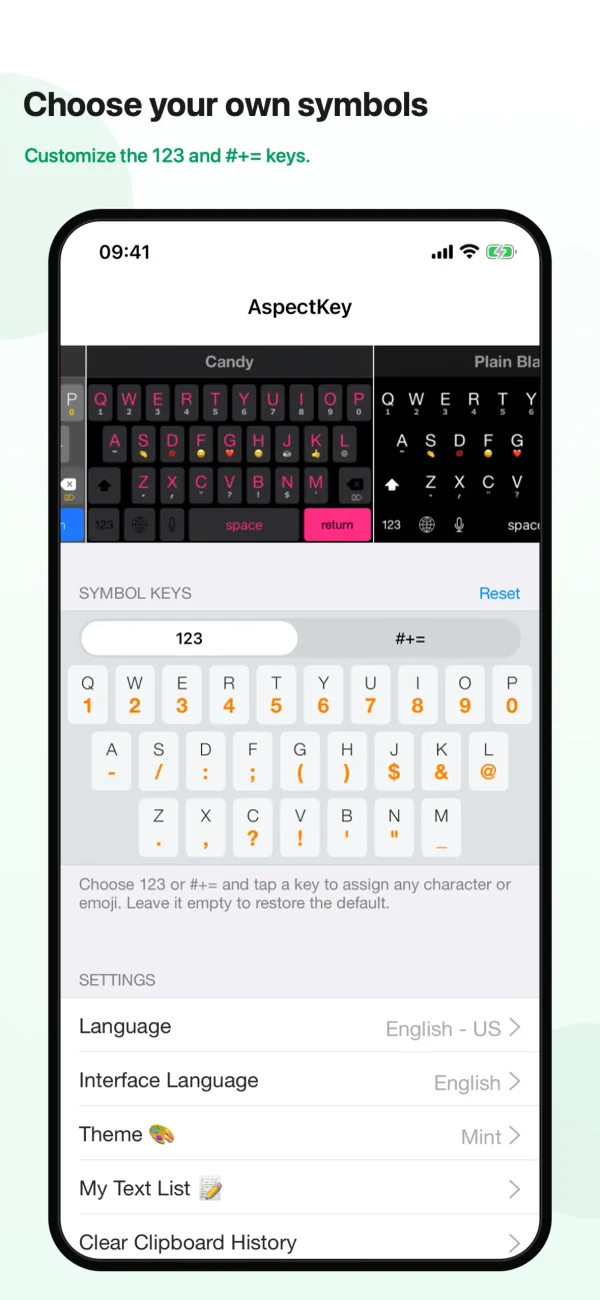
5- Customize secondary characters in second and third rows
6- Move the cursor by tapping the top-left and top-right buttons
7- Access emojis and stickers by pulling down the prediction bar
8- Access your quick text list by pulling down the prediction bar on the left side
9- Access themes by pulling down the prediction bar on the right side
10- Speech-To-Text (first time in AspectKey besides stock keyboard and gboard)
11- The number pad is in landscape view
12- There are also additional functions in landscape view, such as: Paste, Home, End, fast cursor and settings
13- State-of-art themes
14- 200 genuine sticker
15- Random rainbow theme mode (first time in AspectKey)
16- 3D Touch cursor move
17- User dictionary management
18- iMessage sticker app
Nouveautés
Version 3.01 · 04/11/2026
- Auto fix and word recommendation got better!
- Performance got better!
Confidentialité de l’application
Ce que IRIS TEKNOLOJI ANONIM SIRKETI déclare sur l’App Store au sujet du traitement des données par cette application.
-
Données non collectées
Le développeur ne collecte aucune donnée à partir de cette application.
Les pratiques en matière de confidentialité peuvent varier, notamment en fonction des fonctionnalités que vous utilisez ou de votre âge.
Informations
- Vendeur
- IRIS TEKNOLOJI ANONIM SIRKETI
- Catégorie
- Utilitaires
- Version
- 3.01
- Mis à jour
- 04/11/2026
- Publié
- 11/11/2015
- Taille
- 111,8 Mo
- Nécessite
- iOS 15.0 ou version ultérieure
- Classification d’âge
- 12+
- Prix
- Gratuit
- Achats intégrés
- Oui
- Langues
- Anglais, Danois, Néerlandais, Finnois, Français, Allemand, Italien, Norvégien, Russe, Espagnol, Suédois, Turc
- Copyright
- © 2015 Iris Teknoloji A.S.
Vous aimerez peut-être aussi
-
 Camera Scale for Grams AI MassUtilitaires
-
 Drilling Calculator for RigsUtilitaires
-
 Insight Trading NotesUtilitaires
-
 Thèmes Clavier, Emoji, PolicesStickers mignons, DIY, Kaomoji
-
 Akari : Navigateur Anti-PubSans pub, pop-up ni traqueur
-
 MyThings – Personal InventoryUtilitaires
-
 Clavier: Thèmes & GIFPersonnalisable, Fonds & Sons
-
 Calculator - Currency - UnitUtilitaires
-
 Speaker Dust CleanerUtilitaires
-
 Fun Customizable KeyboardUtilitaires