- Clasificación por edad4+
- CategoríaUtilidades
- DesarrolladorAlexander Омelchuk
- IdiomasInglés
- Tamaño1,7 MB
Enlaza a la página oficial de App Store
Download.org no aloja ningún archivo de ATEM Control. El botón abre la página de la aplicación en App Store, donde la publica Alexander Омelchuk. Ficha comprobada por última vez el 12/11/2026.
Capturas de pantalla
Acerca de
El desarrollador no ha proporcionado este texto en tu idioma.
ATEM Control is a control surface for an ATEM switcher on your network. Cut the program, mix the audio, and shade cameras from an iPhone that stays awake for the whole show.
SWITCHER
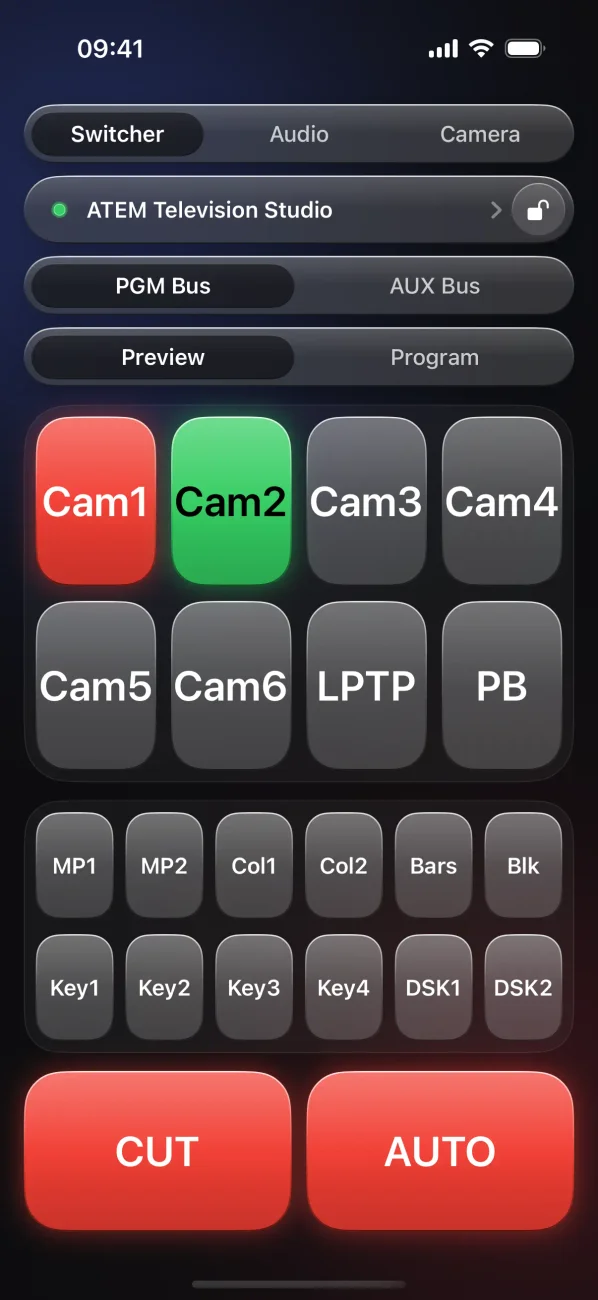
Choose Program or Preview, then cut or take an auto transition. Route a source to an auxiliary output. On a switcher with two mix effects, work ME1 and ME2 from the same panel.
Eight source buttons follow the tally: red on program, green on preview, amber when a source is on both. Hold a button to assign a different input, and add a photo so you can find it in the dark.
Media players, color generators, color bars, black, upstream keyers, and downstream keyers are on the same screen.
AUDIO
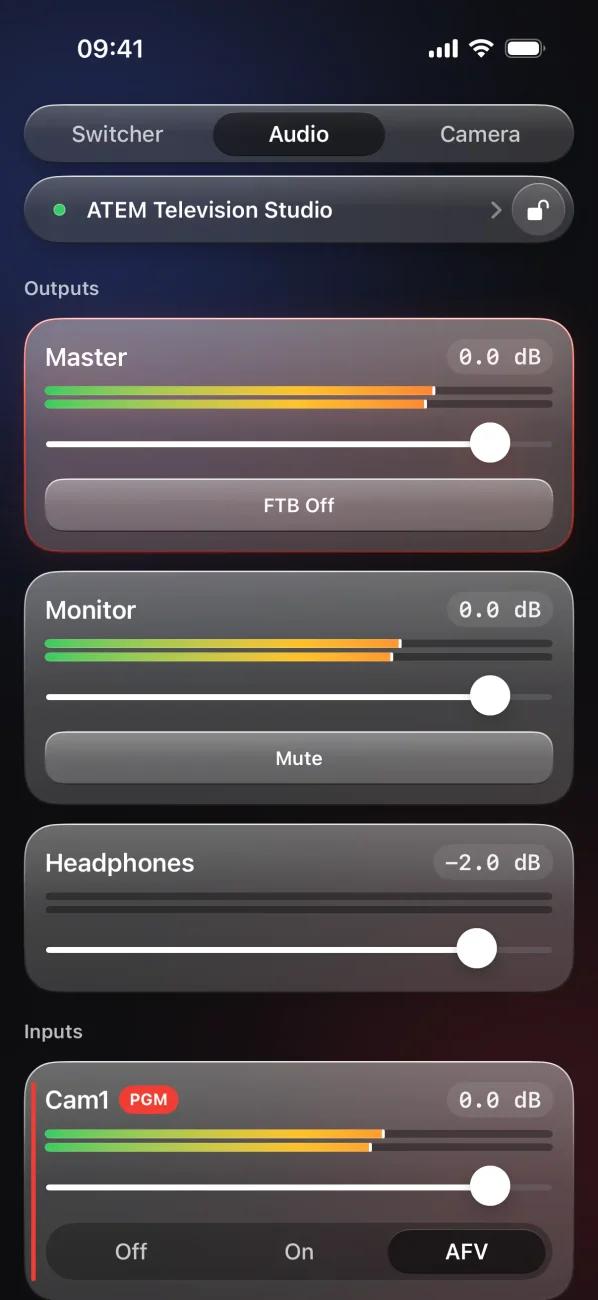
Faders for the switcher mixer, classic or Fairlight. Set each input Off, On, or audio-follow-video, and watch the meters while you ride the level. Master can follow fade to black. Mute the monitor. Headphones have their own level.
CAMERA
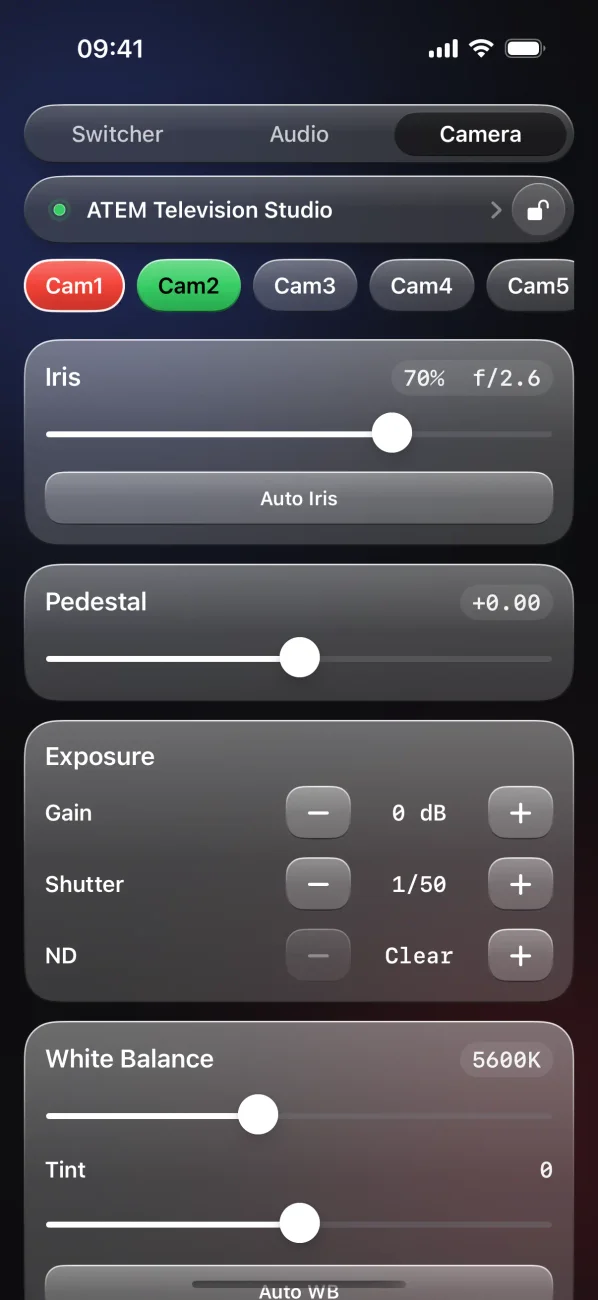
Shade Blackmagic cameras through the switcher: iris and auto iris, pedestal, gain, shutter, ND, white balance, and tint. Camera buttons use the same program and preview tally as the switcher.
Lock the panel when the show is live. Tally stays visible, and the buttons stay put until you unlock.
ATEM Control talks only to the switcher address you enter. It does not stream or record. It is an independent app and is not affiliated with Blackmagic Design.
Requires an ATEM switcher on the same network. iPhone, iOS 15 or later.
Novedades
Versión 2.0 · 26/10/2026
This update adds an audio mixer and camera shading next to the switcher.
• Audio faders and meters, with Off, On, and audio-follow-video, for classic and Fairlight mixers
• Camera shading: iris, auto iris, pedestal, gain, shutter, ND, white balance, and tint
• Switcher, Audio, and Camera are separate screens
• Lock the controls during a show without hiding tally
• The screen stays awake
Privacidad de la aplicación
Lo que Alexander Омelchuk declara en App Store sobre cómo esta aplicación gestiona los datos.
-
No se recopilan datos
El desarrollador no recopila ningún dato de esta aplicación.
Las prácticas de privacidad pueden variar, por ejemplo, según las funciones que uses o tu edad.
Información
- Vendedor
- Alexander Омelchuk
- Categoría
- Utilidades
- Versión
- 2.0
- Actualizado
- 26/10/2026
- Publicado
- 13/11/2019
- Tamaño
- 1,7 MB
- Requiere
- iOS 15.0 o posterior
- Clasificación por edad
- 4+
- Precio
- 5,99 €
- Idiomas
- Inglés
- Copyright
- © "2026 Alexander Omelchuk"
Quizá también te guste
-
 RouteEffect - Video RouterUtilidades
-
 ProPresenter RemoteUtilidades
-
 iRFR - BTSUtilidades
-
 Wireless Workbench MobileMonitoreo/control inalámbrico
-
 Mode ControllerUtilidades
-
 NDI HX Camera - Stream CaptureUtilidades
-
 Sony | Content Browser MobileUtilidades
-
 GVM SliderUtilidades
-
 Presenter RemoteUtilidades
-
 LiveU Control+Utilidades