
- Age rating4+
- CategoryUtilities
- DeveloperAlexander Омelchuk
- LanguagesEnglish
- Size1.7 MB
Links to the official App Store page
Download.org hosts no file of ATEM Control. The button opens its official App Store page, published by Alexander Омelchuk. Listing last checked on Nov 12, 2026.
Screenshots
About
ATEM Control is a control surface for an ATEM switcher on your network. Cut the program, mix the audio, and shade cameras from an iPhone that stays awake for the whole show.
SWITCHER
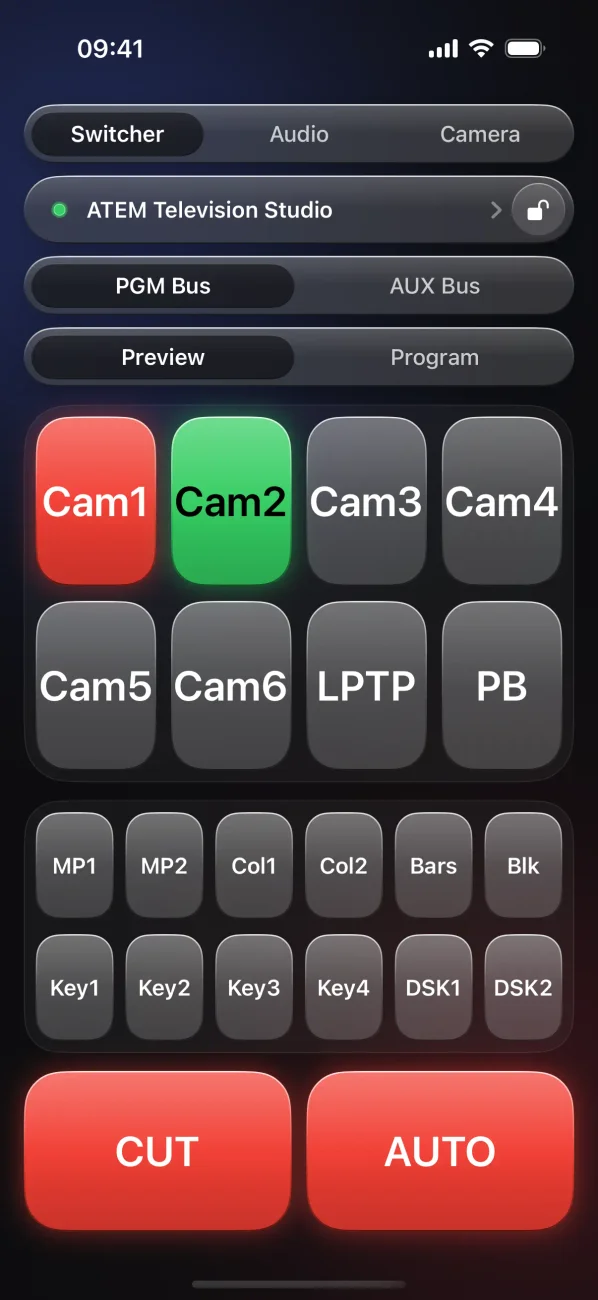
Choose Program or Preview, then cut or take an auto transition. Route a source to an auxiliary output. On a switcher with two mix effects, work ME1 and ME2 from the same panel.
Eight source buttons follow the tally: red on program, green on preview, amber when a source is on both. Hold a button to assign a different input, and add a photo so you can find it in the dark.
Media players, color generators, color bars, black, upstream keyers, and downstream keyers are on the same screen.
AUDIO
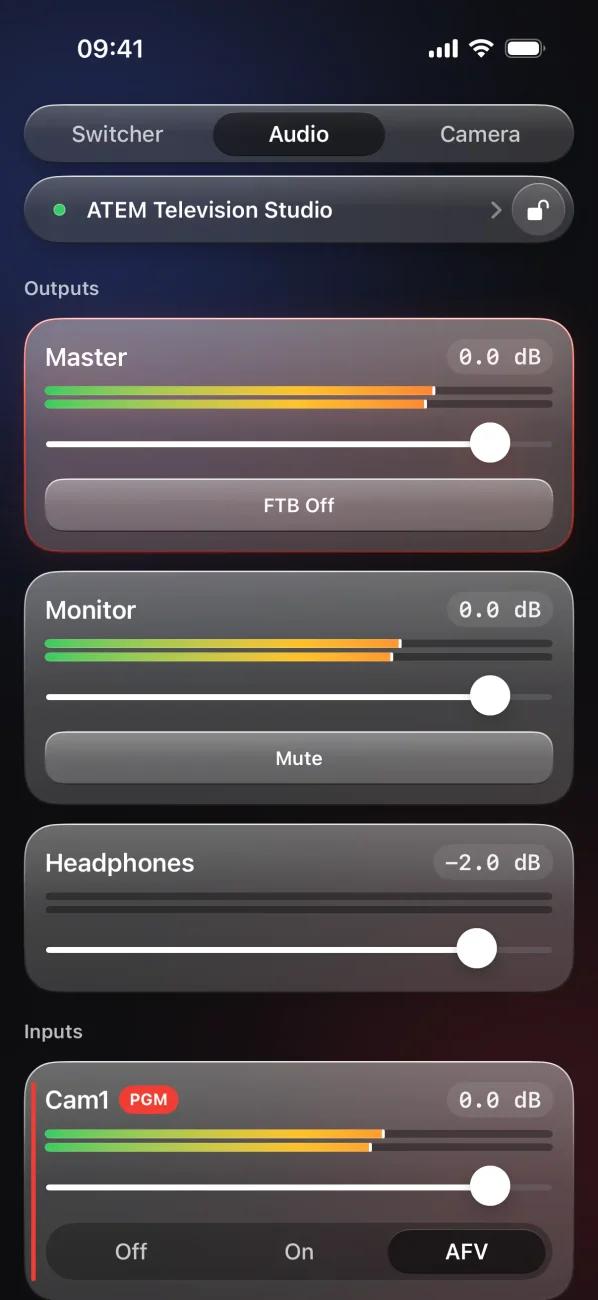
Faders for the switcher mixer, classic or Fairlight. Set each input Off, On, or audio-follow-video, and watch the meters while you ride the level. Master can follow fade to black. Mute the monitor. Headphones have their own level.
CAMERA
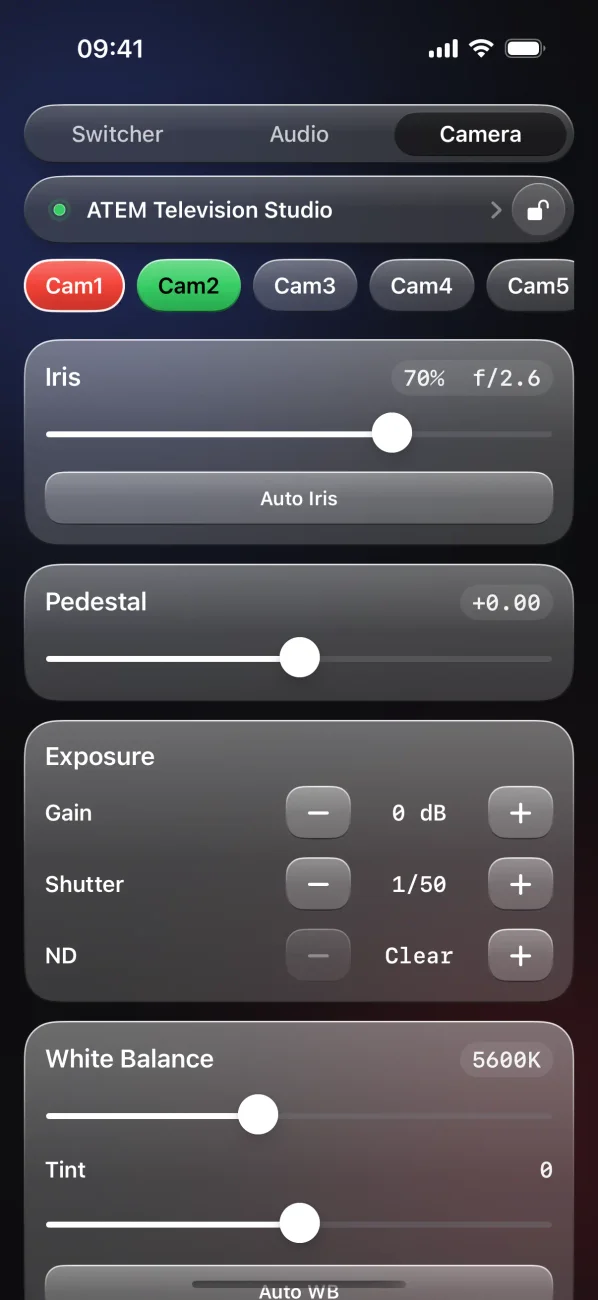
Shade Blackmagic cameras through the switcher: iris and auto iris, pedestal, gain, shutter, ND, white balance, and tint. Camera buttons use the same program and preview tally as the switcher.
Lock the panel when the show is live. Tally stays visible, and the buttons stay put until you unlock.
ATEM Control talks only to the switcher address you enter. It does not stream or record. It is an independent app and is not affiliated with Blackmagic Design.
Requires an ATEM switcher on the same network. iPhone, iOS 15 or later.
What’s new
Version 2.0 · Oct 26, 2026
This update adds an audio mixer and camera shading next to the switcher.
• Audio faders and meters, with Off, On, and audio-follow-video, for classic and Fairlight mixers
• Camera shading: iris, auto iris, pedestal, gain, shutter, ND, white balance, and tint
• Switcher, Audio, and Camera are separate screens
• Lock the controls during a show without hiding tally
• The screen stays awake
App privacy
What Alexander Омelchuk declares on the App Store about how this app handles data.
-
Data not collected
The developer does not collect any data from this app.
Privacy practices may vary, for example with the features you use or your age.
Information
- Seller
- Alexander Омelchuk
- Category
- Utilities
- Version
- 2.0
- Updated
- Oct 26, 2026
- Released
- Nov 13, 2019
- Size
- 1.7 MB
- Requires
- iOS 15.0 or later
- Age rating
- 4+
- Price
- $4.99
- Languages
- English
- Copyright
- © "2026 Alexander Omelchuk"
You might also like
-
 RouteEffect - Video RouterBlackmagic Videohub Control
-
 ProPresenter RemoteUtilities
-
 iRFR - BTSUtilities
-
 Wireless Workbench MobileWireless monitoring & control
-
 Mode ControllerWireless makes lifting simpler
-
 NDI HX Camera - Stream CaptureNDI Streaming Capture
-
 Sony | Content Browser MobileUtilities
-
 GVM SliderGVM Slider
-
 Presenter RemoteFor Presenter by WorshipTools
-
 LiveU Control+LiveU equipment companion app