
Bell: School Timetable
Your day, homework and grades
Diseñada para iPhone, iPad
Gratis
- Clasificación por edad4+
- CategoríaEducación
- DesarrolladorDANIEL SEBASTIAN STALMACH
- IdiomasInglés+ 1 más
- Tamaño18,8 MB
Enlaza a la página oficial de App Store
Download.org no aloja ningún archivo de Bell: School Timetable. El botón abre la página de la aplicación en App Store, donde la publica DANIEL SEBASTIAN STALMACH. Ficha comprobada por última vez el 23/11/2026.
Capturas de pantalla


Acerca de
El desarrollador no ha proporcionado este texto en tu idioma.
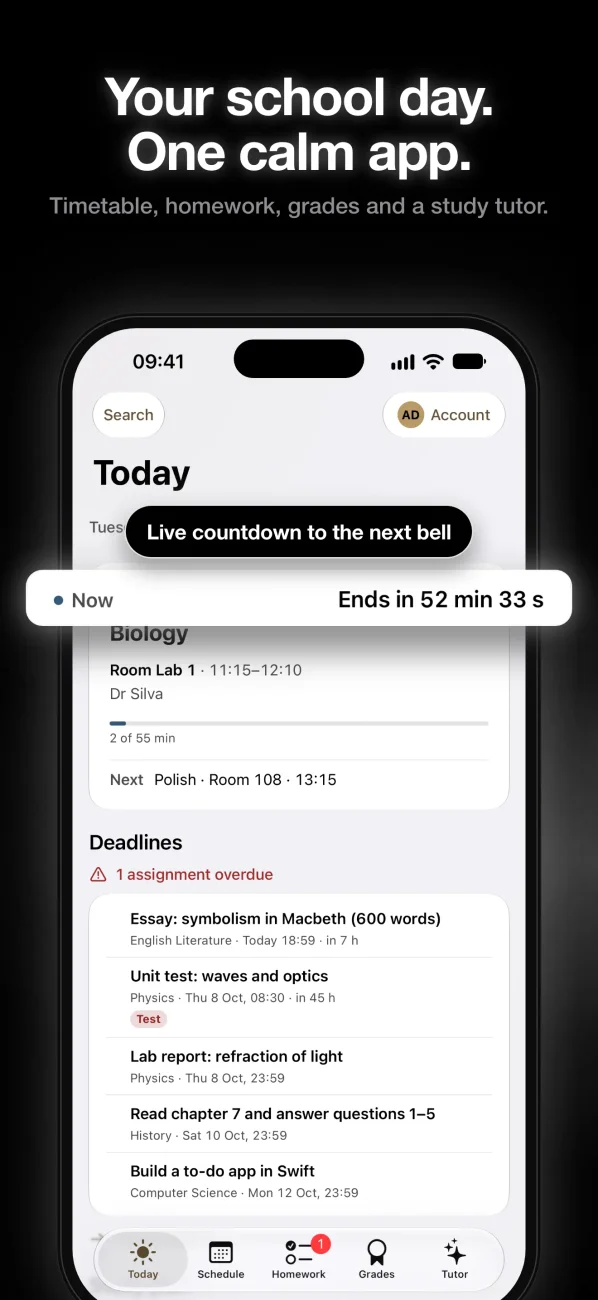
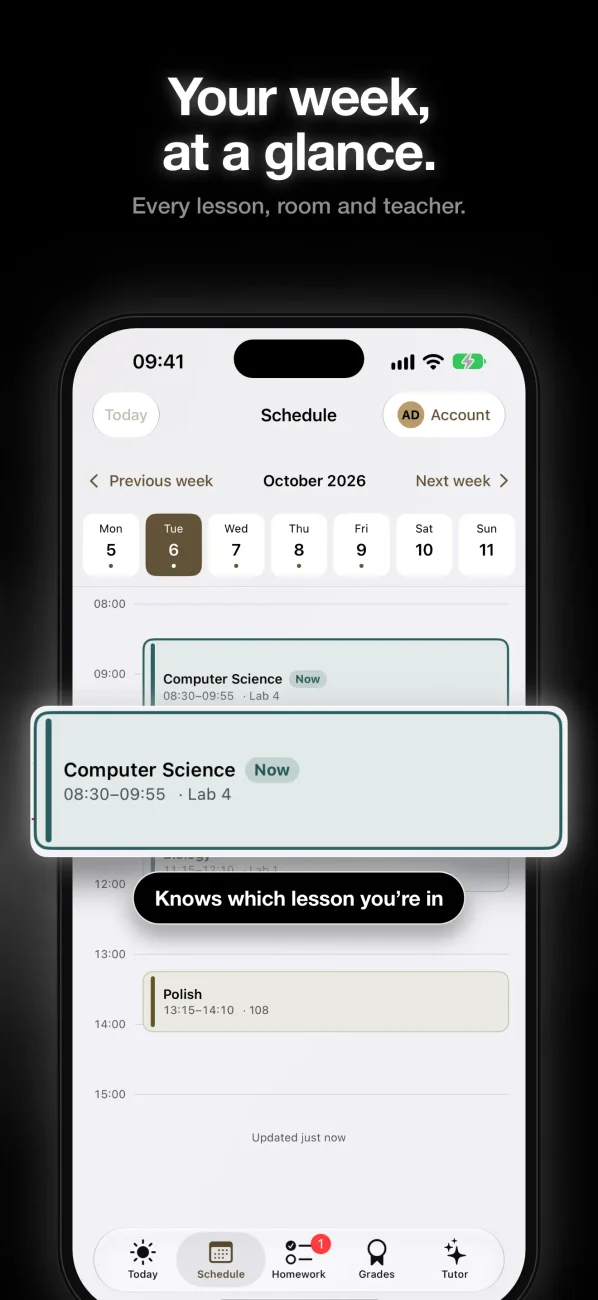
Bell puts your school day in one calm place: your timetable, homework, grades and an optional study tutor, on iPhone, iPad and Apple Watch.
Bell connects to the system your school already uses. Today that means schools on the ASIMS portal and schools on Bell's own platform, with more school systems to come. You sign in with your own school account and see your own records. School not connected yet? Tap "Try a demo" to explore a complete sample school, made up on your device, with no account.
TODAY, AT A GLANCE
- The lesson you are in, what comes next and what is due, the moment you open the app.
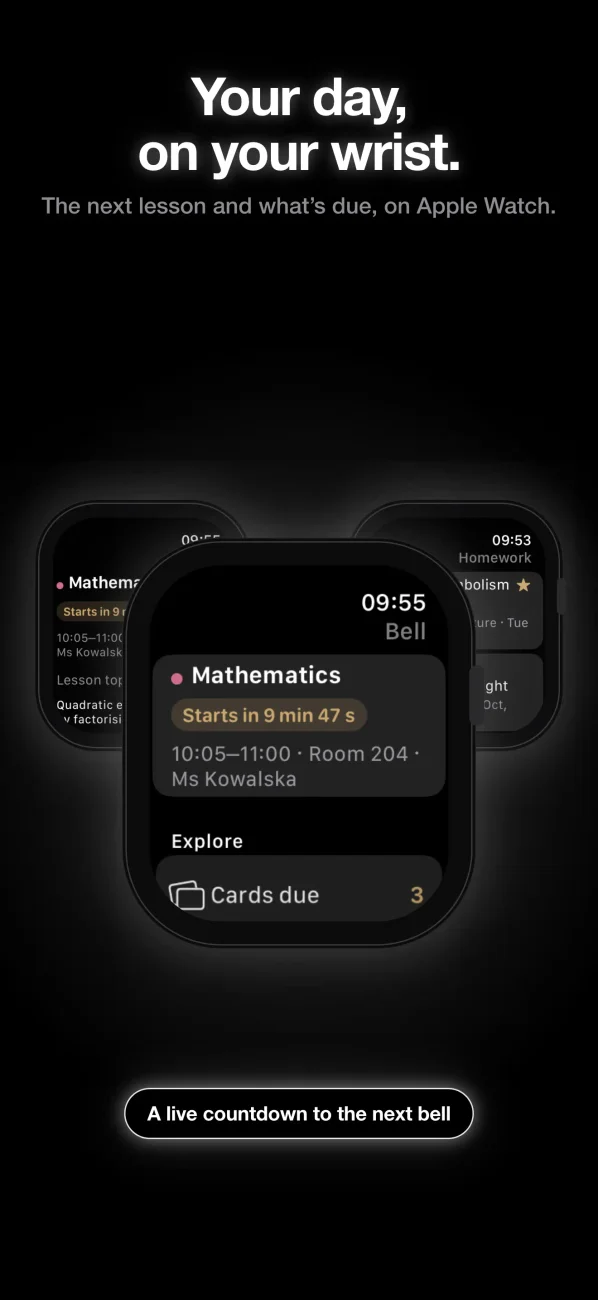
- A countdown to the next bell on the Lock Screen and in the Dynamic Island.
- Home Screen and Lock Screen widgets for your next lesson, deadlines and flashcards due.
- An Apple Watch app with your next lesson, timetable, homework and tests, and flashcard reviews.
- Ask Siri for your next lesson or what is due.
NEVER MISS A DEADLINE
- Homework and tests grouped by when they are due.
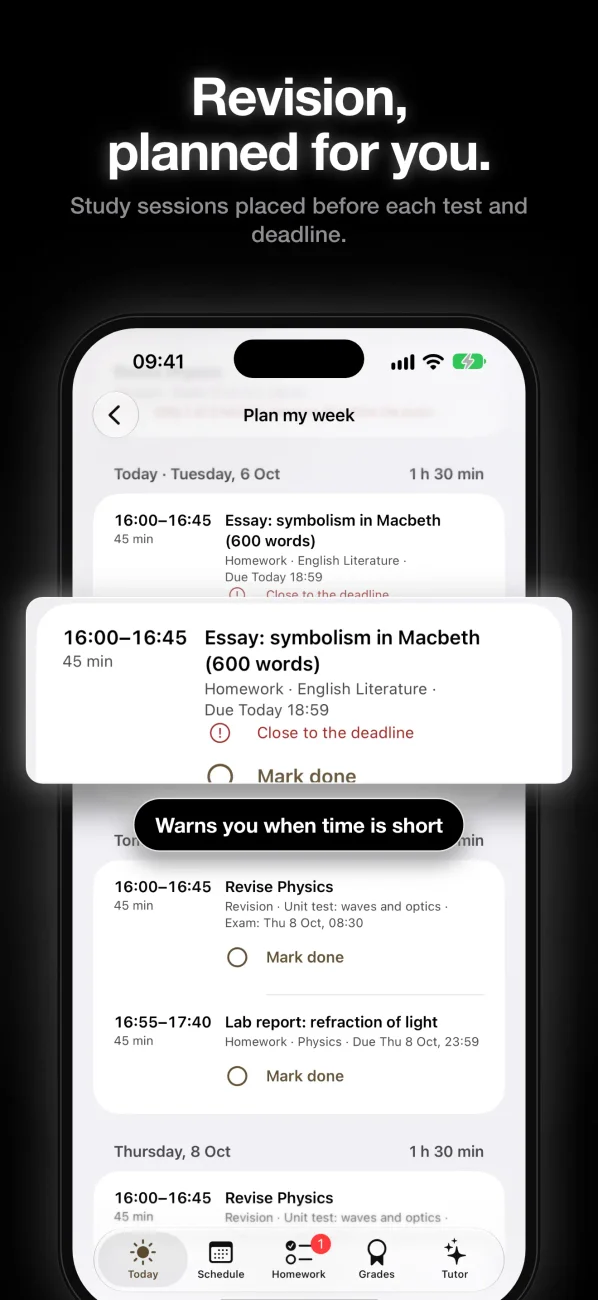
- Reminders the evening before a deadline, a few minutes before each lesson and an hour before an exam.
- An alert when a new grade, new homework or a cancelled lesson appears.
- An optional morning summary of your day and an evening reminder to pack your bag.
- Hand work in from Bell where your school allows it: type your answer or attach a file.
- Add your lessons, exams and deadlines to Apple Calendar and Reminders.
UNDERSTAND YOUR GRADES
- Every grade by subject, with averages on your school's own scale. Marks on different scales are never mixed into one made-up number.
- What if: see how your next mark would move your average.
- Set a target grade and see what your next marks need to reach it.
- A revision plan that fits study sessions in before each exam, and a workload view that shows busy weeks coming.
- A year in review as the school year ends.
A STUDY TUTOR, IF YOU WANT ONE
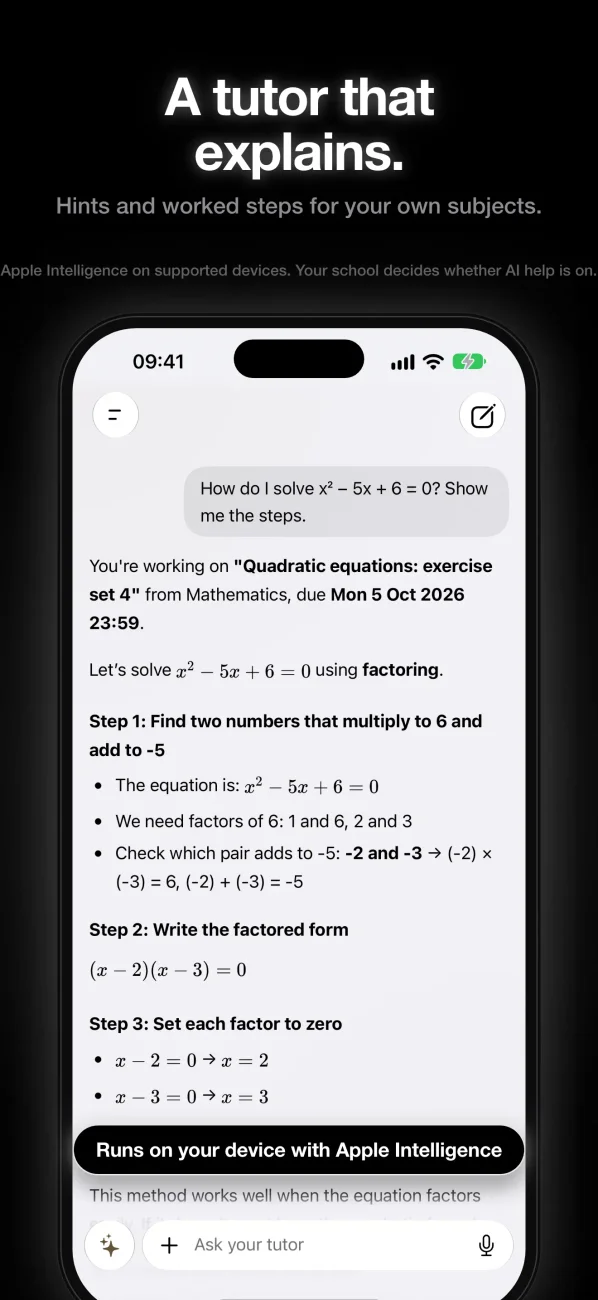
- Ask about your homework, lessons and upcoming tests. Turn on Hints first and it guides you with hints and questions before it gives an answer.
- Quizzes and flashcards from your own subjects, with each card coming back just before you would forget it.
- Language practice, summaries of your notes, and a draft email to a teacher.
- Type or dictate your question, and have answers read aloud.
- By default it runs on Apple Intelligence on your device, so your questions stay on it. That needs a device that supports Apple Intelligence, such as iPhone 15 Pro or newer, with Apple Intelligence turned on. It works in English and the other languages Apple Intelligence supports.
- Where your school allows it, or has not decided, you can use a model from Anthropic, OpenAI or Google instead, with your own key. Your school can keep the tutor on the device, run its own AI service or turn AI help off. At a school on Bell's platform, the tutor stays off until the school turns it on.
MADE YOURS
- Five styles: Classic, Plain, Magazine, Timeline and Focus.
- Light or dark, your own accent colour and your text size.
- English and Polish.
- Optional sync of your tutor chats, notes, quizzes and flashcards between your devices through your own iCloud.
PRIVATE BY DESIGN
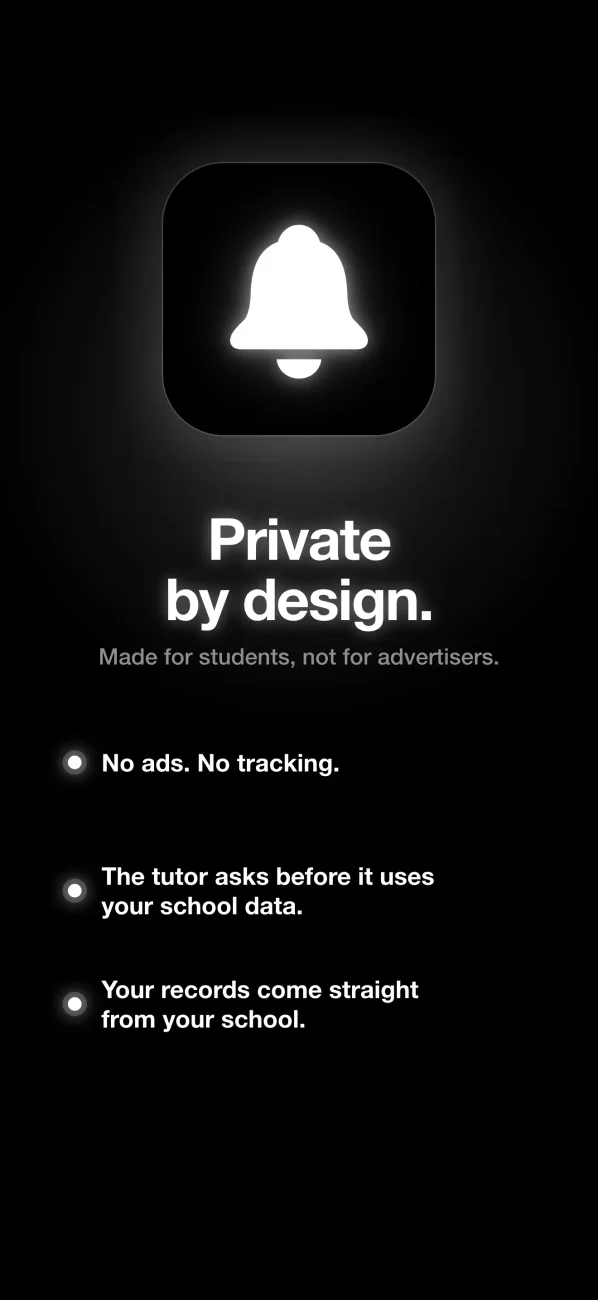
- No ads, no tracking, no analytics.
- When Bell connects to your school's own portal, your school data goes between your device and that portal, with no Bell server in between. You sign in on the portal's own page, so Bell never sees a password.
- The tutor sends your question and a summary of your schoolwork off your device only to a provider you chose with your own key, or to the AI service your school chose.
- Signing out removes your session, saved school data and AI keys from the device.
Bell is an independent app. It is not affiliated with or endorsed by any school or by the makers of the school systems it connects to.
Novedades
Versión 1.0.4 · 15/11/2026
Fixes for changes on ASIMS's side: teachers' files and PDFs open again, and you stay signed in instead of being asked to sign in again. Grades no longer show up as new when they are not, and reminders, the widget, the Watch and the Live Activity are more accurate. Claude Opus 5.5 is available in the Tutor.
Privacidad de la aplicación
Lo que DANIEL SEBASTIAN STALMACH declara en App Store sobre cómo esta aplicación gestiona los datos.
-
Datos vinculados a ti
Pueden recopilarse y vincularse a tu identidad.
- Información de contacto
- Contenido del usuario
- Identificadores
Las prácticas de privacidad pueden variar, por ejemplo, según las funciones que uses o tu edad.
Información
- Vendedor
- DANIEL SEBASTIAN STALMACH
- Categoría
- Educación
- Versión
- 1.0.4
- Actualizado
- 15/11/2026
- Publicado
- 19/10/2026
- Tamaño
- 18,8 MB
- Requiere
- iOS 17.0 o posterior
- Clasificación por edad
- 4+
- Precio
- Gratis
- Idiomas
- Inglés, Polaco
- Copyright
- © 2026 Leonard Stalmach
Quizá también te guste
-
 Plannito: Estudio y HorarioTareas, Exámenes y Fichas
-
 ClassFlowyApuntes de clase y ayuda IA
-
 Matemáticas Rápidas: PrácticaMatemáticas rápidas: práctica
-
 Mój DziennikEducación
-
 Horario de clases: LektoDeberes, timbre y cuenta atrás
-
 Horario escolar y tareasAñade horario de forma fácil
-
 Cálculo Mental: MultiplicarPráctica veloz para primaria
-
 Okienko - Class scheduleEducación
-
 MemorAI: Lecciones de IdiomasLecciones sobre cualquier tema
-
 Horario de Clases y Notas AIAgenda Escolar, Deberes, EBAU