
- 対象年齢4+
- カテゴリ教育
- 開発元DANIEL SEBASTIAN STALMACH
- 言語英語ほか1言語
- サイズ18.8 MB
App Storeの公式ページにリンクしています
Download.orgはBell: School Timetableのファイルを一切ホストしていません。ボタンを押すと、DANIEL SEBASTIAN STALMACHが公開しているApp Storeのアプリページが開きます。ページの最終確認:2026/11/23。
スクリーンショット


概要
開発元はこのテキストをお使いの言語で提供していません。
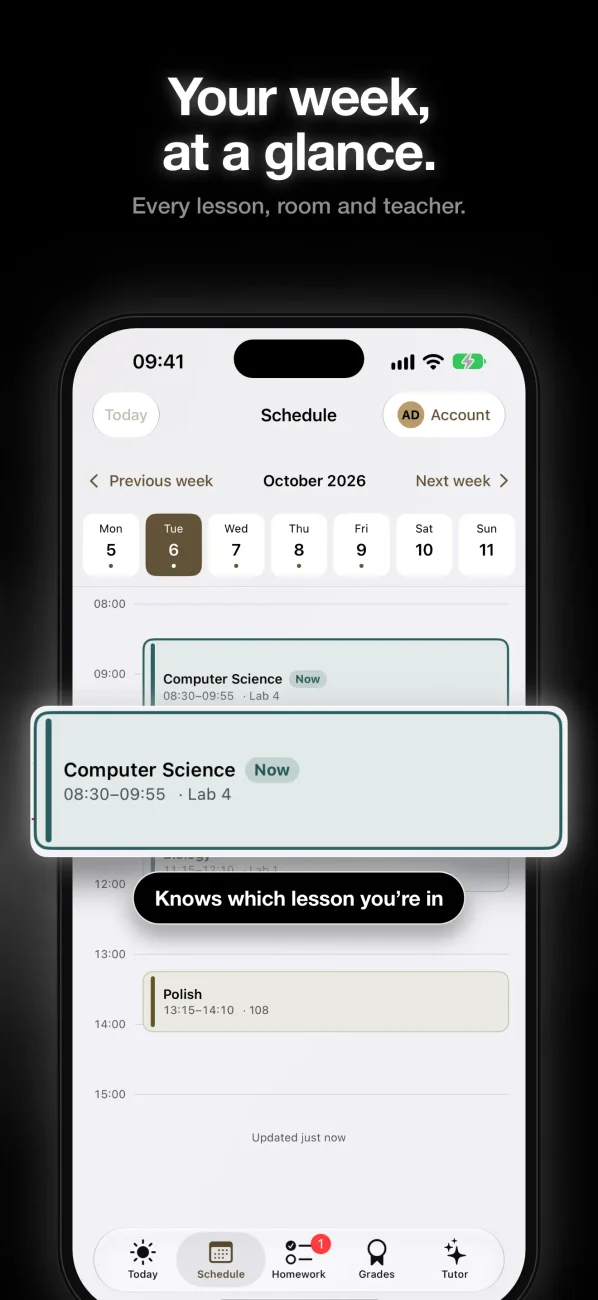
Bell puts your school day in one calm place: your timetable, homework, grades and an optional study tutor, on iPhone, iPad and Apple Watch.
Bell connects to the system your school already uses. Today that means schools on the ASIMS portal and schools on Bell's own platform, with more school systems to come. You sign in with your own school account and see your own records. School not connected yet? Tap "Try a demo" to explore a complete sample school, made up on your device, with no account.
TODAY, AT A GLANCE
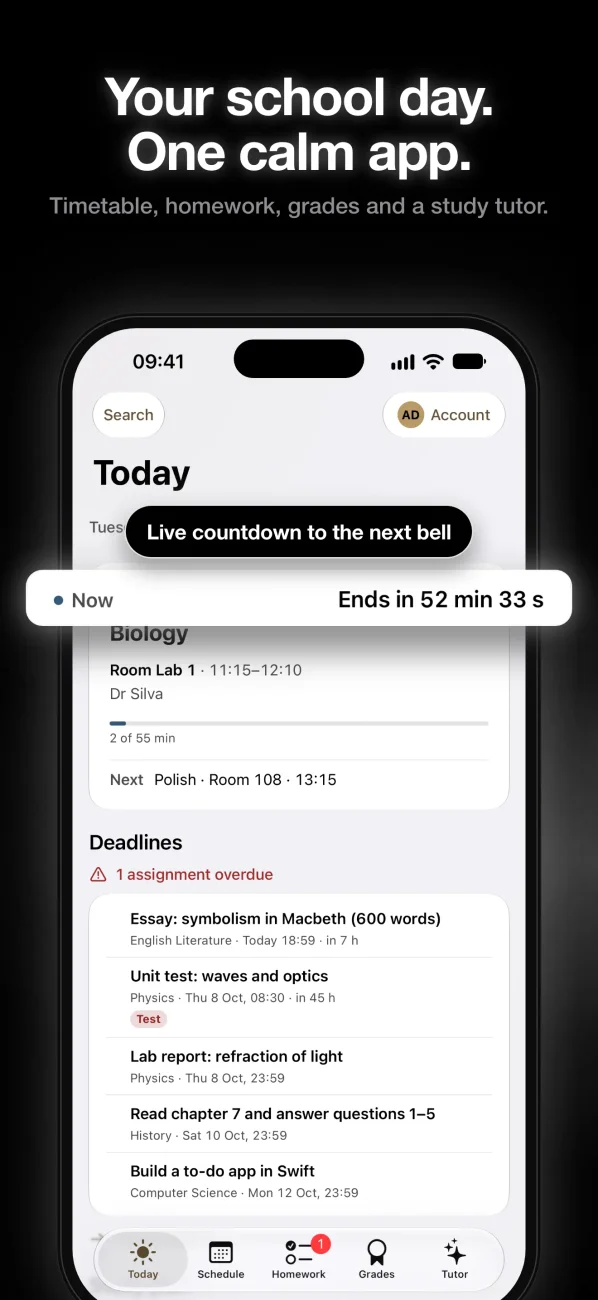
- The lesson you are in, what comes next and what is due, the moment you open the app.
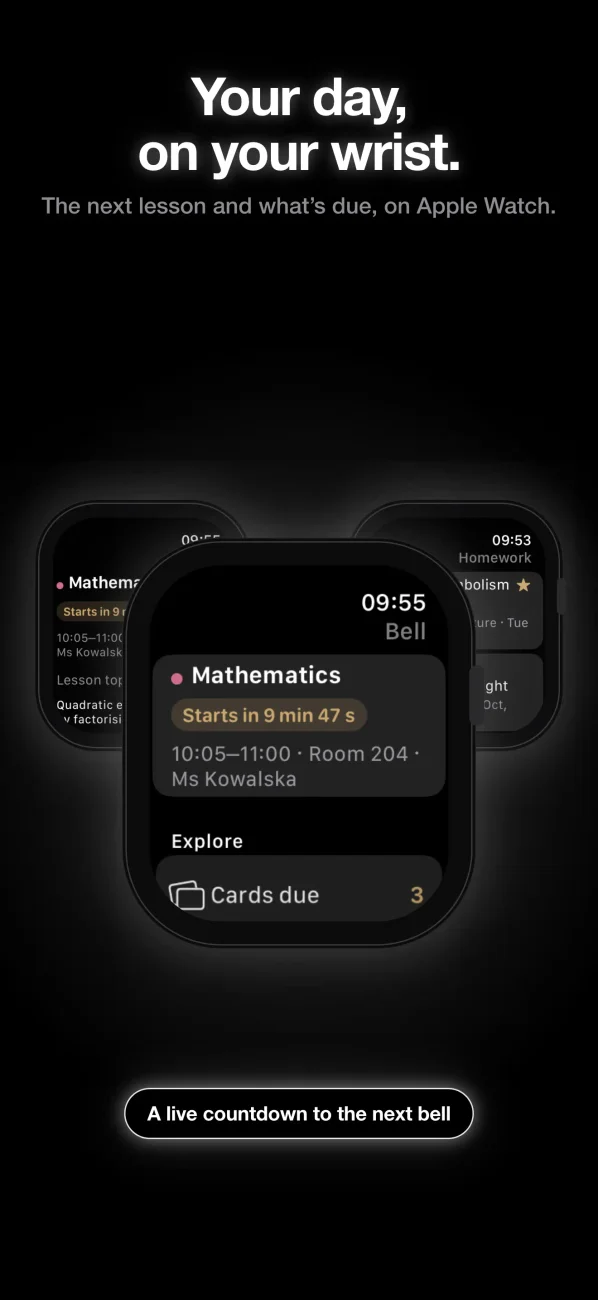
- A countdown to the next bell on the Lock Screen and in the Dynamic Island.
- Home Screen and Lock Screen widgets for your next lesson, deadlines and flashcards due.
- An Apple Watch app with your next lesson, timetable, homework and tests, and flashcard reviews.
- Ask Siri for your next lesson or what is due.
NEVER MISS A DEADLINE
- Homework and tests grouped by when they are due.
- Reminders the evening before a deadline, a few minutes before each lesson and an hour before an exam.
- An alert when a new grade, new homework or a cancelled lesson appears.
- An optional morning summary of your day and an evening reminder to pack your bag.
- Hand work in from Bell where your school allows it: type your answer or attach a file.
- Add your lessons, exams and deadlines to Apple Calendar and Reminders.
UNDERSTAND YOUR GRADES
- Every grade by subject, with averages on your school's own scale. Marks on different scales are never mixed into one made-up number.
- What if: see how your next mark would move your average.
- Set a target grade and see what your next marks need to reach it.
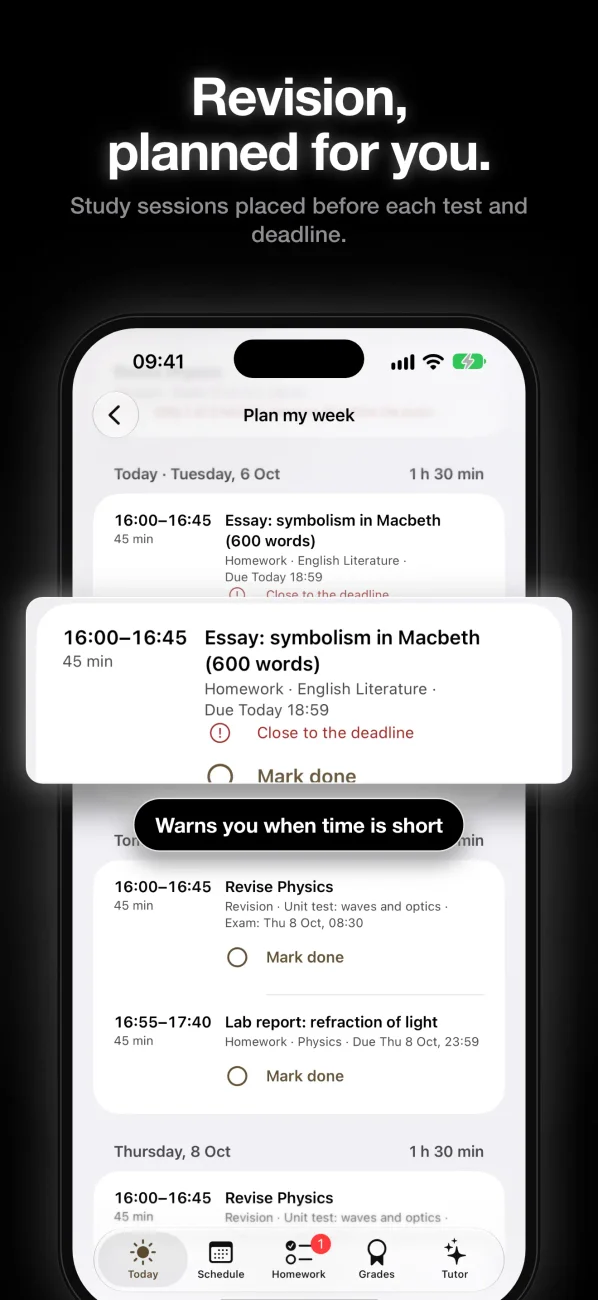
- A revision plan that fits study sessions in before each exam, and a workload view that shows busy weeks coming.
- A year in review as the school year ends.
A STUDY TUTOR, IF YOU WANT ONE
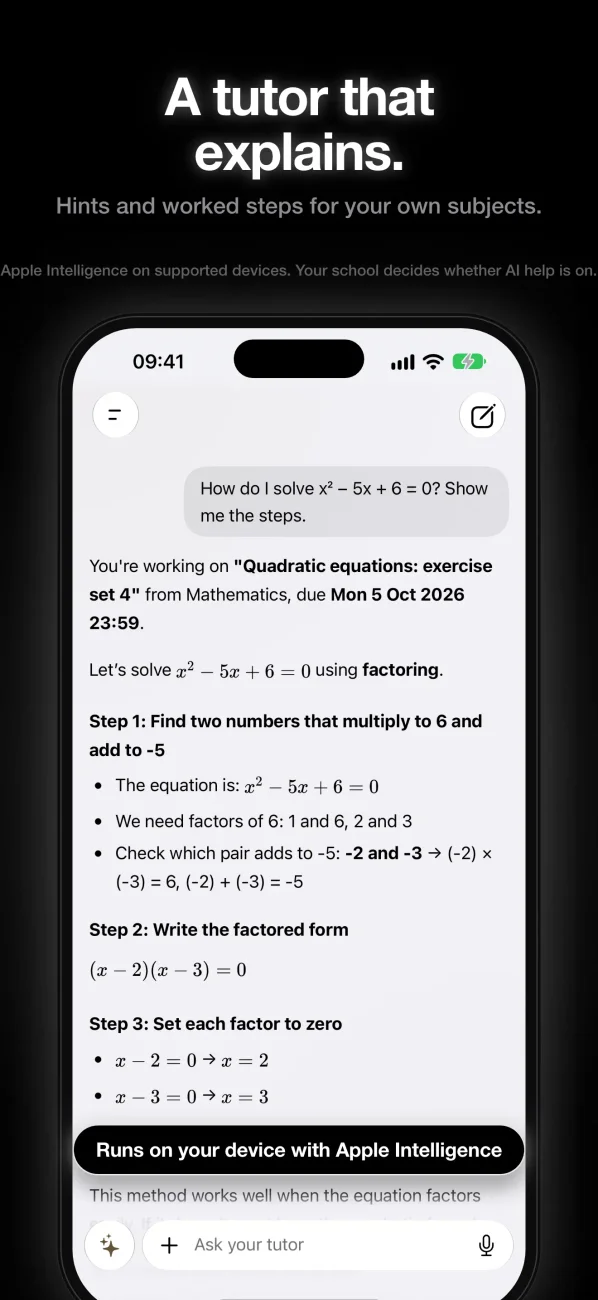
- Ask about your homework, lessons and upcoming tests. Turn on Hints first and it guides you with hints and questions before it gives an answer.
- Quizzes and flashcards from your own subjects, with each card coming back just before you would forget it.
- Language practice, summaries of your notes, and a draft email to a teacher.
- Type or dictate your question, and have answers read aloud.
- By default it runs on Apple Intelligence on your device, so your questions stay on it. That needs a device that supports Apple Intelligence, such as iPhone 15 Pro or newer, with Apple Intelligence turned on. It works in English and the other languages Apple Intelligence supports.
- Where your school allows it, or has not decided, you can use a model from Anthropic, OpenAI or Google instead, with your own key. Your school can keep the tutor on the device, run its own AI service or turn AI help off. At a school on Bell's platform, the tutor stays off until the school turns it on.
MADE YOURS
- Five styles: Classic, Plain, Magazine, Timeline and Focus.
- Light or dark, your own accent colour and your text size.
- English and Polish.
- Optional sync of your tutor chats, notes, quizzes and flashcards between your devices through your own iCloud.
PRIVATE BY DESIGN
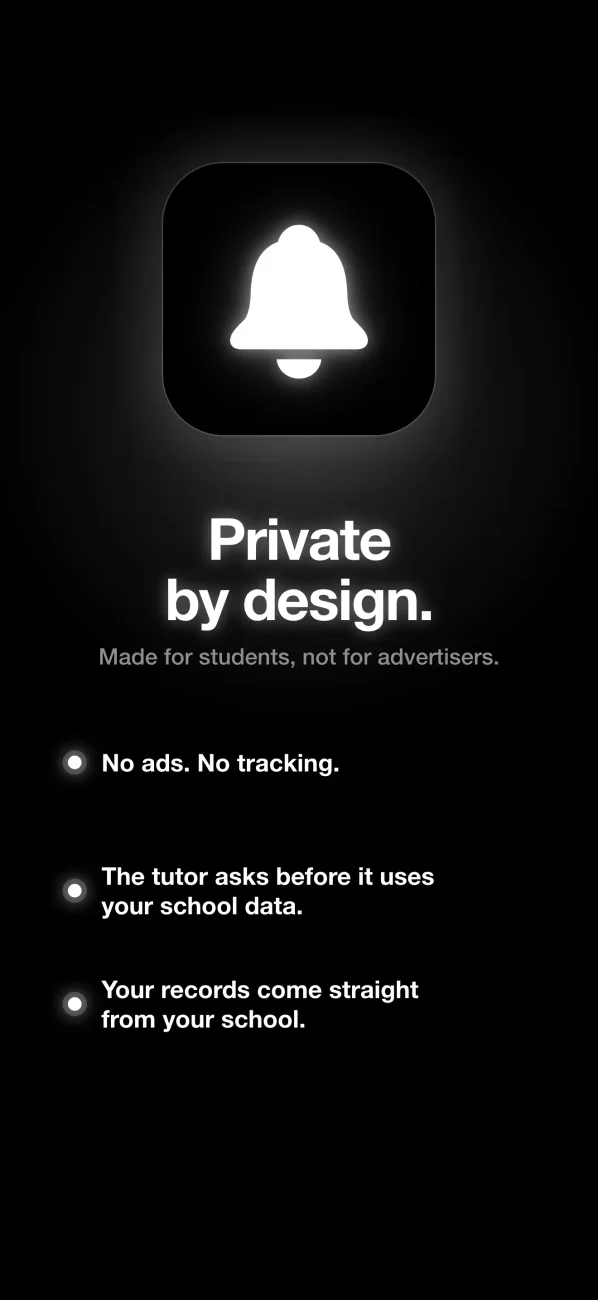
- No ads, no tracking, no analytics.
- When Bell connects to your school's own portal, your school data goes between your device and that portal, with no Bell server in between. You sign in on the portal's own page, so Bell never sees a password.
- The tutor sends your question and a summary of your schoolwork off your device only to a provider you chose with your own key, or to the AI service your school chose.
- Signing out removes your session, saved school data and AI keys from the device.
Bell is an independent app. It is not affiliated with or endorsed by any school or by the makers of the school systems it connects to.
新機能
バージョン 1.0.4 · 2026/11/15
Fixes for changes on ASIMS's side: teachers' files and PDFs open again, and you stay signed in instead of being asked to sign in again. Grades no longer show up as new when they are not, and reminders, the widget, the Watch and the Live Activity are more accurate. Claude Opus 5.5 is available in the Tutor.
アプリのプライバシー
このアプリのデータの取り扱いについて、DANIEL SEBASTIAN STALMACHがApp Storeで申告している内容です。
-
ユーザーに関連付けられたデータ
収集され、ユーザーの識別情報に関連付けられる場合があります。
- 連絡先情報
- ユーザーコンテンツ
- ID
プライバシーの取り扱いは、ご利用の機能やお客様の年齢などに応じて異なる場合があります。
情報
- 販売元
- DANIEL SEBASTIAN STALMACH
- カテゴリ
- 教育
- バージョン
- 1.0.4
- 更新日
- 2026/11/15
- リリース
- 2026/10/19
- サイズ
- 18.8 MB
- 必要条件
- iOS 17.0以降
- 対象年齢
- 4+
- 価格
- 無料
- 言語
- 英語, ポーランド語
- 著作権
- © 2026 Leonard Stalmach
こちらもおすすめ
-
 Plannito プランニト: 学習計画と時間割宿題リマインダー・単語帳・GPA
-
 ClassFlowy授業ノート&AI学習アシスタント
-
 暗算速算トレーニング 計算ゲーム脳トレ毎日60秒の算数ドリル 足し算引き算掛け算割り算九九練習
-
 Mój Dziennik教育
-
 School Timetable Widget: Lekto教育
-
 学校の時間割と課題時間割を簡単かつ迅速に追加
-
 計算ドリル 暗算 九九 掛け算 算数 小学生 脳トレ毎日タイムアタック 集中力と反復練習
-
 Okienko - Class schedule教育
-
 MemorAI:AIで語学レッスン好きなテーマでレッスン作成
-
 時間割 - 勉強記録とテスト対策大学生の時間割, 宿題と共通テスト