
Bible Study Planner
Reading plan, notes, progress
Diseñada para iPhone, iPad
Gratis · Compras en la aplicación
- Clasificación por edad4+
- CategoríaProductividad
- DesarrolladorDanchenko Oleksandr
- IdiomasInglés
- Tamaño27,5 MB
Enlaza a la página oficial de App Store
Download.org no aloja ningún archivo de Bible Study Planner. El botón abre la página de la aplicación en App Store, donde la publica Danchenko Oleksandr. Ficha comprobada por última vez el 16/11/2026.
Capturas de pantalla

Acerca de
El desarrollador no ha proporcionado este texto en tu idioma.
Bible Study Planner helps you read the Bible every day and keep everything you study in one place.
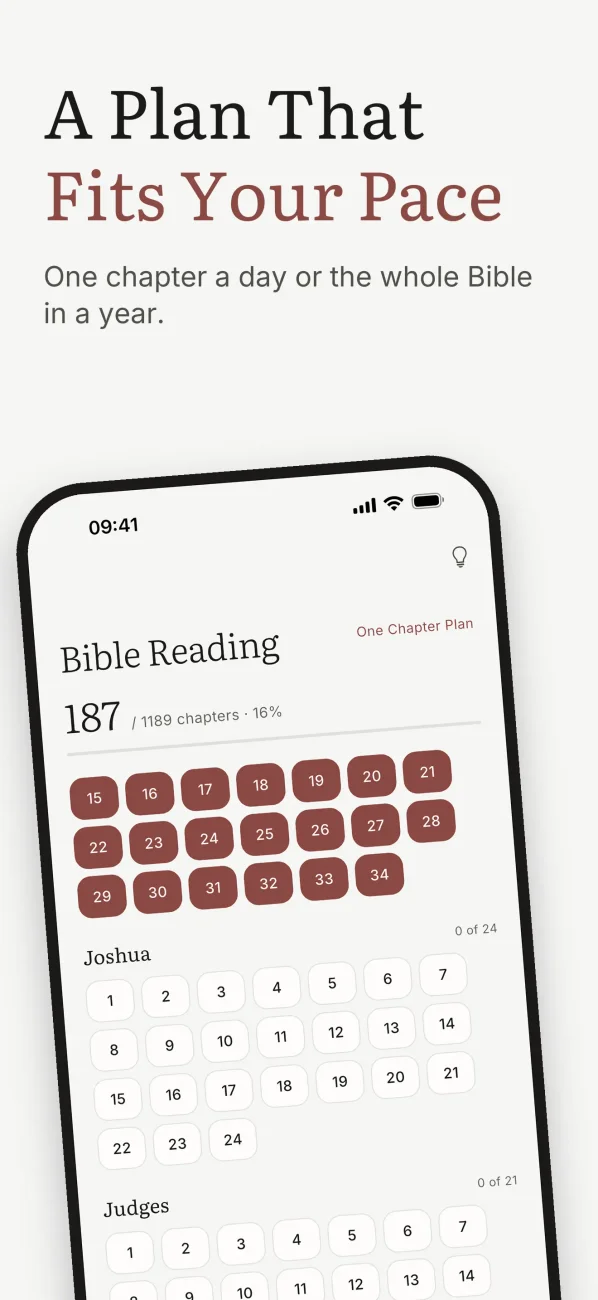
Pick a way through the Bible that suits you, at a pace you can actually keep. Every plan keeps its own progress: switch between them and pick each one up where you left it. The app counts how many times you have read the Bible through on each plan. Tick chapters off as you go and watch your progress fill in, with a reading streak and a six-month calendar of the days you read.
FOUR WAYS THROUGH THE BIBLE
• A chapter a day, straight through from Genesis to Revelation
• The whole Bible in a year, a few chapters a day
• The books in the order they were written
• The events in the order they happened
PLAN WHAT YOU STUDY
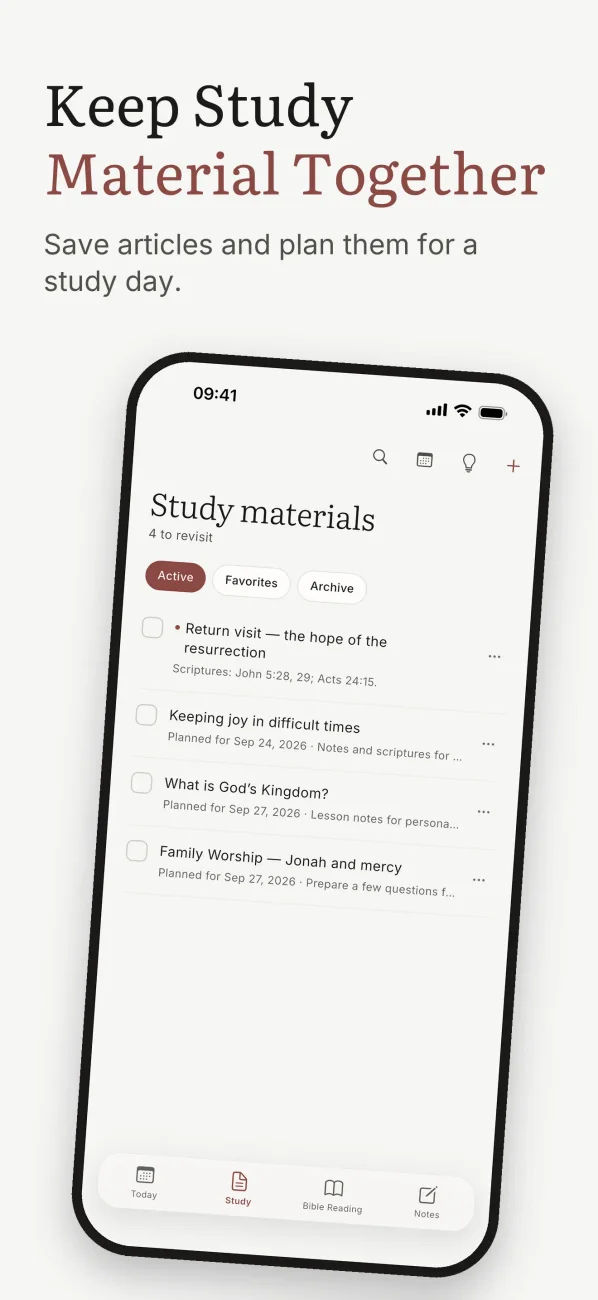
• Save articles and links as study material
• Choose the day you will study each one
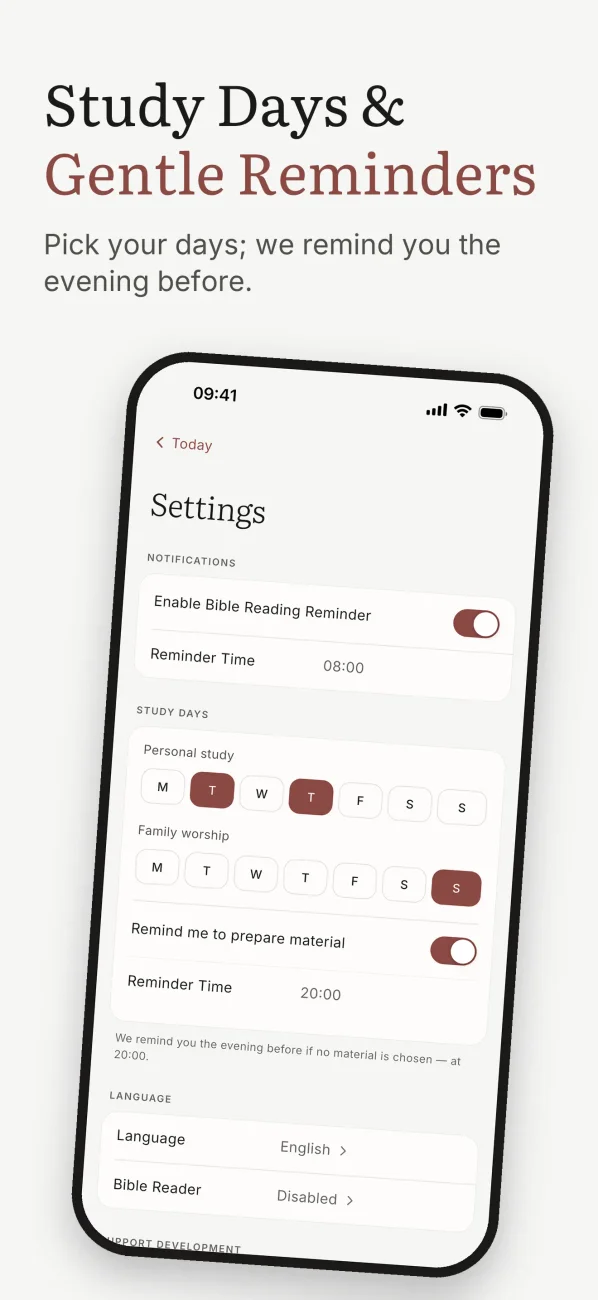
• Set your personal study days and family worship days
• Get a reminder the evening before if you have not picked your material yet
• See everything due on the Today screen, grouped under the day it belongs to
NOTES THAT STAY WITH THE CHAPTER
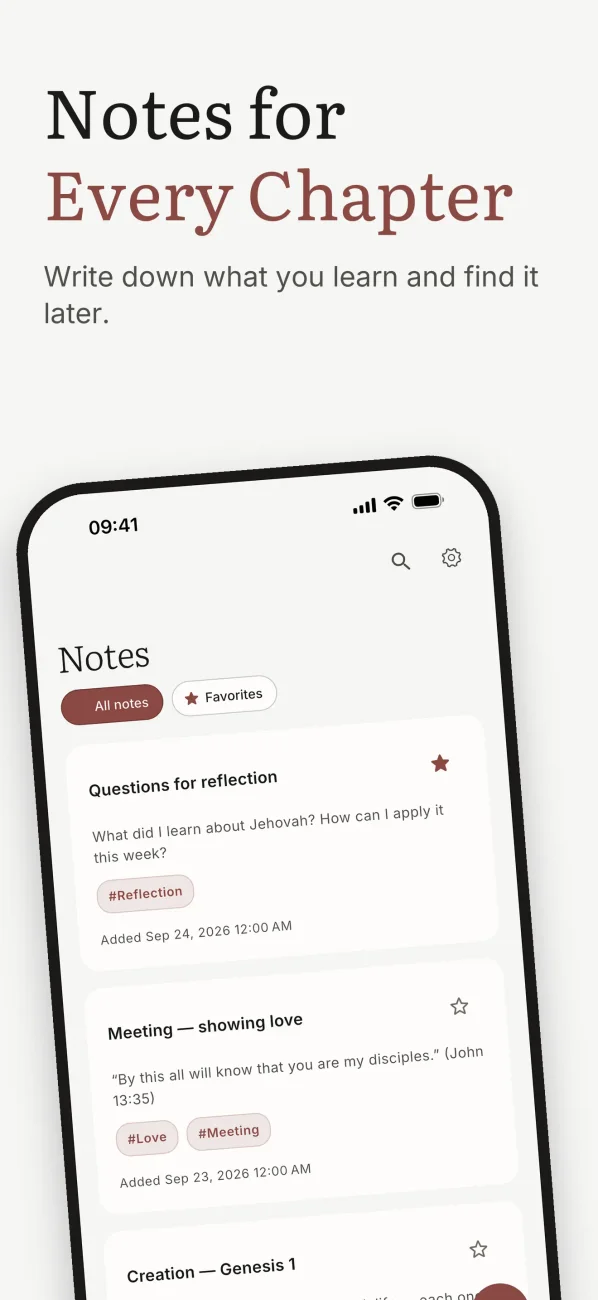
• Write notes and attach photos or files
• Link a note to a Bible book and chapter
• Tag your notes and find them again with search
• Work through reflection questions on what you have read
ON YOUR HOME SCREEN
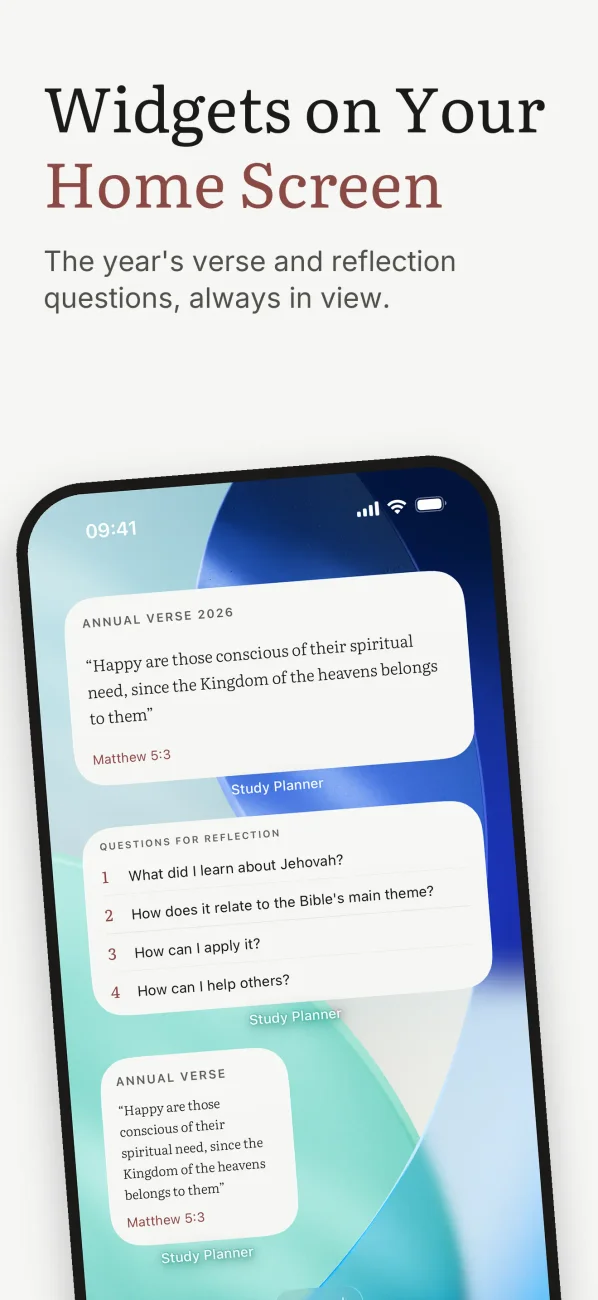
• A widget with the verse for the year
• A widget with questions for reflection
BUILT TO FIT YOUR ROUTINE
• Light and dark themes
• English, Русский, Українська, Română
• Open chapters in the Bible app or website you already use
• Save a link straight from your browser with the share sheet
• A daily reading reminder at the time you choose
FREE, WITH NO STRINGS
No ads, no subscription, no account to create. Your reading progress, notes, and study material are stored on your device. The app itself makes one kind of network request: reading the title of a link you save, so you do not have to type it yourself. Anything else that goes online — a voluntary tip, or the invitation to rate the app — is handled by Apple.
If the app is useful to you, Settings has an optional tip jar. It unlocks nothing — every feature is already free.
Novedades
Versión 1.1.5 · 9/11/2026
• Your reading now follows you between your Apple devices: tick off a chapter on the phone and it is ticked off on the iPad
• It all stays in your own iCloud: no account to create, no server of ours in between. You can turn it off in Settings
• The tab bar and the buttons at the top of every screen are now real Liquid Glass, as in iOS 26. The paper-and-ink pages stay as they are. As you scroll, a crisp edge appears under the title so it stays easy to read
• Sheets float over the page, with a cross to close and a check mark to confirm at the top, in place of the buttons at the bottom
• The app now speaks Romanian, widgets included
• Tap a saved material to open its link. To change it, open the three-dot menu and choose Edit. A material without a link opens for editing, as before
• Tap a chapter on Today or in Bible Reading to open it in the Bible app or on the website. Choose which in Settings, under Bible Reader. If the app isn't installed, the chapter opens on the website
Privacidad de la aplicación
Lo que Danchenko Oleksandr declara en App Store sobre cómo esta aplicación gestiona los datos.
-
No se recopilan datos
El desarrollador no recopila ningún dato de esta aplicación.
Las prácticas de privacidad pueden variar, por ejemplo, según las funciones que uses o tu edad.
Información
- Vendedor
- Danchenko Oleksandr
- Categoría
- Productividad
- Versión
- 1.1.5
- Actualizado
- 9/11/2026
- Publicado
- 8/9/2026
- Tamaño
- 27,5 MB
- Requiere
- iOS 18.6 o posterior
- Clasificación por edad
- 4+
- Precio
- Gratis
- Compras en la aplicación
- Sí
- Idiomas
- Inglés
- Copyright
- © 2026 Oleksandr Danchenko
Quizá también te guste
-
 Doable: Hábitos sin presiónSin culpa, en un toque
-
 ToDoWise: Task & Idea PlannerProductividad
-
 Lumo — Habits with FriendsProductividad
-
 Be Better - Habit trackerRastreador de hábitos
-
 Routines: Stay on TrackProductividad
-
 TDAH Foco: That One ThingTareas, hábitos y racha
-
 Make My Day: AI ReminderProductividad
-
 Bible Tracker & Reading PlanProductividad
-
 DayJournal: Agenda y notasEscribe sobre tu calendario
-
 Vana: Study Timer, App BlockerProductividad