
- 対象年齢4+
- カテゴリ仕事効率化
- 開発元Danchenko Oleksandr
- 言語英語
- サイズ27.5 MB
App Storeの公式ページにリンクしています
Download.orgはBible Study Plannerのファイルを一切ホストしていません。ボタンを押すと、Danchenko Oleksandrが公開しているApp Storeのアプリページが開きます。ページの最終確認:2026/11/16。
スクリーンショット

概要
開発元はこのテキストをお使いの言語で提供していません。
Bible Study Planner helps you read the Bible every day and keep everything you study in one place.
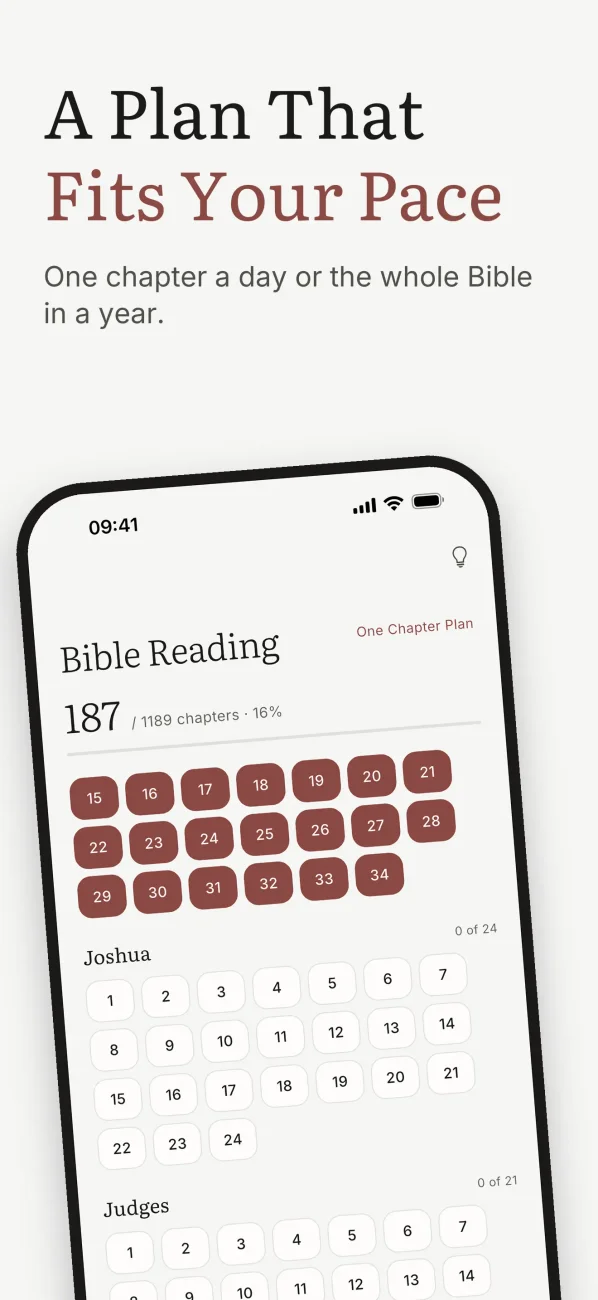
Pick a way through the Bible that suits you, at a pace you can actually keep. Every plan keeps its own progress: switch between them and pick each one up where you left it. The app counts how many times you have read the Bible through on each plan. Tick chapters off as you go and watch your progress fill in, with a reading streak and a six-month calendar of the days you read.
FOUR WAYS THROUGH THE BIBLE
• A chapter a day, straight through from Genesis to Revelation
• The whole Bible in a year, a few chapters a day
• The books in the order they were written
• The events in the order they happened
PLAN WHAT YOU STUDY
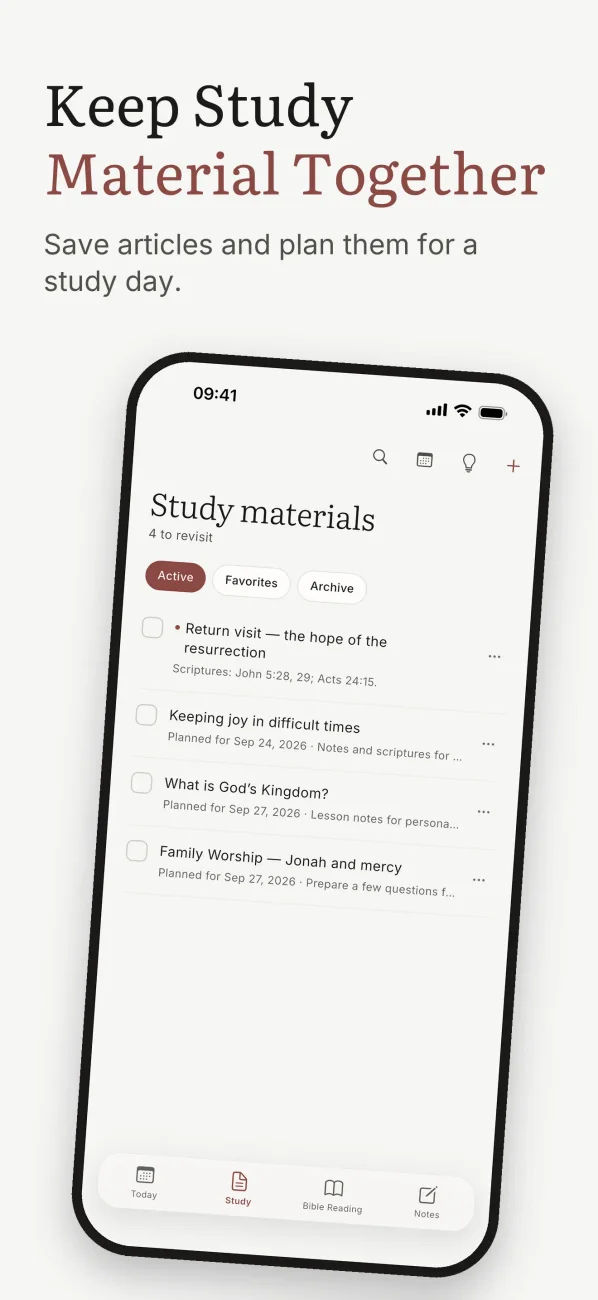
• Save articles and links as study material
• Choose the day you will study each one
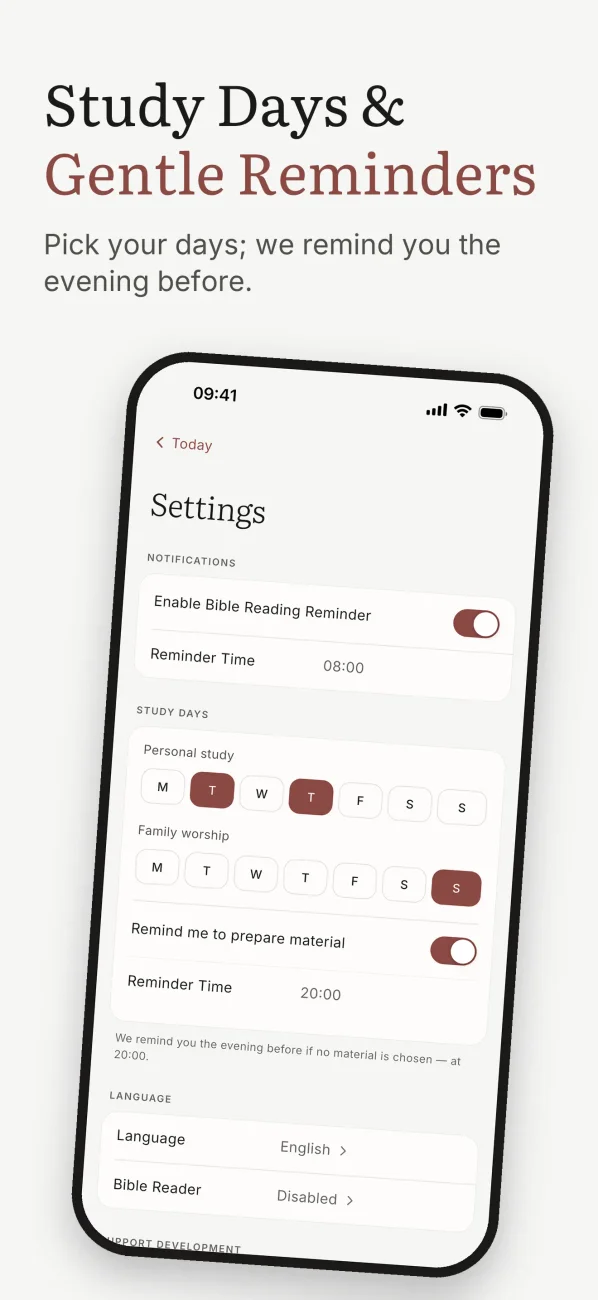
• Set your personal study days and family worship days
• Get a reminder the evening before if you have not picked your material yet
• See everything due on the Today screen, grouped under the day it belongs to
NOTES THAT STAY WITH THE CHAPTER
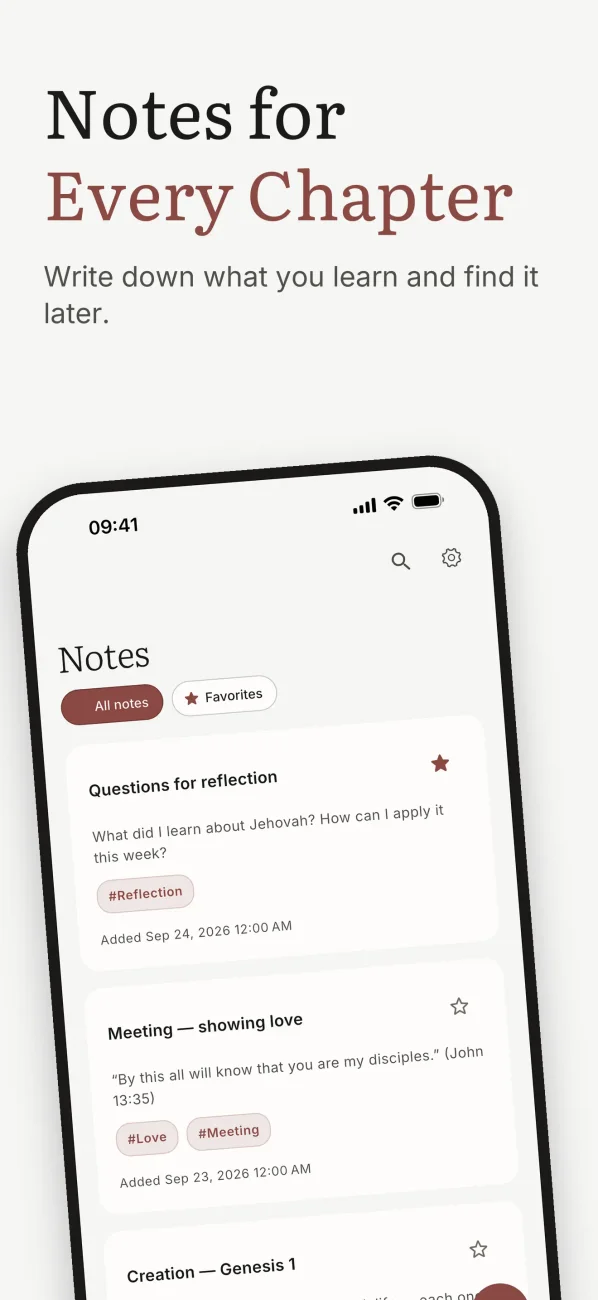
• Write notes and attach photos or files
• Link a note to a Bible book and chapter
• Tag your notes and find them again with search
• Work through reflection questions on what you have read
ON YOUR HOME SCREEN
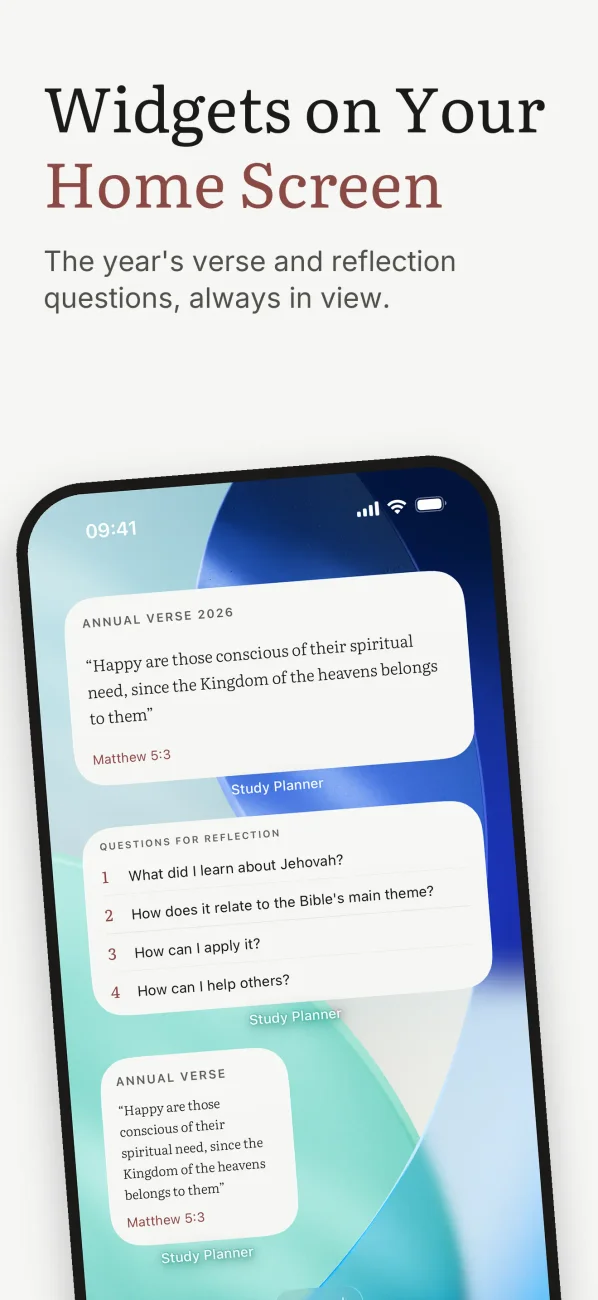
• A widget with the verse for the year
• A widget with questions for reflection
BUILT TO FIT YOUR ROUTINE
• Light and dark themes
• English, Русский, Українська, Română
• Open chapters in the Bible app or website you already use
• Save a link straight from your browser with the share sheet
• A daily reading reminder at the time you choose
FREE, WITH NO STRINGS
No ads, no subscription, no account to create. Your reading progress, notes, and study material are stored on your device. The app itself makes one kind of network request: reading the title of a link you save, so you do not have to type it yourself. Anything else that goes online — a voluntary tip, or the invitation to rate the app — is handled by Apple.
If the app is useful to you, Settings has an optional tip jar. It unlocks nothing — every feature is already free.
新機能
バージョン 1.1.5 · 2026/11/9
• Your reading now follows you between your Apple devices: tick off a chapter on the phone and it is ticked off on the iPad
• It all stays in your own iCloud: no account to create, no server of ours in between. You can turn it off in Settings
• The tab bar and the buttons at the top of every screen are now real Liquid Glass, as in iOS 26. The paper-and-ink pages stay as they are. As you scroll, a crisp edge appears under the title so it stays easy to read
• Sheets float over the page, with a cross to close and a check mark to confirm at the top, in place of the buttons at the bottom
• The app now speaks Romanian, widgets included
• Tap a saved material to open its link. To change it, open the three-dot menu and choose Edit. A material without a link opens for editing, as before
• Tap a chapter on Today or in Bible Reading to open it in the Bible app or on the website. Choose which in Settings, under Bible Reader. If the app isn't installed, the chapter opens on the website
アプリのプライバシー
このアプリのデータの取り扱いについて、Danchenko OleksandrがApp Storeで申告している内容です。
-
データの収集なし
開発元はこのアプリからデータを収集しません。
プライバシーの取り扱いは、ご利用の機能やお客様の年齢などに応じて異なる場合があります。
情報
- 販売元
- Danchenko Oleksandr
- カテゴリ
- 仕事効率化
- バージョン
- 1.1.5
- 更新日
- 2026/11/9
- リリース
- 2026/9/8
- サイズ
- 27.5 MB
- 必要条件
- iOS 18.6以降
- 対象年齢
- 4+
- 価格
- 無料
- アプリ内課金
- あり
- 言語
- 英語
- 著作権
- © 2026 Oleksandr Danchenko
こちらもおすすめ
-
 Doable: Gentle Habit Tracker仕事効率化
-
 ToDoWise: Task & Idea Planner仕事効率化
-
 Lumo — Habits with Friends仕事効率化
-
 Be Better習慣トラッカー
-
 Routines: Stay on Track仕事効率化
-
 ADHD 集中: That One Thingタスク・習慣・継続の記録
-
 Make My Day: AI Reminder仕事効率化
-
 Bible Tracker & Reading Plan仕事効率化
-
 DayJournal: 手書き手帳とノートカレンダーに直接手書き
-
 Vana: Study Timer, App Blocker仕事効率化