Busy Bee Time Tracker
Simple, powerful time tracking
Diseñada para iPhone, iPad, Mac
Gratis · Compras en la aplicación
- Clasificación por edad4+
- CategoríaEconomía y empresa
- DesarrolladorSteve Rose
- IdiomasInglés
- Tamaño8,9 MB
Enlaza a la página oficial de App Store
Download.org no aloja ningún archivo de Busy Bee Time Tracker. El botón abre la página de la aplicación en App Store, donde la publica Steve Rose. Ficha comprobada por última vez el 20/11/2026.
Capturas de pantalla
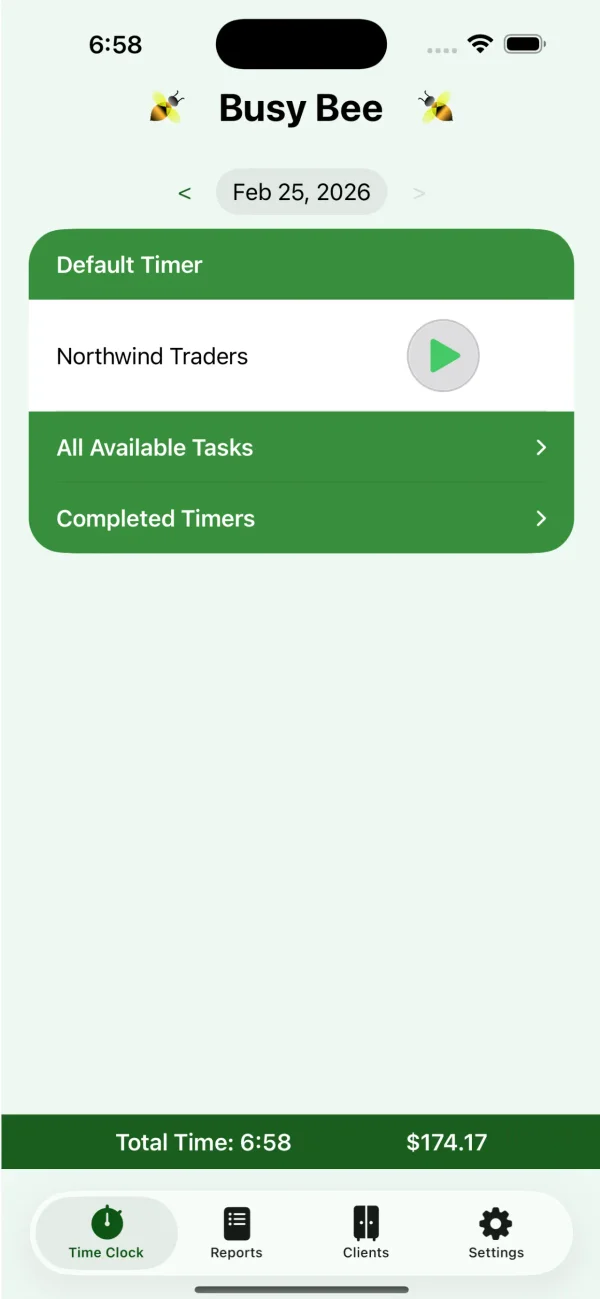
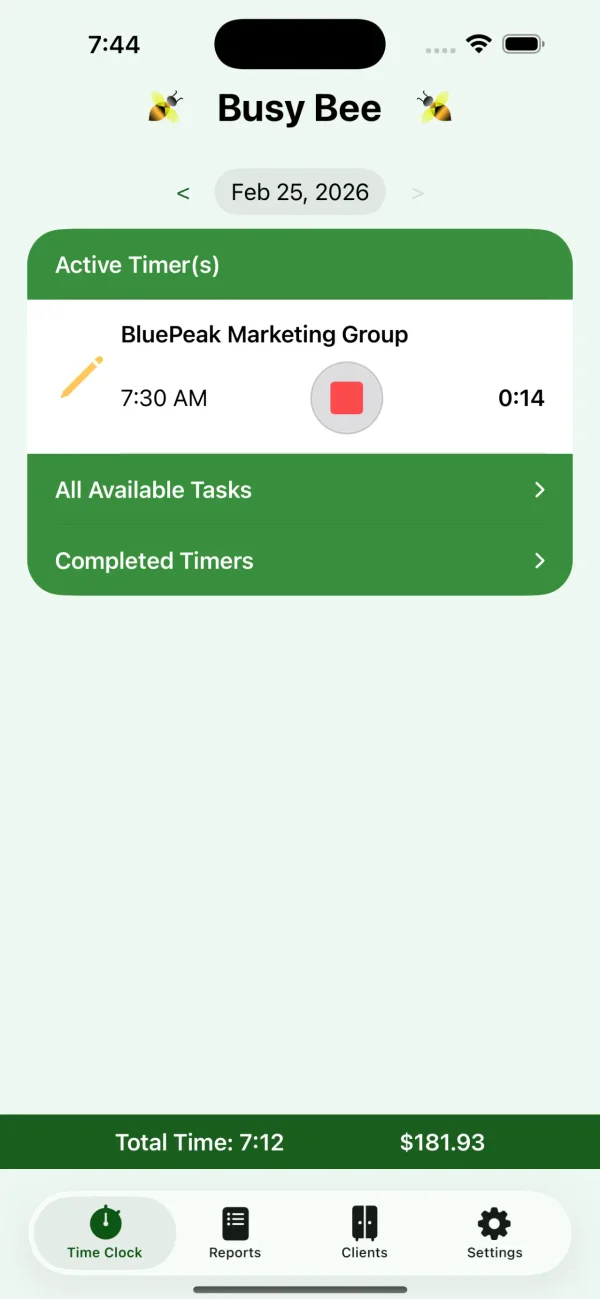
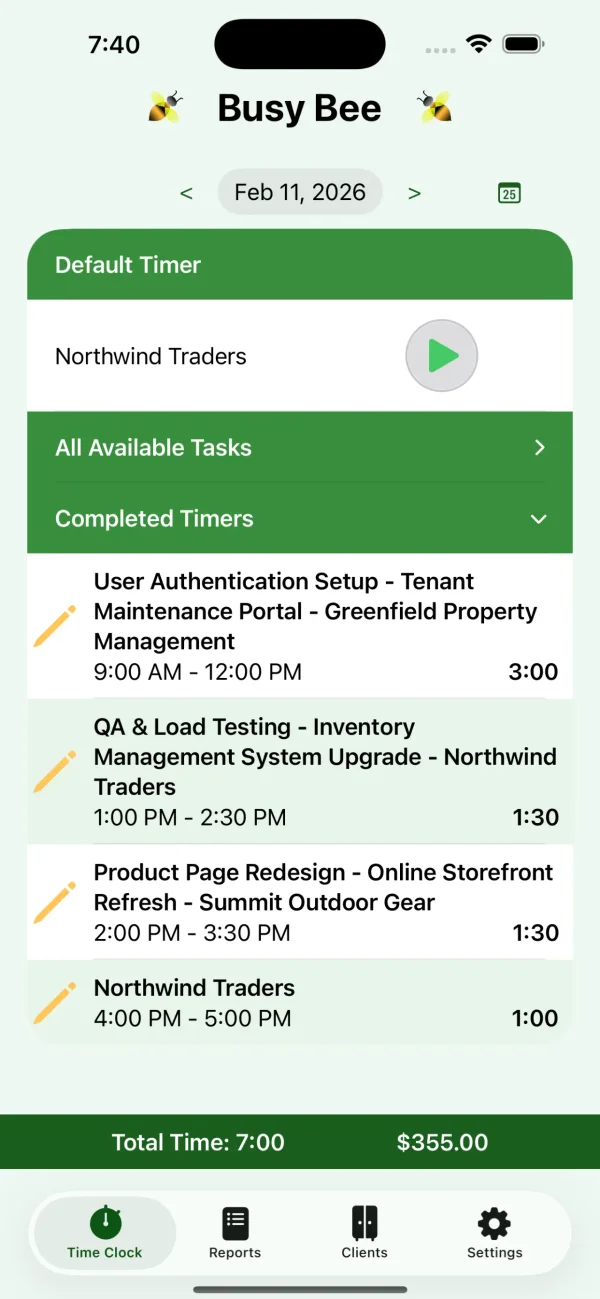

Acerca de
El desarrollador no ha proporcionado este texto en tu idioma.
Busy Bee Time Tracker is a straightforward time-tracking app packed with features that won’t clutter your screen or make you sit through annoying ads. You can easily track your time by client, project, and task, or no task at all.
To begin, you’ll create a client, and a default project and task will be set up for you. Alternatively, you can start the timer and choose a task later—or not. You can also add multiple projects and tasks to get super precise and detailed tracking that suits your workflow.
Want flexible billing? You’re in luck! You can set hourly rates at the client, project, or task level, or keep it simple with one rate per client that automatically applies to everything below.
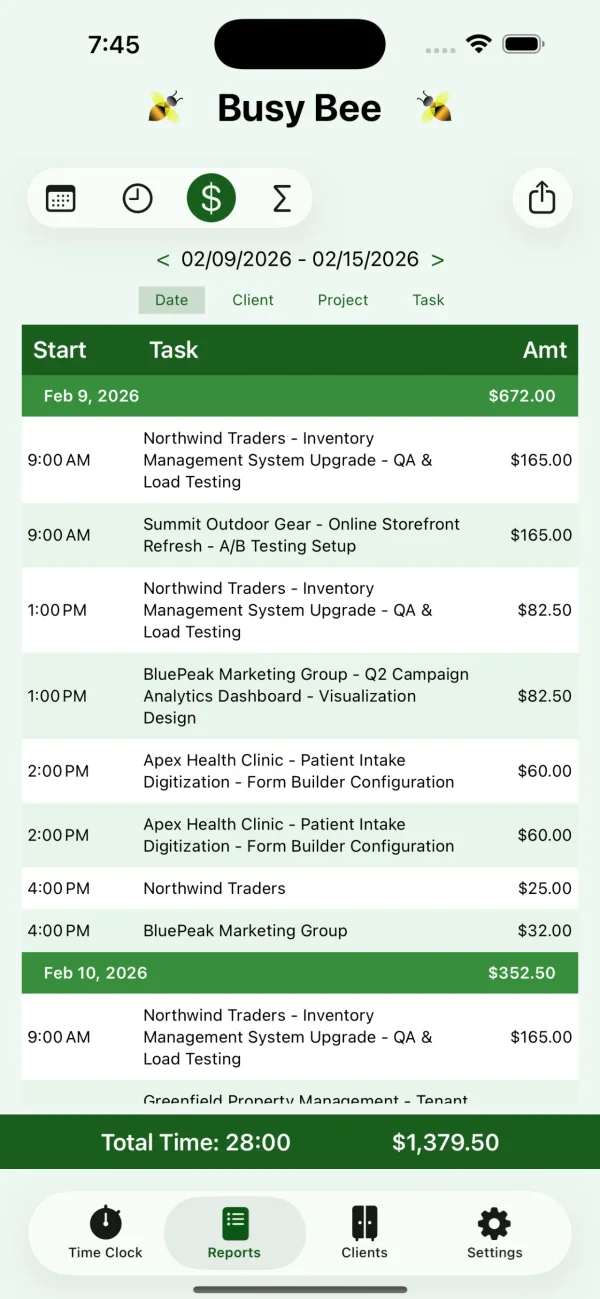
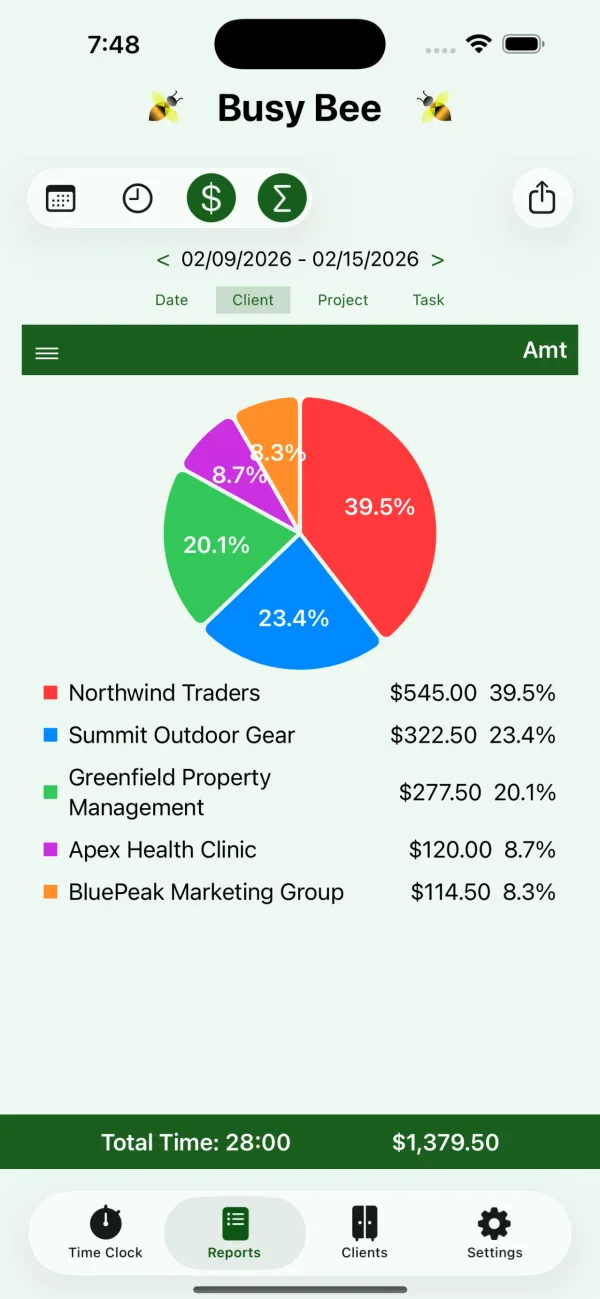
Powerful reporting is included. You can pick any date range to see a clear breakdown of your time by day, client, project, or task. If you prefer a summary, you can hide the details or view a chart broken down by any of those categories. Need to do some calculations? Export your data as a CSV file for easy use in your favorite spreadsheet or database tools.
Busy Bee Time Tracker is free to try out. When you create your first item, you’ll get a two-week unlimited preview. If you like it, subscribe to keep tracking without limits. Or, you can keep using it for free with limits of one client, two projects, and three tasks.
Features
• Start and stop a timer with a single tap.
• Start tracking time with no task.
• Track time by client, project, and task.
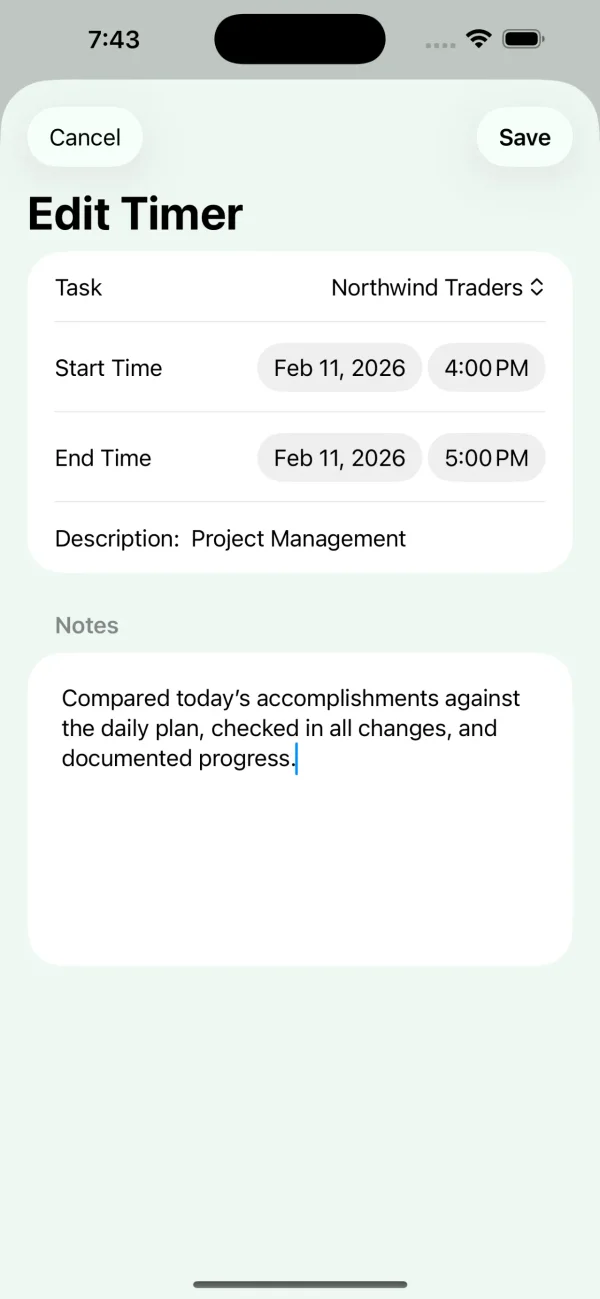
• Change a timer's task after it starts.
• Manually set the start and/or end times for a timer.
• Starting a new timer stops the current timer.
• Log a description for each timer entry if desired.
• Attach detailed notes to each client, project, task, or timer.
• Set hourly rates at the client, project, or task level.
• Powerful reporting options with flexible date ranges.
• Filter reports by Client, Project, or Task
• Summary reports give you the totals and hide the details.
• Display summary reports as a pie chart.
• Export report data as a CSV file.
Terms of Use (EULA): https://www.apple.com/legal/internet-services/itunes/dev/stdeula/
Novedades
Versión 1.1 · 9/7/2026
Added support for timer validation.
Various display improvements and bug fixes.
Privacidad de la aplicación
Lo que Steve Rose declara en App Store sobre cómo esta aplicación gestiona los datos.
-
No se recopilan datos
El desarrollador no recopila ningún dato de esta aplicación.
Las prácticas de privacidad pueden variar, por ejemplo, según las funciones que uses o tu edad.
Información
- Vendedor
- Steve Rose
- Categoría
- Economía y empresa
- Versión
- 1.1
- Actualizado
- 9/7/2026
- Publicado
- 26/2/2026
- Tamaño
- 8,9 MB
- Requiere
- iOS 18.6 o posterior
- Clasificación por edad
- 4+
- Precio
- Gratis
- Compras en la aplicación
- Sí
- Idiomas
- Inglés
- Copyright
- © 2026
Quizá también te guste
-
 Pocket: Tarjeta visita/reuniónComparte QR, transcribe con IA
-
 Clockee - BusinessEconomía y empresa
-
 SwiftCard: Business CardEconomía y empresa
-
 Ea$y AccountingFinanzas
-
 Keep Your PromisesProductividad
-
 Self Employed + AccountingEconomía y empresa
-
 TaskRTAProductividad
-
 Gbooks AccountingEconomía y empresa
-
 TimeGlass Notes - Sticky NotesProductividad
-
 not proud: bad habit trackerProductividad