
Calendar Clock
Large display dementia clock
Diseñada para iPhone, iPad, iPod touch
Gratis
- Clasificación por edad4+
- CategoríaMedicina
- DesarrolladorJelter B.V.
- IdiomasInglés+ 29 más
- Tamaño55,0 MB
Enlaza a la página oficial de App Store
Download.org no aloja ningún archivo de Calendar Clock. El botón abre la página de la aplicación en App Store, donde la publica Jelter B.V. Ficha comprobada por última vez el 23/11/2026.
Capturas de pantalla



Acerca de
El desarrollador no ha proporcionado este texto en tu idioma.
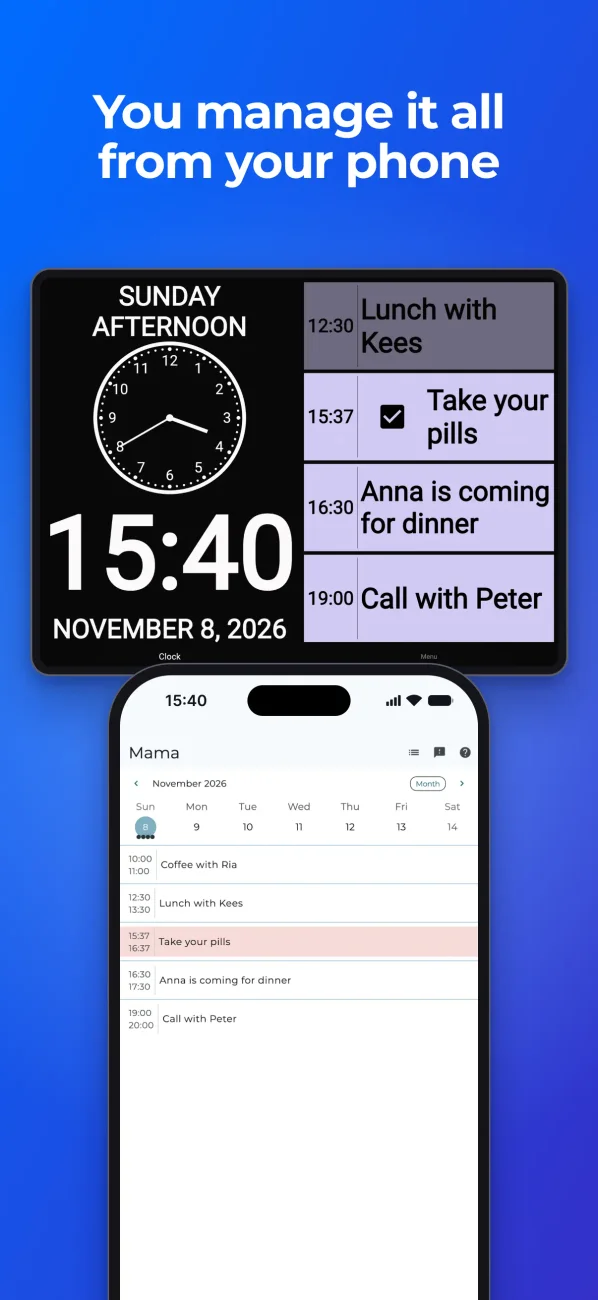
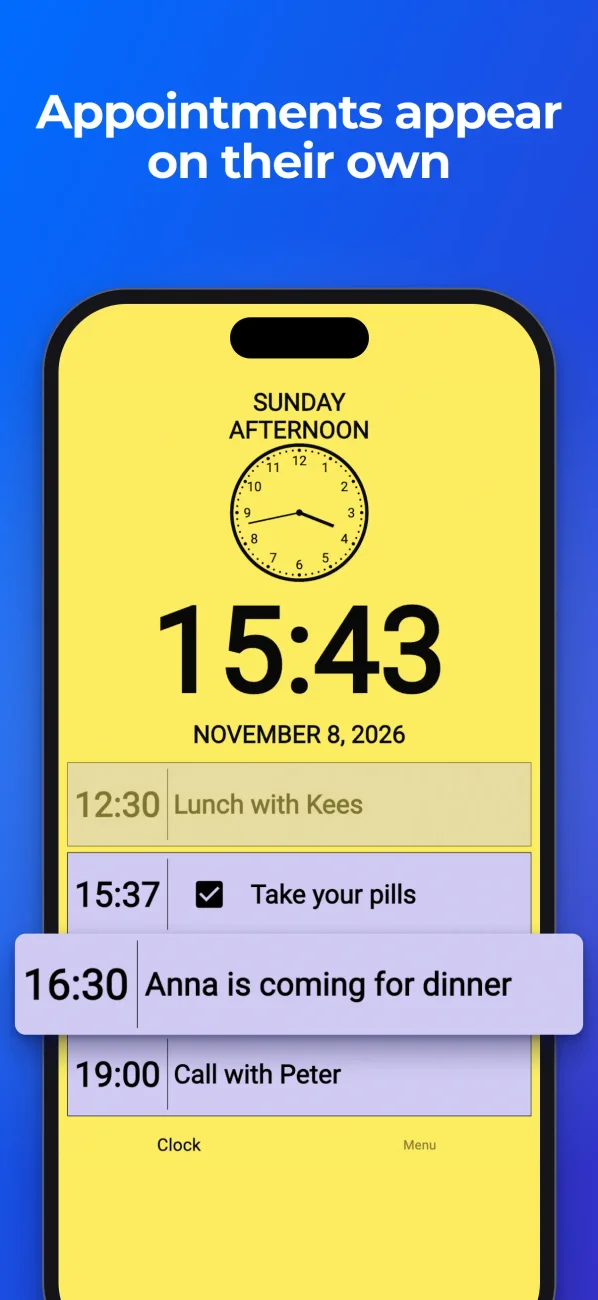
With Calendar Clock, an old tablet becomes a day clock that stays on all the time: showing the day, the time, the part of the day, and what’s happening today. Free, with no ads.
The app is specially designed for elderly, dementia, and alzheimer's care assistance. The big dayclock display helps your loved ones stay in control of time and their daily routine.
The app is super simple, your mother just watches whilst you control what the clock displays from your own phone via the Administrator app, wherever you happen to be.
Ever since 2019, we have been in close contact with caretakers, dementia researchers, partners of stroke patients, and children of people with Alzheimer's to make sure this app offers everything that someone with memory issues may help. We are continuously improving the app, so if there is anything we can do to improve the app more, let us know!
Getting started is easy:
Step 1: Put the clock app on the tablet
An old tablet is enough. Open the app and the clock starts immediately.
Step 2: Scan the code with your phone
The Administrator app opens or installs itself and connects to the clock.
Step 3: Put a message on the clock
Type “14:00 Lilian coming over”. Within 15 minutes it appears on the clock.
From that moment on, messages can be added remotely via the Administrator app, or automatically via your Google, iCloud, or Outlook calendar.
This clock app features:
- A large clock with date, time & day that works on most devices, old and new, large and small
- Analogue and digital clock formats
- Customizable themes
- Video calling
- Offline functionality
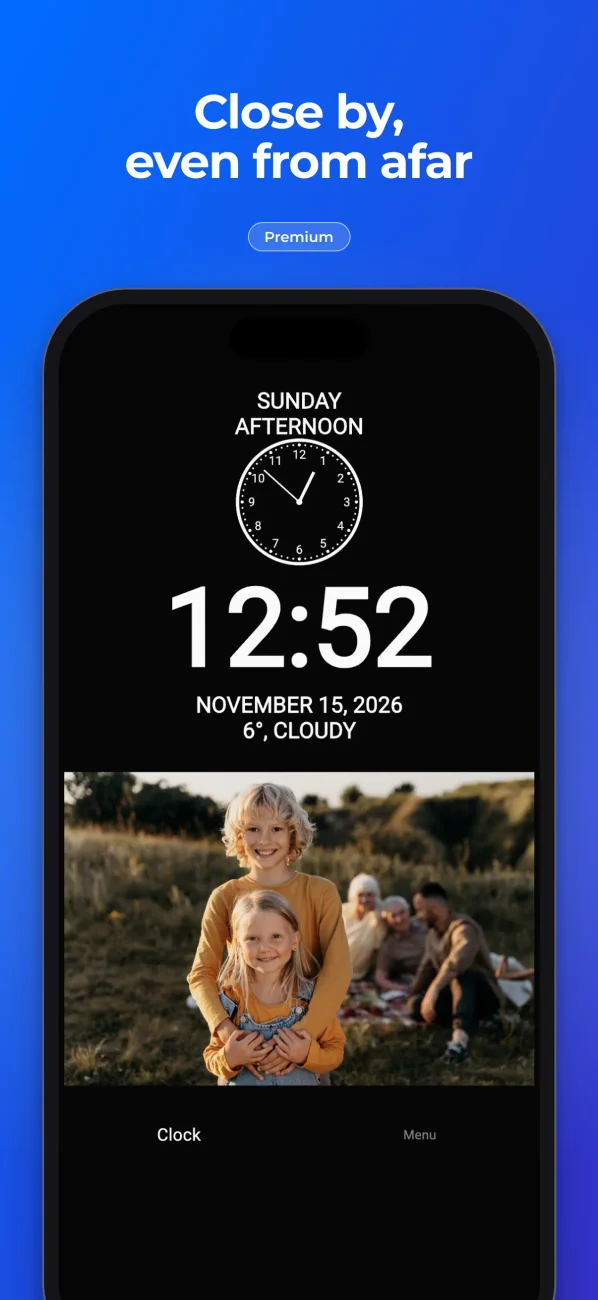
- Weather updates
- A photo carousel for family pictures
- AAC pictures for easy communication
- Alarms & confirmations for reminders
- Various clock chimes
- A week overview
- Multiple languages
- A minimalist design with clear, large text
- A night mode
Disclaimer: The clock stays on 24 hours a day. Place it on a stand, keep it charging, and set the screen to always on. We make it easy to set the app as a home screen app to help prevent anyone from accidentally closing the clock.
Novedades
Versión 2.27.1 · 20/11/2026
This version:
- Updates the video calling software.
Privacidad de la aplicación
Lo que Jelter B.V. declara en App Store sobre cómo esta aplicación gestiona los datos.
-
Datos no vinculados a ti
Pueden recopilarse, pero no se vinculan a tu identidad.
- Identificadores
Las prácticas de privacidad pueden variar, por ejemplo, según las funciones que uses o tu edad.
Información
- Vendedor
- Jelter B.V.
- Categoría
- Medicina
- Versión
- 2.27.1
- Actualizado
- 20/11/2026
- Publicado
- 26/8/2021
- Tamaño
- 55,0 MB
- Requiere
- iOS 15.0 o posterior
- Clasificación por edad
- 4+
- Precio
- Gratis
- Idiomas
- Inglés, Búlgaro, Croata, Checo, Danés, Neerlandés, Estonio, Finés, Francés, Alemán, Griego, Hebreo + 18 más
- Copyright
- © 2021-2026 Jelter
Quizá también te guste
-
 Memory Lane GamesSalud y forma física
-
 Reloj DemenciaReloj demencia y avisos
-
 Forget-Me-Not: Dementia AppAd-Free Large Text Brain Game
-
 Dementia Care - App for CarersSalud y forma física
-
 My House of MemoriesSalud y forma física
-
 40Hz Brain Trainer - AlzLife40Hz Gamma Light, Sound, Games
-
 ShowTime Simple Clock DisplaySalud y forma física
-
 Memory Exercises for AlzheimerJuegos de memoria y mente
-
 Elli Cares: Cuida a los tuyosApoyo diario y tranquilidad
-
 Dementia Log: Carer CompanionSalud y forma física