
Calendar Clock
Large display dementia clock
Được thiết kế cho iPhone, iPad, iPod touch
Miễn phí
- Độ tuổi4+
- Danh mụcY Tế
- Nhà phát triểnJelter B.V.
- Ngôn ngữTiếng Anh+ 29 ngôn ngữ khác
- Kích thước55,0 MB
Liên kết đến trang App Store chính thức
Download.org không lưu trữ tệp nào của Calendar Clock. Nút này mở trang ứng dụng trên App Store, nơi Jelter B.V. phát hành ứng dụng. Trang được kiểm tra lần cuối: 23/11/2026.
Ảnh chụp màn hình



Giới thiệu
Nhà phát triển chưa cung cấp nội dung này bằng ngôn ngữ của bạn.
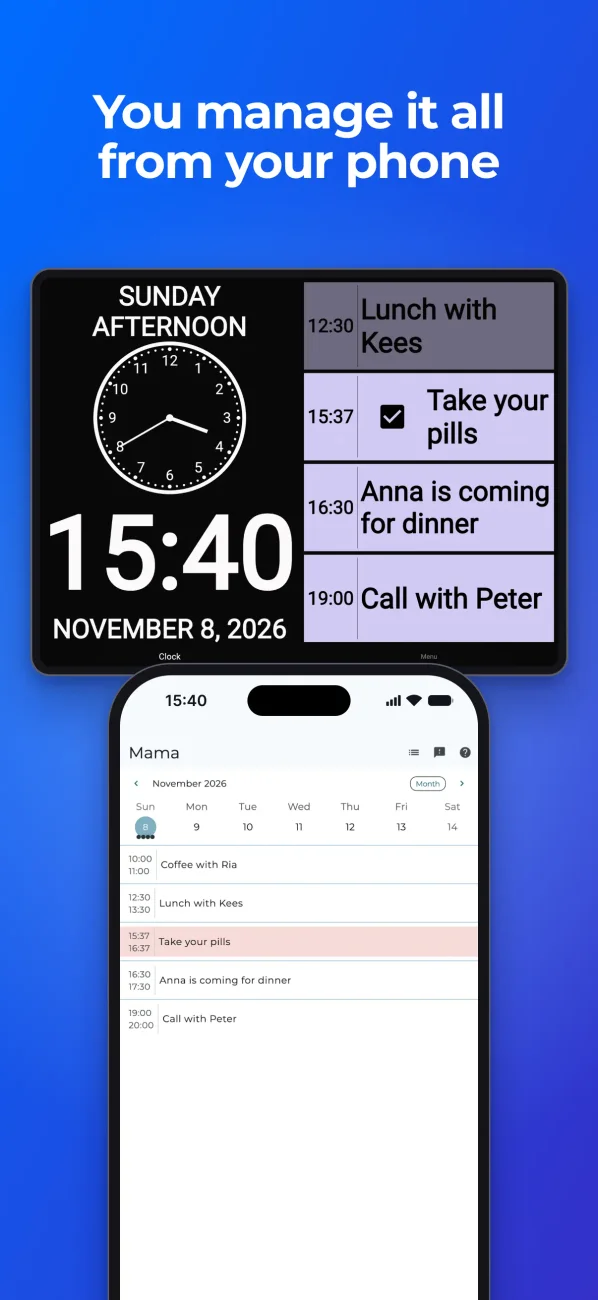
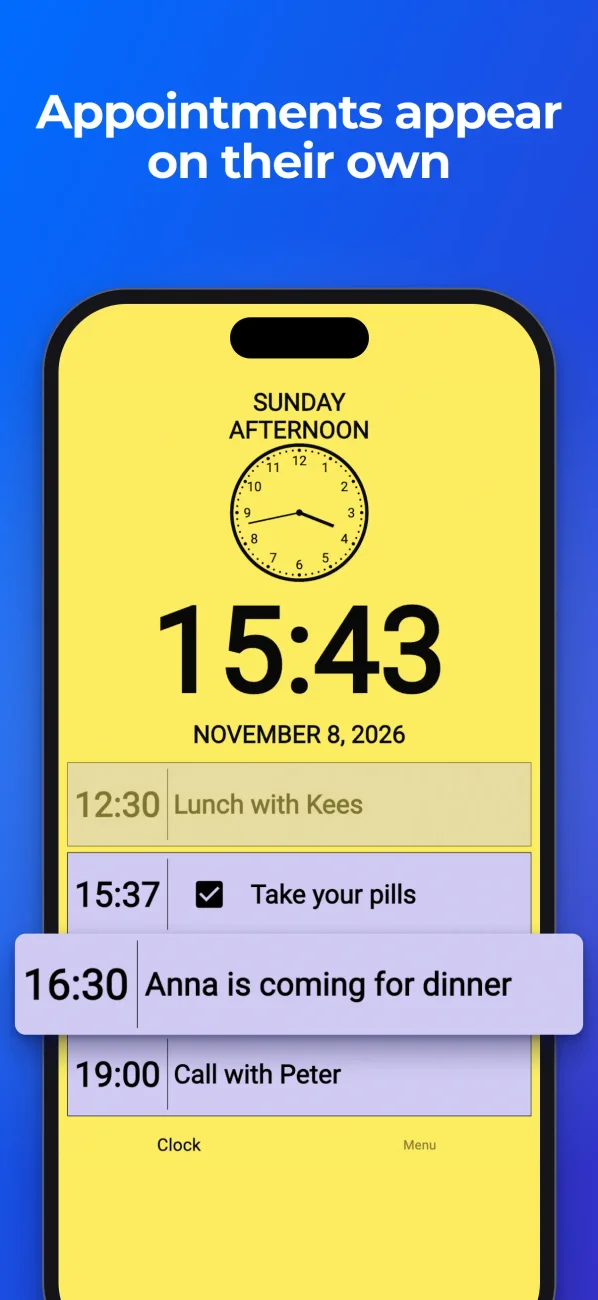
With Calendar Clock, an old tablet becomes a day clock that stays on all the time: showing the day, the time, the part of the day, and what’s happening today. Free, with no ads.
The app is specially designed for elderly, dementia, and alzheimer's care assistance. The big dayclock display helps your loved ones stay in control of time and their daily routine.
The app is super simple, your mother just watches whilst you control what the clock displays from your own phone via the Administrator app, wherever you happen to be.
Ever since 2019, we have been in close contact with caretakers, dementia researchers, partners of stroke patients, and children of people with Alzheimer's to make sure this app offers everything that someone with memory issues may help. We are continuously improving the app, so if there is anything we can do to improve the app more, let us know!
Getting started is easy:
Step 1: Put the clock app on the tablet
An old tablet is enough. Open the app and the clock starts immediately.
Step 2: Scan the code with your phone
The Administrator app opens or installs itself and connects to the clock.
Step 3: Put a message on the clock
Type “14:00 Lilian coming over”. Within 15 minutes it appears on the clock.
From that moment on, messages can be added remotely via the Administrator app, or automatically via your Google, iCloud, or Outlook calendar.
This clock app features:
- A large clock with date, time & day that works on most devices, old and new, large and small
- Analogue and digital clock formats
- Customizable themes
- Video calling
- Offline functionality
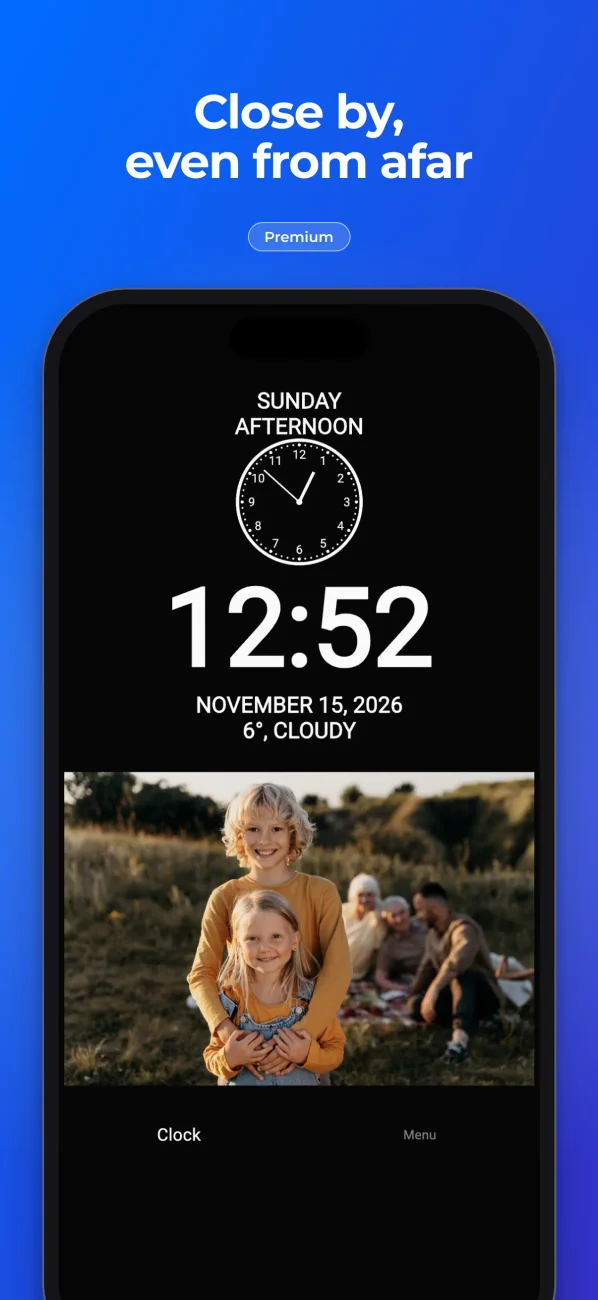
- Weather updates
- A photo carousel for family pictures
- AAC pictures for easy communication
- Alarms & confirmations for reminders
- Various clock chimes
- A week overview
- Multiple languages
- A minimalist design with clear, large text
- A night mode
Disclaimer: The clock stays on 24 hours a day. Place it on a stand, keep it charging, and set the screen to always on. We make it easy to set the app as a home screen app to help prevent anyone from accidentally closing the clock.
Có gì mới
Phiên bản 2.27.1 · 20/11/2026
This version:
- Updates the video calling software.
Quyền riêng tư của ứng dụng
Những gì Jelter B.V. khai báo trên App Store về cách ứng dụng này xử lý dữ liệu.
-
Dữ liệu không liên kết với bạn
Có thể được thu thập nhưng không liên kết với danh tính của bạn.
- Mã định danh
Phương thức đảm bảo quyền riêng tư có thể khác nhau, chẳng hạn như tuỳ theo các tính năng bạn sử dụng hoặc độ tuổi của bạn.
Thông tin
- Người bán
- Jelter B.V.
- Danh mục
- Y Tế
- Phiên bản
- 2.27.1
- Cập nhật
- 20/11/2026
- Phát hành
- 26/08/2021
- Kích thước
- 55,0 MB
- Yêu cầu
- iOS 15.0 trở lên
- Độ tuổi
- 4+
- Giá
- Miễn phí
- Ngôn ngữ
- Tiếng Anh, Bulgarian, Tiếng Croatia, Tiếng Séc, Tiếng Đan Mạch, Tiếng Hà Lan, Tiếng Estonia, Tiếng Phần Lan, Tiếng Pháp, Tiếng Đức, Tiếng Hy Lạp, Tiếng Do Thái + 18 ngôn ngữ khác
- Bản quyền
- © 2021-2026 Jelter
Có thể bạn cũng thích
-
 Memory Lane GamesSức Khỏe & Thể Dục
-
 Memory Care ClockSức Khỏe & Thể Dục
-
 Forget-Me-Not: Dementia AppY Tế
-
 Dementia Care - App for CarersSức Khỏe & Thể Dục
-
 My House of MemoriesSức Khỏe & Thể Dục
-
 40Hz Brain Trainer - AlzLifeSức Khỏe & Thể Dục
-
 ShowTime Simple Clock DisplaySức Khỏe & Thể Dục
-
 Memory Exercises for AlzheimerSức Khỏe & Thể Dục
-
 Elli Cares: Independent LivingSức Khỏe & Thể Dục
-
 Dementia Log: Carer CompanionSức Khỏe & Thể Dục