
- Clasificación por edad4+
- CategoríaProductividad
- DesarrolladorMichael Petrillo
- IdiomasInglés
- Tamaño9,8 MB
Enlaza a la página oficial de App Store
Download.org no aloja ningún archivo de Cuebird. El botón abre la página de la aplicación en App Store, donde la publica Michael Petrillo. Ficha comprobada por última vez el 20/11/2026.
Capturas de pantalla

Acerca de
El desarrollador no ha proporcionado este texto en tu idioma.
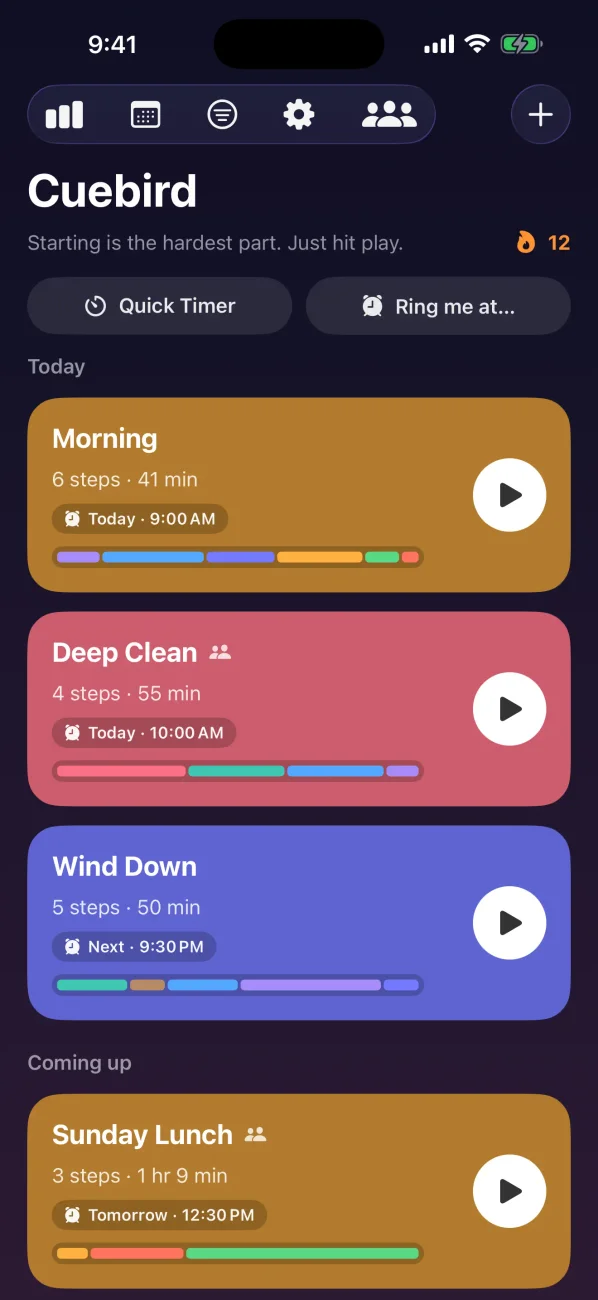
See the time, hear your next step, walk out the door on time. Cuebird turns any routine (morning, lunch break, bedtime) into small, timed, color-coded steps and moves you through them automatically. Built for neurodivergent adults. Kind to every brain.
HOUSEHOLDS
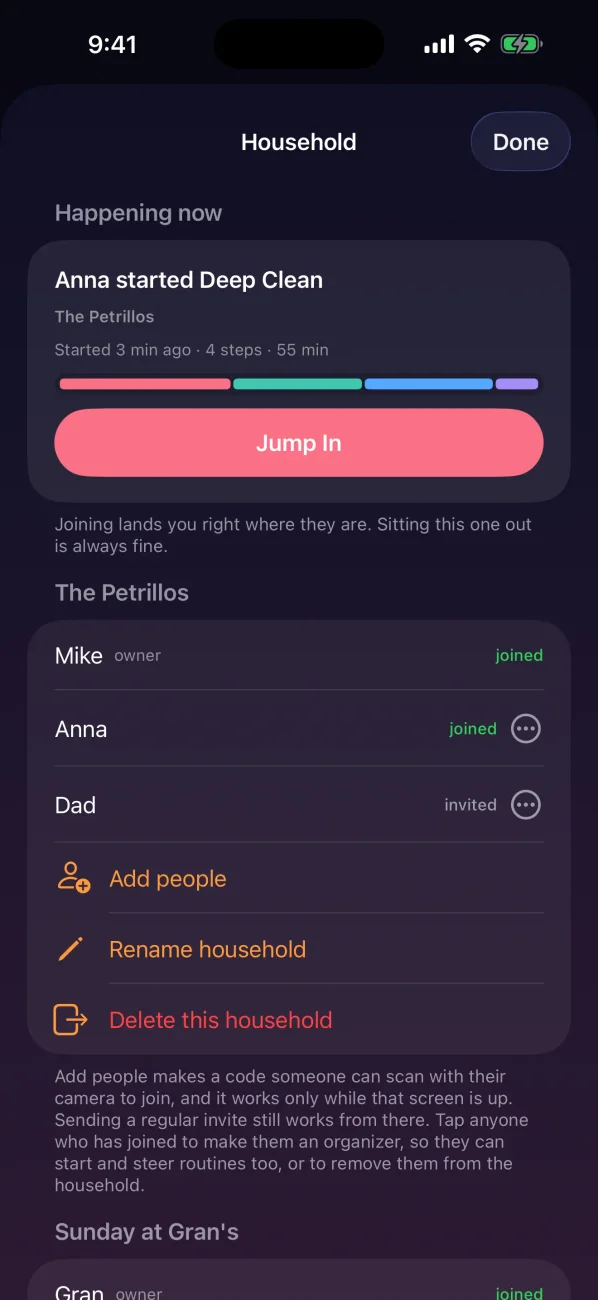
Link the people you live with into a household. Start a routine and everyone gets a gentle offer to jump in, landing where you already are, not back at step one. Joining is one tap, and sitting one out is free: nobody is ever told either way. Be in more than one household at once, your own and the one at your mum's, and every routine says which one it came from. It is all end-to-end encrypted.
DO IT TOGETHER
In the same room, run a routine in step. Everyone starts on a shared 3, 2, 1, and pause, skip, or a minute back move for the whole group at once, so nobody is left behind. Near each other it is instant. Apart, it stays in sync across your household. Want your own timing? One tap, and your routine keeps going on its own.
INVITE BY TEXT, OR BY QR
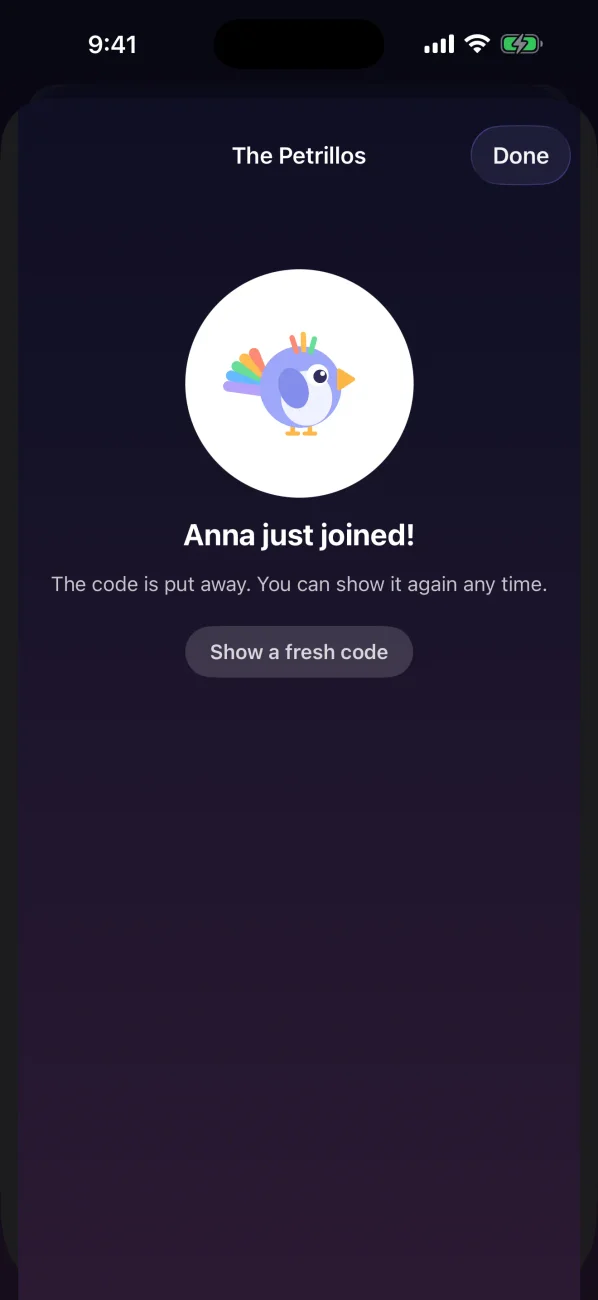
Send someone a link. They tap it and they are in, even if your phone is closed. Together in person? Show the code on your screen for them to scan. Either way, one tap and they are in the household.
TIME YOU CAN SEE
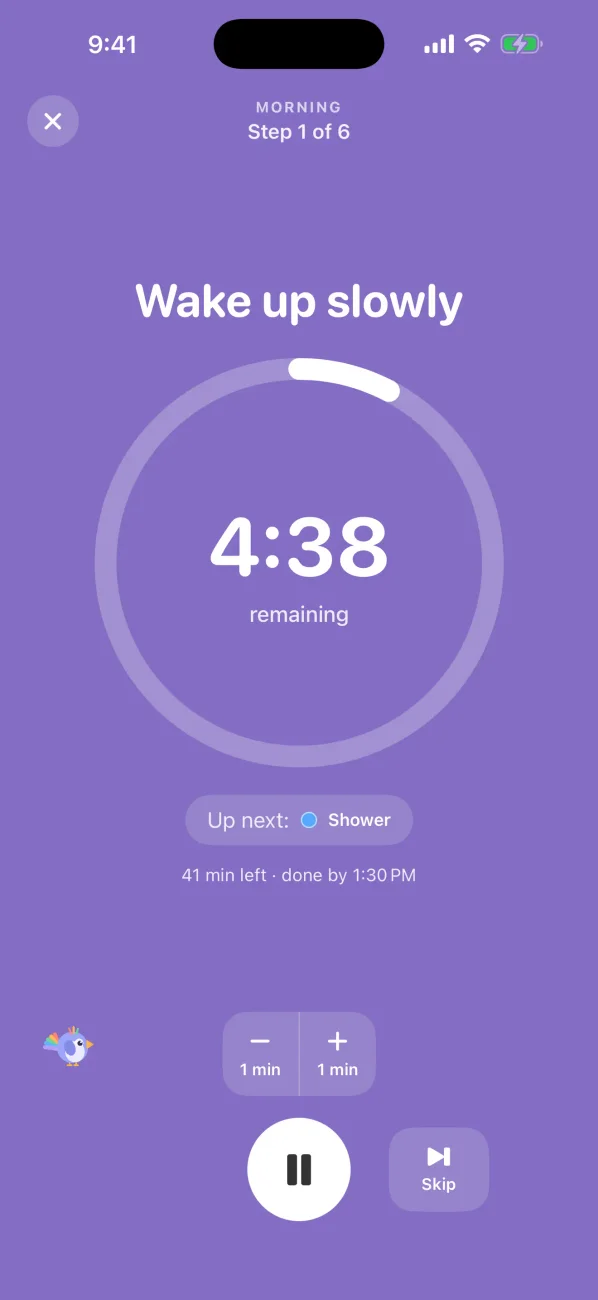
While a routine runs, the whole screen becomes the current step's color. From across the room, mid-shower, without reading: blue means shower, amber means coffee. A color bar of the steps shows the shape of your time before you start.
OUT THE DOOR ON TIME
Set when a routine starts and when you have to be done. Cuebird shows the window, adds up your steps, and tells you plainly whether they fit. Running late? One control compresses the routine so you still walk out on time.
HEAR YOUR NEXT STEP
A chime marks every transition, or let Cuebird speak: "Next: Shower, 10 minutes." A 30-second heads-up warns before longer steps end. Prefer quiet? Silent mode keeps it to haptics. You can also record any step in your own voice. Recordings stay on your device and never sync.
REAL ALARMS, NOT NOTIFICATIONS
Give a routine a start time and days, and it rings with the system's full-screen alarm: through silent mode, through Focus, even with the app closed. Tap Start and you are already in it.
BUILT THE WAY YOUR WEEK ACTUALLY WORKS
One routine can ring at several times, each with its own days: weekdays at 7:00, weekends at 9:00. Your list sorts itself around today, and the Schedule view shows everything that will ring this week.
IT LEARNS YOUR REAL TIMING
Cuebird records every run and shows how long your routine ACTUALLY takes versus what you planned: "Morning really takes 42 minutes, not 35." Then it updates your plan with one tap.
STARTING IS ONE TAP
Every routine has a play button right on its card, no menus between you and momentum. For the times you do not need a whole routine, Quick Timer and Ring Me At are one tap away.
NO SHAME BUILT IN
Pause says "no rush." Skipping is a first-class button, and if you skip by mistake you can undo it. Need a minute back? Take one. Finishing celebrates every run, and one missed day never breaks your streak. That is what the habit-formation research actually says. Cuebird never scolds you.
EVERYWHERE YOU NEED IT
- Lock Screen and Dynamic Island Live Activity: glance without opening the app
- Home Screen widget: start a routine in one tap
- Apple Watch: your step and countdown on your wrist; pause, resume or skip from there
- Siri and Shortcuts: "Start Morning in Cuebird," or run routines from your automations
- Mac: runs on Apple silicon Macs too
ONE PURCHASE COVERS YOUR FAMILY
Family Sharing is on, so up to six family members get it with one purchase. You can also send any routine as a link, ready for their own times.
ONE-TIME PURCHASE
Buy it once. No subscription, no ads, no accounts, no analytics, no data collection. Your own routines sync through your private iCloud, no login ever. Households stay end-to-end encrypted, and Cuebird has no servers and cannot read any of it.
Novedades
Versión 2.0.1 · 14/8/2026
Start a routine without opening the app, from Control Center, the Lock Screen, a widget, or by asking Siri. And six starter routines are built in, so a blank screen is never the first thing you meet.
Starter routines: begin with Workday Morning, Getting Home, Meds and Food, Daily Reset, Wind Down for Bed, or Focus Sprint, then change anything you like. Nothing is locked.
Start from anywhere: a Control Center button, Lock Screen and Dynamic Island controls, and a widget that runs a routine without opening Cuebird.
Watch a color drain instead of a ring. The whole screen empties from the top as the step runs, so the time left reads from across the room.
Soundscape: rain, brown noise, or waves under a run, sitting behind your steps rather than competing with them. Off unless you turn it on, and it sits out any run where your own music is already playing.
On the nightstand: put the phone on a charger in StandBy and a wind-down routine stays near black, with the countdown big enough to read from bed.
Focus filters: let a Focus show only the routines that belong to it, and keep finishes calm while it is on. Scheduled alarms still ring either way.
Calendar awareness: if a routine would run into a meeting, Cuebird says so before you start. It reads your calendar on the phone and stores nothing.
Sleep rhythm: let Cuebird read Health and a scheduled wind-down routine shows the time you usually fall asleep, and how its finish sits against that. It stays on this phone.
If a start time slips by, Cuebird can check back once, quietly, twenty minutes later. Off unless you ask for it.
After a run you can say how it felt with one tap, and skipping the question costs nothing. Insights notices which times of day tend to go well for you.
Double Tap on Apple Watch pauses a run without touching the screen.
Setting times got easier: choose a wake alarm or a quiet reminder for each time, see collisions before you save, and watch the out-the-door total as you edit a step.
Privacidad de la aplicación
Lo que Michael Petrillo declara en App Store sobre cómo esta aplicación gestiona los datos.
-
No se recopilan datos
El desarrollador no recopila ningún dato de esta aplicación.
Las prácticas de privacidad pueden variar, por ejemplo, según las funciones que uses o tu edad.
Información
- Vendedor
- Michael Petrillo
- Categoría
- Productividad
- Versión
- 2.0.1
- Actualizado
- 14/8/2026
- Publicado
- 3/8/2026
- Tamaño
- 9,8 MB
- Requiere
- iOS 26.0 o posterior
- Clasificación por edad
- 4+
- Precio
- 0,99 €
- Idiomas
- Inglés
- Copyright
- © 2026 Michael Petrillo
Quizá también te guste
-
 DayBlocks - Countdown WidgetProductividad
-
 LifePace Habit Streaks TrackerProductividad
-
 Prep Clock: Backward TimerProductividad
-
 Recaply AI: Your News AgentProductividad
-
 Leeway: Planificador diarioQué tareas caben en tu día
-
 Distant: Timer de enfoquePomodoro y bloqueo de apps
-
 Study Organizer For StudentsHomework Planner & Focus Timer
-
 Ontime: ADHD & Time BlindnessProductividad
-
 Choreo: Build Better HabitsProductividad
-
 Time Meter - Tracker and SheetProductividad