DayBlocks - Countdown Widget
Days Until Tracker & Planner
Diseñada para iPhone, iPad
2,99 €
- Clasificación por edad4+
- CategoríaProductividad
- DesarrolladorALAN D NAVARRO LOPEZ
- IdiomasInglés
- Tamaño36,5 MB
Enlaza a la página oficial de App Store
Download.org no aloja ningún archivo de DayBlocks - Countdown Widget. El botón abre la página de la aplicación en App Store, donde la publica ALAN D NAVARRO LOPEZ. Ficha comprobada por última vez el 20/11/2026.
Capturas de pantalla

Acerca de
El desarrollador no ha proporcionado este texto en tu idioma.
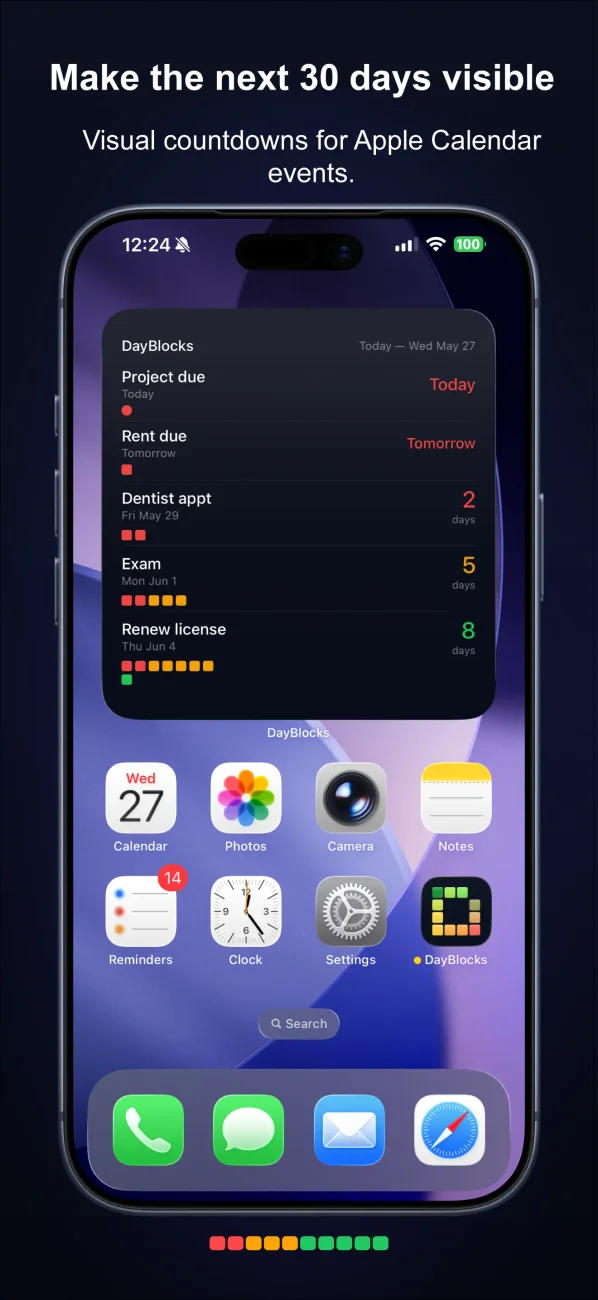
DayBlocks turns your upcoming calendar events and reminders into countdowns you can actually see.
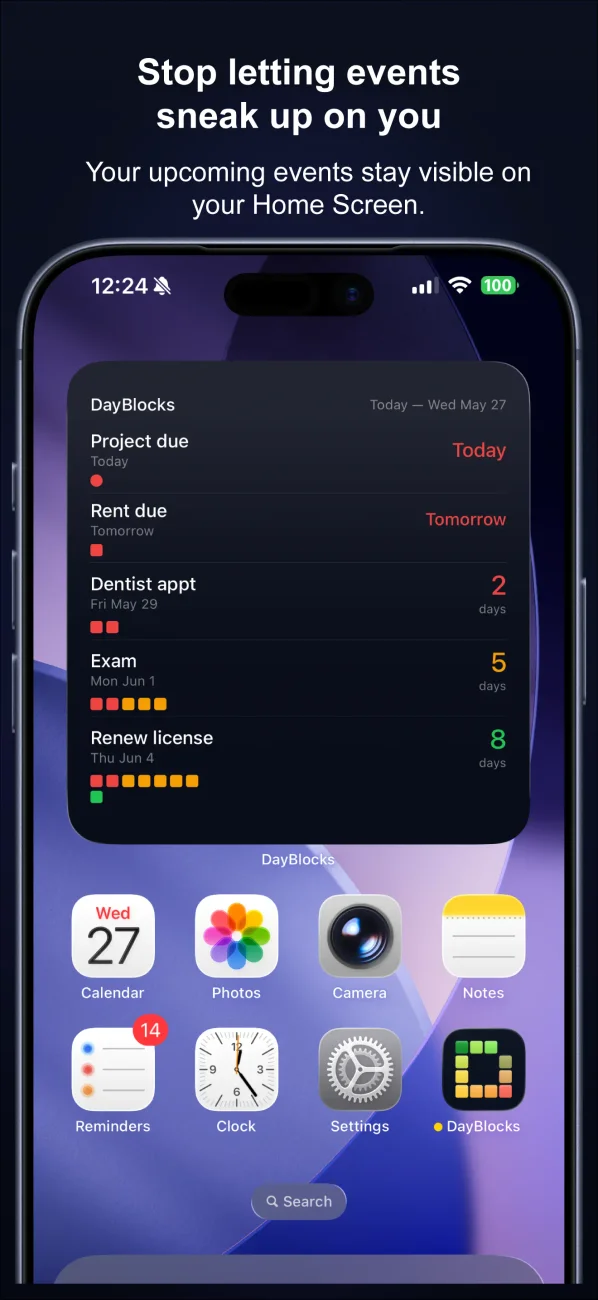
Time can feel slippery. "In three weeks" might as well mean "never" — until suddenly it's tomorrow and you're scrambling. DayBlocks changes that. Each upcoming event and due reminder becomes a row of colored blocks, with one block for every day remaining. Everything is sorted by what's coming next. As the date gets closer, the blocks shift from green to orange to red.
It's a simple way to make time feel real.
— FEATURES —
- Reads events from calendars already connected to Apple Calendar, including iCloud, Google, and Outlook. There's no second calendar to maintain.
- Works with Apple Reminders. Reminders with due dates appear alongside your calendar events as countdown blocks, so important deadlines don't slip past.
- Shows glanceable countdowns for today and the next 30 days. Events further away appear automatically when they enter the 30-day window.
- Uses color-coded urgency: red for today and tomorrow, orange for the next seven days, and green for later. The blocks tell you "soon" before you even read the event name.
- Includes Home Screen widgets in small, medium, and large, plus Lock Screen widgets. See what's coming without opening the app.
- Configure each widget individually. Long-press any widget to choose exactly which calendars and reminder lists it shows — keep a work widget on one page and a family widget on another.
- Lets you choose which calendars and reminder lists appear. Toggle family, work, holidays, and other lists on or off so DayBlocks only shows what matters to you.
- Designed for people who experience time blindness. No extra notifications, no clutter, and no productivity guilt. Just a clearer view of your time.
— PRIVACY —
DayBlocks accesses your calendars and reminders only to display your countdowns. Your calendar and reminder data is processed on your device. DayBlocks does not upload it to external servers, sell it, or use it for tracking. No account or login is required.
— PERFECT FOR —
- Anyone with ADHD or time blindness who needs to see time, not just count it
- Parents keeping track of birthdays, appointments, and school events
- Students whose deadlines often feel further away than they really are
- Anyone who has ever forgotten a vehicle registration renewal or another important deadline
Novedades
Versión 1.0.7 · 19/7/2026
Widgets now refresh the moment you open DayBlocks — add or change an event in Calendar or Reminders, open the app, and your widgets update within seconds.
Privacidad de la aplicación
Lo que ALAN D NAVARRO LOPEZ declara en App Store sobre cómo esta aplicación gestiona los datos.
-
Datos no vinculados a ti
Pueden recopilarse, pero no se vinculan a tu identidad.
- Diagnóstico
Las prácticas de privacidad pueden variar, por ejemplo, según las funciones que uses o tu edad.
Información
- Vendedor
- ALAN D NAVARRO LOPEZ
- Categoría
- Productividad
- Versión
- 1.0.7
- Actualizado
- 19/7/2026
- Publicado
- 13/5/2026
- Tamaño
- 36,5 MB
- Requiere
- iOS 17.0 o posterior
- Clasificación por edad
- 4+
- Precio
- 2,99 €
- Idiomas
- Inglés
- Copyright
- © 2026 Alan Navarro
Quizá también te guste
-
 CuebirdProductividad
-
 Recaply AI: Your News AgentProductividad
-
 Visual Time - Dotted LineProductividad
-
 Watermelist: Voice To-Do ListProductividad
-
 DayBlock: Build your dayProductividad
-
 Clippo - Gestor portapapelesNavaja suiza del portapapeles
-
 Digital Carrot Focus & GoalsProductividad
-
 Riverton ConnectProductividad
-
 Nyre - Rastreador de HábitosHábitos Diarios y Objetivos
-
 StayGrayModo gris, menos scroll