
DateDots: Calendar Alarm Clock
Alarms on the dates you need
Diseñada para iPhone, iPad
Compras en la aplicación
- Clasificación por edad12+
- CategoríaProductividad
- DesarrolladorBig Mountain Outpost, LLC
- IdiomasInglés
- Tamaño51,6 MB
Es posible que DateDots: Calendar Alarm Clock no esté disponible en App Store en este momento
No se pudo acceder a la ficha de la tienda en nuestra última comprobación. El enlace sigue llevando a la página oficial de App Store.
Capturas de pantalla



Acerca de
El desarrollador no ha proporcionado este texto en tu idioma.
Most alarm apps think in weekdays. DateDots thinks in dates.
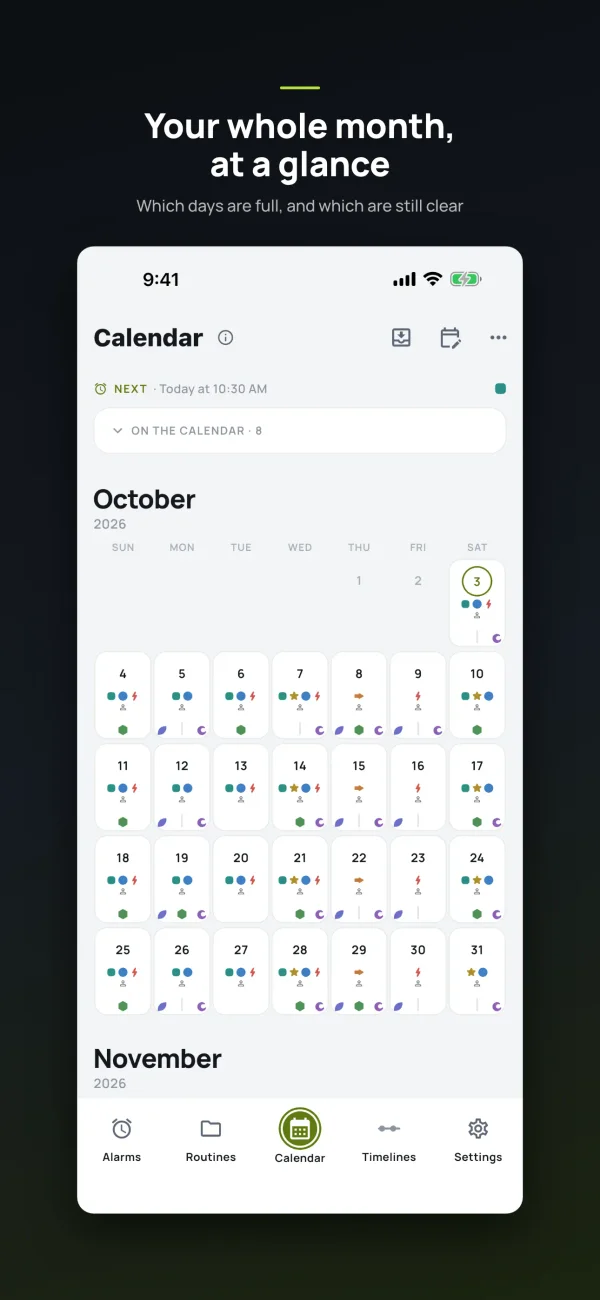
DateDots is an alarm clock built on a calendar. Build a routine — a group of alarms that belong together — and put it on the exact days you need it. One look at the month tells you what is coming, and which days are still clear. It is made for anyone whose weeks are not identical, where this Tuesday looks nothing like last Tuesday.
A CALENDAR, NOT A LIST
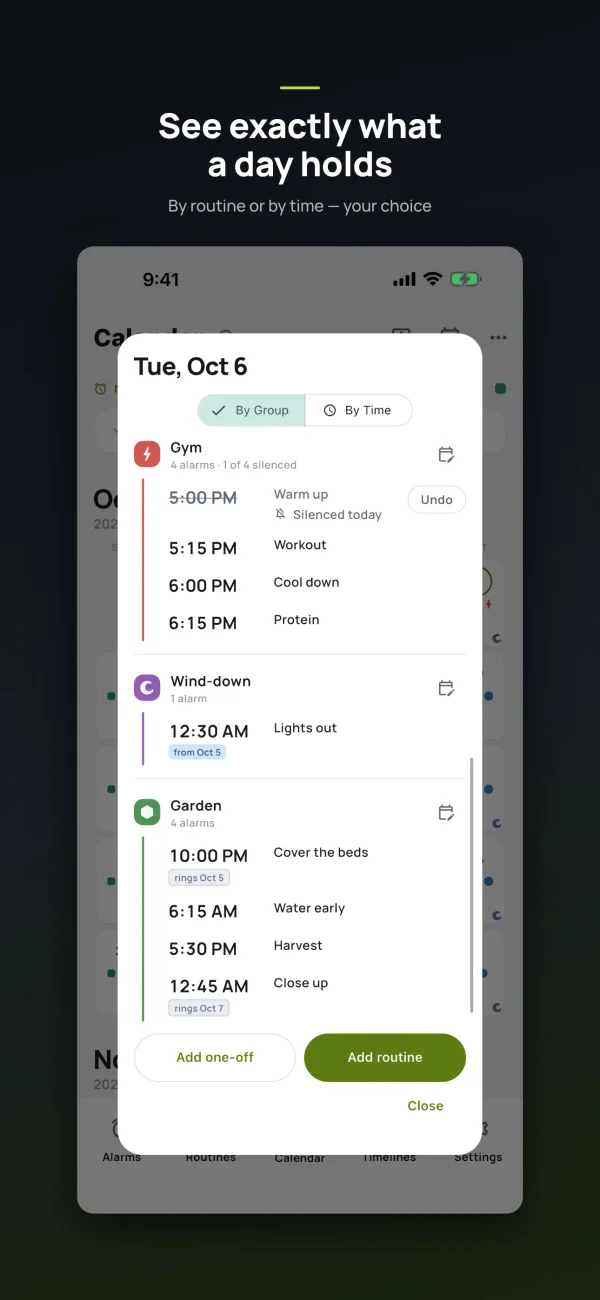
Assign routines to real dates instead of "every Tuesday". Every routine gets its own colour and shape, so a glance across the month tells you which days are full and which are empty. Tap any day to see everything that rings on it — sorted by routine or by time — and to add something right there.
ROUTINES
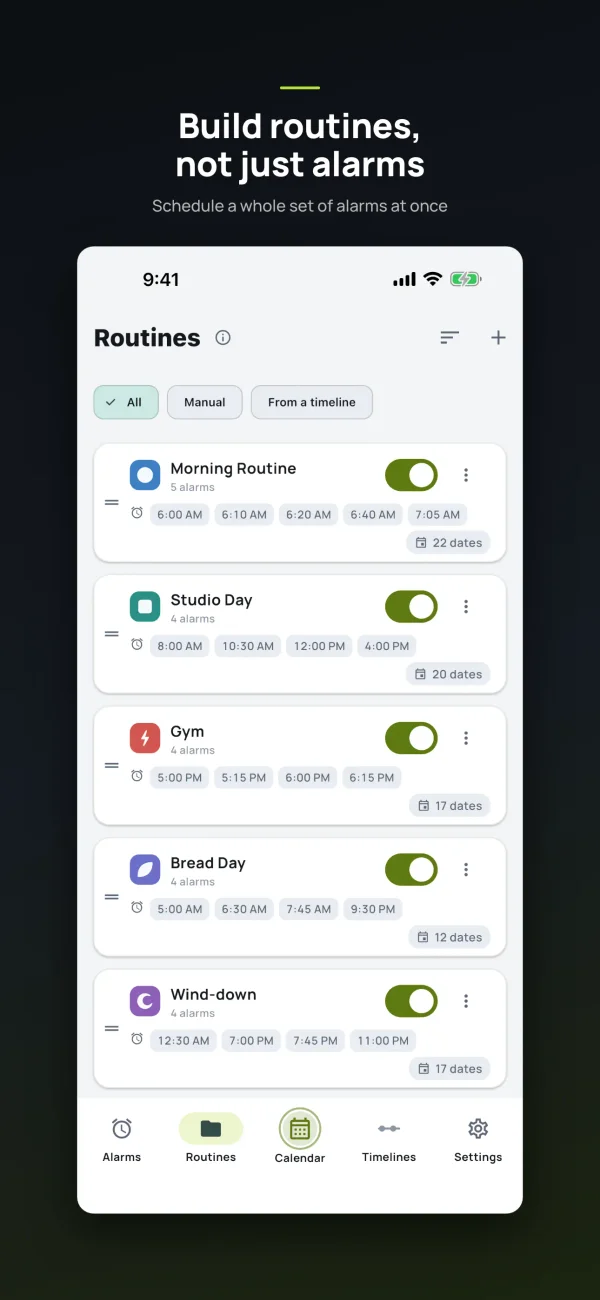
Bundle a sequence of alarms that go together: wake up, stretch, shower, breakfast, head out. Build it once, then schedule the whole set onto as many days as you like. Turn the entire routine off with one switch, and give it a colour and shape so you can pick it out of a busy month.
TIMELINES
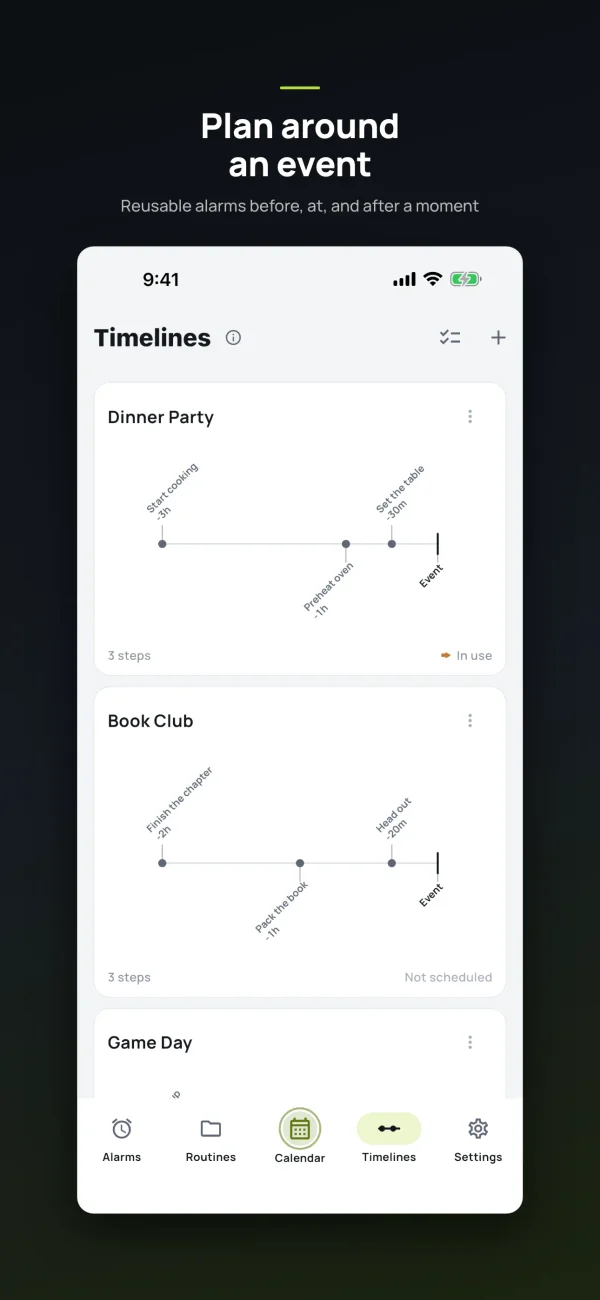
Some things are easier to plan backwards from a moment. A timeline is a reusable pattern of alarms around an event — three hours before, one hour before, right on time, an hour after. Drop it onto a date and a time, and every alarm lands where it should for that day.
IT UNDERSTANDS MIDNIGHT
If a routine starts the night before, that alarm shows up on the night it actually rings, tagged with the day it belongs to. The calendar marks a routine that reaches into the day beside it. Nothing hides in the wrong square.
SILENCE ONE DAY, NOT FOREVER
Need one alarm quiet for one day? Swipe it in the day's list and tap Silence. The row says what it silenced and offers Undo, and it rings normally on every other day — there is nothing to remember to switch back on.
ORDINARY ALARMS TOO
One-time, daily, and weekday alarms live in their own tab, with pin, duplicate, and drag-to-reorder. Every alarm keeps its own tone, and every alarm can be snoozed.
BRING YOUR SCHEDULE IN
Import dates from a spreadsheet — .xlsx, .xlsm, and older Excel .xls, plus .csv and .tsv — or from a calendar already on your device. It is read entirely on your device — the file never leaves it — and you can preview exactly what DateDots found before creating anything.
RINGS LIKE THE CLOCK APP
DateDots hands its alarms to your iPhone's own alarm system, so they ring full-screen like the Clock app — even when DateDots is closed. Snooze or stop right from the lock screen. An Alarm health screen shows what your device is holding, so you can check your alarms are set.
YOURS TO LOOK AT
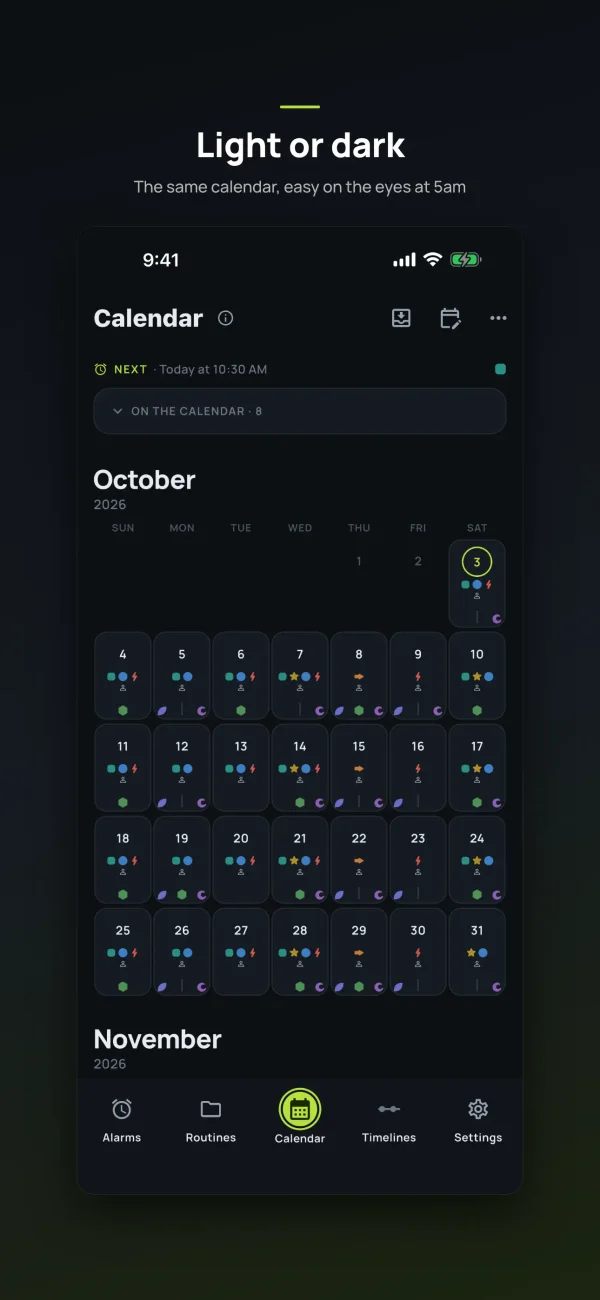
Light and dark themes, three accent colours, 12- or 24-hour time.
PRIVATE BY DESIGN
No ads. No third-party tracking or analytics. Your alarms stay on your device unless you choose to sign in, with Apple or Google.
DATEDOTS PRO
A one-time purchase — not a subscription — unlocks:
• Cloud backup and sync across your devices
• Creating alarms from spreadsheet and calendar imports
Everything else is free, and any import can be previewed for free before you decide.
REQUIREMENTS
Requires iOS 26 or later. Allow DateDots to use your device's alarms when it asks — without that, alarms can only ring while DateDots is open, and the app will tell you so.
Questions or feedback? bigmountainoutpost@gmail.com
Note: like every alarm app, DateDots depends on your device's own settings to ring on time. Please do not rely on it as your only alarm for anything where missing it could cause harm — keep a second, independent alarm for those.
Privacidad de la aplicación
Lo que Big Mountain Outpost, LLC declara en App Store sobre cómo esta aplicación gestiona los datos.
-
Datos vinculados a ti
Pueden recopilarse y vincularse a tu identidad.
- Compras
- Información de contacto
- Contenido del usuario
- Identificadores
- Otros datos
Las prácticas de privacidad pueden variar, por ejemplo, según las funciones que uses o tu edad.
Información
- Vendedor
- Big Mountain Outpost, LLC
- Categoría
- Productividad
- Versión
- 1.1.1
- Actualizado
- 6/11/2026
- Publicado
- 5/11/2026
- Tamaño
- 51,6 MB
- Requiere
- iOS 26.0 o posterior
- Clasificación por edad
- 12+
- Compras en la aplicación
- Sí
- Idiomas
- Inglés
- Copyright
- © 2026 Big Mountain Outpost, LLC
Quizá también te guste
-
 Loud Calendar Alarms - RouzzProductividad
-
 Go Time: Alarmas de calendarioRecordatorios que sí suenan
-
 Auto Event Maker for healthProductividad
-
 Minus Alarm - Programar alarmaSaltar alarmas para cambiar
-
 Routra Planner & AI AssistantProductividad
-
 DayDo CalendarProductividad
-
 OnTimer - Nunca llegues tardeAlarmas de calendario
-
 ZoomNotesNotetake, Sketch, PDF, Present
-
 myNotes - WhiteboardProductividad
-
 Lista de quehaceres +Administrador de tareas