
DateDots: Calendar Alarm Clock
Alarms on the dates you need
Designed for iPhone, iPad
Free · In-app purchases
- Age rating12+
- CategoryProductivity
- DeveloperBig Mountain Outpost, LLC
- LanguagesEnglish
- Size51.6 MB
Links to the official App Store page
Download.org hosts no file of DateDots: Calendar Alarm Clock. The button opens its official App Store page, published by Big Mountain Outpost, LLC. Listing last checked on Nov 12, 2026.
Screenshots



About
Most alarm apps think in weekdays. DateDots thinks in dates.
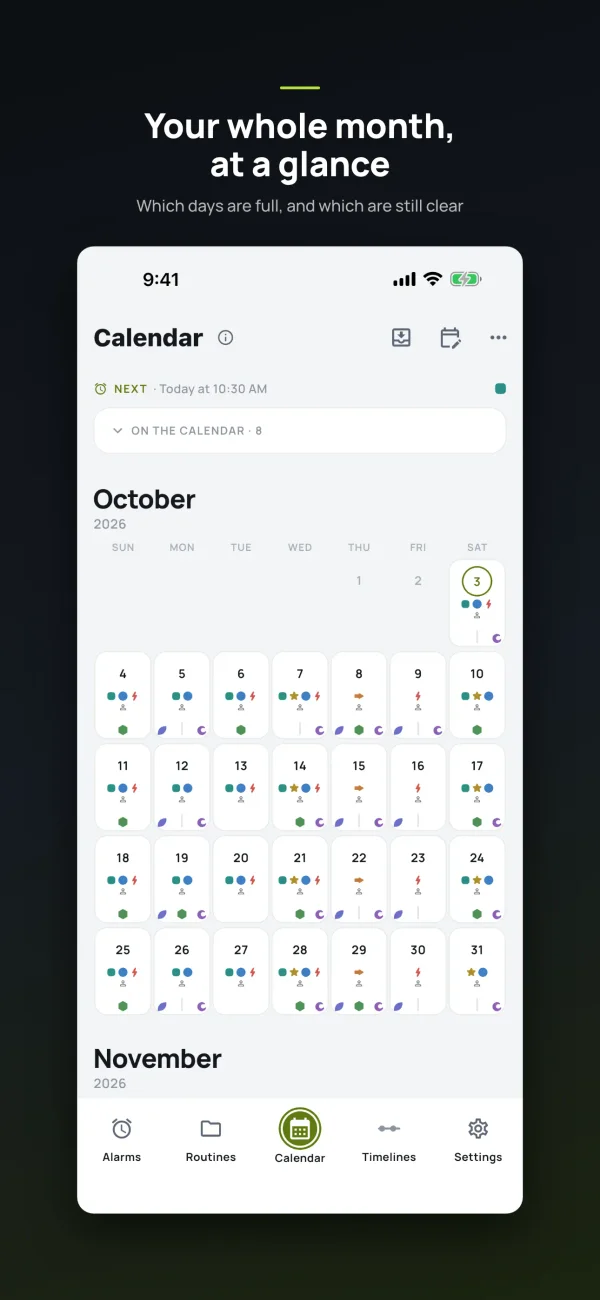
DateDots is an alarm clock built on a calendar. Build a routine — a group of alarms that belong together — and put it on the exact days you need it. One look at the month tells you what is coming, and which days are still clear. It is made for anyone whose weeks are not identical, where this Tuesday looks nothing like last Tuesday.
A CALENDAR, NOT A LIST
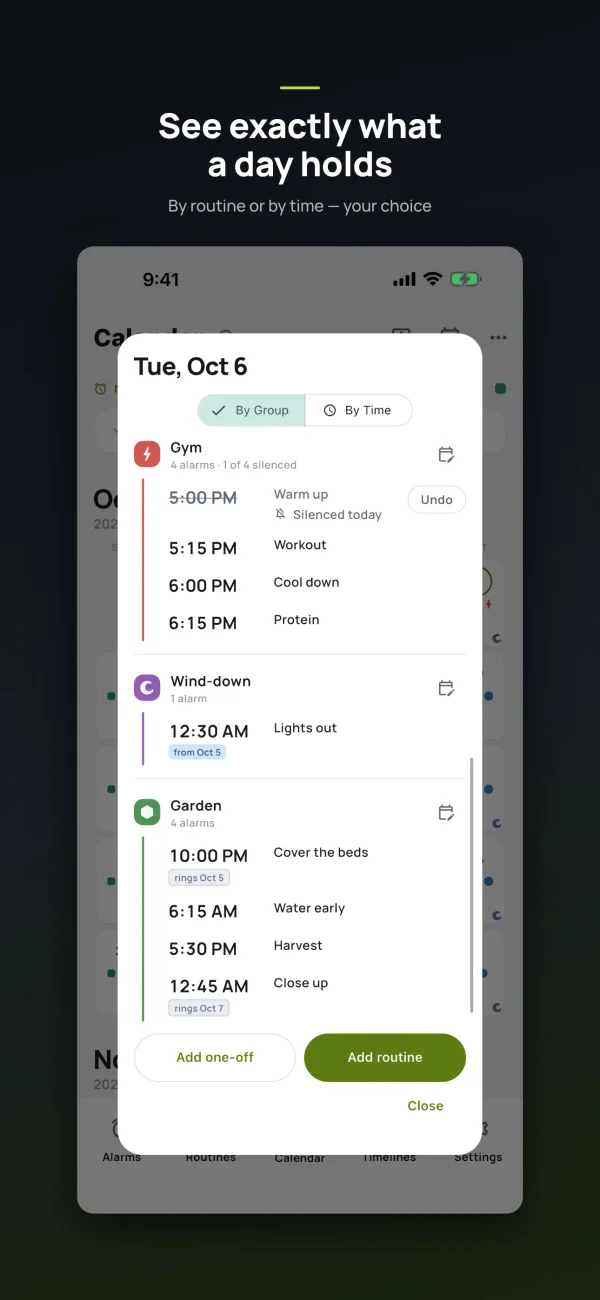
Assign routines to real dates instead of "every Tuesday". Every routine gets its own colour and shape, so a glance across the month tells you which days are full and which are empty. Tap any day to see everything that rings on it — sorted by routine or by time — and to add something right there.
ROUTINES
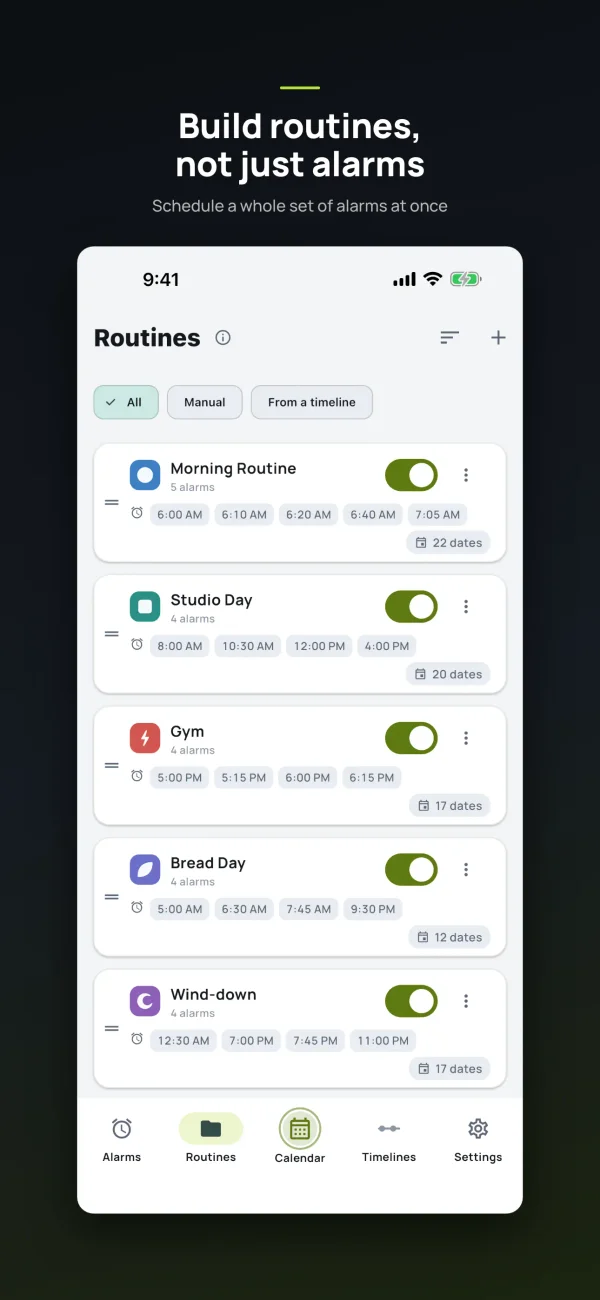
Bundle a sequence of alarms that go together: wake up, stretch, shower, breakfast, head out. Build it once, then schedule the whole set onto as many days as you like. Turn the entire routine off with one switch, and give it a colour and shape so you can pick it out of a busy month.
TIMELINES
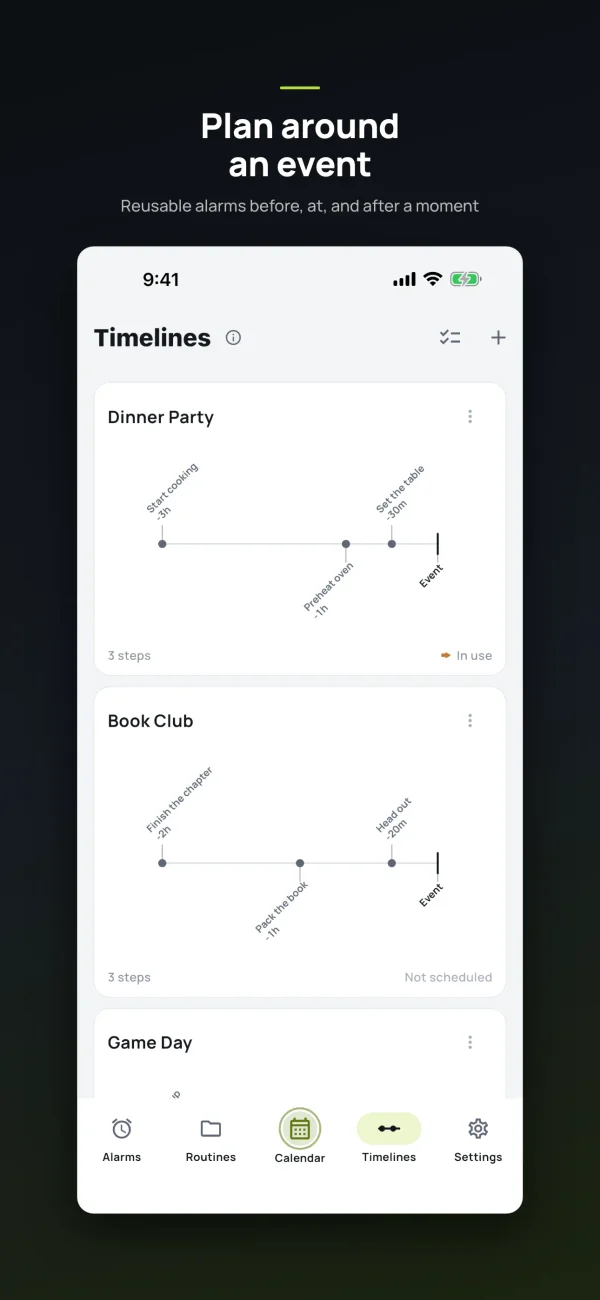
Some things are easier to plan backwards from a moment. A timeline is a reusable pattern of alarms around an event — three hours before, one hour before, right on time, an hour after. Drop it onto a date and a time, and every alarm lands where it should for that day.
IT UNDERSTANDS MIDNIGHT
If a routine starts the night before, that alarm shows up on the night it actually rings, tagged with the day it belongs to. The calendar marks a routine that reaches into the day beside it. Nothing hides in the wrong square.
SILENCE ONE DAY, NOT FOREVER
Need one alarm quiet for one day? Swipe it in the day's list and tap Silence. The row says what it silenced and offers Undo, and it rings normally on every other day — there is nothing to remember to switch back on.
ORDINARY ALARMS TOO
One-time, daily, and weekday alarms live in their own tab, with pin, duplicate, and drag-to-reorder. Every alarm keeps its own tone, and every alarm can be snoozed.
BRING YOUR SCHEDULE IN
Import dates from a spreadsheet — .xlsx, .xlsm, and older Excel .xls, plus .csv and .tsv — or from a calendar already on your device. It is read entirely on your device — the file never leaves it — and you can preview exactly what DateDots found before creating anything.
RINGS LIKE THE CLOCK APP
DateDots hands its alarms to your iPhone's own alarm system, so they ring full-screen like the Clock app — even when DateDots is closed. Snooze or stop right from the lock screen. An Alarm health screen shows what your device is holding, so you can check your alarms are set.
YOURS TO LOOK AT
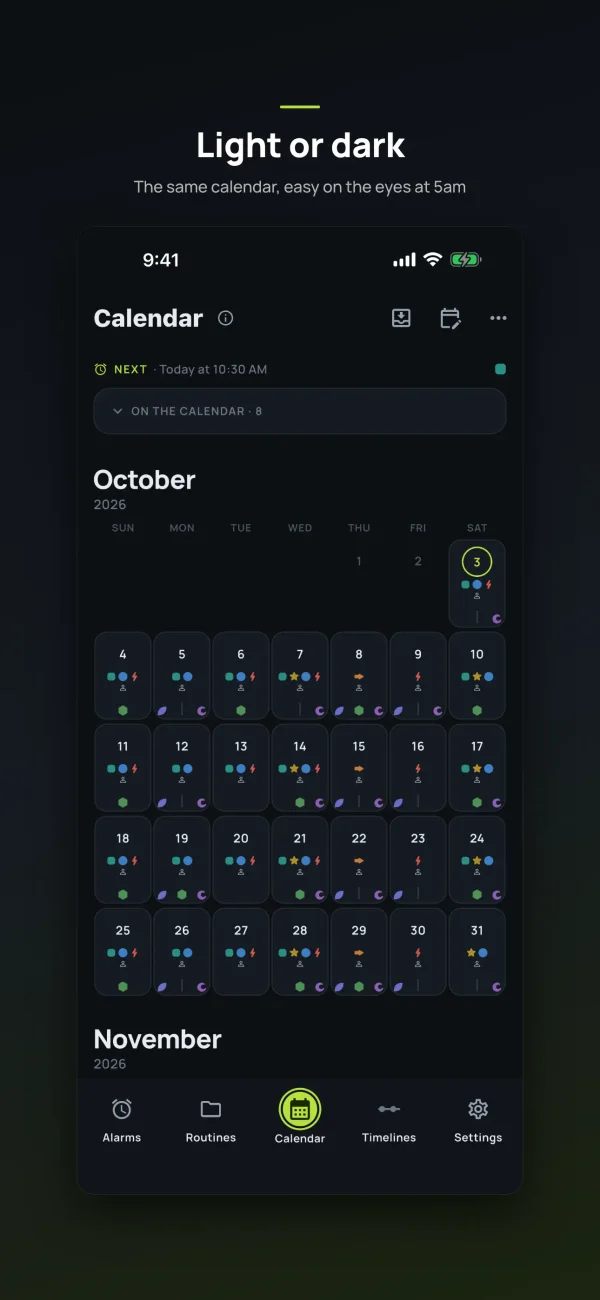
Light and dark themes, three accent colours, 12- or 24-hour time.
PRIVATE BY DESIGN
No ads. No third-party tracking or analytics. Your alarms stay on your device unless you choose to sign in, with Apple or Google.
DATEDOTS PRO
A one-time purchase — not a subscription — unlocks:
• Cloud backup and sync across your devices
• Creating alarms from spreadsheet and calendar imports
Everything else is free, and any import can be previewed for free before you decide.
REQUIREMENTS
Requires iOS 26 or later. Allow DateDots to use your device's alarms when it asks — without that, alarms can only ring while DateDots is open, and the app will tell you so.
Questions or feedback? bigmountainoutpost@gmail.com
Note: like every alarm app, DateDots depends on your device's own settings to ring on time. Please do not rely on it as your only alarm for anything where missing it could cause harm — keep a second, independent alarm for those.
App privacy
What Big Mountain Outpost, LLC declares on the App Store about how this app handles data.
-
Data linked to you
May be collected and linked to your identity.
- Purchases
- Contact info
- User content
- Identifiers
- Other data
Privacy practices may vary, for example with the features you use or your age.
Information
- Seller
- Big Mountain Outpost, LLC
- Category
- Productivity
- Version
- 1.1.1
- Updated
- Nov 6, 2026
- Released
- Nov 5, 2026
- Size
- 51.6 MB
- Requires
- iOS 26.0 or later
- Age rating
- 12+
- Price
- Free
- In-app purchases
- Yes
- Languages
- English
- Copyright
- © 2026 Big Mountain Outpost, LLC
You might also like
-
 Loud Calendar Alarms - RouzzEvent Alerts Break Silent Mode
-
 Go Time: Calendar AlarmEvent reminders as real alarms
-
 Auto Event Maker for healthcreate exercise, sleep events
-
 Minus Alarm - Schedule AlarmSkip alarms for changing plans
-
 Routra Planner & AI AssistantTo-Do List & Habit Tracker
-
 DayDo CalendarCalendar, reminders and tasks
-
 OnTimer: Calendar AlarmCan’t-Miss Meeting Reminders
-
 ZoomNotesNotetake, Sketch, PDF, Present
-
 myNotes - WhiteboardSketch, Draw, Note, Mindmaps
-
 To-do List, Checklist, WidgetTo.do.list, Task Manager, Todo