
- Clasificación por edad4+
- CategoríaProductividad
- DesarrolladorMidnight Martian
- IdiomasInglés
- Tamaño30,5 MB
Enlaza a la página oficial de App Store
Download.org no aloja ningún archivo de Daypractice. El botón abre la página de la aplicación en App Store, donde la publica Midnight Martian. Ficha comprobada por última vez el 12/11/2026.
Capturas de pantalla

Acerca de
El desarrollador no ha proporcionado este texto en tu idioma.
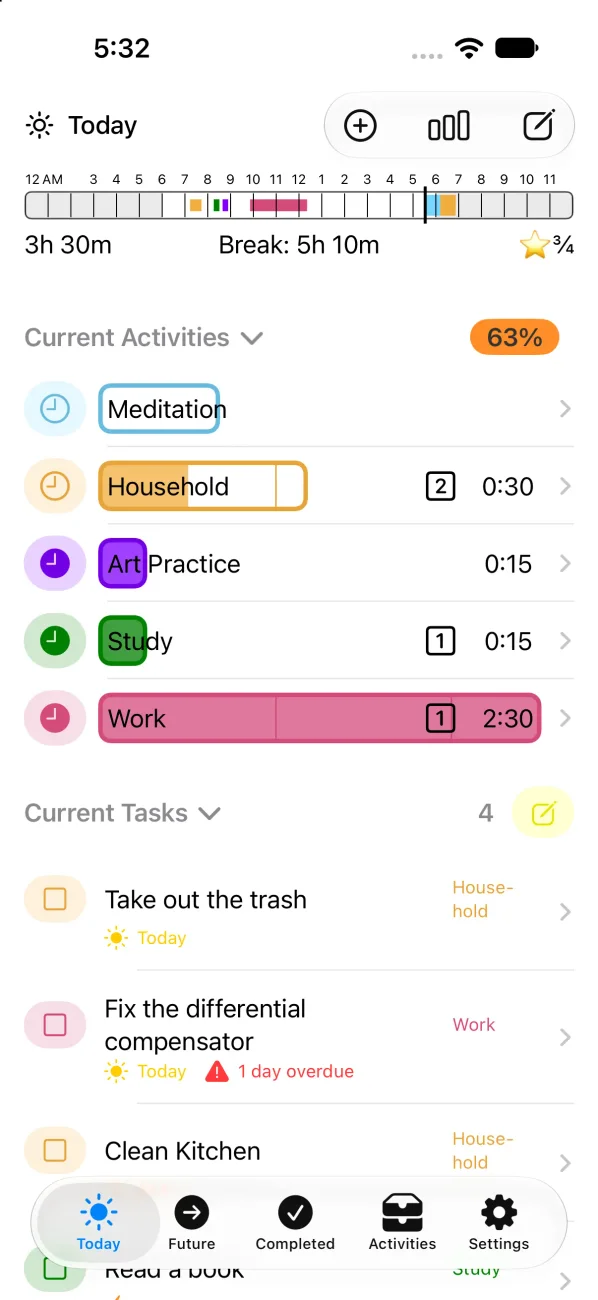
Your most valuable resource is the attention you bring to each day. Daypractice is a tool that helps you focus on activities and track the time you spend on them. It can help you set personal goals and priorities and find balance with your time.
Daypractice Features:
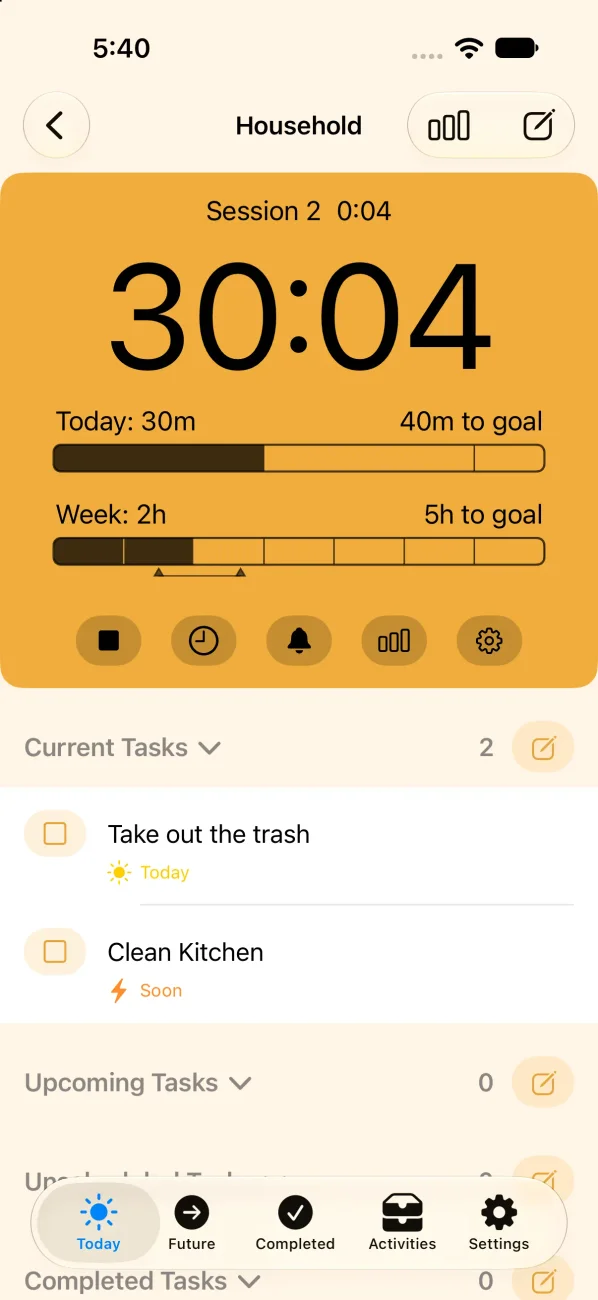
• Built-in focus timer.
• Set visual goals for the week.
• Keep task lists for different activities.
• Activities can be anything: work, habits, exercise, meditation. Daypractice gives you some ideas to get started, but what you do is up to you.
• Activities can track time or count. For example, you could keep track of number of cups of coffee, as well as how many hours you work.
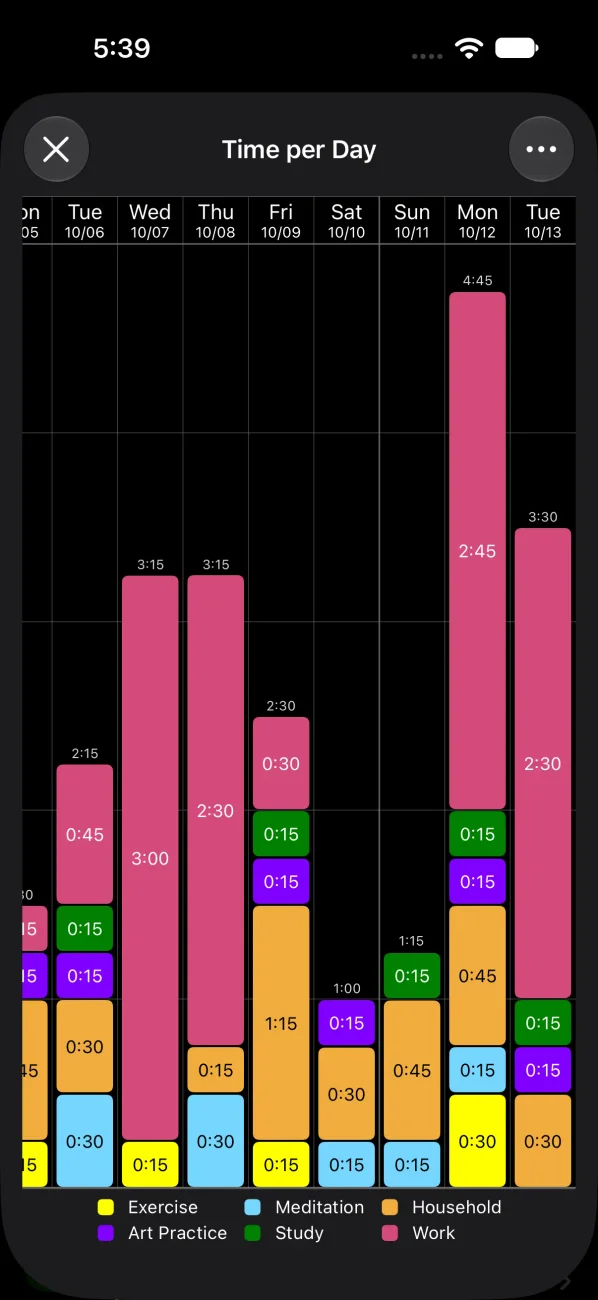
• Assign a different color to each activity.
• Graph activities by day, week, month or year.
• Stores your app data privately in iCloud. Synchronizes between your iOS devices.
• No third-party service to sign up for.
Daypractice is designed to help you get things done, but also it’s about knowing when you’ve done enough, so that you can better enjoy the time when you’re not working.
Novedades
Versión 3.0 · 14/10/2026
Version 3.0 is the next step in the ongoing evolution of Daypractice.
- The app is rewritten using SwiftUI and SwiftData to support the latest iOS features, including support for iPhone Duo and iPad.
- A Live Activity appears in the Dynamic Island or on the lock screen when the timer is running and the app is in the background. Optionally, break time can also appear as a Live Activity; there’s a switch for this near the bottom of the Settings tab.
- Tasks can now be scheduled as Today, Tomorrow, Soon, Unscheduled, et cetera.
- “Return of the Tabs”: The “Today” tab shows activities and tasks that are active Today. The “Future” and “Completed” tabs show future or completed activities and tasks. The “Activity” tab shows all your activities, optionally divided into categories. The “Settings” tab allows you to configure the activities and app settings.
- The icon button at the left side of each row in the Activities list now opens a popover menu with many options, including a way to quickly add time or other measurement. This button also appears on the Activity Timer screen.
- You can now use count-down timers or count-up timers.
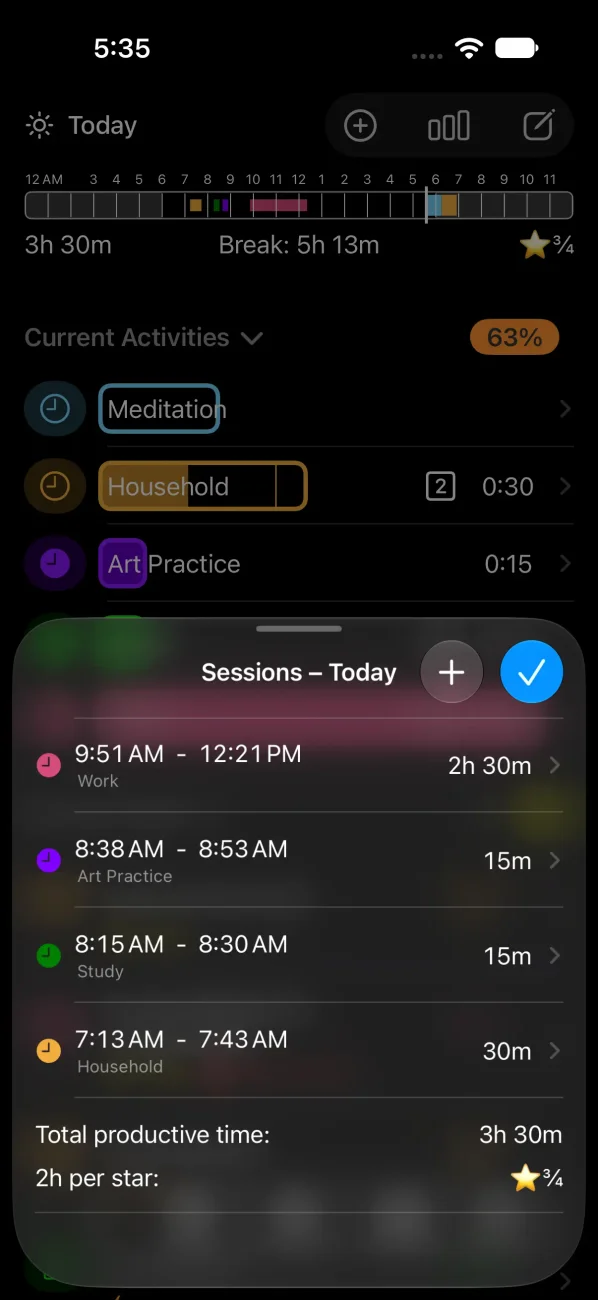
- You can now edit sessions.
- Improved “Practice Day” bar visualizes how your time is used during the day.
- New, more straightfoward method for Stars: you get a star for every 2 hours of productive time. (This might be made configurable in the future.)
- More options for Activity Goal settings. If you’re an existing Daypractice user, you may need to update your Activity Goal settings in this version.
- Dark Mode is now supported (at last!)
- And more!
Privacidad de la aplicación
Lo que Midnight Martian declara en App Store sobre cómo esta aplicación gestiona los datos.
-
No se recopilan datos
El desarrollador no recopila ningún dato de esta aplicación.
Las prácticas de privacidad pueden variar, por ejemplo, según las funciones que uses o tu edad.
Información
- Vendedor
- Michael Howard
- Categoría
- Productividad
- Versión
- 3.0
- Actualizado
- 14/10/2026
- Publicado
- 4/1/2016
- Tamaño
- 30,5 MB
- Requiere
- iOS 26.6 o posterior
- Clasificación por edad
- 4+
- Precio
- Gratis
- Compras en la aplicación
- Sí
- Idiomas
- Inglés
- Copyright
- © 2015 Michael R. Howard
Quizá también te guste
-
 Cadence: Weekly GoalsProductividad
-
 Uplift DailyProductividad
-
 TaskQueueProductividad
-
 Full Focus – Timer & SessionsProductividad
-
 Focus in TimeProductividad
-
 LifePilot: Plan & DecideProductividad
-
 Thalam - Plan & TrackProductividad
-
 DonOne: Flexible Habit TrackerProductividad
-
 Build MomentumProductividad
-
 PaperloopProductividad