- 対象年齢4+
- カテゴリ仕事効率化
- 開発元Midnight Martian
- 言語英語
- サイズ30.5 MB
App Storeの公式ページにリンクしています
Download.orgはDaypracticeのファイルを一切ホストしていません。ボタンを押すと、Midnight Martianが公開しているApp Storeのアプリページが開きます。ページの最終確認:2026/11/12。
スクリーンショット

概要
開発元はこのテキストをお使いの言語で提供していません。
Your most valuable resource is the attention you bring to each day. Daypractice is a tool that helps you focus on activities and track the time you spend on them. It can help you set personal goals and priorities and find balance with your time.
Daypractice Features:
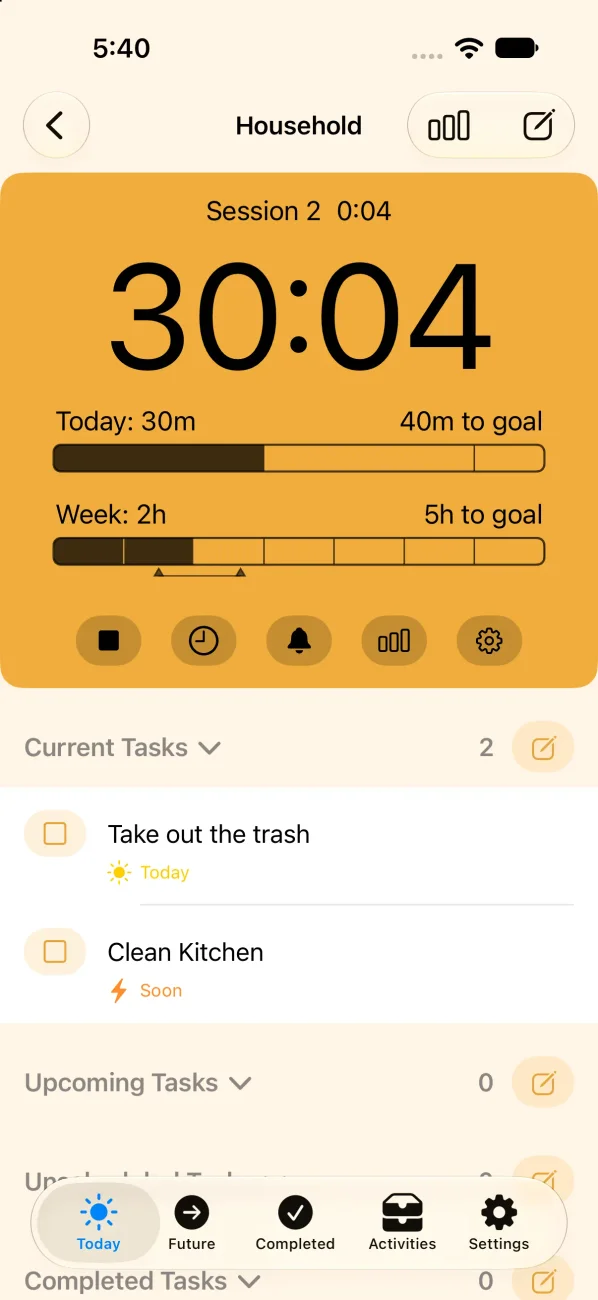
• Built-in focus timer.
• Set visual goals for the week.
• Keep task lists for different activities.
• Activities can be anything: work, habits, exercise, meditation. Daypractice gives you some ideas to get started, but what you do is up to you.
• Activities can track time or count. For example, you could keep track of number of cups of coffee, as well as how many hours you work.
• Assign a different color to each activity.
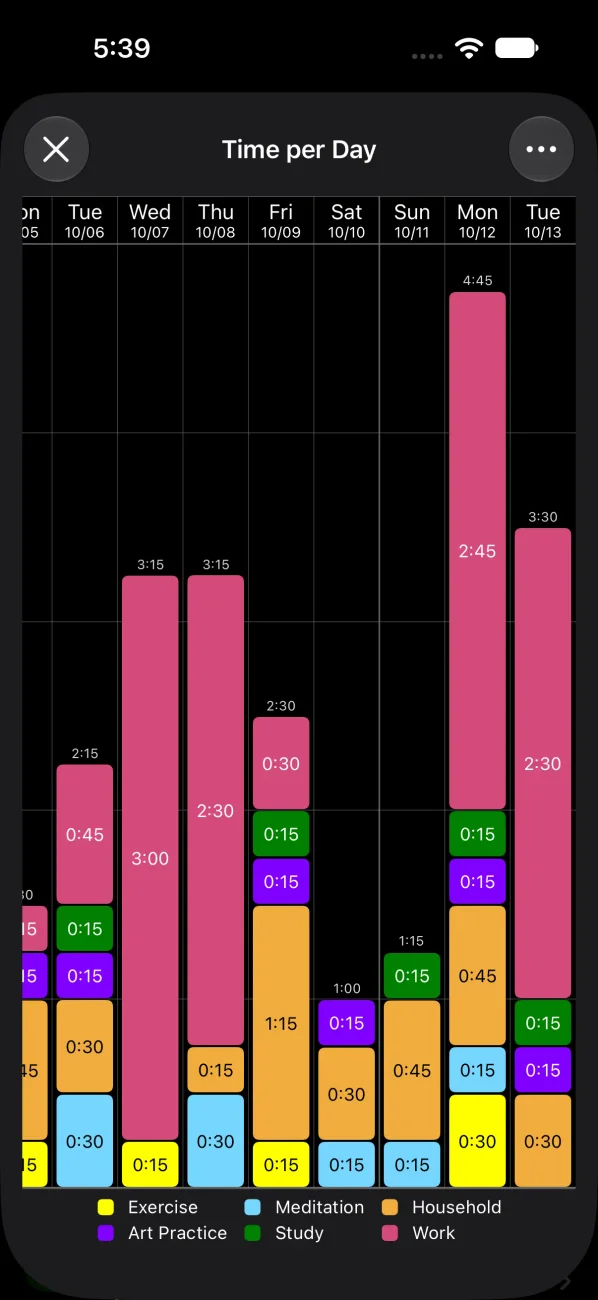
• Graph activities by day, week, month or year.
• Stores your app data privately in iCloud. Synchronizes between your iOS devices.
• No third-party service to sign up for.
Daypractice is designed to help you get things done, but also it’s about knowing when you’ve done enough, so that you can better enjoy the time when you’re not working.
新機能
バージョン 3.0 · 2026/10/14
Version 3.0 is the next step in the ongoing evolution of Daypractice.
- The app is rewritten using SwiftUI and SwiftData to support the latest iOS features, including support for iPhone Duo and iPad.
- A Live Activity appears in the Dynamic Island or on the lock screen when the timer is running and the app is in the background. Optionally, break time can also appear as a Live Activity; there’s a switch for this near the bottom of the Settings tab.
- Tasks can now be scheduled as Today, Tomorrow, Soon, Unscheduled, et cetera.
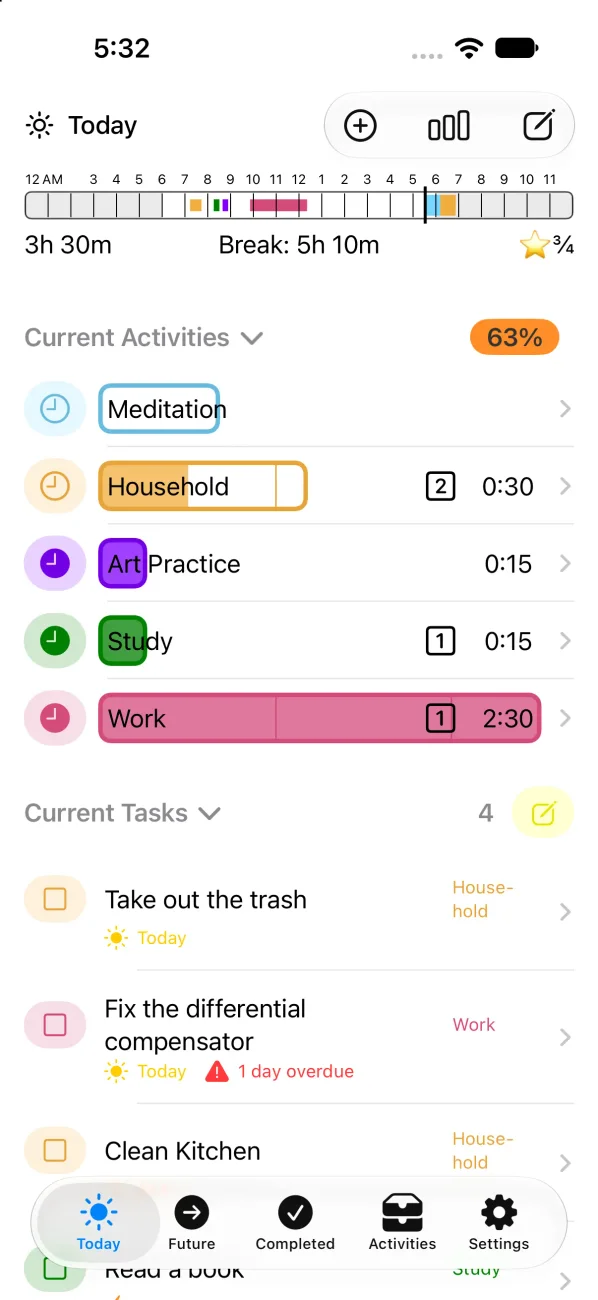
- “Return of the Tabs”: The “Today” tab shows activities and tasks that are active Today. The “Future” and “Completed” tabs show future or completed activities and tasks. The “Activity” tab shows all your activities, optionally divided into categories. The “Settings” tab allows you to configure the activities and app settings.
- The icon button at the left side of each row in the Activities list now opens a popover menu with many options, including a way to quickly add time or other measurement. This button also appears on the Activity Timer screen.
- You can now use count-down timers or count-up timers.
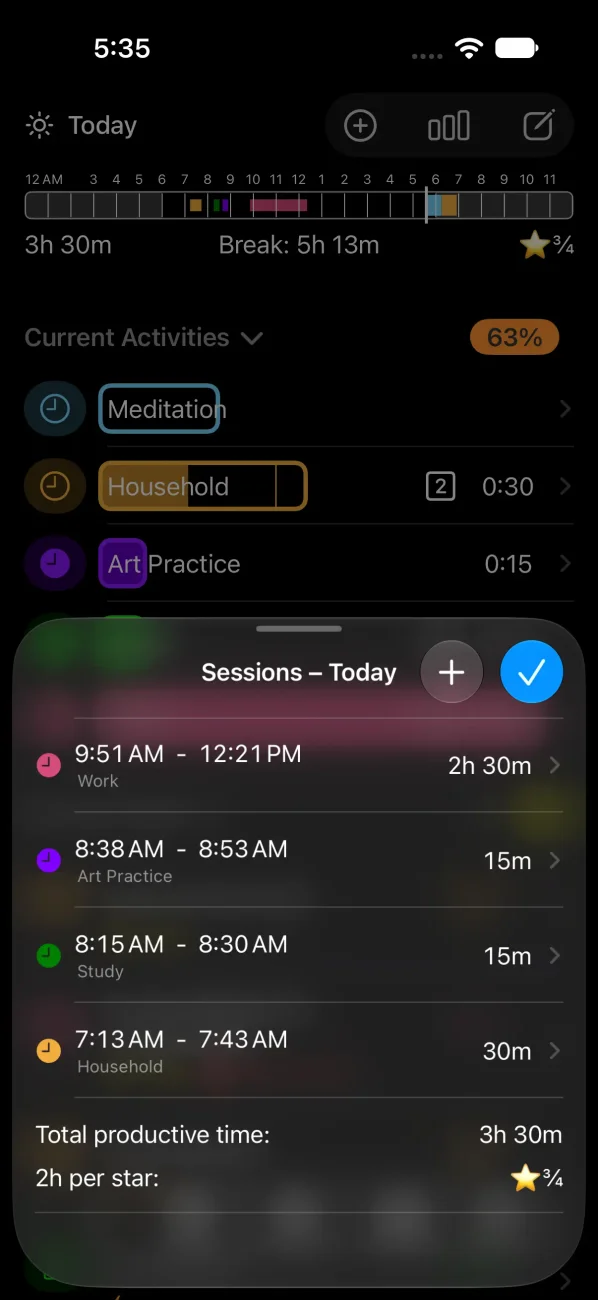
- You can now edit sessions.
- Improved “Practice Day” bar visualizes how your time is used during the day.
- New, more straightfoward method for Stars: you get a star for every 2 hours of productive time. (This might be made configurable in the future.)
- More options for Activity Goal settings. If you’re an existing Daypractice user, you may need to update your Activity Goal settings in this version.
- Dark Mode is now supported (at last!)
- And more!
アプリのプライバシー
このアプリのデータの取り扱いについて、Midnight MartianがApp Storeで申告している内容です。
-
データの収集なし
開発元はこのアプリからデータを収集しません。
プライバシーの取り扱いは、ご利用の機能やお客様の年齢などに応じて異なる場合があります。
情報
- 販売元
- Michael Howard
- カテゴリ
- 仕事効率化
- バージョン
- 3.0
- 更新日
- 2026/10/14
- リリース
- 2016/1/4
- サイズ
- 30.5 MB
- 必要条件
- iOS 26.6以降
- 対象年齢
- 4+
- 価格
- 無料
- アプリ内課金
- あり
- 言語
- 英語
- 著作権
- © 2015 Michael R. Howard