- Clasificación por edad4+
- CategoríaFoto y vídeo
- DesarrolladorHideo Nose
- IdiomasInglés+ 1 más
- Tamaño5,2 MB
Enlaza a la página oficial de App Store
Download.org no aloja ningún archivo de Easy Overlay. El botón abre la página de la aplicación en App Store, donde la publica Hideo Nose. Ficha comprobada por última vez el 12/11/2026.
Capturas de pantalla



Acerca de
El desarrollador no ha proporcionado este texto en tu idioma.
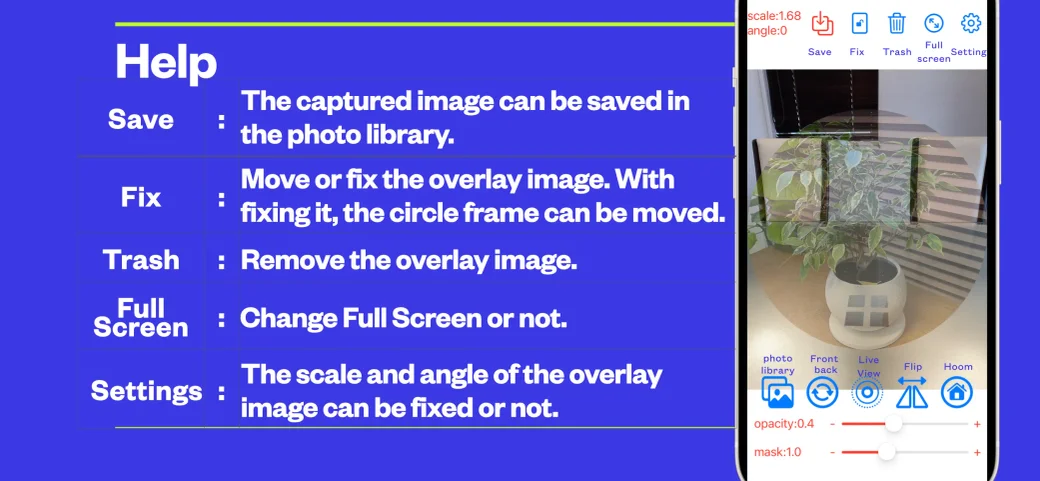
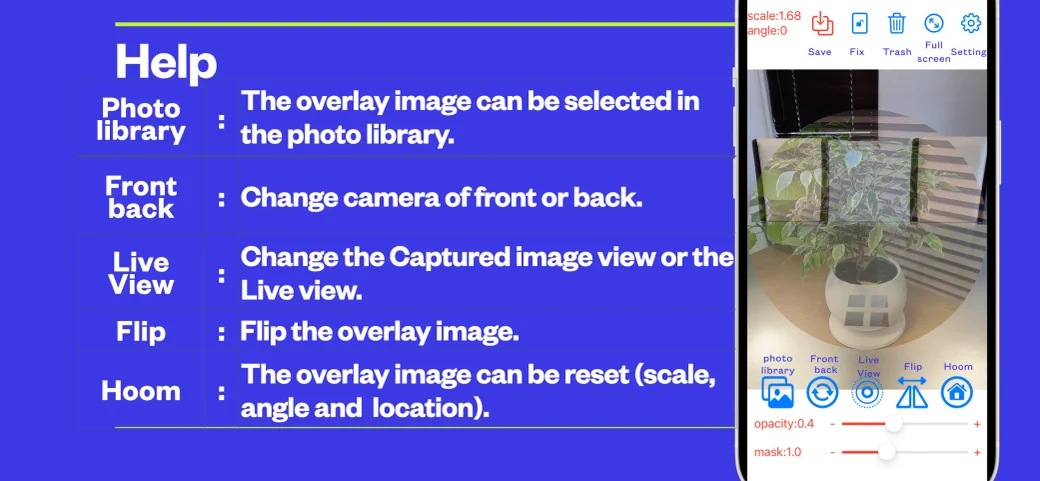
Say goodbye to complicated photo editing tools! With Easy Overlay App, you can easily achieve stunning image overlays in just 3 simple steps, without the need for any editing features in the app. Try Easy Overlay App now and experience the joy of seamless image layering at your fingertips.
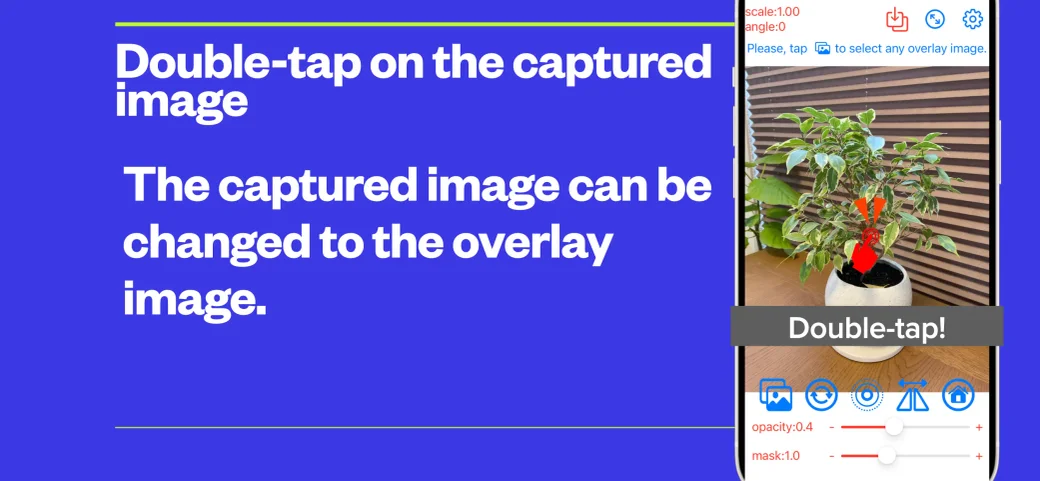
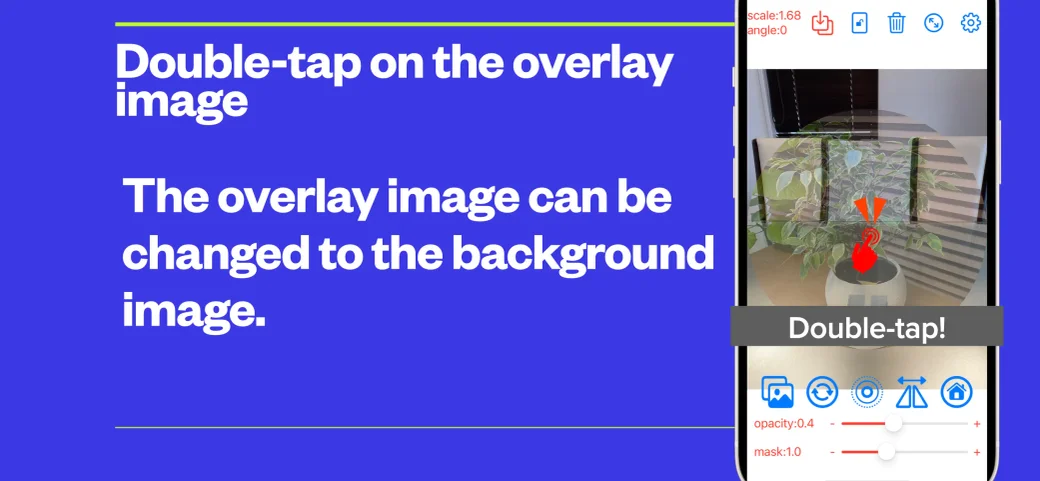
This app can overlay two images in just 3 steps.
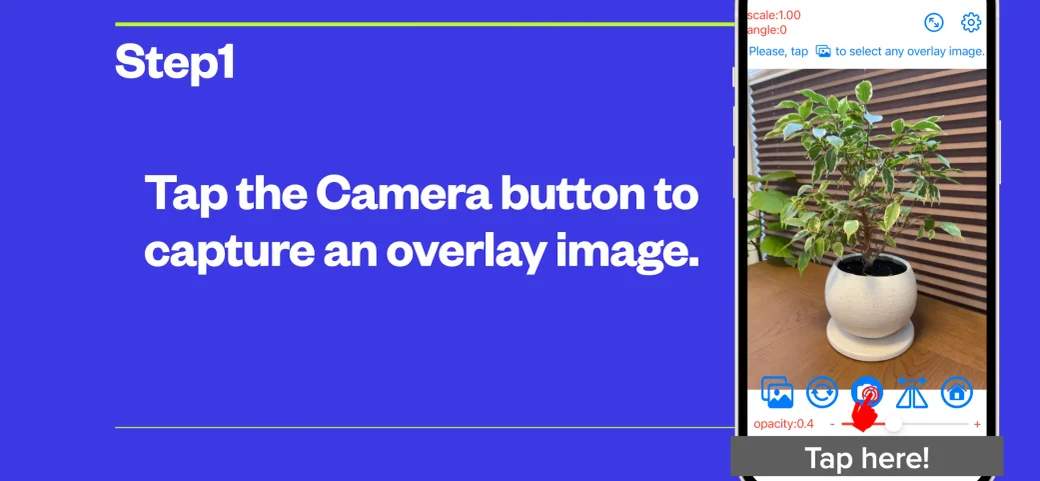
Step1:Tap the Camera button to capture an overlay image.
Step2:Tap the Save button to store the captured overlay image in the Photo Library.
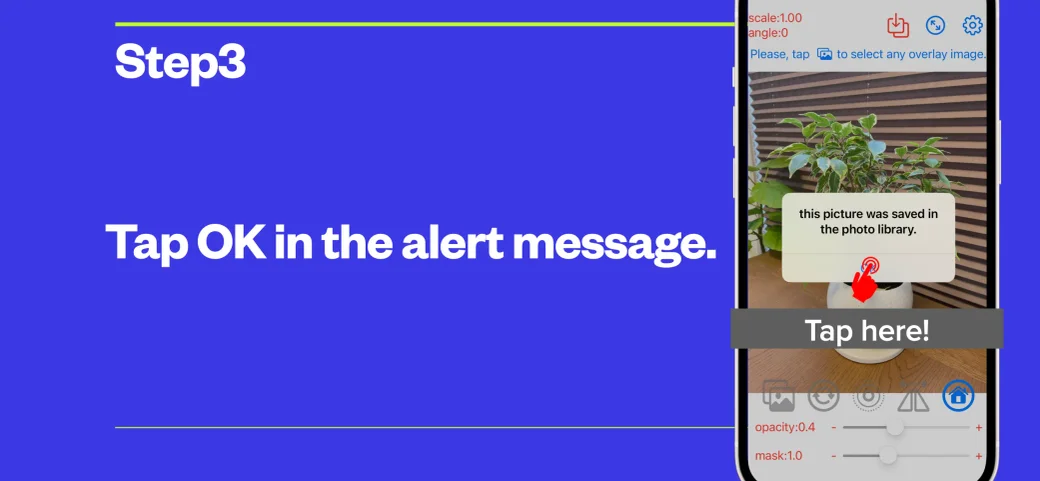
Step3:Tap OK in the alert message.
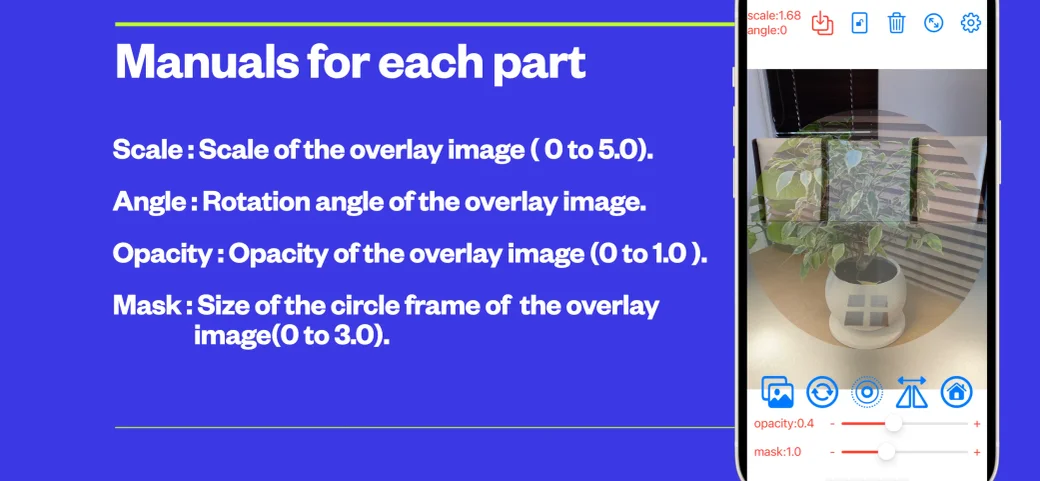
You can see the overlayed images on the live view.
You can use a previously taken image as the basis for the same composition, or compare a previously taken image with a current image.
Note: Unlike general image editing apps, this app is focused solely on the task of overlaying. We've stripped away any unnecessary editing or decorating features, resulting in a lightweight and user-friendly app that gets the job done quickly and efficiently.
Novedades
Versión 1.7 · 3/8/2025
Fixed minor bugs.
Grid lines are now centered on the screen.
Grid line spacing is now adjustable.
Added an option to display the overlay image in blue.
Privacidad de la aplicación
Lo que Hideo Nose declara en App Store sobre cómo esta aplicación gestiona los datos.
-
No se recopilan datos
El desarrollador no recopila ningún dato de esta aplicación.
Las prácticas de privacidad pueden variar, por ejemplo, según las funciones que uses o tu edad.
Información
- Vendedor
- Hideo Nose
- Categoría
- Foto y vídeo
- Versión
- 1.7
- Actualizado
- 3/8/2025
- Publicado
- 1/5/2023
- Tamaño
- 5,2 MB
- Requiere
- iOS 16.4 o posterior
- Clasificación por edad
- 4+
- Precio
- Gratis
- Idiomas
- Inglés, Japonés
- Copyright
- © 2024 Hideo Nose
Quizá también te guste
-
 CameraOverlay - Compare photosFoto y vídeo
-
 Photo Overlay Camera: RetakeeFoto y vídeo
-
 OverCam – Overlay Cámara FotoMisma pose, mismo ángulo
-
 Overlay - Figure Drawing ToolFoto y vídeo
-
 Apollo - Camera OverlayFotos de antes y después
-
 AlignShot: Superponer FotosReferencia y capas
-
 Cámara Transparente: EscenaSuperponer Foto y Recrear
-
 Overlay Video & ImageExport video without watermark
-
 RepliCam - Replicate photosFoto y vídeo
-
 Before and After AppFoto y vídeo