- Classification d’âge4+
- CatégoriePhoto et vidéo
- DéveloppeurHideo Nose
- LanguesAnglais+ 1 de plus
- Taille5,2 Mo
Renvoie vers la page App Store officielle
Download.org n’héberge aucun fichier de Easy Overlay. Le bouton ouvre la page de l’application sur App Store, où Hideo Nose la publie. Fiche vérifiée pour la dernière fois le 12/11/2026.
Captures d’écran



À propos
Le développeur n’a pas fourni ce texte dans votre langue.
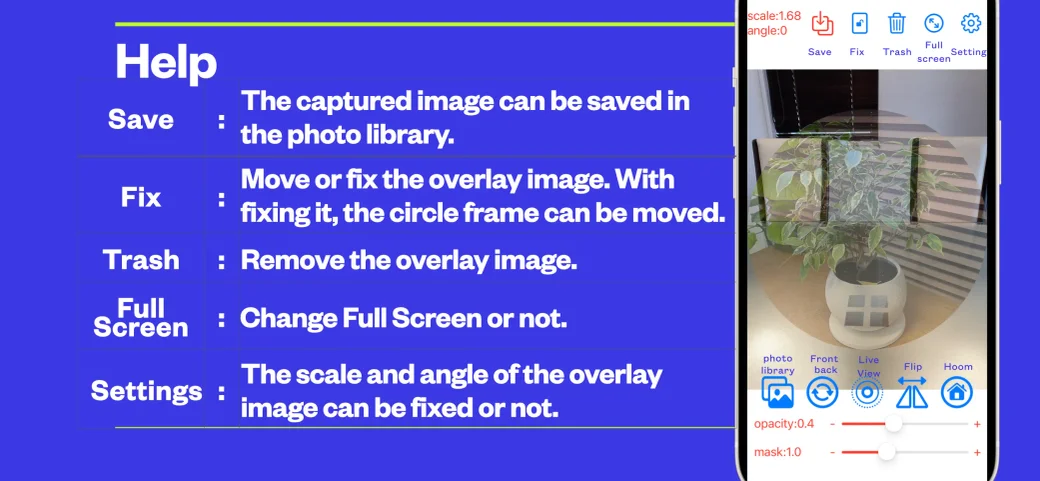
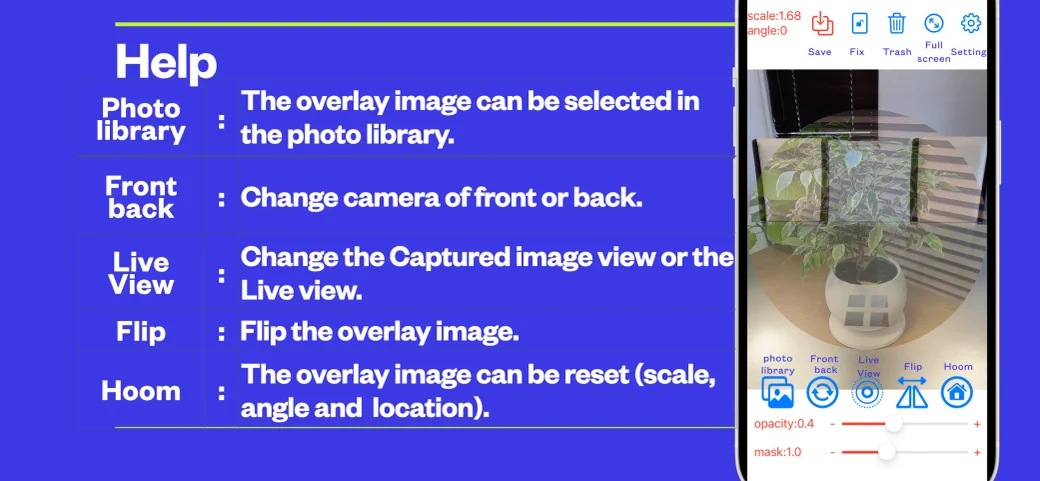
Say goodbye to complicated photo editing tools! With Easy Overlay App, you can easily achieve stunning image overlays in just 3 simple steps, without the need for any editing features in the app. Try Easy Overlay App now and experience the joy of seamless image layering at your fingertips.
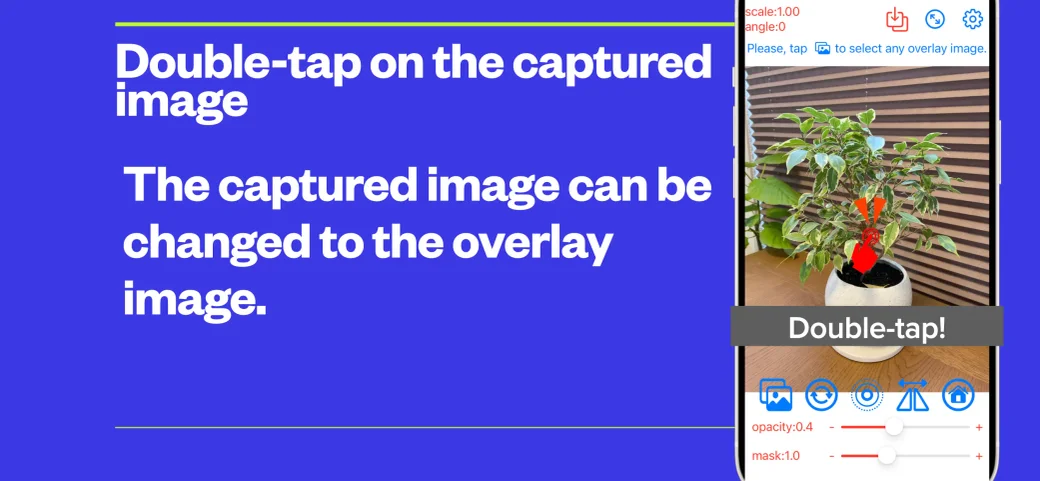
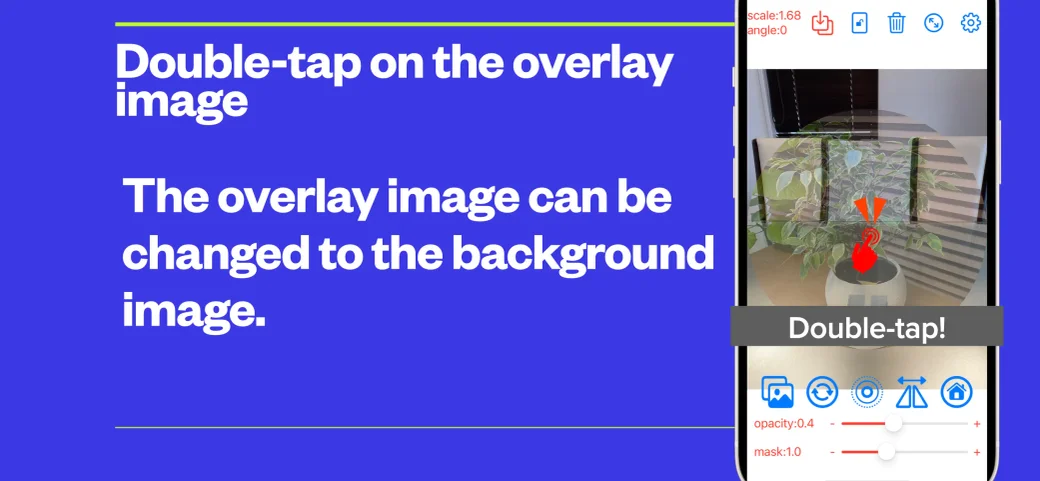
This app can overlay two images in just 3 steps.
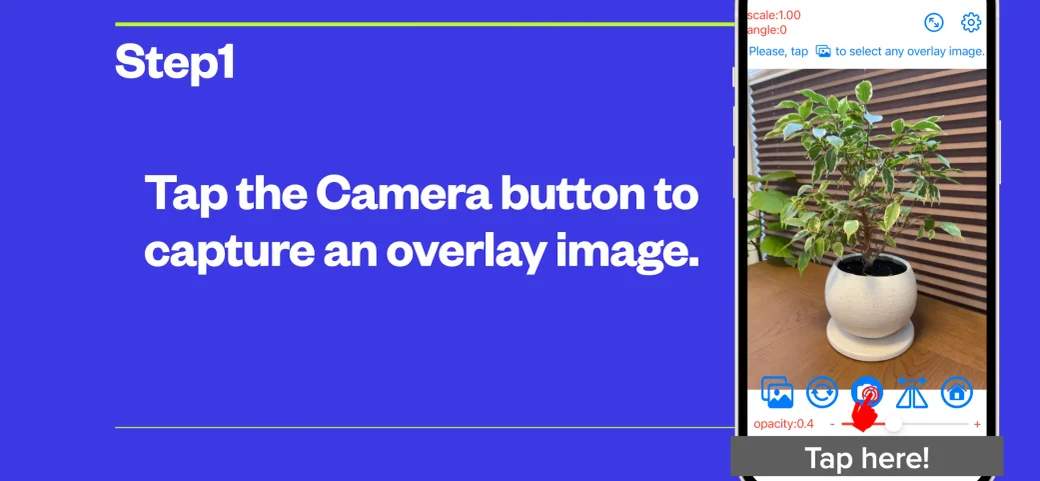
Step1:Tap the Camera button to capture an overlay image.
Step2:Tap the Save button to store the captured overlay image in the Photo Library.
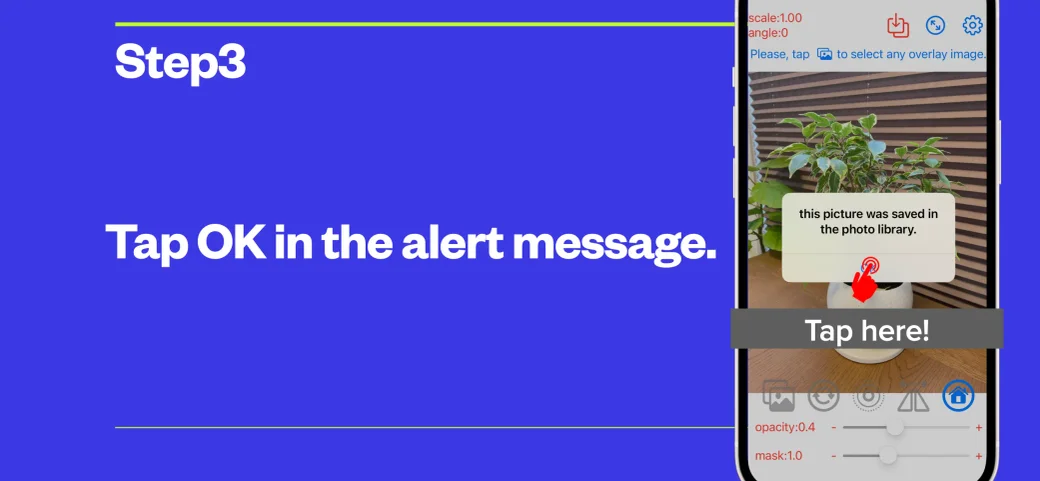
Step3:Tap OK in the alert message.
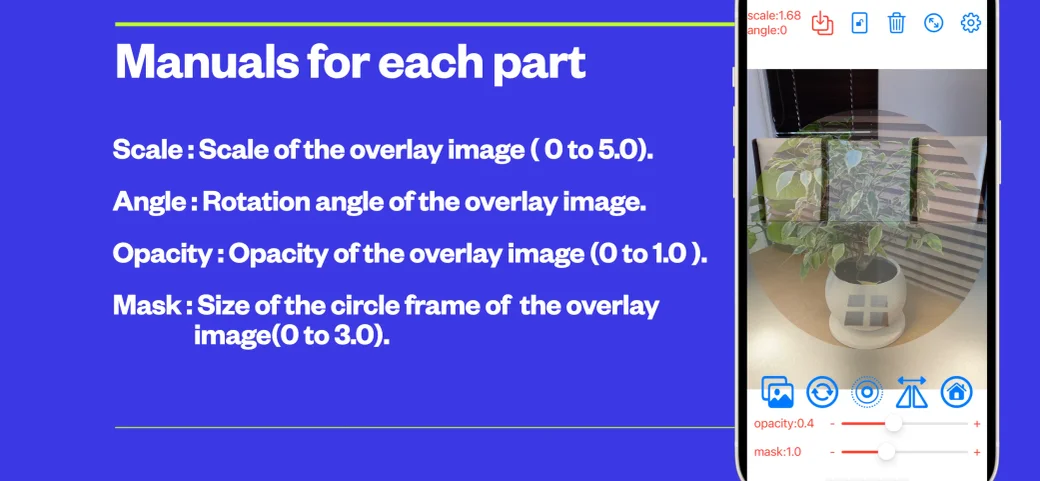
You can see the overlayed images on the live view.
You can use a previously taken image as the basis for the same composition, or compare a previously taken image with a current image.
Note: Unlike general image editing apps, this app is focused solely on the task of overlaying. We've stripped away any unnecessary editing or decorating features, resulting in a lightweight and user-friendly app that gets the job done quickly and efficiently.
Nouveautés
Version 1.7 · 03/08/2025
Fixed minor bugs.
Grid lines are now centered on the screen.
Grid line spacing is now adjustable.
Added an option to display the overlay image in blue.
Confidentialité de l’application
Ce que Hideo Nose déclare sur l’App Store au sujet du traitement des données par cette application.
-
Données non collectées
Le développeur ne collecte aucune donnée à partir de cette application.
Les pratiques en matière de confidentialité peuvent varier, notamment en fonction des fonctionnalités que vous utilisez ou de votre âge.
Informations
- Vendeur
- Hideo Nose
- Catégorie
- Photo et vidéo
- Version
- 1.7
- Mis à jour
- 03/08/2025
- Publié
- 01/05/2023
- Taille
- 5,2 Mo
- Nécessite
- iOS 16.4 ou version ultérieure
- Classification d’âge
- 4+
- Prix
- Gratuit
- Langues
- Anglais, Japonais
- Copyright
- © 2024 Hideo Nose
Vous aimerez peut-être aussi
-
 CameraOverlay - Compare photosPhoto et vidéo
-
 Photo Overlay Camera: RetakeePhoto et vidéo
-
 OverCam – Overlay Caméra PhotoMême pose, même angle
-
 Overlay - Figure Drawing ToolPhoto et vidéo
-
 Apollo - Camera OverlayPhoto et vidéo
-
 AlignShot: SuperpositionRepère et calques
-
 PastShot: Then & Now CameraPhoto et vidéo
-
 Overlay Video & ImageExport video without watermark
-
 RepliCam - Replicate photosPhoto et vidéo
-
 Before and After AppPhoto et vidéo