easyPaste - Snippet Keyboard
Snippets & clipboard history
Diseñada para iPhone
Gratis
- Clasificación por edad4+
- CategoríaUtilidades
- DesarrolladorYUKI MIYAZAKI
- IdiomasInglés+ 1 más
- Tamaño34,1 MB
Enlaza a la página oficial de App Store
Download.org no aloja ningún archivo de easyPaste - Snippet Keyboard. El botón abre la página de la aplicación en App Store, donde la publica YUKI MIYAZAKI. Ficha comprobada por última vez el 23/11/2026.
Capturas de pantalla
Acerca de
El desarrollador no ha proporcionado este texto en tu idioma.
Stop typing the same sentences over and over.
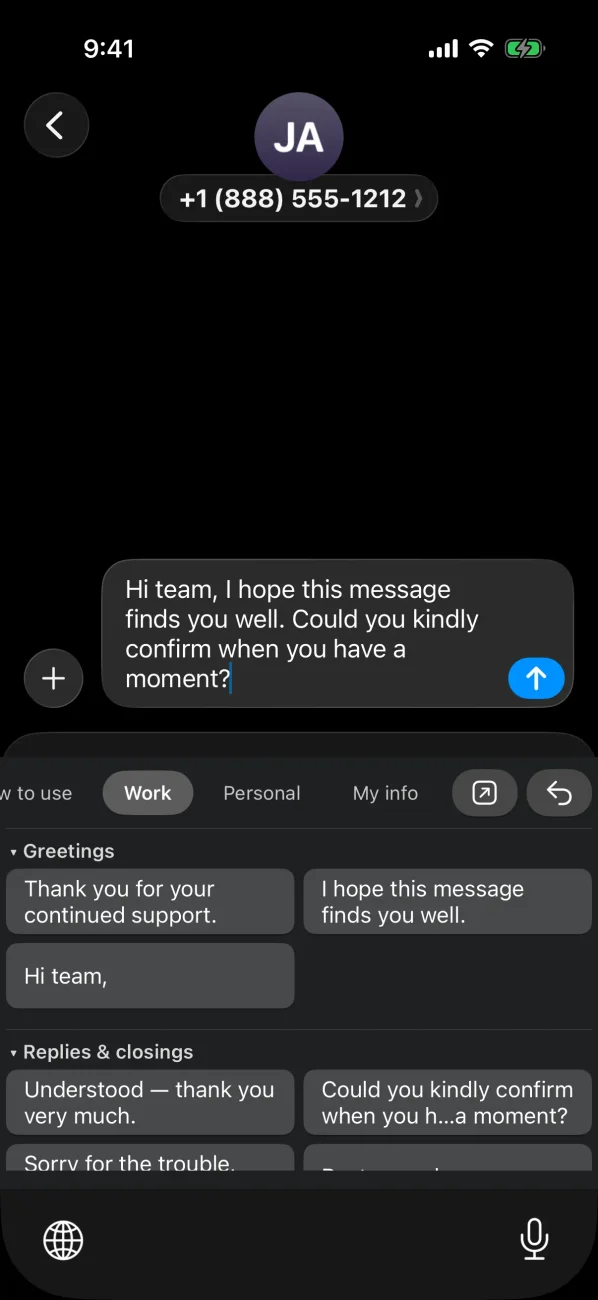
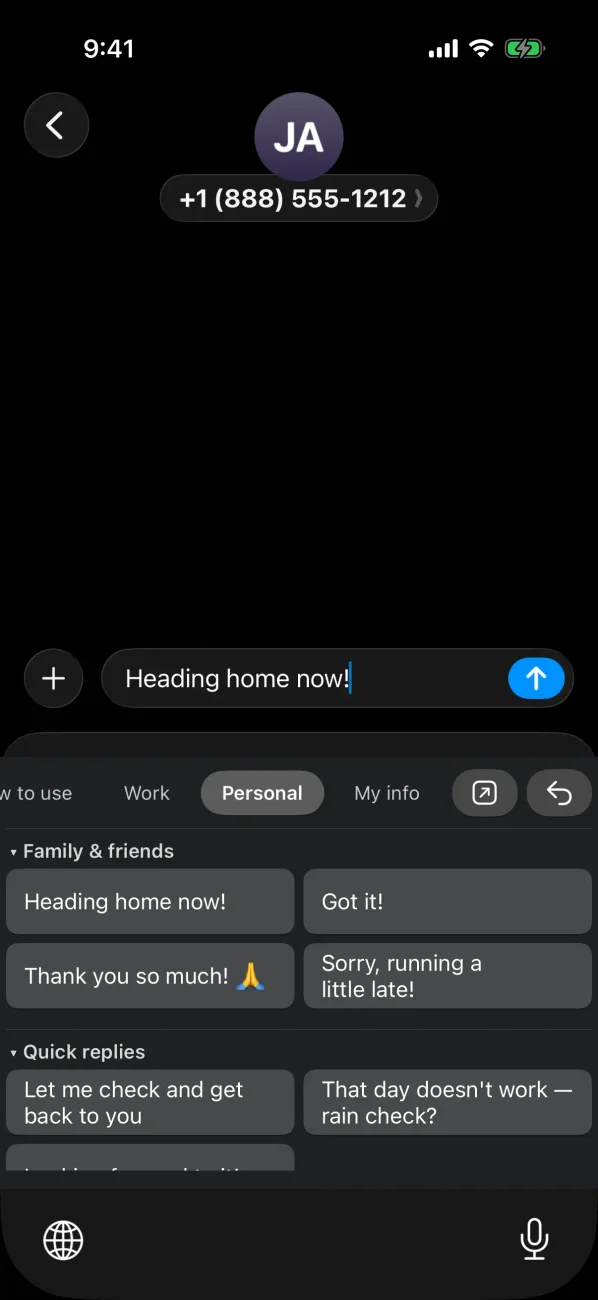
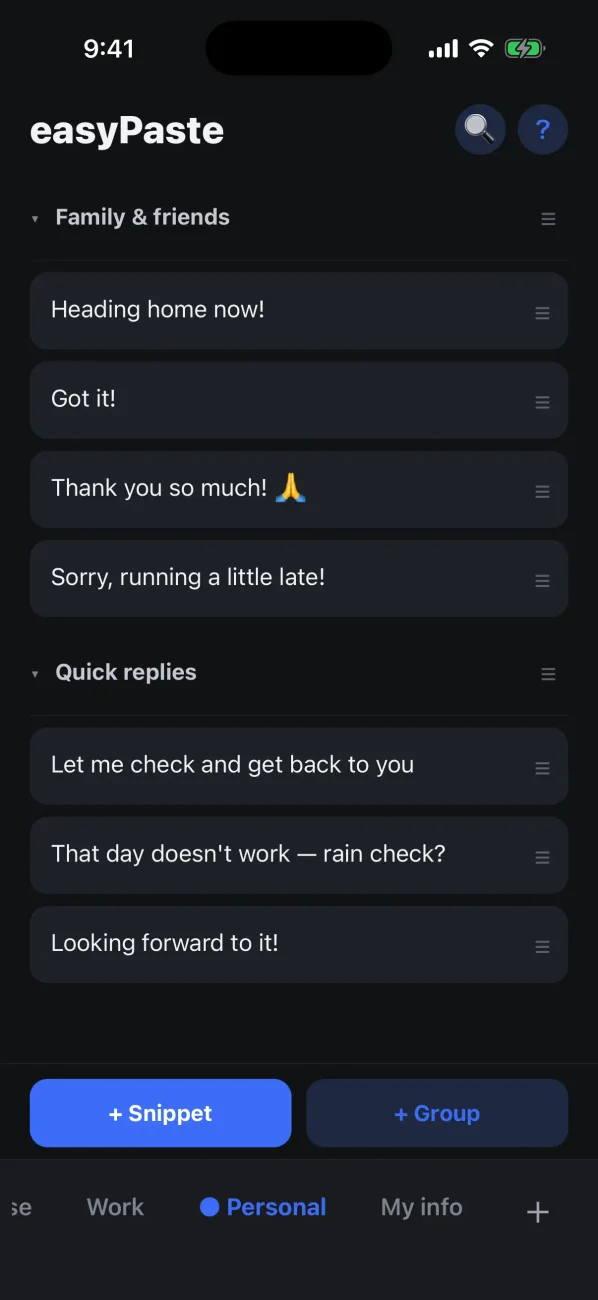
easyPaste is a snippet keyboard: your frequently used phrases appear as cards right on the keyboard, and one tap types them into any app — Mail, Messages, chat, anywhere you can type.
WHO IT'S FOR
- You type the same greetings, sign-offs, or replies every day
- You often enter fixed text like addresses, emails, or store names
- You're tired of switching to a notes app just to copy and paste
- You want to paste something you just copied, without the app dance
FEATURES
Snippet keyboard
- Registered phrases appear as cards on the keyboard; tap to type them in place
- Works in any app with a text field
- Designed to look and feel like the standard iPhone keyboard
Clipboard history
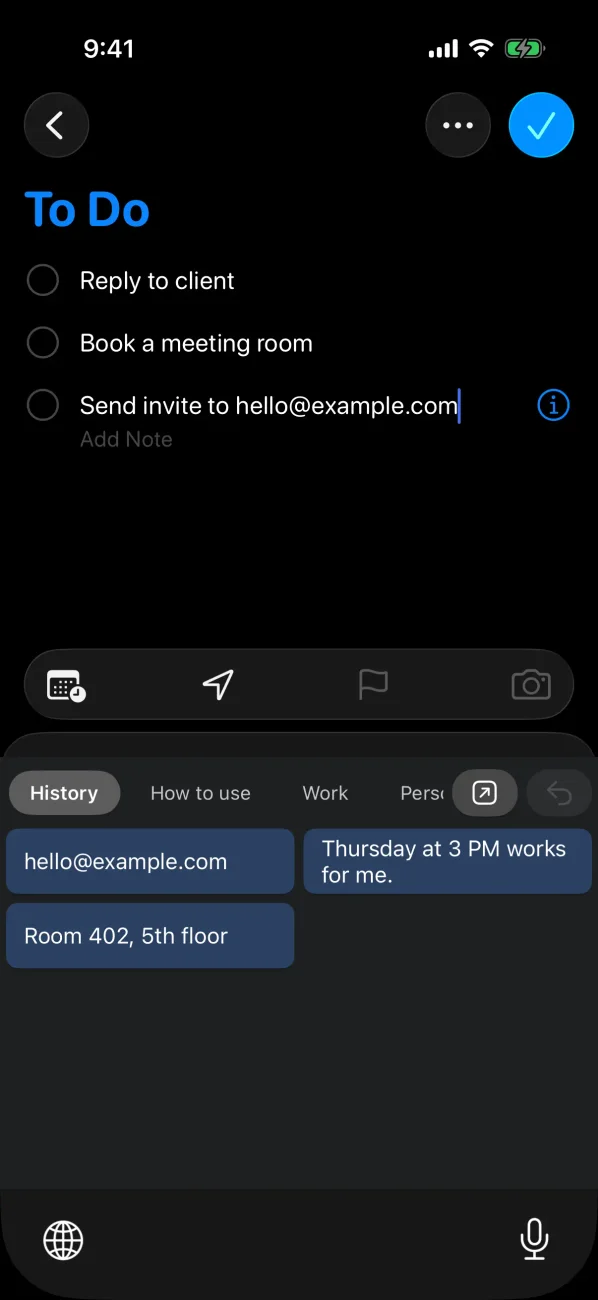
- Your most recent copy lands in the History tab when you open the keyboard or the app
- With Full Access allowed, just opening the keyboard imports your latest copy
- History cards also type with a single tap
Organize with groups and tabs
- Group snippets under headings ("Greetings", "Signature", ...)
- Separate tabs for work, personal, and more
- Reorder everything by drag and drop
Easy to set up
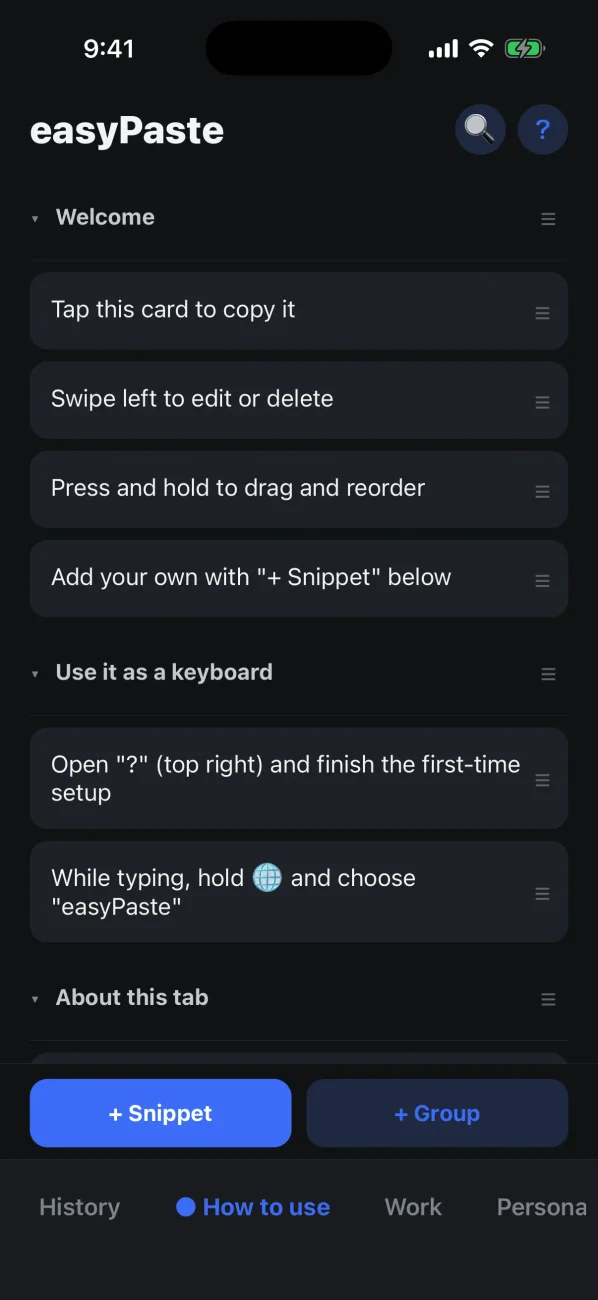
- A built-in guide walks you through setup with step-by-step screenshots
- Starter cards teach you the basics on first launch
PRIVACY FIRST
- All data stays on your device — nothing is ever uploaded
- No account, no ads, no analytics SDKs
- Clipboard history auto-deletes after 24 hours
- Credit-card-like numbers are never saved; copies from password managers are ignored
- Full Access is optional: snippet typing works without it
REQUIREMENTS
- iOS 16.4 or later / iPhone
SUPPORT
Contact: no64appworks@gmail.com
Support: https://easycopipe-privacy.pages.dev/support
Privacy Policy: https://easycopipe-privacy.pages.dev/
Feedback and feature requests are always welcome.
Novedades
Versión 1.0.2 · 18/11/2026
• Stronger protection against saving card-number-like text to history (including different separators and surrounding text).
• ↩ no longer undoes while you have text selected.
• The first time you open the keyboard, it shows your snippets instead of the guide.
• Opening or closing a group in the app now shows up on the keyboard right away.
• Stability improvements and minor fixes.
Privacidad de la aplicación
Lo que YUKI MIYAZAKI declara en App Store sobre cómo esta aplicación gestiona los datos.
-
Datos no vinculados a ti
Pueden recopilarse, pero no se vinculan a tu identidad.
- Identificadores
- Diagnóstico
Las prácticas de privacidad pueden variar, por ejemplo, según las funciones que uses o tu edad.
Información
- Vendedor
- YUKI MIYAZAKI
- Categoría
- Utilidades
- Versión
- 1.0.2
- Actualizado
- 18/11/2026
- Publicado
- 23/7/2026
- Tamaño
- 34,1 MB
- Requiere
- iOS 16.4 o posterior
- Clasificación por edad
- 4+
- Precio
- Gratis
- Idiomas
- Inglés, Japonés
- Copyright
- © 2026 YUKI MIYAZAKI
Quizá también te guste
-
 SnippetCueUtilidades
-
 Teclado de snippets - SnipItPrompts IA, macros y atajos
-
 SeukArt: Fonts, Symbols & TextUtilidades
-
 定型ボード - 定型文キーボードUtilidades
-
 Keyboard Language FixerUtilidades
-
 爆速クリップボードUtilidades
-
 SmartPaste Clipboard ManagerUtilidades
-
 UtilKBUtilidades
-
 SnipKeys - Type Less, Do MoreUtilidades
-
 定型文キーボード Pochitto(ぽちっと)Utilidades