easyPaste - Snippet Keyboard
Snippets & clipboard history
Designed for iPhone
Free
- Age rating4+
- CategoryUtilities
- DeveloperYUKI MIYAZAKI
- LanguagesEnglish+ 1 more
- Size34.1 MB
Links to the official App Store page
Download.org hosts no file of easyPaste - Snippet Keyboard. The button opens its official App Store page, published by YUKI MIYAZAKI. Listing last checked on Nov 23, 2026.
Screenshots
About
Stop typing the same sentences over and over.
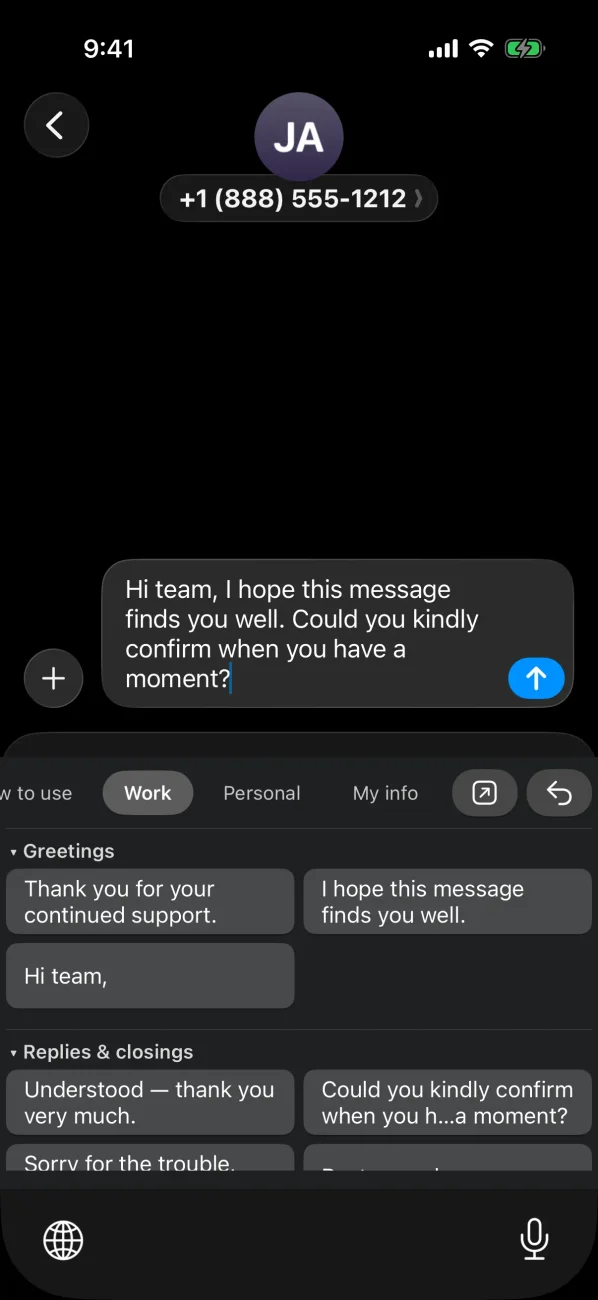
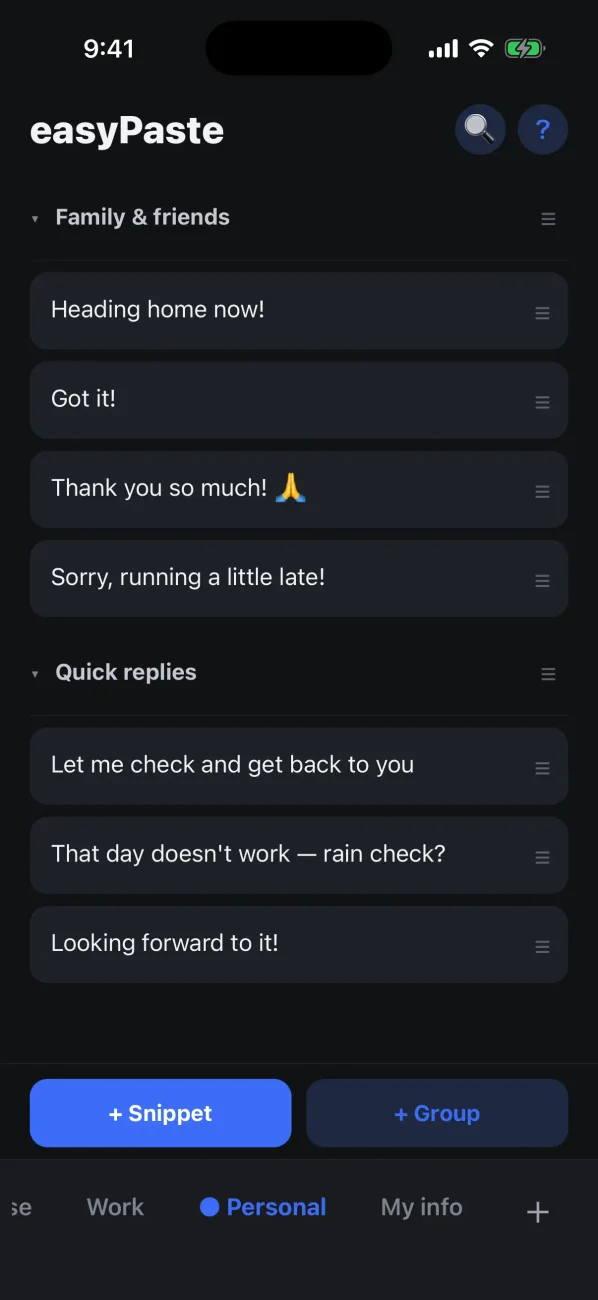
easyPaste is a snippet keyboard: your frequently used phrases appear as cards right on the keyboard, and one tap types them into any app — Mail, Messages, chat, anywhere you can type.
WHO IT'S FOR
- You type the same greetings, sign-offs, or replies every day
- You often enter fixed text like addresses, emails, or store names
- You're tired of switching to a notes app just to copy and paste
- You want to paste something you just copied, without the app dance
FEATURES
Snippet keyboard
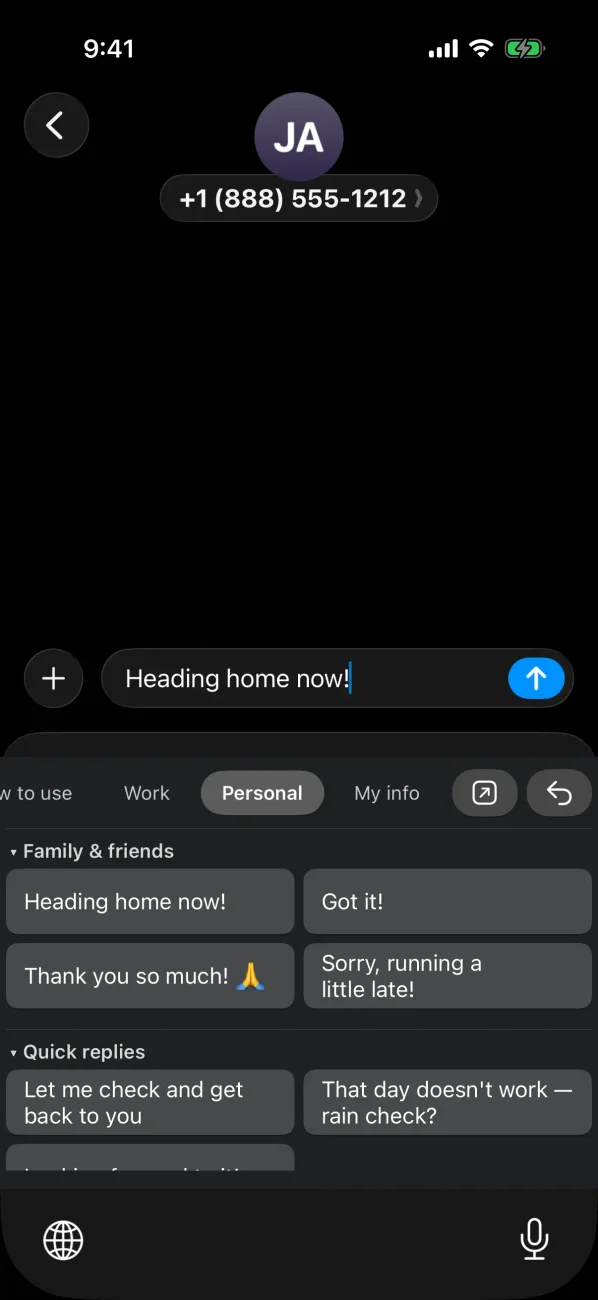
- Registered phrases appear as cards on the keyboard; tap to type them in place
- Works in any app with a text field
- Designed to look and feel like the standard iPhone keyboard
Clipboard history
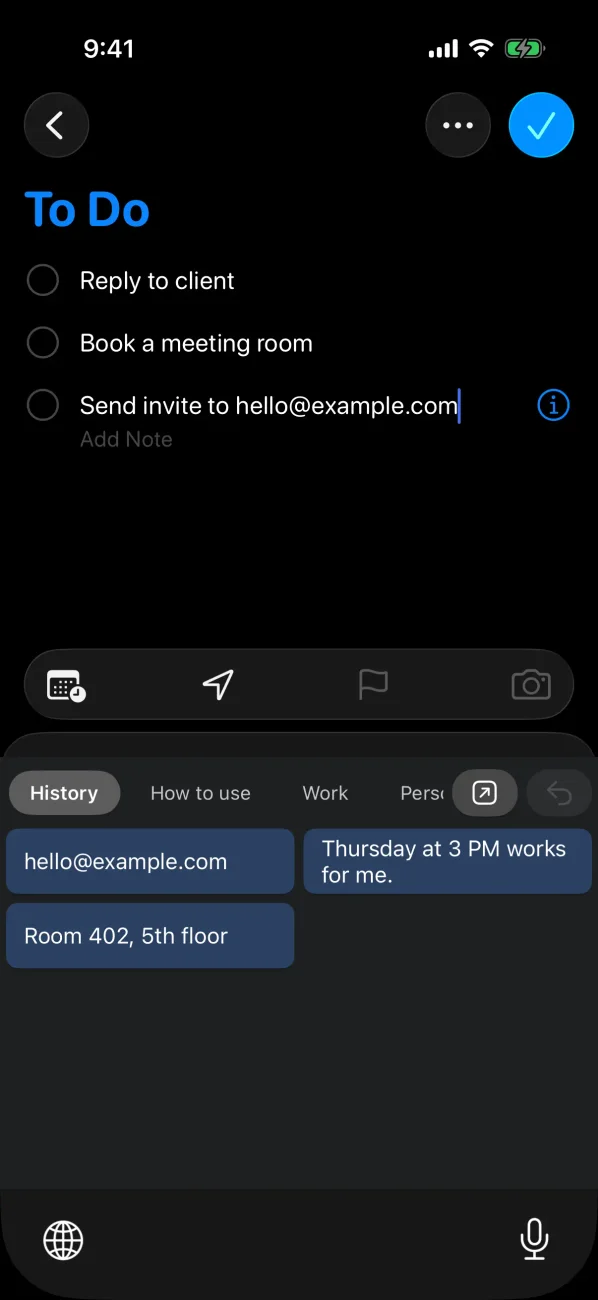
- Your most recent copy lands in the History tab when you open the keyboard or the app
- With Full Access allowed, just opening the keyboard imports your latest copy
- History cards also type with a single tap
Organize with groups and tabs
- Group snippets under headings ("Greetings", "Signature", ...)
- Separate tabs for work, personal, and more
- Reorder everything by drag and drop
Easy to set up
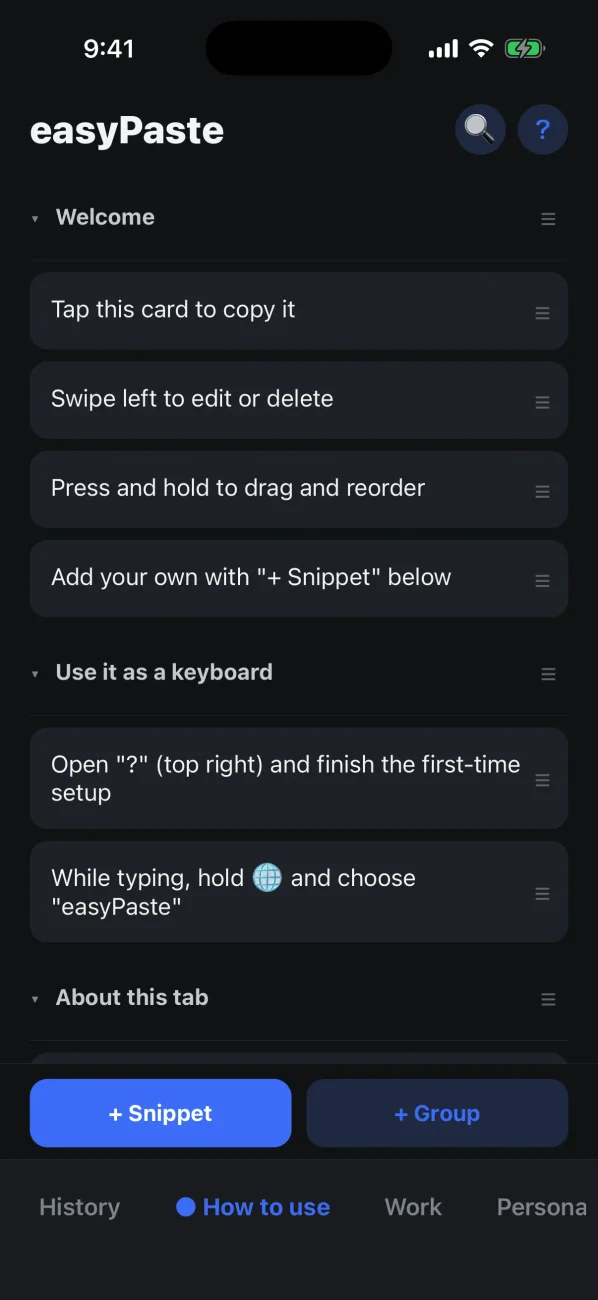
- A built-in guide walks you through setup with step-by-step screenshots
- Starter cards teach you the basics on first launch
PRIVACY FIRST
- All data stays on your device — nothing is ever uploaded
- No account, no ads, no analytics SDKs
- Clipboard history auto-deletes after 24 hours
- Credit-card-like numbers are never saved; copies from password managers are ignored
- Full Access is optional: snippet typing works without it
REQUIREMENTS
- iOS 16.4 or later / iPhone
SUPPORT
Contact: no64appworks@gmail.com
Support: https://easycopipe-privacy.pages.dev/support
Privacy Policy: https://easycopipe-privacy.pages.dev/
Feedback and feature requests are always welcome.
What’s new
Version 1.0.2 · Nov 18, 2026
• Stronger protection against saving card-number-like text to history (including different separators and surrounding text).
• ↩ no longer undoes while you have text selected.
• The first time you open the keyboard, it shows your snippets instead of the guide.
• Opening or closing a group in the app now shows up on the keyboard right away.
• Stability improvements and minor fixes.
App privacy
What YUKI MIYAZAKI declares on the App Store about how this app handles data.
-
Data not linked to you
May be collected but is not linked to your identity.
- Identifiers
- Diagnostics
Privacy practices may vary, for example with the features you use or your age.
Information
- Seller
- YUKI MIYAZAKI
- Category
- Utilities
- Version
- 1.0.2
- Updated
- Nov 18, 2026
- Released
- Jul 23, 2026
- Size
- 34.1 MB
- Requires
- iOS 16.4 or later
- Age rating
- 4+
- Price
- Free
- Languages
- English, Japanese
- Copyright
- © 2026 YUKI MIYAZAKI
You might also like
-
 SnippetCueText Expander & Quick Replies
-
 Text Snippet Keyboard - SnipItAI Prompt Templates & Macros
-
 SeukArt: Fonts, Symbols & TextStylish Cursive Art & Stickers
-
 定型ボード - 定型文キーボードUtilities
-
 Keyboard Language FixerUtilities
-
 爆速クリップボードUtilities
-
 SmartPaste Clipboard ManagerSmart Clipboard History Tool
-
 UtilKBKeyboard for Developers
-
 SnipKeys - Type Less, Do MoreYour Personal Snippet Keyboard
-
 定型文キーボード Pochitto(ぽちっと)Utilities