- Clasificación por edad12+
- CategoríaUtilidades
- DesarrolladorShenZhen RDING TECH CO . , LIMITED
- IdiomasInglés+ 1 más
- Tamaño37,3 MB
Enlaza a la página oficial de App Store
Download.org no aloja ningún archivo de ElfKey. El botón abre la página de la aplicación en App Store, donde la publica ShenZhen RDING TECH CO . , LIMITED. Ficha comprobada por última vez el 18/11/2026.
Capturas de pantalla

Acerca de
El desarrollador no ha proporcionado este texto en tu idioma.
ElfKey is the mobile companion app for PCsensor hardware.
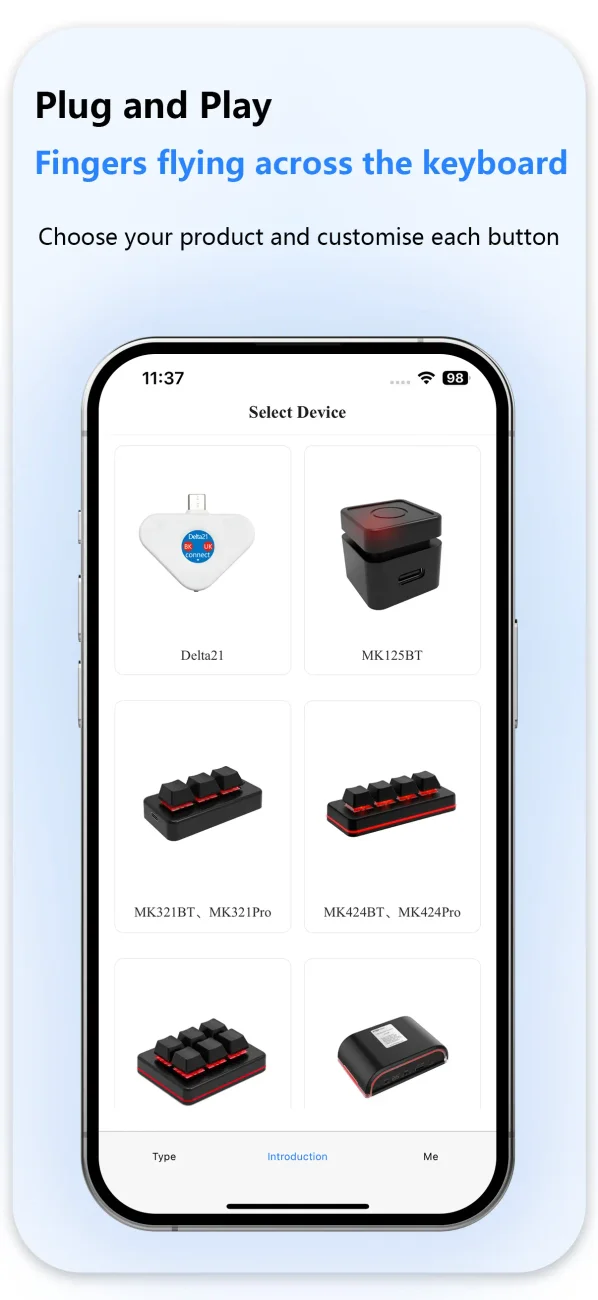
SUPPORTED DEVICES
- Foot switches: FS series
- Macro keypads: MK series, BTC24K
- Multifunctional keypad: Delta21
TWO WAYS TO USE
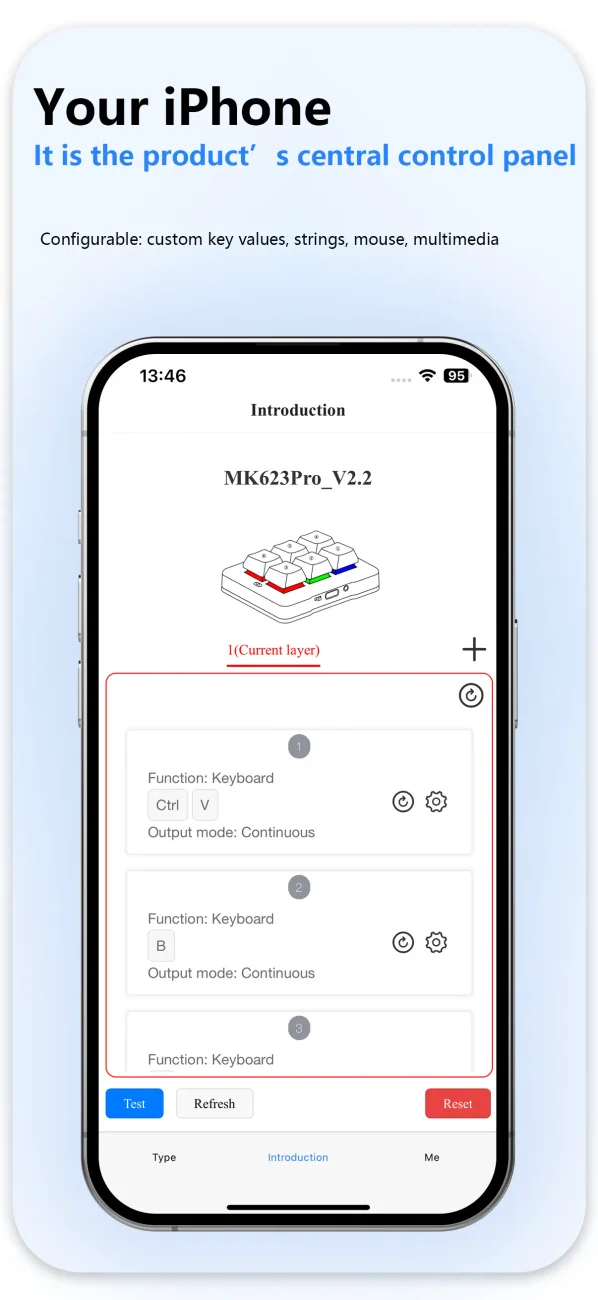
- For foot switches and macro keypads, ElfKey is an on-the-go configurator: connect over Bluetooth to reassign what each key outputs. Settings are stored on the device, which then works standalone via USB, Bluetooth or a 2.4G receiver depending on the model — no phone involvement at runtime.
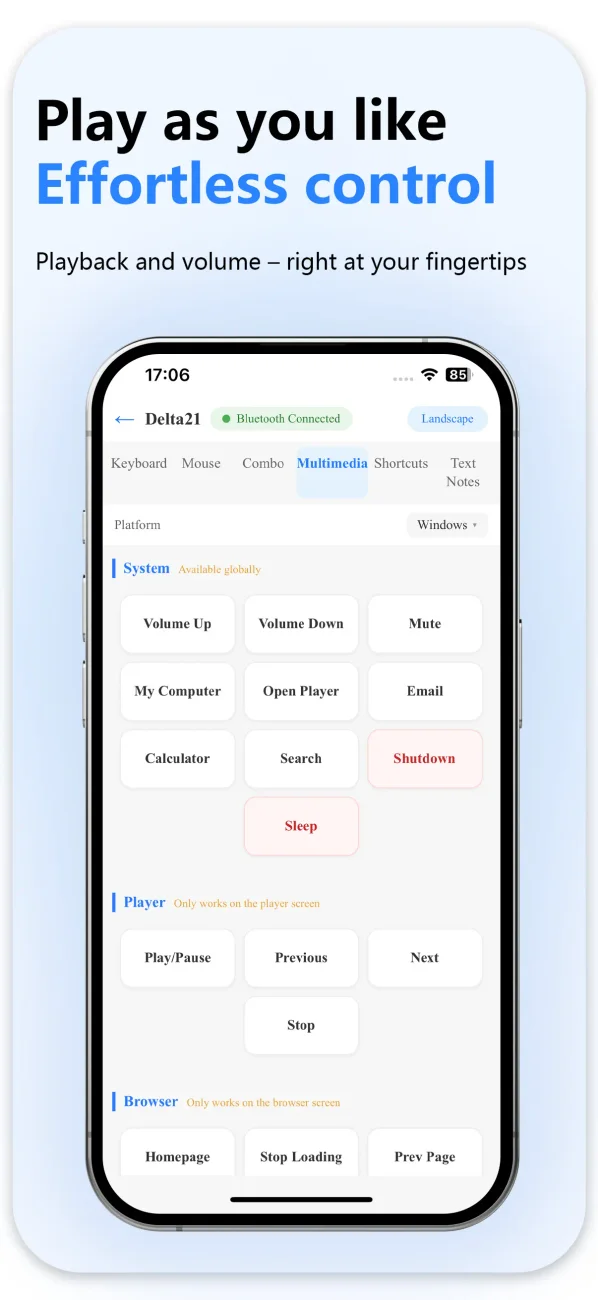
- For the Delta21, ElfKey is a live remote: your phone connects to the device over Bluetooth, the device connects to your computer over USB as a standard keyboard/mouse, and in-app actions are relayed to the computer in real time.
KEY FEATURES
◆ Bluetooth Connection
- Scan and connect your PCsensor device with live connection status and auto-reconnect
◆ Key Mapping (foot switches / macro keypads)
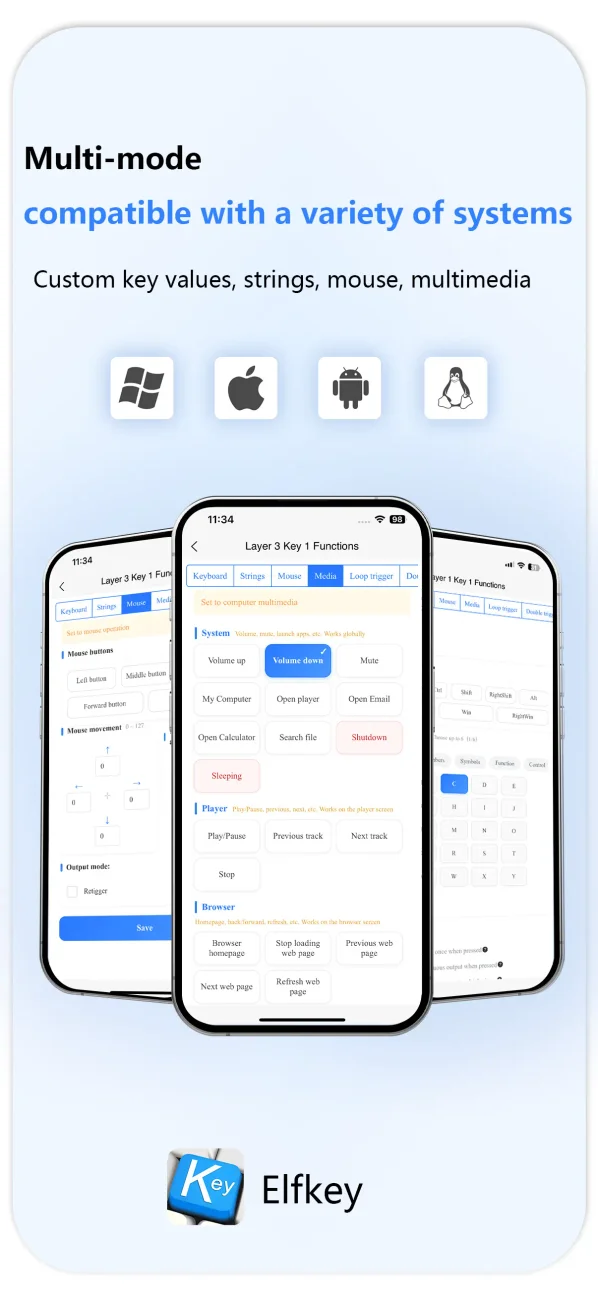
- Assign any key as keyboard keys, strings, mouse actions, media commands or macros
- Multi-layer key profiles: add, delete and switch layers on the fly
- Advanced triggers: double trigger (press/release), loop trigger, page-turning mode
- Output modes: single, continuous and repeat, with adjustable count and speed
- Refresh a single key or reset the whole device
◆ Delta21 Live Control
- Virtual keyboard with up to 6 simultaneous keys for easy shortcut input
- Touchpad to move, click and scroll the cursor on your computer
- Combined keyboard + touchpad control
- Media controls: volume, playback, browser and system shortcuts (Windows / macOS)
- App shortcut panels for PowerPoint, Word, Excel, Photoshop, VS Code and Chrome — one tap to trigger
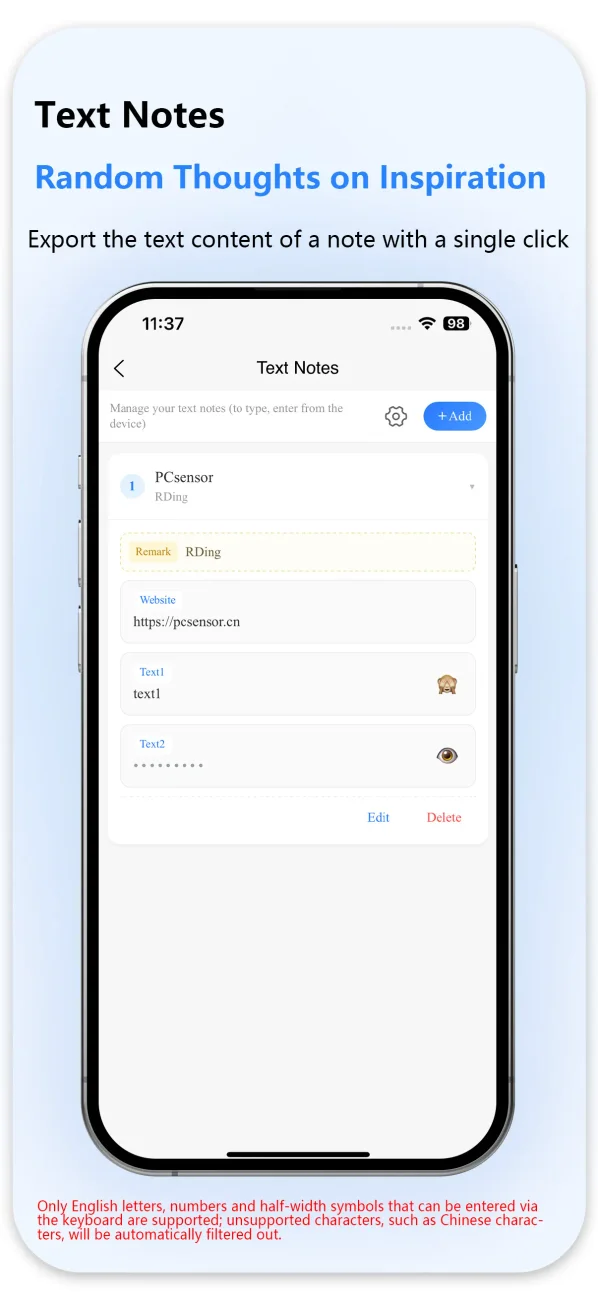
- Text Notes: save frequently used text and type it into your computer through the device; protect notes with a PIN
◆ More
- Simplified Chinese / English interface
PLEASE NOTE
- ElfKey works together with PCsensor hardware. Without a device you can browse the interface and manage Text Notes, but key configuration and computer control require a physical device.
- No sign-up or login required. We do not collect personal data. Bluetooth permission is used solely to connect your own PCsensor device.
- Connection methods and features vary by model — please refer to the product manual.
Privacidad de la aplicación
Lo que ShenZhen RDING TECH CO . , LIMITED declara en App Store sobre cómo esta aplicación gestiona los datos.
-
No se recopilan datos
El desarrollador no recopila ningún dato de esta aplicación.
Las prácticas de privacidad pueden variar, por ejemplo, según las funciones que uses o tu edad.
Información
- Vendedor
- ShenZhen RDING TECH CO . , LIMITED
- Categoría
- Utilidades
- Versión
- 3.0.0
- Actualizado
- 7/11/2026
- Publicado
- 6/11/2026
- Tamaño
- 37,3 MB
- Requiere
- iOS 13.0 o posterior
- Clasificación por edad
- 12+
- Precio
- Gratis
- Idiomas
- Inglés, Chino simplificado
- Copyright
- © 2026 ShenZhen RDING TECH CO . , LIMITED