- Classification d’âge12+
- CatégorieUtilitaires
- DéveloppeurShenZhen RDING TECH CO . , LIMITED
- LanguesAnglais+ 1 de plus
- Taille37,3 Mo
Renvoie vers la page App Store officielle
Download.org n’héberge aucun fichier de ElfKey. Le bouton ouvre la page de l’application sur App Store, où ShenZhen RDING TECH CO . , LIMITED la publie. Fiche vérifiée pour la dernière fois le 18/11/2026.
Captures d’écran

À propos
Le développeur n’a pas fourni ce texte dans votre langue.
ElfKey is the mobile companion app for PCsensor hardware.
SUPPORTED DEVICES
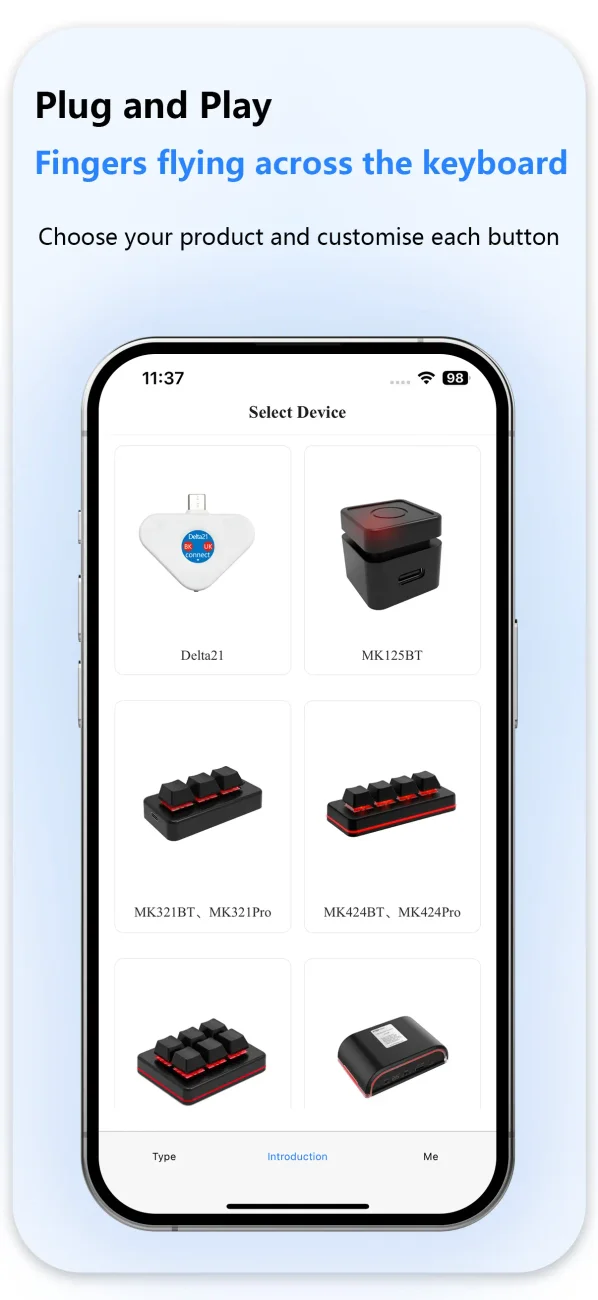
- Foot switches: FS series
- Macro keypads: MK series, BTC24K
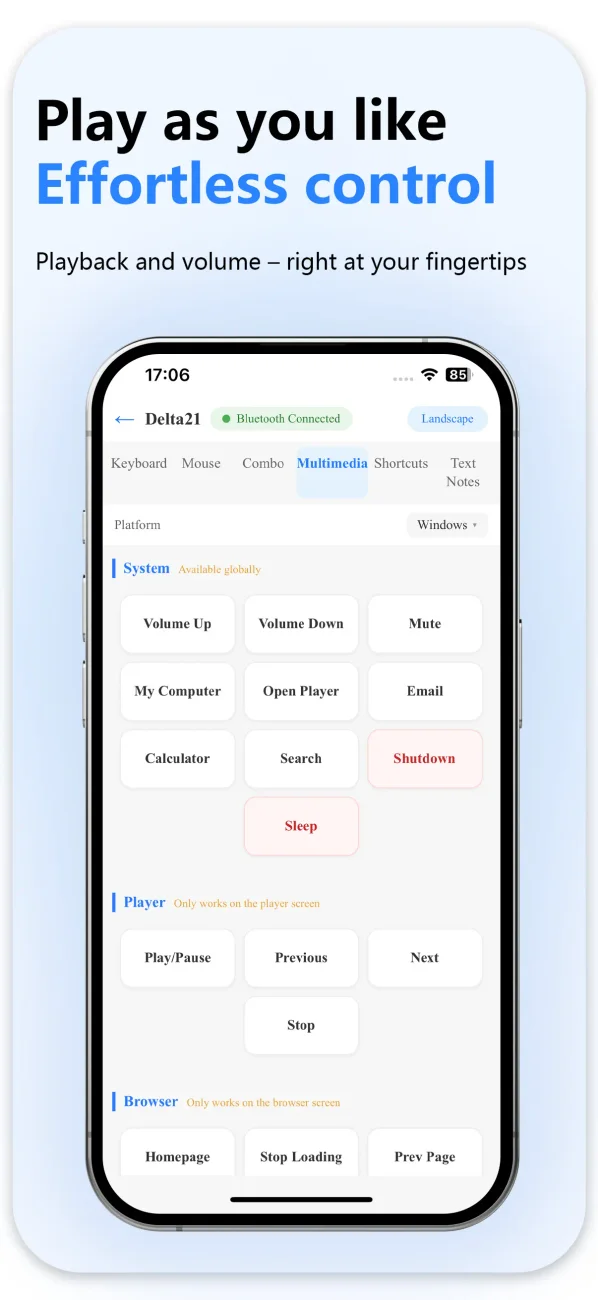
- Multifunctional keypad: Delta21
TWO WAYS TO USE
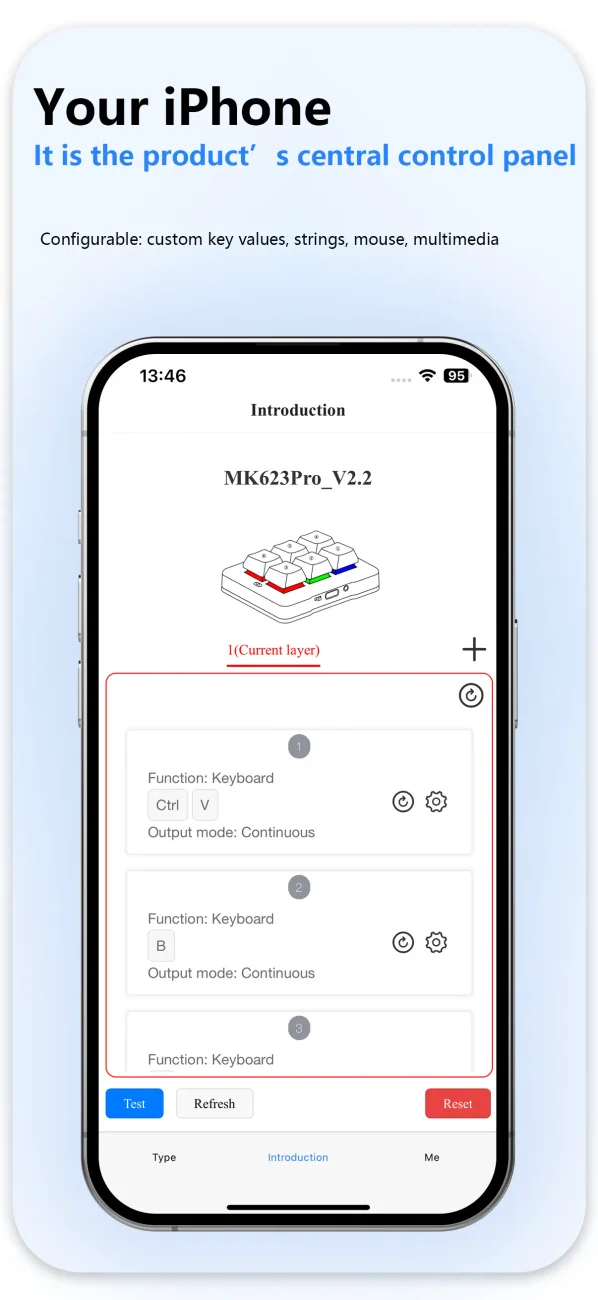
- For foot switches and macro keypads, ElfKey is an on-the-go configurator: connect over Bluetooth to reassign what each key outputs. Settings are stored on the device, which then works standalone via USB, Bluetooth or a 2.4G receiver depending on the model — no phone involvement at runtime.
- For the Delta21, ElfKey is a live remote: your phone connects to the device over Bluetooth, the device connects to your computer over USB as a standard keyboard/mouse, and in-app actions are relayed to the computer in real time.
KEY FEATURES
◆ Bluetooth Connection
- Scan and connect your PCsensor device with live connection status and auto-reconnect
◆ Key Mapping (foot switches / macro keypads)
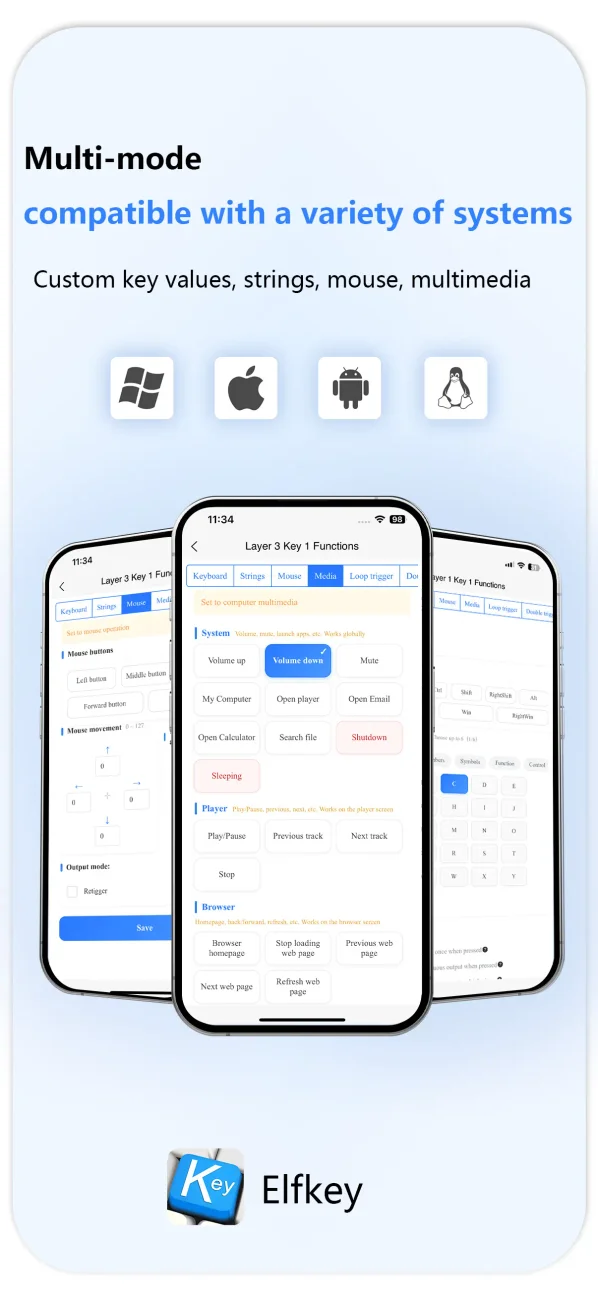
- Assign any key as keyboard keys, strings, mouse actions, media commands or macros
- Multi-layer key profiles: add, delete and switch layers on the fly
- Advanced triggers: double trigger (press/release), loop trigger, page-turning mode
- Output modes: single, continuous and repeat, with adjustable count and speed
- Refresh a single key or reset the whole device
◆ Delta21 Live Control
- Virtual keyboard with up to 6 simultaneous keys for easy shortcut input
- Touchpad to move, click and scroll the cursor on your computer
- Combined keyboard + touchpad control
- Media controls: volume, playback, browser and system shortcuts (Windows / macOS)
- App shortcut panels for PowerPoint, Word, Excel, Photoshop, VS Code and Chrome — one tap to trigger
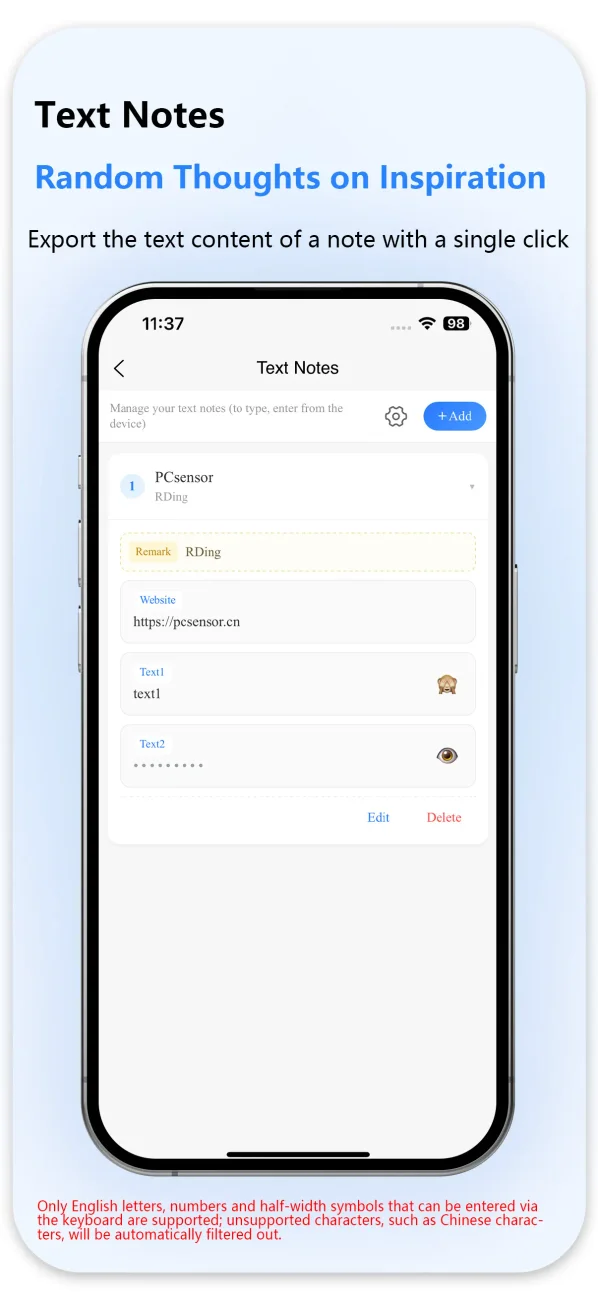
- Text Notes: save frequently used text and type it into your computer through the device; protect notes with a PIN
◆ More
- Simplified Chinese / English interface
PLEASE NOTE
- ElfKey works together with PCsensor hardware. Without a device you can browse the interface and manage Text Notes, but key configuration and computer control require a physical device.
- No sign-up or login required. We do not collect personal data. Bluetooth permission is used solely to connect your own PCsensor device.
- Connection methods and features vary by model — please refer to the product manual.
Confidentialité de l’application
Ce que ShenZhen RDING TECH CO . , LIMITED déclare sur l’App Store au sujet du traitement des données par cette application.
-
Données non collectées
Le développeur ne collecte aucune donnée à partir de cette application.
Les pratiques en matière de confidentialité peuvent varier, notamment en fonction des fonctionnalités que vous utilisez ou de votre âge.
Informations
- Vendeur
- ShenZhen RDING TECH CO . , LIMITED
- Catégorie
- Utilitaires
- Version
- 3.0.0
- Mis à jour
- 07/11/2026
- Publié
- 06/11/2026
- Taille
- 37,3 Mo
- Nécessite
- iOS 13.0 ou version ultérieure
- Classification d’âge
- 12+
- Prix
- Gratuit
- Langues
- Anglais, Chinois simplifié
- Copyright
- © 2026 ShenZhen RDING TECH CO . , LIMITED