EverEditor: Notes for Evernote
Markdown & rich text journal
Diseñada para iPhone, iPad
Gratis · Compras en la aplicación
- Clasificación por edad4+
- CategoríaProductividad
- DesarrolladorRyu Iwasaki
- IdiomasInglés+ 4 más
- Tamaño49,0 MB
Enlaza a la página oficial de App Store
Download.org no aloja ningún archivo de EverEditor: Notes for Evernote. El botón abre la página de la aplicación en App Store, donde la publica Ryu Iwasaki. Ficha comprobada por última vez el 23/11/2026.
Capturas de pantalla
Acerca de
El desarrollador no ha proporcionado este texto en tu idioma.
Write faster. Edit freely. Stay connected with Evernote.
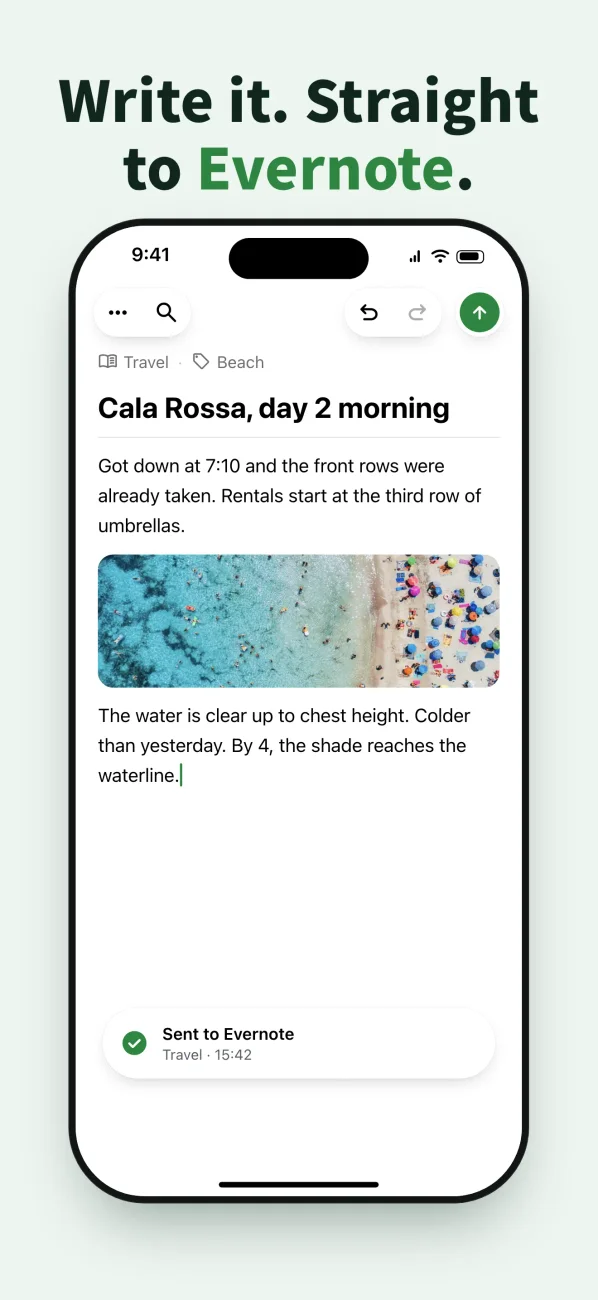
EverEditor gives you a focused place to write without the clutter. Open the app and start writing right away, then sync your notes with Evernote.
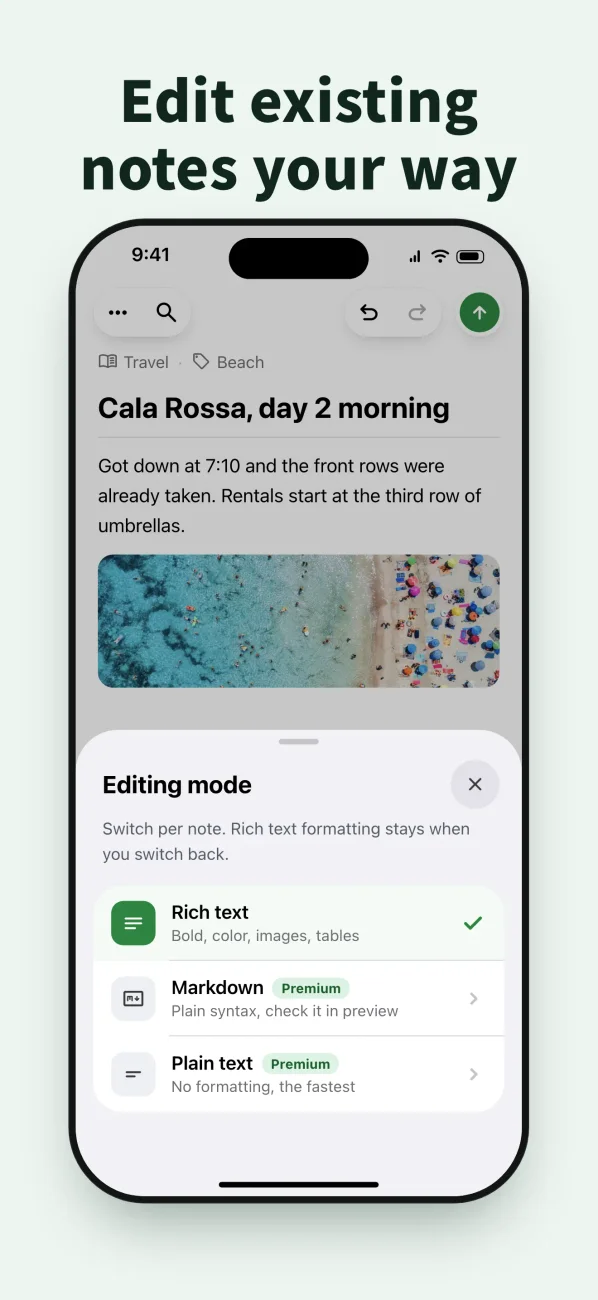
Create new notes, edit existing ones, and choose between rich text and Markdown. Use EverEditor for quick notes, journals, work logs, documents, and anything else you want to keep in Evernote.
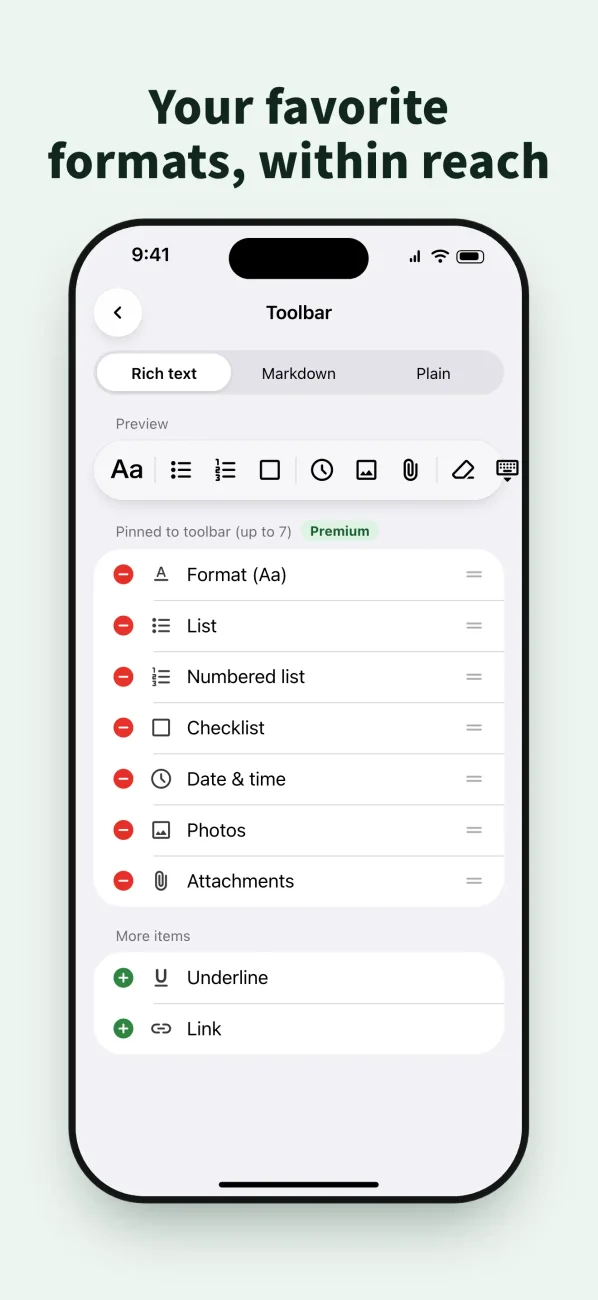
Make the editor your own with a customizable toolbar and flexible writing settings.
# Features
- Free
The following functions are provided free of charge.
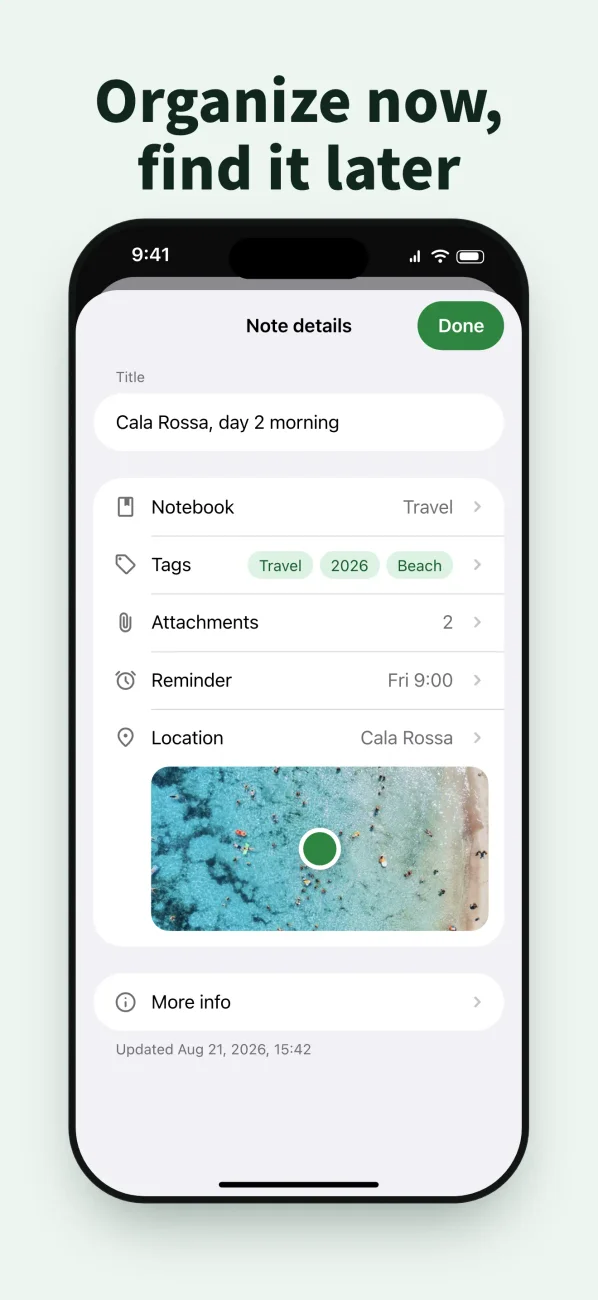
• Create, edit and send Evernote notes
There is a limit on the number of transmissions.
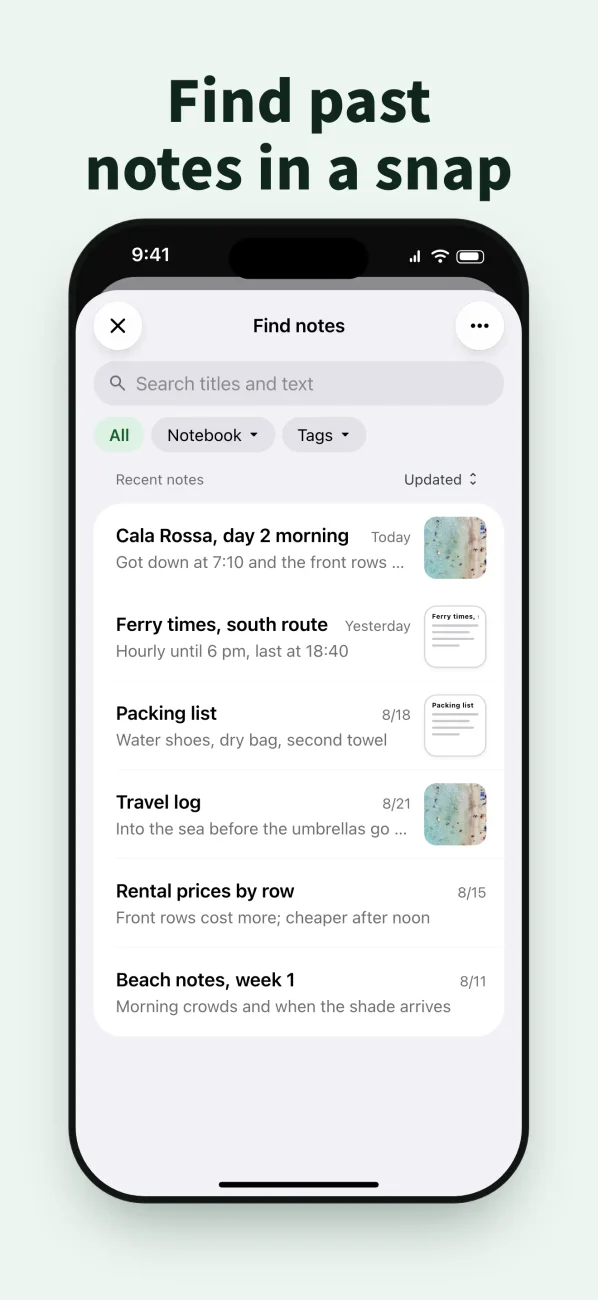
• Search for notes
There is a limit on the number of searches.
• Edit Evernote notes information
• Create Evernote notes in rich text
• Supports Split View
• Attach various types of files
• Attach the recorded file
• Use camera function
• Add a reminder
• Compatible with Dropbox and iCloud
• Support search and replace in notes
- EverEditor Premium
The following functions are provided paid.
• Support multi account, switch account
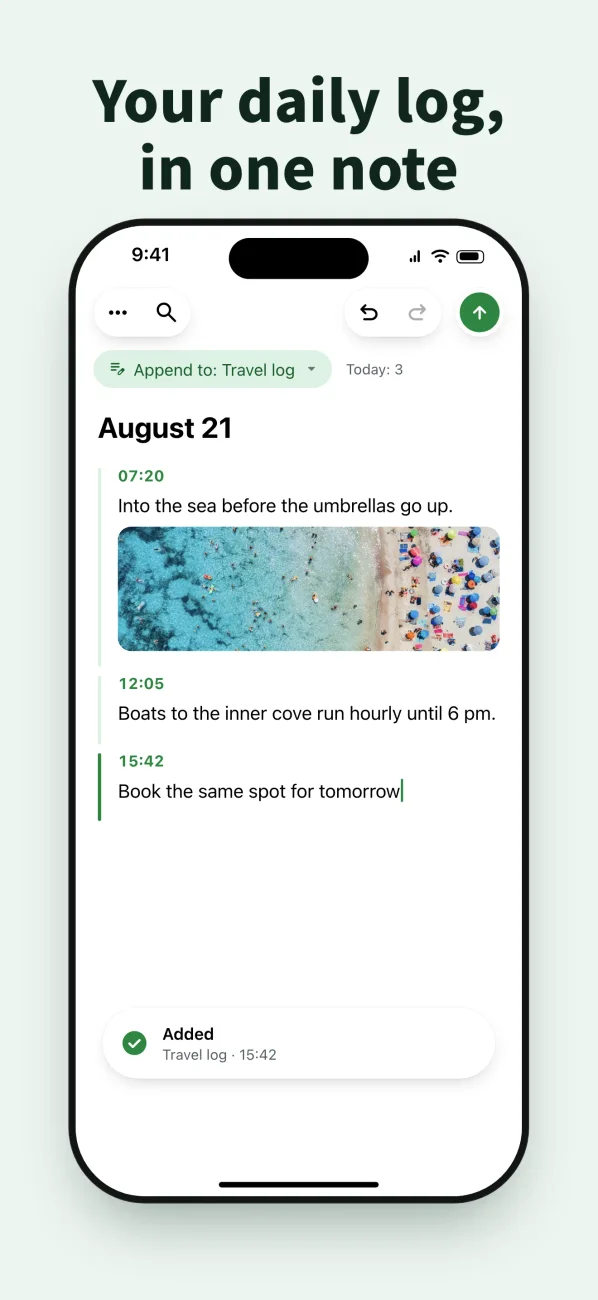
• Enter notes continuously in the same note
• Unlock restrictions on sending notes
• Unlock search limit for notes
• Unlock editing of toolbars
• Create notes with markdown
• Use dark mode when entering markdown
• Change the color of the editor
• Select the method of automatic generation of note titles
- About Auto Renewable Subscriptions
• Payments will be charged to your iTunes account at confirmation of purchase.
• Subscription automatically renews unless auto-renew is turned off at least 24-hours before the current period ends.
• Your iTunes account will be charged for next renewal within 24 hours of the end of the current period.
• You can manage your subscriptions and turn off auto-renew from your iTunes Account Settings after purchase.
• Current subscriptions cannot be canceled while active. If you turn off auto-renew you will have access to your subscribed content until the end of the current period.
- EverEditor Premium 1 Month ($0.99/month)
• Monthly subscription provides following features.
• Create notes with markdown
• Support multi accounts, switch accounts
• Enter notes continuously in the same note
• Unlock restrictions on sending notes
• Unlock search limit for notes
• Unlock editing of toolbars
- EverEditor Premium 1 Year ($5.99/year)
Yearly subscription provides following features.
• Create notes with markdown
• Support multi accounts, switch accounts
• Enter notes continuously in the same note
• Unlock restrictions on sending notes
• Unlock search limit for notes
• Unlock editing of toolbars
- Cancelling
You can jump to the subscription manage view easily by tapping the "Manage" in settings, or you can do it from AppStore or iTunes.
- Privacy Policy
http://www.jagaimopotato.com/apps/privacypolicy/ever-editor-privacy-policy-en.html
- Terms of Use (EULA)
https://www.apple.com/legal/internet-services/itunes/dev/stdeula/
The app creates, views, and edits Evernote notes, tags, notebooks. These permissions are provided from Evernote to third party developers.
This is the official permission that Evernote users approved to Evernote and provides to Evernote's third-party developers.
This is based on a license agreed to use the API of Evernote.
Please check Evernote's API-License, privacy policy and terms of use.
API License: http://dev.evernote.com/doc/reference/api_license.php
Evernote's Privacy Policy and Terms of Use: https://evernote.com/intl/us/privacy/policy
We do not provide all of Evernote notes contents to third parties except Evernote.
If you have any feedback or questions, we’d love to hear from you. You can email ryu.contact.jp+evereditor@gmail.com or tweet @ja_gaimopotato.
Novedades
Versión 1.3.4 · 17/11/2026
Bug fixes
Privacidad de la aplicación
Lo que Ryu Iwasaki declara en App Store sobre cómo esta aplicación gestiona los datos.
-
Datos usados para rastrearte
Pueden usarse para rastrearte en aplicaciones y sitios web propiedad de otras empresas.
- Identificadores
-
Datos no vinculados a ti
Pueden recopilarse, pero no se vinculan a tu identidad.
- Identificadores
- Datos de uso
- Diagnóstico
Las prácticas de privacidad pueden variar, por ejemplo, según las funciones que uses o tu edad.
Información
- Vendedor
- Ryu Iwasaki
- Categoría
- Productividad
- Versión
- 1.3.4
- Actualizado
- 17/11/2026
- Publicado
- 8/8/2017
- Tamaño
- 49,0 MB
- Requiere
- iOS 18.6 o posterior
- Clasificación por edad
- 4+
- Precio
- Gratis
- Compras en la aplicación
- Sí
- Idiomas
- Inglés, Alemán, Italiano, Japonés, Coreano
- Copyright
- © JAGAIMOPOTATO
Quizá también te guste
-
 AI Transcribe by EvernoteProductividad
-
 DraftsProductividad
-
 EdrawMind: Mapa de ideasLluvia de ideas
-
 Evernote ScannableProductividad
-
 Obsidian Web ClipperProductividad
-
 SimplenoteNotas, tareas y recordatorios
-
 Notebook - notas, diariobloc de notas, tareas, listas
-
 Bear - Bloc de notas privadoEditor de texto Markdown
-
 Craft: Editor de Docs y NotasTareas, ideas y recordatorios
-
 Agenda: Notas y calendarioNotas en cronología