EverEditor: Notes for Evernote
Markdown & rich text journal
Conçue pour iPhone, iPad
Gratuit · Achats intégrés
- Classification d’âge4+
- CatégorieProductivité
- DéveloppeurRyu Iwasaki
- LanguesAnglais+ 4 de plus
- Taille49,0 Mo
Renvoie vers la page App Store officielle
Download.org n’héberge aucun fichier de EverEditor: Notes for Evernote. Le bouton ouvre la page de l’application sur App Store, où Ryu Iwasaki la publie. Fiche vérifiée pour la dernière fois le 23/11/2026.
Captures d’écran
À propos
Le développeur n’a pas fourni ce texte dans votre langue.
Write faster. Edit freely. Stay connected with Evernote.
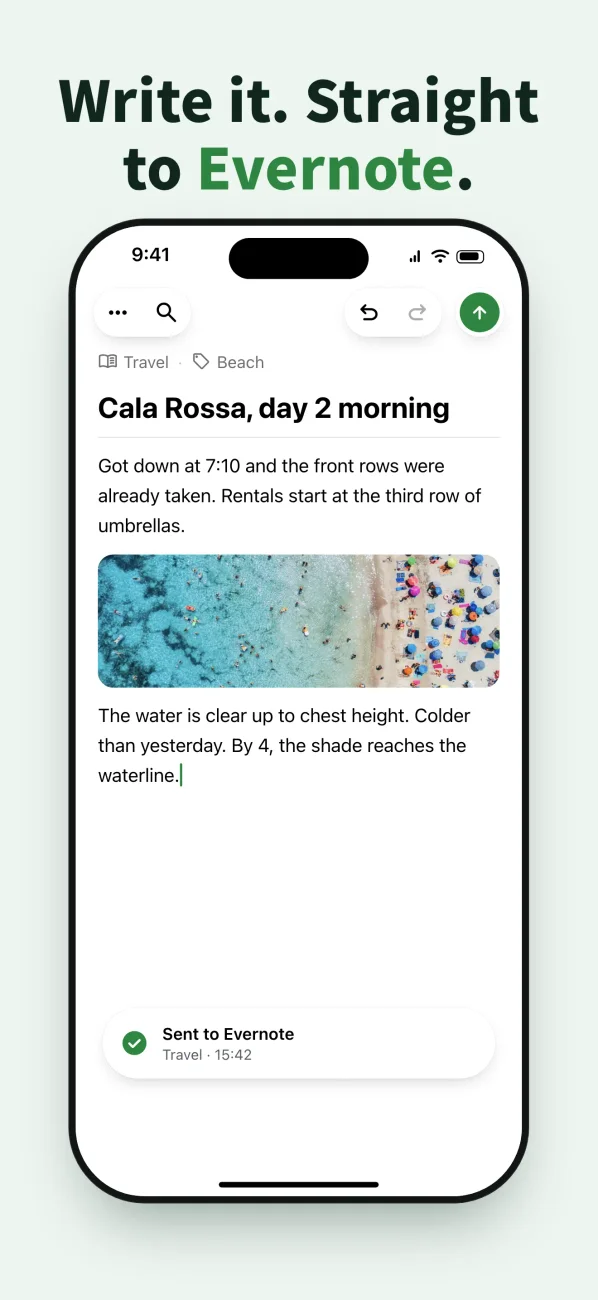
EverEditor gives you a focused place to write without the clutter. Open the app and start writing right away, then sync your notes with Evernote.
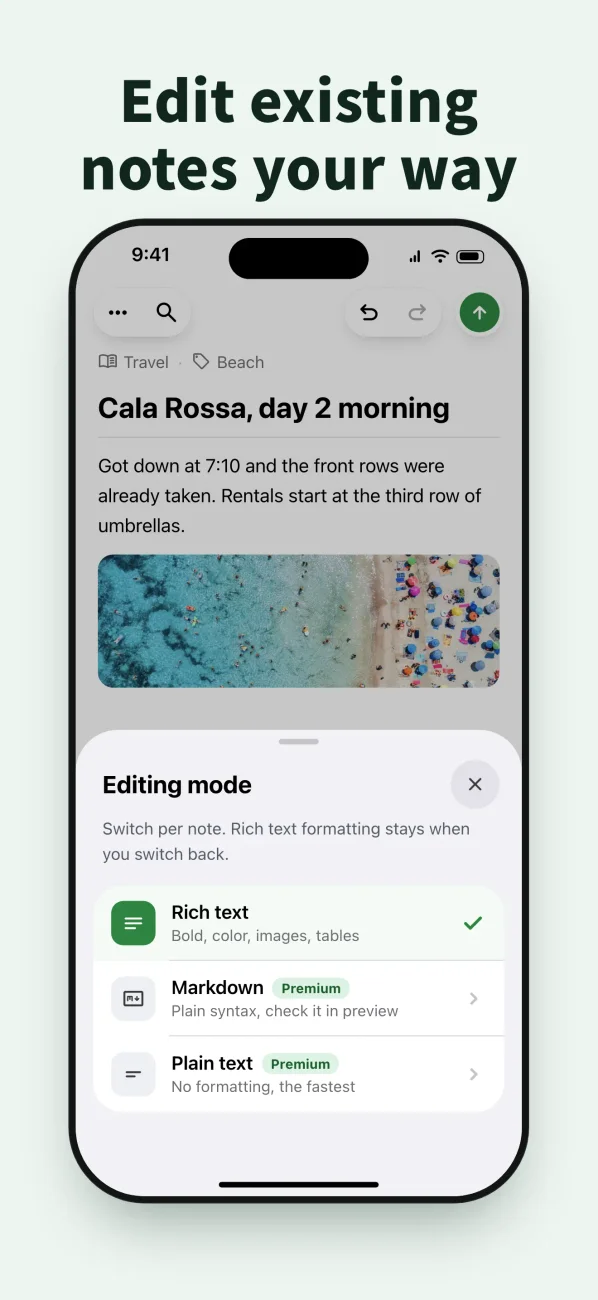
Create new notes, edit existing ones, and choose between rich text and Markdown. Use EverEditor for quick notes, journals, work logs, documents, and anything else you want to keep in Evernote.
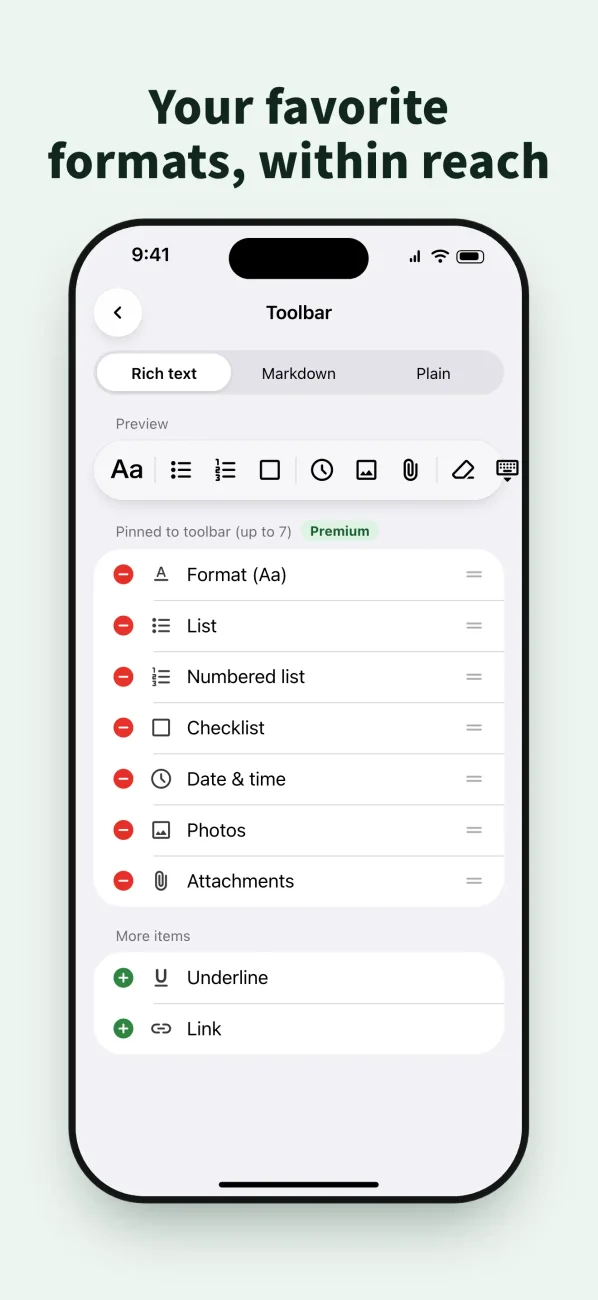
Make the editor your own with a customizable toolbar and flexible writing settings.
# Features
- Free
The following functions are provided free of charge.
• Create, edit and send Evernote notes
There is a limit on the number of transmissions.
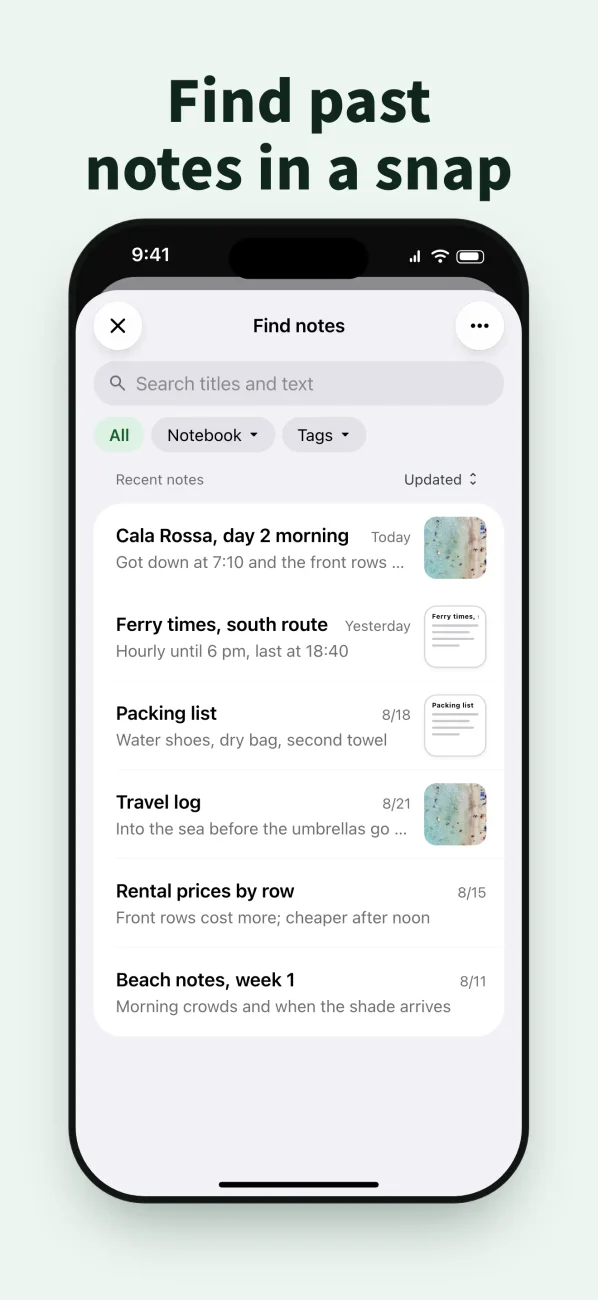
• Search for notes
There is a limit on the number of searches.
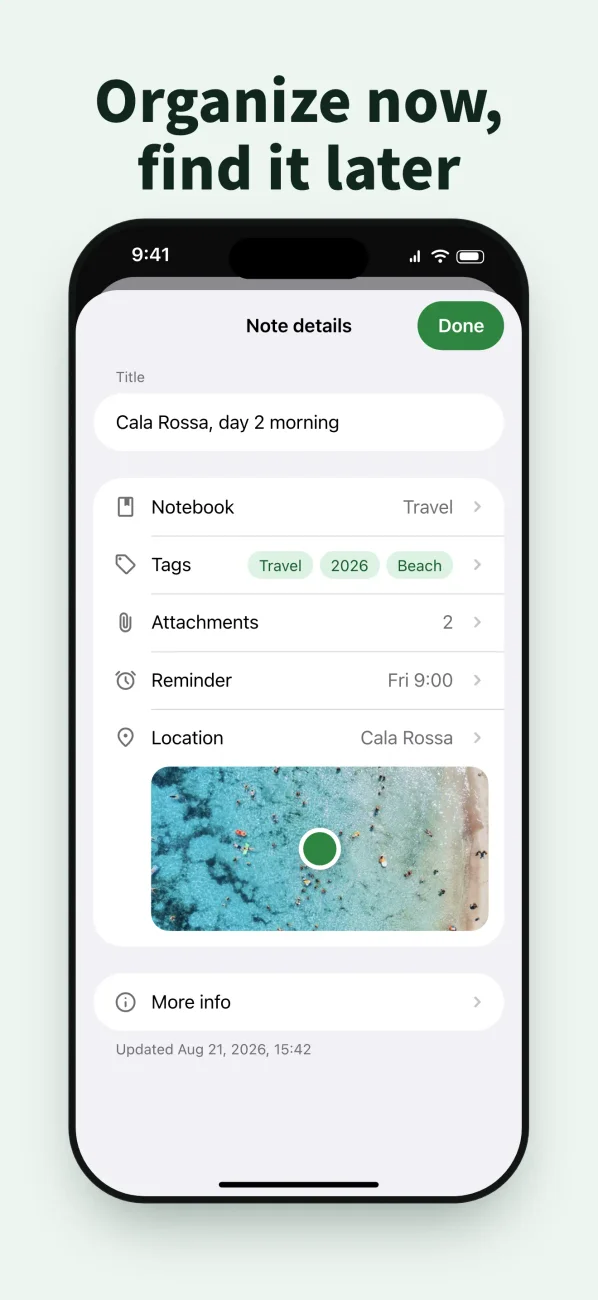
• Edit Evernote notes information
• Create Evernote notes in rich text
• Supports Split View
• Attach various types of files
• Attach the recorded file
• Use camera function
• Add a reminder
• Compatible with Dropbox and iCloud
• Support search and replace in notes
- EverEditor Premium
The following functions are provided paid.
• Support multi account, switch account
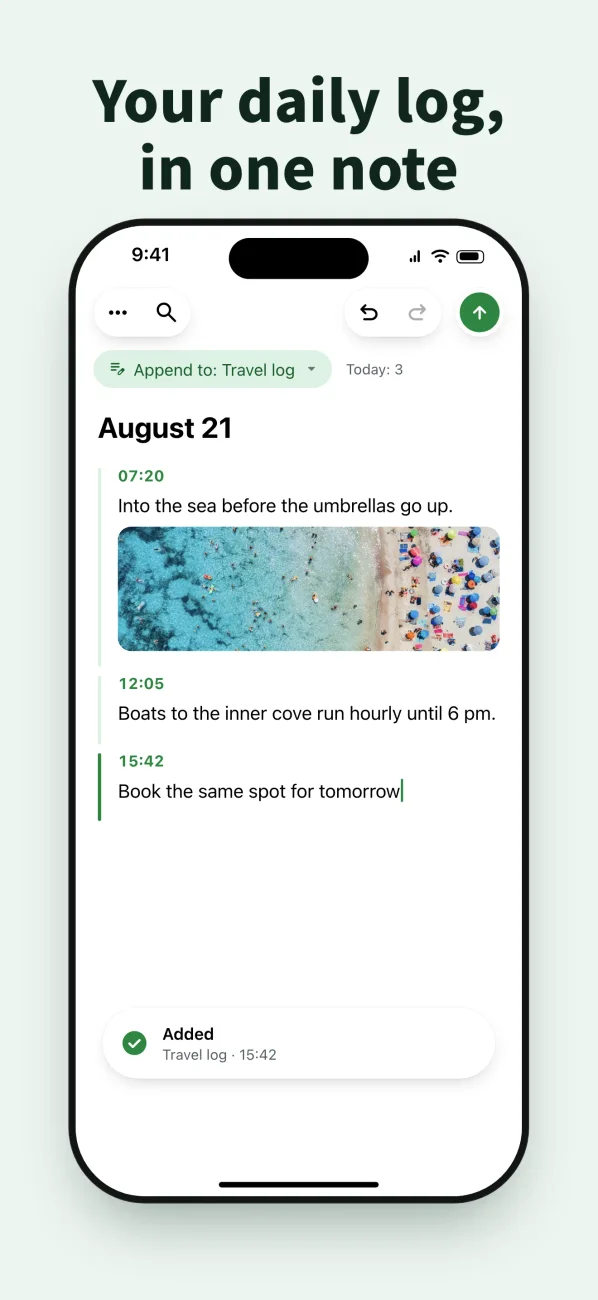
• Enter notes continuously in the same note
• Unlock restrictions on sending notes
• Unlock search limit for notes
• Unlock editing of toolbars
• Create notes with markdown
• Use dark mode when entering markdown
• Change the color of the editor
• Select the method of automatic generation of note titles
- About Auto Renewable Subscriptions
• Payments will be charged to your iTunes account at confirmation of purchase.
• Subscription automatically renews unless auto-renew is turned off at least 24-hours before the current period ends.
• Your iTunes account will be charged for next renewal within 24 hours of the end of the current period.
• You can manage your subscriptions and turn off auto-renew from your iTunes Account Settings after purchase.
• Current subscriptions cannot be canceled while active. If you turn off auto-renew you will have access to your subscribed content until the end of the current period.
- EverEditor Premium 1 Month ($0.99/month)
• Monthly subscription provides following features.
• Create notes with markdown
• Support multi accounts, switch accounts
• Enter notes continuously in the same note
• Unlock restrictions on sending notes
• Unlock search limit for notes
• Unlock editing of toolbars
- EverEditor Premium 1 Year ($5.99/year)
Yearly subscription provides following features.
• Create notes with markdown
• Support multi accounts, switch accounts
• Enter notes continuously in the same note
• Unlock restrictions on sending notes
• Unlock search limit for notes
• Unlock editing of toolbars
- Cancelling
You can jump to the subscription manage view easily by tapping the "Manage" in settings, or you can do it from AppStore or iTunes.
- Privacy Policy
http://www.jagaimopotato.com/apps/privacypolicy/ever-editor-privacy-policy-en.html
- Terms of Use (EULA)
https://www.apple.com/legal/internet-services/itunes/dev/stdeula/
The app creates, views, and edits Evernote notes, tags, notebooks. These permissions are provided from Evernote to third party developers.
This is the official permission that Evernote users approved to Evernote and provides to Evernote's third-party developers.
This is based on a license agreed to use the API of Evernote.
Please check Evernote's API-License, privacy policy and terms of use.
API License: http://dev.evernote.com/doc/reference/api_license.php
Evernote's Privacy Policy and Terms of Use: https://evernote.com/intl/us/privacy/policy
We do not provide all of Evernote notes contents to third parties except Evernote.
If you have any feedback or questions, we’d love to hear from you. You can email ryu.contact.jp+evereditor@gmail.com or tweet @ja_gaimopotato.
Nouveautés
Version 1.3.4 · 17/11/2026
Bug fixes
Confidentialité de l’application
Ce que Ryu Iwasaki déclare sur l’App Store au sujet du traitement des données par cette application.
-
Données utilisées pour vous suivre
Peuvent être utilisées pour vous suivre sur des applications et des sites web appartenant à d’autres sociétés.
- Identifiants
-
Données n’établissant aucun lien avec vous
Peuvent être collectées, mais ne sont pas liées à votre identité.
- Identifiants
- Données d’utilisation
- Diagnostic
Les pratiques en matière de confidentialité peuvent varier, notamment en fonction des fonctionnalités que vous utilisez ou de votre âge.
Informations
- Vendeur
- Ryu Iwasaki
- Catégorie
- Productivité
- Version
- 1.3.4
- Mis à jour
- 17/11/2026
- Publié
- 08/08/2017
- Taille
- 49,0 Mo
- Nécessite
- iOS 18.6 ou version ultérieure
- Classification d’âge
- 4+
- Prix
- Gratuit
- Achats intégrés
- Oui
- Langues
- Anglais, Allemand, Italien, Japonais, Coréen
- Copyright
- © JAGAIMOPOTATO
Vous aimerez peut-être aussi
-
 AI Transcribe by EvernoteProductivité
-
 DraftsProductivité
-
 EdrawMind : Carte mentale IACartes mentales, Brainstorming
-
 Evernote ScannableProductivité
-
 Obsidian Web ClipperProductivité
-
 SimplenoteNotes, tâches et mémos simples
-
 Notebook: Bloc-notes & MemoDictaphone, Journal & Carnet
-
 Bear - Notes ConfidentiellesÉditeur de texte Markdown
-
 Craft – Éditeur de documentsRédigez et éditez facilement
-
 Agenda: Notes plus calendrierNotes sur une frise